GitHub Issues by Abdul RafayGitHub Issues by Abdul Rafay

GitHub Issues

Abdul Rafay

Abdul Rafay

GitHub Issues

Project planning for developers

Create issues, break them into sub-issues, track progress, add custom fields, and have conversations. Visualize large projects as tables, boards, or roadmaps, and automate everything with code.
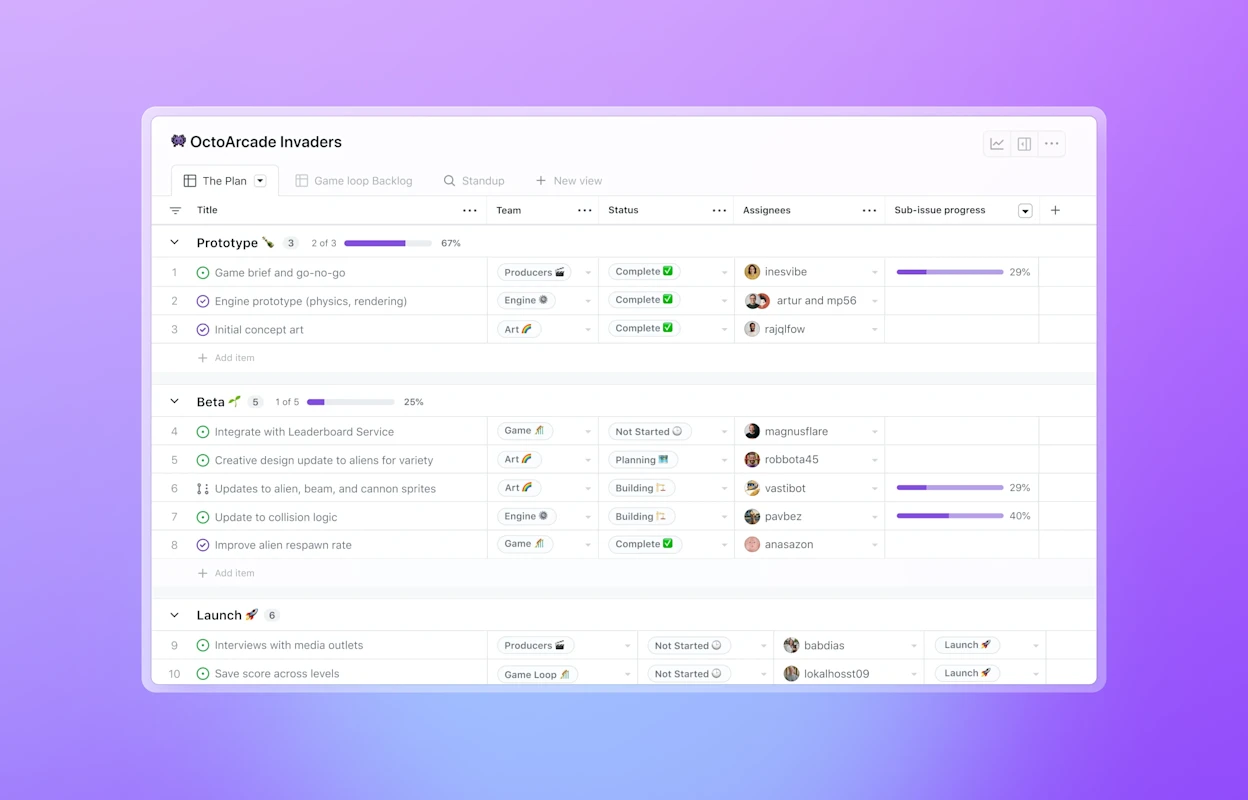
![The image shows a project management dashboard for "OctoArcade Invaders." It is divided into three sections: "Prototype," "Beta," and "Launch." Each section lists tasks with their status, assignees, and progress. Tasks are labeled as "Complete," "In Progress," or "Not Started," with corresponding icons and progress bars indicating completion percentages.

Logos for Shopify, Vercel, Stripe, Ford, and NASA

ShopifyVercelStripeFordNasa

Break issues into sub-issues

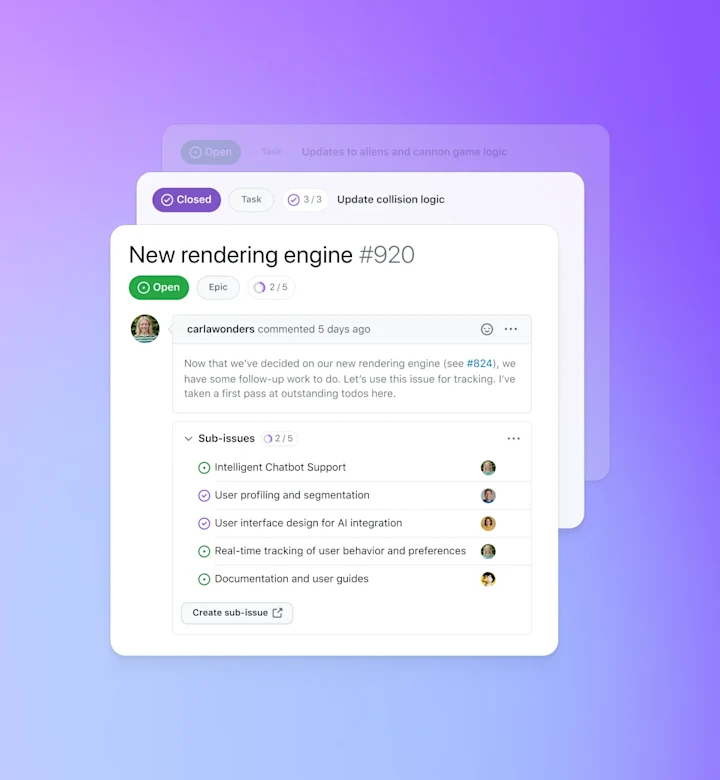
Tackle complex issues with sub-issues and track their status with progress indicators. Navigate the full scope of work all in one view.
![The image shows a project management interface with tasks and issues listed. The background is purple, and there are three overlapping task cards. The top card has a green "Open" status label and is titled "Task: Updates to aliens and cannon game logic." The middle card has a purple "Closed" status label and is titled "Update collision logic." The bottom card, which is the most detailed, has a green "Open" status label and is titled "New rendering engine #920." It includes comments from a user named 'carlawonders' who commented 5 days ago about follow-up work on the new rendering engine. There are sub-issues listed under this task, including Intelligent Chatbot Support, User profiling and segmentation, User interface design for AI integration, Real-time tracking of user behavior and preferences, and Documentation and user guides

Streamline conversations

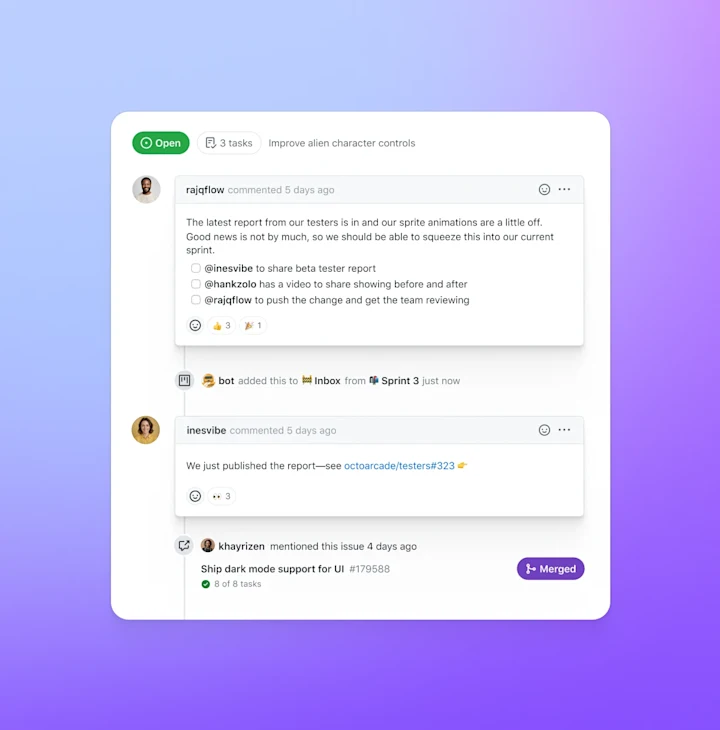
Express ideas with GitHub Flavored Markdown, mention contributors, react with emoji, clarify with attachments, and see references from commits, pull requests, releases, and deploys. Coordinate by assigning contributors and teams, or by adding them to milestones and projects. All in a single timeline.
Upload and attach videos to comments
Dive into work faster with issue forms and templates
![The image shows a project management interface with a teal to purple gradient background. At the top, there is a green "Open" label and "3 tasks" listed under the heading "Improve alien character controls." Below this, there are three task cards. The first card is from user rajqflow, posted 5 days ago, discussing feedback from testers about sprite animations and tagging users @inesvibe, @hanksolo, and @chieda to share the beta tester report. The second card is from user inesvibe, posted 5 days ago, announcing that they have published the report with a link to octocoradeo/testerlist#13. The third card is from user khayrizen again, posted 4 days ago, mentioning dark mode support for UI #179588.

Features

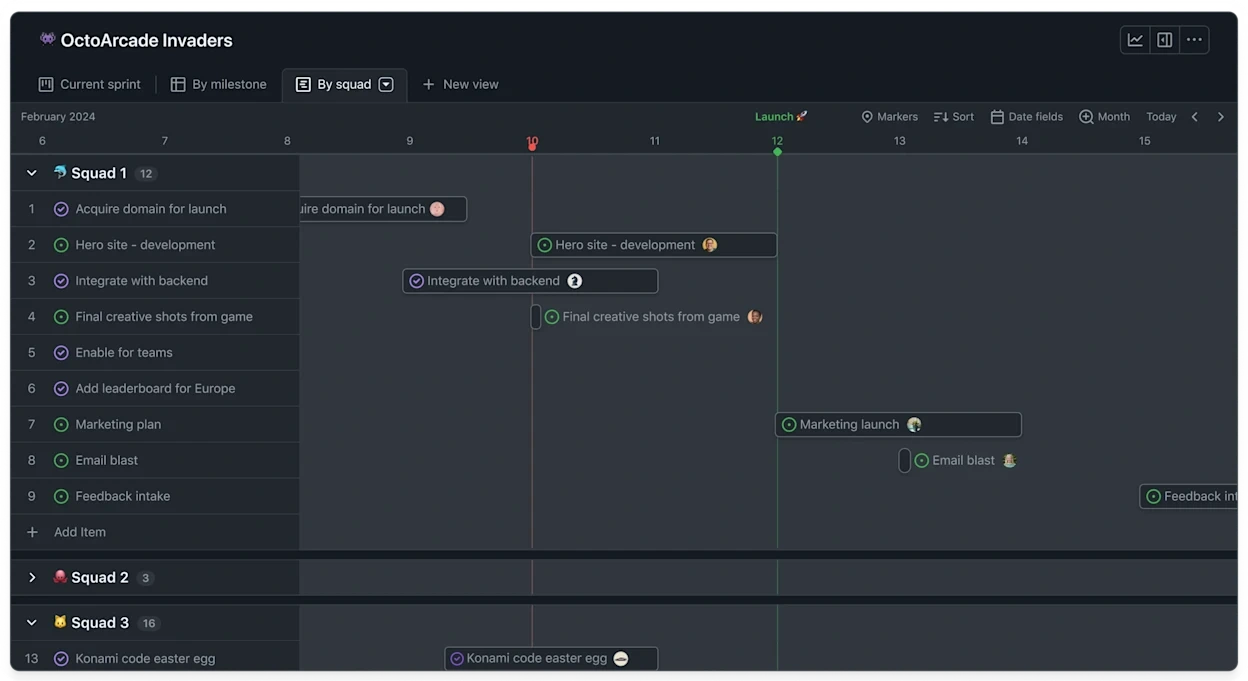
Bored of boards? Switch to tables and roadmaps. Create views for how you work.
Save views for sprints, backlogs, teams, or releases. Rank, group, sort, slice and filter to suit the occasion. Create swimlanes, share templates and set work in progress limits.
No mouse? No problem. Every action you can take with the mouse has a keyboard shortcut or command. Filter, sort, group, and assign issues. Your hands never leave the keyboard.

Custom fields

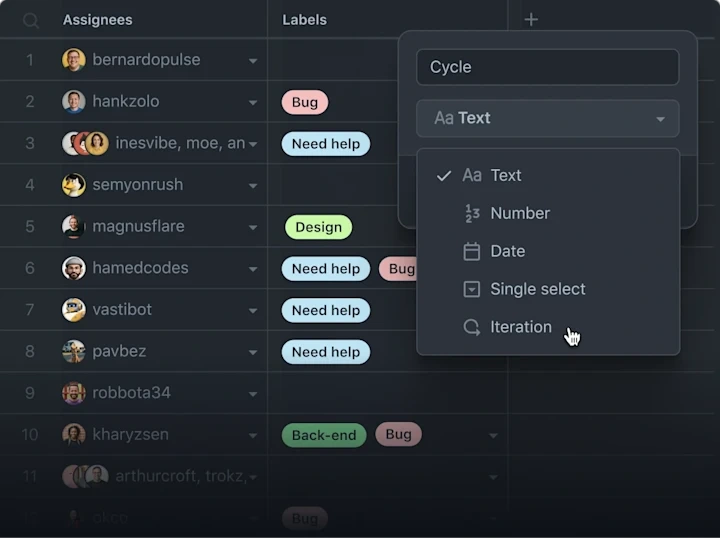
Track metadata like iterations, priority, story points, dates, notes, and links. Add custom fields to projects and edit from the issue sidebar.
Track progress with project insights

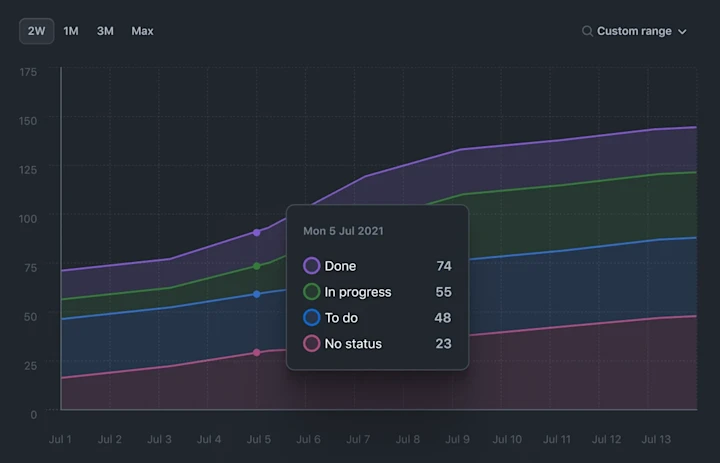
Track the health of your current iteration cycle, milestone, or any other custom field you create with new project insights. Identify bottlenecks and issues blocking the team from making progress with the new burn up chart.
![The image shows a line graph with data from July 1 to July 13. The x-axis represents dates, and the y-axis represents numerical values from 0 to 175. Three lines are shown: purple for "Done", green for "In progress", blue for "To do", and pink for "No status". A tooltip on July 5 shows "Done: 74", "In progress: 55", "To do: 48", and "No status: 23".

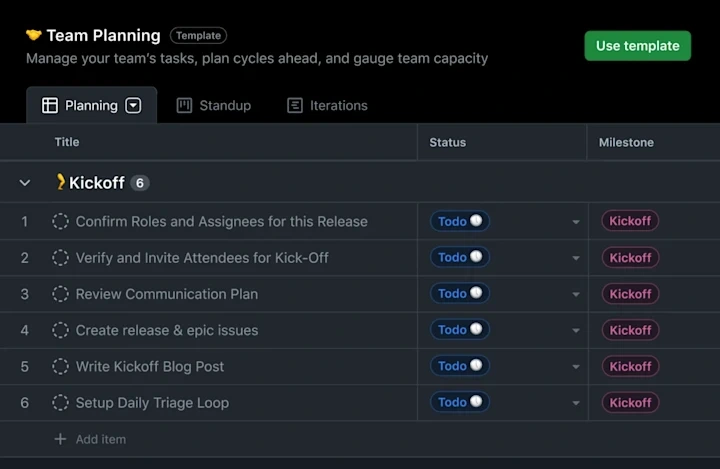
Share best practices with project templates

Create templates to share and reuse when getting started with a new project. Share inspiration across teams and get started with a single click.

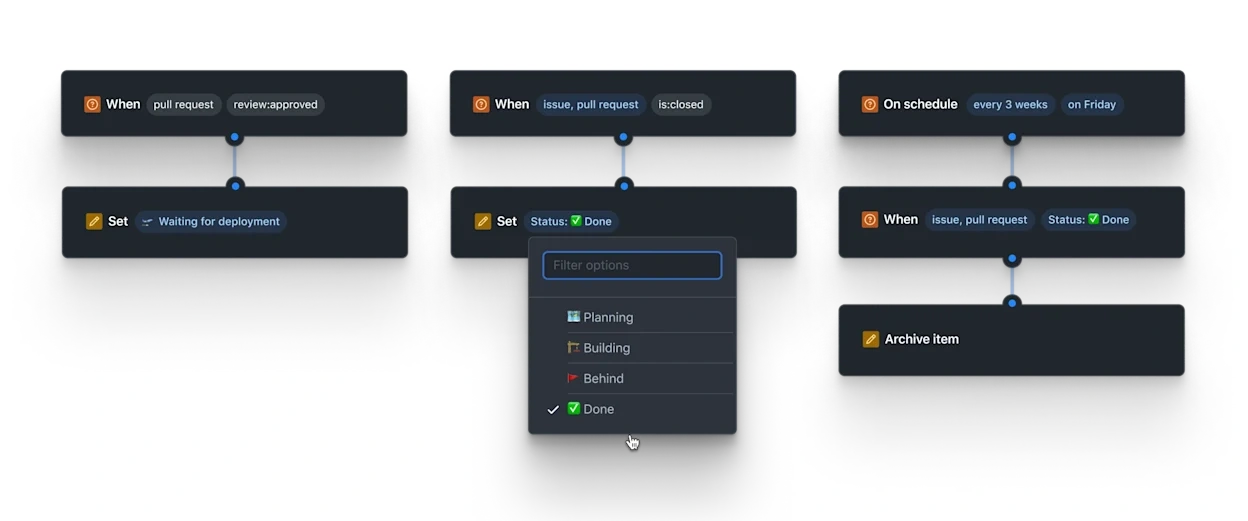
Manage work automatically

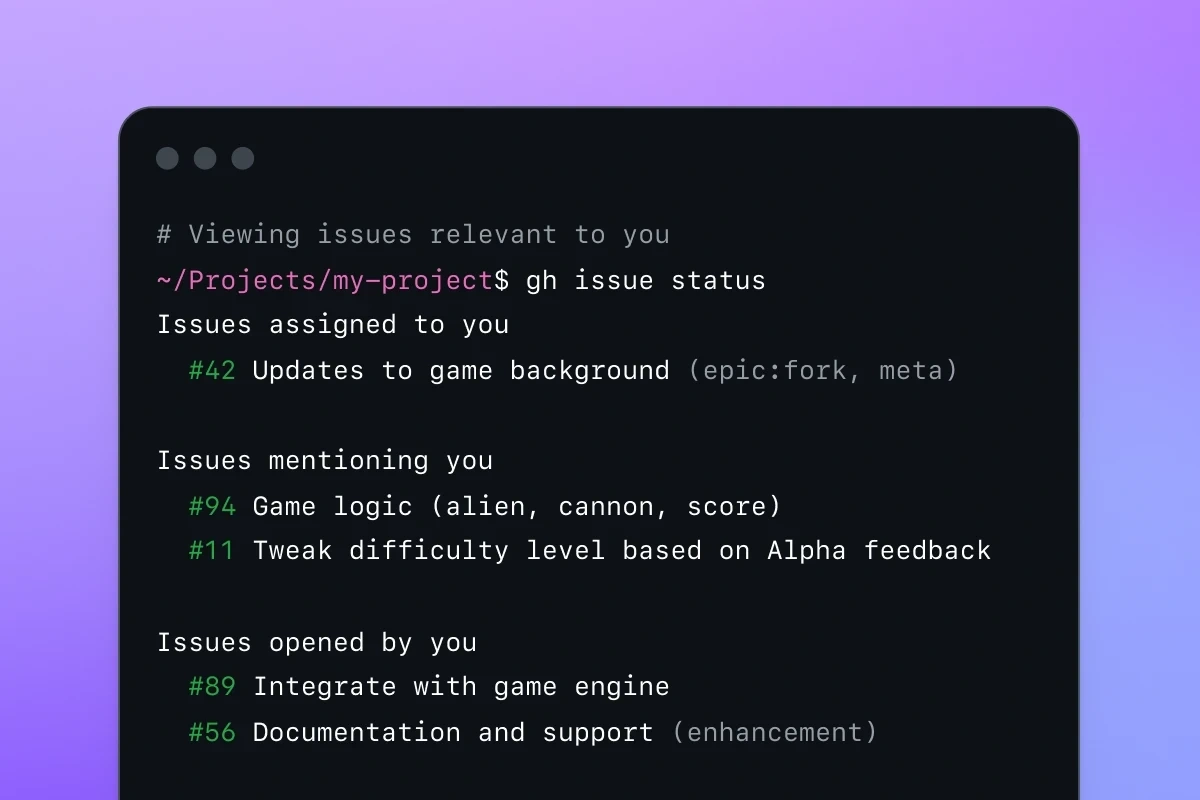
View, update, and create issues without ever leaving your terminal.
Learn more
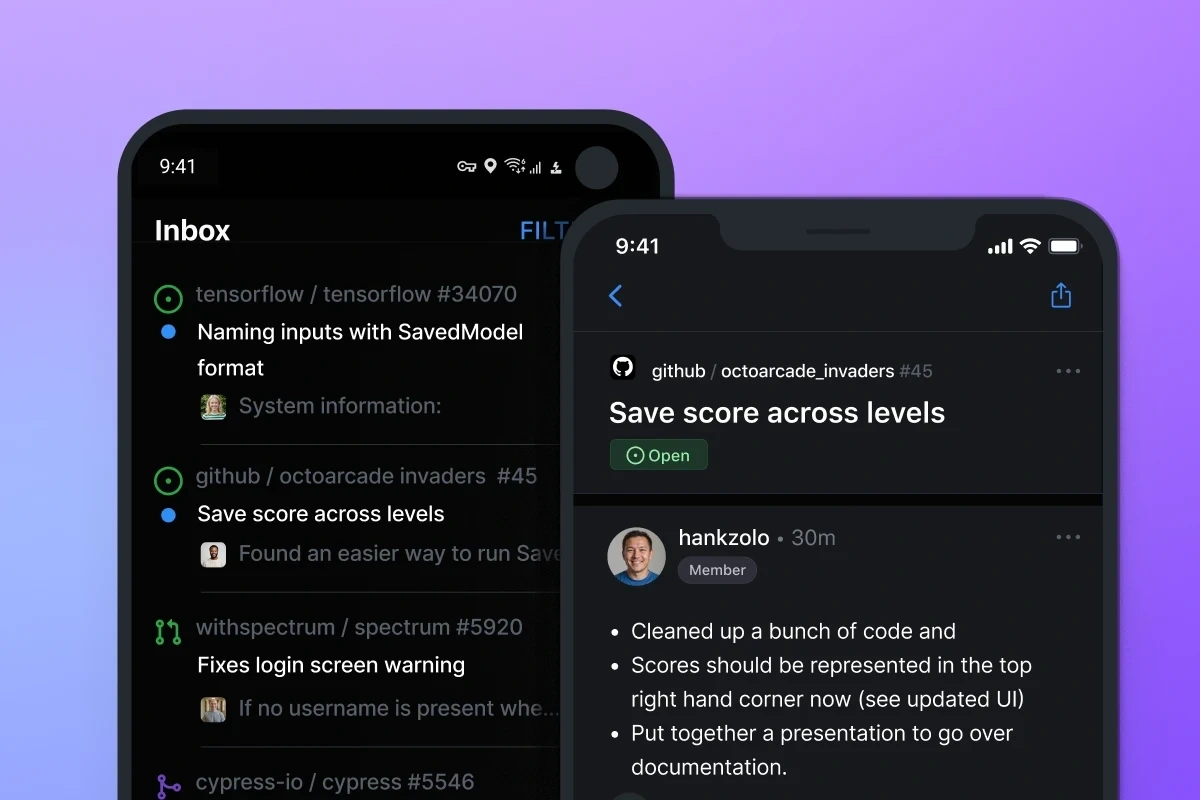
Create and manage issues on the go with our native iOS and Android mobile apps.
Learn more

The new planning and tracking functionality keeps my project management close to my code. I no longer find myself needing to reach for spreadsheets or 3P tools which go stale instantly.

Dan GodfreyDevelopment Manager

Flexible project planning for developers

Frequently asked questions

What is GitHub Issues?

We all need a way to plan our work, track issues, and discuss the things we build. Our answer to this universal question is GitHub Issues, and it’s built-in to every repository. GitHub’s issue tracking is unique because of our focus on simplicity, references, and elegant formatting.
With GitHub Issues, you can express ideas with GitHub Flavored Markdown, assign and mention contributors, react with emojis, clarify with attachments and videos, plus reference code like commits, pull requests, and deploys. With task lists, you can break big issues into tasks, further organize your work with milestones and labels, and track relationships and dependencies.
We built GitHub Issues for developers. It is simple, adaptable, and powerful.
Like this project

Posted Jul 26, 2026

GitHub Issues — project planning and issue tracking with tables, boards, roadmaps, custom fields, and automation for developer teams.

Likes

0

Views

0

Tags