
Ngozi Eribo
Assistant | Operations VA | Workflow Automation
New to Contra
Ngozi is ready for their next project!
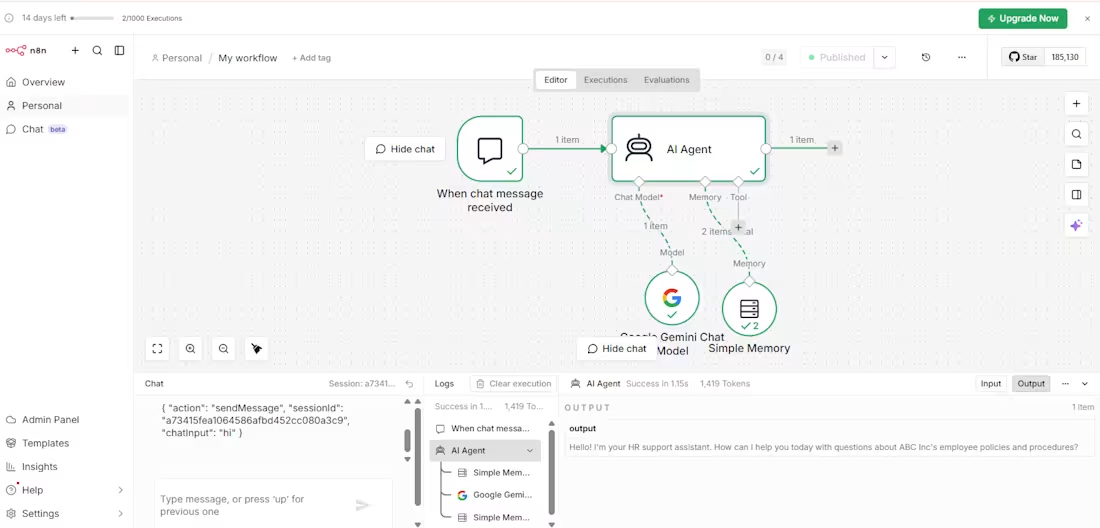
Hi, I’m Ngozi, a Virtual Assistant and AI Automation Specialist focused on helping businesses streamline operations and improve customer interactions.
I recently built an AI-powered HR chatbot using n8n that can handle internal employee questions in real time. The system receives chat messages, processes them through an AI agent, and responds using Google Gemini. I also implemented memory so the chatbot can maintain context across conversations, making interactions more natural and efficient.
This type of solution can be applied to customer support, onboarding, lead follow-ups, and internal team assistance. It helps reduce manual workload while improving response time and consistency.
I am currently open to working with businesses that want to automate processes, improve communication, and integrate AI into their operations.
If you are looking to build something similar or optimize your workflows, I would be happy to help.
0
10
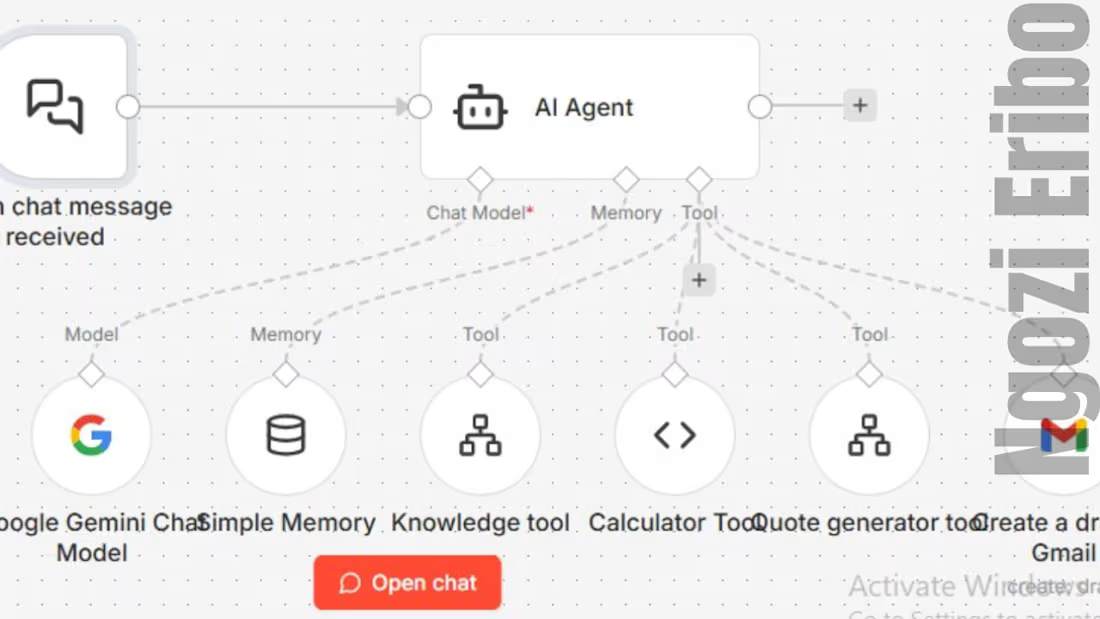
Today I moved from a simple workflow to building a more advanced AI agent and this is where things started to feel real.
Here’s what I built
• An AI agent that can understand user questions
• Connected it to a knowledge base from GitHub
• Added a calculator tool for pricing logic
• Built a quote generator to create structured outputs
• Integrated Gmail to prepare and send responses
What this means
This is no longer just answering questions
This is an AI system that can support real business processes like sales, pricing, and client communication
What stood out for me today
• AI is about connecting systems, not just prompts
• Each tool plays a role in the overall flow
• Debugging is part of the process and it sharpens your thinking
The most interesting part
The agent can now:
Understand a request → calculate pricing → generate a quote → prepare it for sending
This is Day 2 of my 20-day build journey
I’m not focused on perfection
I’m focused on consistency and real progress
If you’re building in AI, automation, or looking to understand how these systems work in real life, let’s connect
#AI #n8n #Automation #BuildInPublic #LearningInPublic #TechJourney
0
5
I built my first AI Agent using n8n today.
It can read data from GitHub, understand questions, and generate accurate responses using Google Gemini.
What it does
• Pulls knowledge from documents
• Processes user questions
• Returns clear answers automatically
Example
Ask: What halls are available
Response: Hall A, Hall B
This is Day 1 of my 20-day AI build journey.
I’m learning, building, and improving every day.
If you need smart automation or AI agents for your business, let’s connect.
0
3
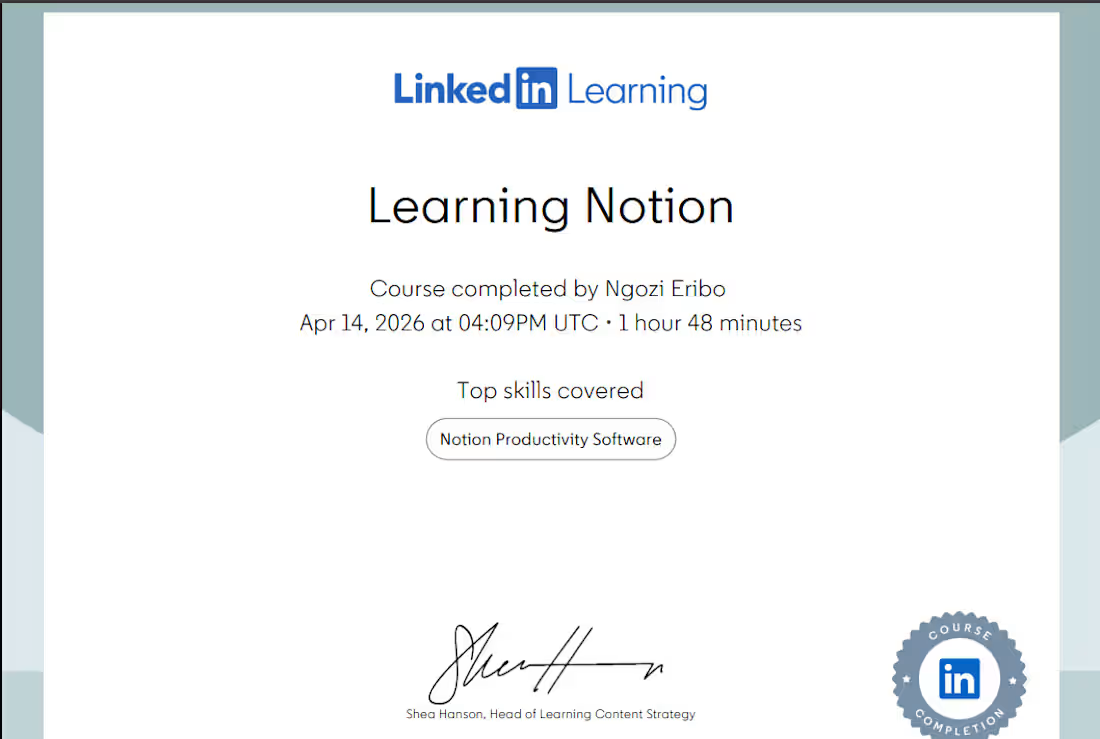
One of the most powerful things I learned in Notion is how to use databases and create templates.
Here is the simple approach I now use:
• Start with the goal
What do you want to track
Tasks
Clients
Content
Leads
• Create a database
Use a table or board depending on your workflow
• Add key properties
Status
Date
Priority
Owner
• Turn repeat tasks into templates
For example
Content creation template
Client onboarding template
Weekly planning template
This saves time and keeps everything consistent.
Instead of starting from scratch every time, you build once and reuse.
I will be sharing real examples you can copy and use.
0
5
I automated a workflow by connecting Zapier, Google Sheets, and Calendly. The goal was to streamline scheduling and data management.
When a client schedules a meeting via Calendly, their details are automatically captured.
Using Zapier, this information is sent to Google Sheets for organized tracking and reporting.
The automation eliminates manual data entry, reduces errors, and ensures that the client scheduling process is smooth and efficient.
This setup improves operational efficiency and provides a reliable system for managing appointments and client data.
0
11