
Mohammad Imtiaj Hossen
I don't build apps, I build solutions to your problems.
New to Contra
Mohammad Imtiaj is ready for their next project!
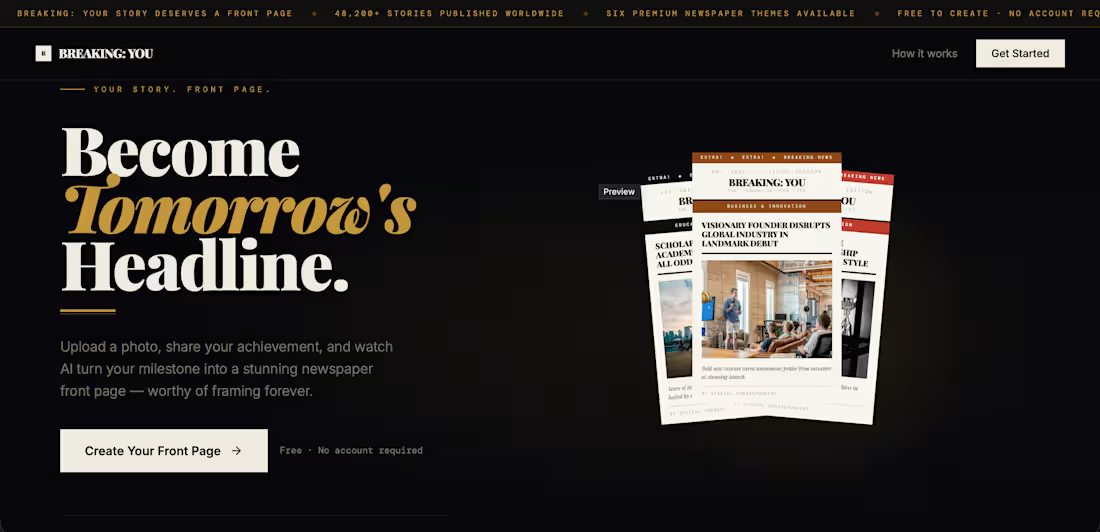
📰 Introducing Breaking: You
What if your biggest achievement became tomorrow's headline?
Breaking: You transforms your personal stories into professionally designed newspaper front pages.
Simply:
📸 Upload your photo
✍️ Write a short achievement or milestone
🤖 Let AI generate a unique newspaper article
📰 Receive your own personalized front page
Whether you graduated, launched a startup, won a competition, landed your dream job, or achieved a personal goal, Breaking: You turns your moment into a newspaper-worthy story.
✨ Features
• Upload your own image
• AI-generated headlines and articles
• Multiple premium newspaper themes
• Personalized front page layouts
• Download and share your newspaper
• No design skills required
Every generation is unique, making your story feel like it belongs on the front page of a real publication.
Because some achievements deserve more than a social media post.
They deserve a headline.
Try it - https://revise-chroma-23374184.figma.site
🔗 Breaking: You
"Become Tomorrow's Headline."
#BuildInPublic #AI #WebDesign #FigmaMake #Newspaper #Storytelling #ProductDesign #Startup #SideProject
0
120
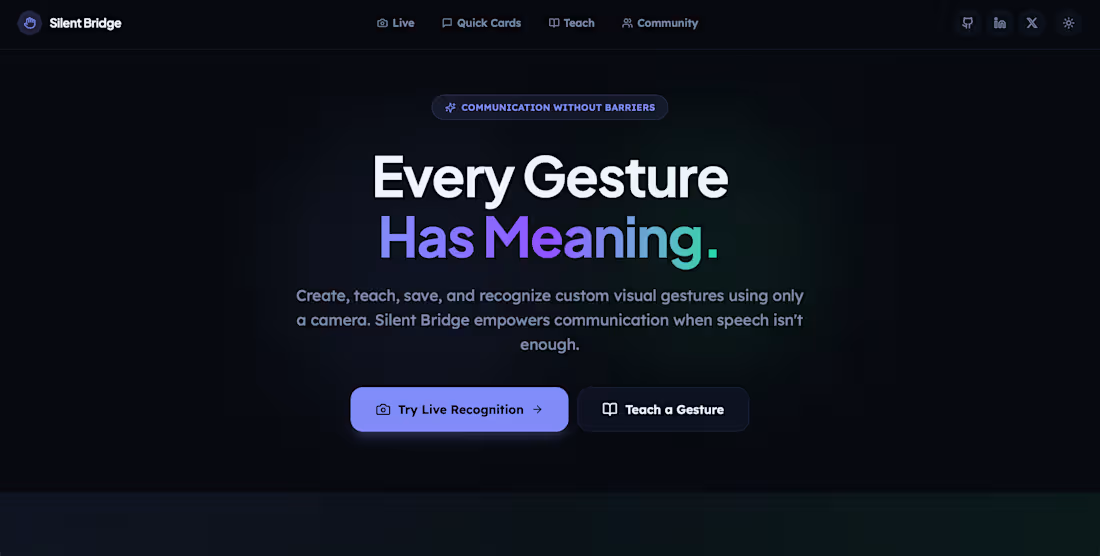
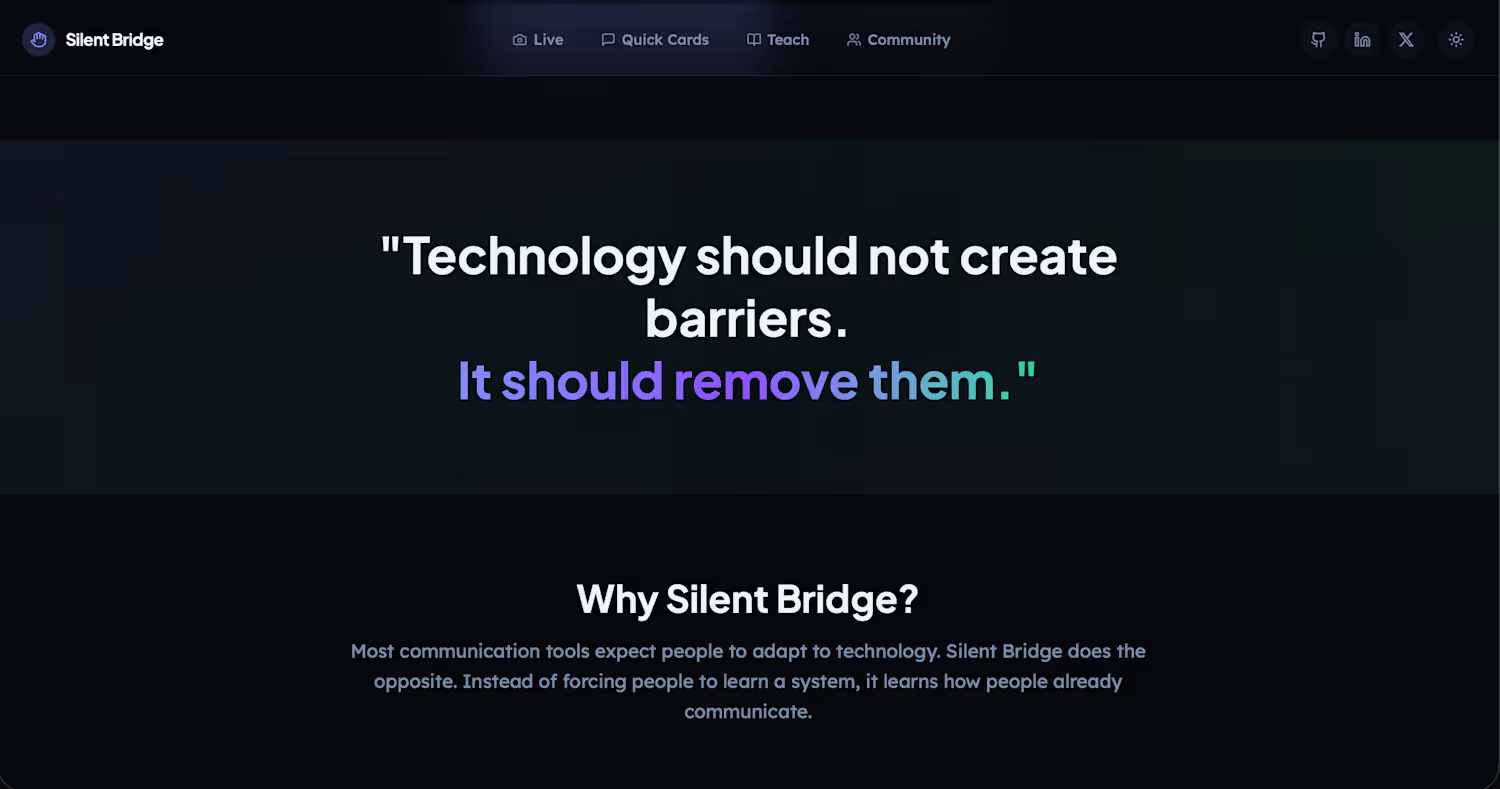
Silent Bridge — Communicate Beyond Words
Silent Bridge is an accessibility-focused web application that helps people communicate using custom visual gestures and a camera.The idea is simple: instead of forcing people to learn a communication system, the system learns how people already communicate.Users can record a gesture, assign it a phrase, save it, and later perform the same gesture to instantly display and speak the saved message.
Features
• Real-time gesture recognition
• Custom gesture teaching
• Voice playback
• Community gesture library
• Responsive and accessible design
Built With
• Figma Make
• MediaPipe Hands
• Supabase
Silent Bridge explores how thoughtful technology can remove communication barriers and create more inclusive experiences.
🔗 Live Demo: https://brim-time-58435449.figma.site/
0
115
🚀 𝗕𝘂𝗶𝗹𝘁 𝗦𝗶𝗹𝗲𝗻𝘁 𝗕𝗿𝗶𝗱𝗴𝗲 𝗳𝗼𝗿 𝘁𝗵𝗲 #𝗖𝗼𝗻𝗳𝗶𝗴𝗠𝗮𝗸𝗲𝗮𝘁𝗵𝗼𝗻
What started as a simple idea became an experiment in accessibility and human-centered design.
𝗧𝗵𝗲 𝗣𝗿𝗼𝗯𝗹𝗲𝗺:
Millions of people communicate through gestures every day, but most technology is built for voices, keyboards, and touchscreens.
I wanted to explore a different question:
"What if technology could learn how people already communicate?"
That's how Silent Bridge was born.
🔗 𝗟𝗶𝘃𝗲 𝗗𝗲𝗺𝗼:
https://brim-time-58435449.figma.site/
🔗 𝗣𝗿𝗼𝗷𝗲𝗰𝘁 𝗙𝗶𝗴𝗺𝗮:
https://www.figma.com/make/iM1qFLT9aCnsIMZ1O3yGs2/Create-Prompt-Implementation?t=Z8cGLiYettIQWytm-1
𝗠𝘆 𝗪𝗼𝗿𝗸𝗳𝗹𝗼𝘄
1️⃣ 𝗦𝘁𝗮𝗿𝘁𝗲𝗱 𝗶𝗻 𝗙𝗶𝗴𝗺𝗮 𝗠𝗮𝗸𝗲
I designed and generated the entire experience directly in Figma Make, focusing on accessibility, simplicity, and a premium user experience.
2️⃣ 𝗕𝘂𝗶𝗹𝘁 𝗮 𝗖𝗮𝗺𝗲𝗿𝗮-𝗕𝗮𝘀𝗲𝗱 𝗘𝘅𝗽𝗲𝗿𝗶𝗲𝗻𝗰𝗲
Instead of traditional inputs, I wanted users to communicate through gestures using real-time camera tracking.
3️⃣ 𝗜𝗻𝘁𝗲𝗴𝗿𝗮𝘁𝗲𝗱 𝗠𝗲𝗱𝗶𝗮𝗣𝗶𝗽𝗲 𝗛𝗮𝗻𝗱𝘀
MediaPipe tracks hand landmarks and understands gesture positions and movement patterns.
4️⃣ 𝗖𝘂𝘀𝘁𝗼𝗺 𝗦𝗶𝗴𝗻 𝗧𝗲𝗮𝗰𝗵𝗶𝗻𝗴
Users can:
• Record a gesture
• Assign a meaning
• Save it
The system learns and recognizes custom gestures.
5️⃣ 𝗜𝗻𝘁𝗲𝗴𝗿𝗮𝘁𝗲𝗱 𝗦𝘂𝗽𝗮𝗯𝗮𝘀𝗲
Supabase stores:
• Gesture recordings
• Saved phrases
• Recognition history
6️⃣ 𝗖𝗼𝗺𝗺𝘂𝗻𝗶𝘁𝘆 𝗦𝗶𝗴𝗻 𝗟𝗶𝗯𝗿𝗮𝗿𝘆
Users can build and share their own visual language instead of relying only on predefined gestures.
𝗜𝗺𝗽𝗼𝗿𝘁𝗮𝗻𝘁 𝗧𝗲𝘀𝘁𝗶𝗻𝗴 𝗡𝗼𝘁𝗲
Before testing, clear existing custom gestures from the Teach page.
For best results:
• Open Teach Sign
• Remove all test gestures
• Record gesture
• Assign phrase
• Test recognition
𝗕𝘂𝗶𝗹𝘁 𝗪𝗶𝘁𝗵
• Figma Make - [ 𝗘𝘃𝗲𝗻 𝗠𝗲𝗱𝗶𝗮𝗣𝗶𝗽𝗲 𝗮𝗻𝗱 𝗦𝘂𝗽𝗮𝗯𝗮𝘀𝗲 𝗵𝗮𝘃𝗲 𝗯𝗲𝗲𝗻 𝗰𝗼𝗻𝗻𝗲𝗰𝘁𝗲𝗱 𝘂𝘀𝗶𝗻𝗴 𝗙𝗶𝗴𝗺𝗮 𝗠𝗮𝗸𝗲 ]
• MediaPipe Hands
• Supabase
This project is not about AI.
It's about accessibility.
It's about allowing technology to adapt to people instead of forcing people to adapt to technology.
Because every gesture has meaning.
𝗦𝗶𝗹𝗲𝗻𝘁 𝗕𝗿𝗶𝗱𝗴𝗲 — 𝗖𝗼𝗺𝗺𝘂𝗻𝗶𝗰𝗮𝘁𝗲 𝗕𝗲𝘆𝗼𝗻𝗱 𝗪𝗼𝗿𝗱𝘀.
#𝗖𝗼𝗻𝗳𝗶𝗴𝗠𝗮𝗸𝗲𝗮𝘁𝗵𝗼𝗻 #𝗙𝗶𝗴𝗺𝗮𝗠𝗮𝗸𝗲 #𝗔𝗰𝗰𝗲𝘀𝘀𝗶𝗯𝗶𝗹𝗶𝘁𝘆 #𝗠𝗲𝗱𝗶𝗮𝗣𝗶𝗽𝗲 #𝗦𝘂𝗽𝗮𝗯𝗮𝘀𝗲 #𝗕𝘂𝗶𝗹𝗱𝗜𝗻𝗣𝘂𝗯𝗹𝗶𝗰 #𝗗𝗲𝘀𝗶𝗴𝗻𝗙𝗼𝗿𝗚𝗼𝗼𝗱 #𝗜𝗻𝗻𝗼𝘃𝗮𝘁𝗶𝗼𝗻
40
88
4.3K
The Last Signal
Live Links
🌌 Final Experience
https://error-imtiaj.github.io/the-last-message/
(https://error-imtiaj.github.io/the-last-message/)📂 General Prototype / Stitch Project
https://stitch.withgoogle.com/projects/14494830618225359
Project Overview
The Last Signal is an immersive cinematic storytelling experience that imagines humanity's final transmission to the universe.Instead of building a traditional website with menus, dashboards, or complex navigation, I wanted to create an emotional journey that feels more like an interactive sci-fi film.The project combines cinematic transitions, motion systems, particle effects, immersive interactions, and narrative storytelling to create an experience that feels alive rather than static.
What attracted me to The Last Signal was its emotional and visual potential. The concept immediately sparked my imagination because it combines mystery, hope, exploration, and humanity's desire to leave something meaningful behind.
Workflow and How I Used Stitch
Google Stitch was the core tool used throughout the project workflow.
Step 1: Concept Development
I started by designing a detailed creative prompt that described the complete storytelling experience, including:
Six cinematic scenes
Visual direction
Motion design requirements
Interactive behavior
Navigation structure
Transition effects
The goal was to create a premium interactive experience that felt like a science-fiction movie.
Step 2: Iteration with Stitch
Using Stitch, I generated multiple design variations of the project.
Instead of settling for the first result, I generated three different versions of the experience and compared their layouts, visual quality, animation concepts, and storytelling flow.
This rapid iteration process allowed me to explore different creative directions within minutes.
Step 3: Selecting the Best Version
After reviewing the generated concepts, I selected the strongest version based on:
Visual impact
Storytelling flow
Motion potential
Overall user experience
Consistency across all scenes
The chosen version became the foundation for the final prototype.
Step 4: Exporting to Google AI Studio
To further refine the project, I used Stitch's export functionality and exported the selected design to Google AI Studio.
This allowed me to move from a visual prototype into a fully realized implementation.
Step 5: Building the Final Experience
Inside Google AI Studio, the project was transformed into a complete Vite-based web application.
This stage was used to:
Refine animations
Improve transitions
Enhance visual polish
Fine-tune interactions
Create a production-quality experience
The result was a much more immersive and polished version of the original Stitch concept.
Step 6: Deployment
After finalizing the Vite application, I deployed the project using GitHub Pages.
The deployment process involved:
Building the production version of the application
Configuring GitHub Pages
Publishing the final experience online
This made the project publicly accessible and easy to share.
The most impressive aspect of Stitch was the speed of exploration.Instead of spending hours creating multiple design concepts manually, I could rapidly generate, compare, and iterate on different directions. The ability to quickly move from idea to interactive prototype made the workflow significantly faster and more enjoyable.
Final Thoughts
The Last Signal demonstrates how Stitch can be used not only for product interfaces but also for storytelling experiences, interactive narratives, and experimental web design.
The project showcases an end-to-end workflow, from concept generation and rapid iteration in Stitch to implementation in Google AI Studio and deployment as a live web experience.
🌌 “The Signal Continues”
2
2
197