
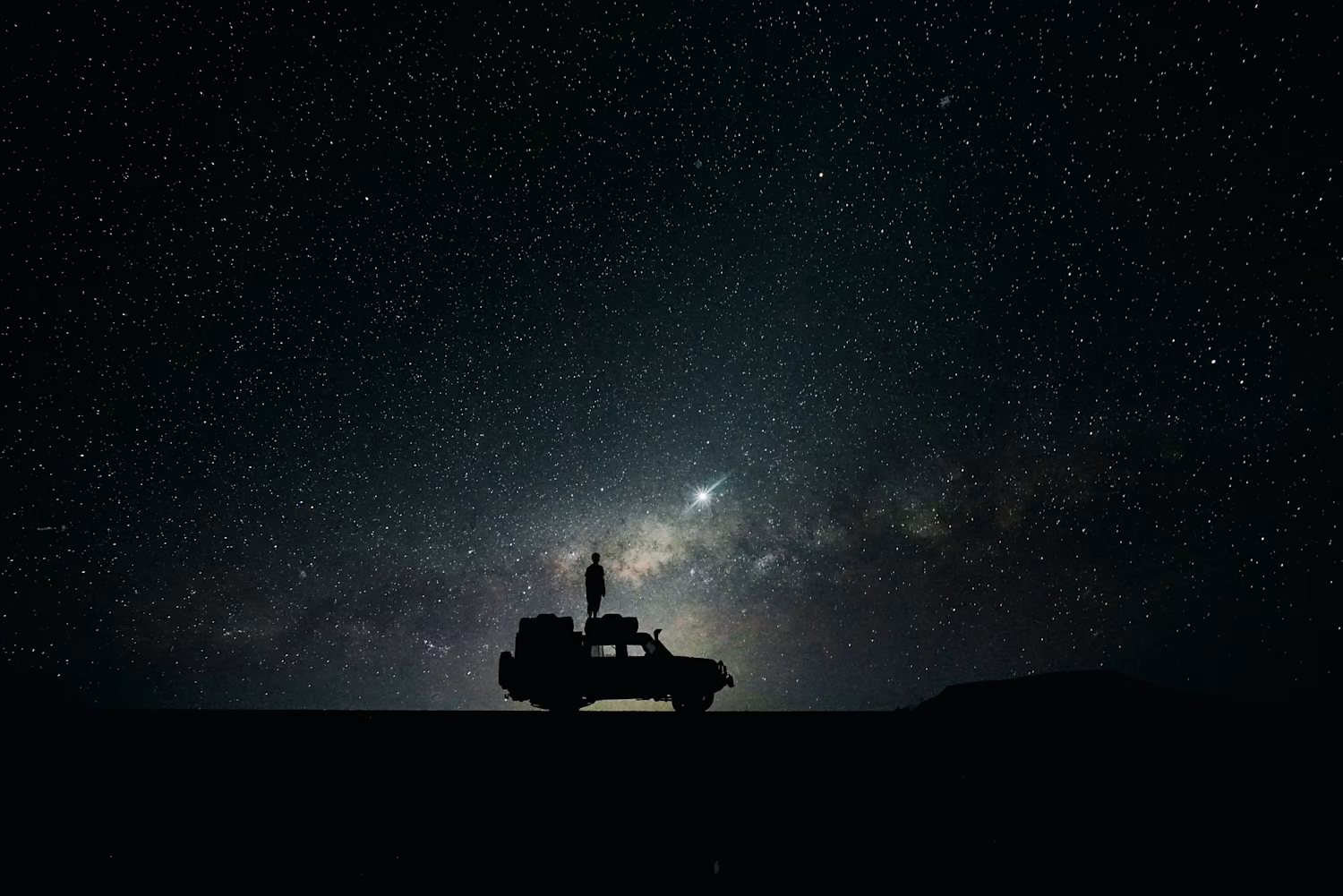
A demo Ai generated ad for a company
0
47
Ai cinematic clip from a AI movie trailer
0
44
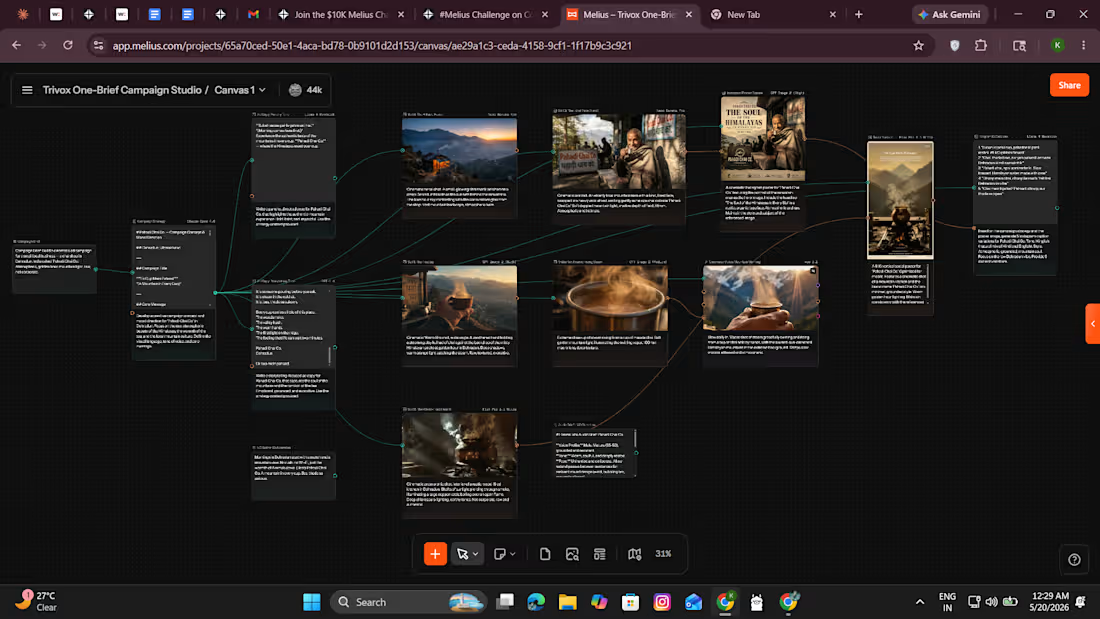
Trivox One-Brief Campaign Studio - Two Briefs, Two Souls, One System
I run Trivox, a small media agency. We build campaigns manually over days. I built this to show what one afternoon on Melius replaces.
The concept: one sentence brief → complete production-ready campaign. Not a demo. A repeatable system. I ran it twice on two completely different local Indian businesses to prove it.
Brief 1 - Pahadi Chai Co., Dehradun
"A chai shop in the Himalayas. Mountain soul. Not corporate."
Output: campaign strategy, 4 cinematic stills (GPT Image 2 + Flux Pro 1.1 Ultra + Nano Banana Pro), 8-second Veo 3.1 video, storytelling and direct ad copy, Hinglish Instagram captions, voiceover script, ElevenLabs production brief, Instagram poster, 9:16 social variant. 16 nodes. 6 models.
Brief 2 - Zara Adventures, Ladakh
"A motorcycle trekking company. Anti-corporate rebellion. The Road Has No WiFi."
Output: same pipeline, opposite emotional universe, bleach bypass monochrome visuals, rebellious manifesto copy, timestamped cinematic VO script, Hinglish wanderer captions, AND actual generated ElevenLabs voiceover (Harry voice, v3) plus separate ambient sound node (highway wind, distant engine fade). 15 nodes. 5 models.
Melius canvas links:
Canvas 1 (Pahadi Chai Co.): https://app.melius.com/projects/65a70ced-50e1-4aca-bd78-0b9101d2d153/canvas/ae29a1c3-ceda-4158-9cf1-1f17b9c3c921
Canvas 2 (Zara Adventures): https://app.melius.com/projects/65a70ced-50e1-4aca-bd78-0b9101d2d153/canvas/9ec22735-2202-4589-959a-0058ea9daaf6
Loom walkthrough: https://www.loom.com/share/b86bc9a8af294263b625b9f5d835fa04
Process:
Single paragraph brief → Mel planned full pipeline, selected models per node
Approved run → 16 nodes executed automatically across 6 models
Refined weakest image node (switched Flux Schnell to Nano Banana Pro)
Added Hinglish captions and ElevenLabs audio brief via follow-up prompts
Built Canvas 2 with second brief - same structure, opposite soul
Pushed Canvas 2 to generate actual ElevenLabs voiceover and ambient audio as playable nodes
Reorganized both canvases left-to-right for pipeline readability
Melius Feedback:
The canvas-first approach is genuinely different from every AI tool I've used. Every prompt and model decision visible as an editable node made creative work auditable and steerable in a way chat interfaces never are. Multi-model routing is seamless. Canvas 2 generated actual audio voiceover and ambient sound as separate playable nodes, but yeah it needs a little bit optimization as it generates the full output as Elevenlabs gives, meaning it present two audios as one output one after another making it look like repeating the same dialogue again, but overall, it stopped feeling like a demo and started feeling like a real production studio. What I'd love next: fluid drag-to-reorder nodes and an auto-arrange canvas cleanup button.
Social posts:
LinkedIn: https://www.linkedin.com/posts/kamlesh-singh-0223922b4_meliuschallenge-share-7462715910059876352-Bukn?utm_source=share&utm_medium=member_android&rcm=ACoAAEuEypoBoEwYgURvCEYEwLpzWIVhYatouNM
X: https://x.com/i/status/2056952749246517542
1
107
Project Name:
Mitti - Taste of Your Roots
Live Link:
https://stitch.withgoogle.com/preview/8105437380781862625?node-id=ec80862434124c948b77243301b3e6c7
What I built:
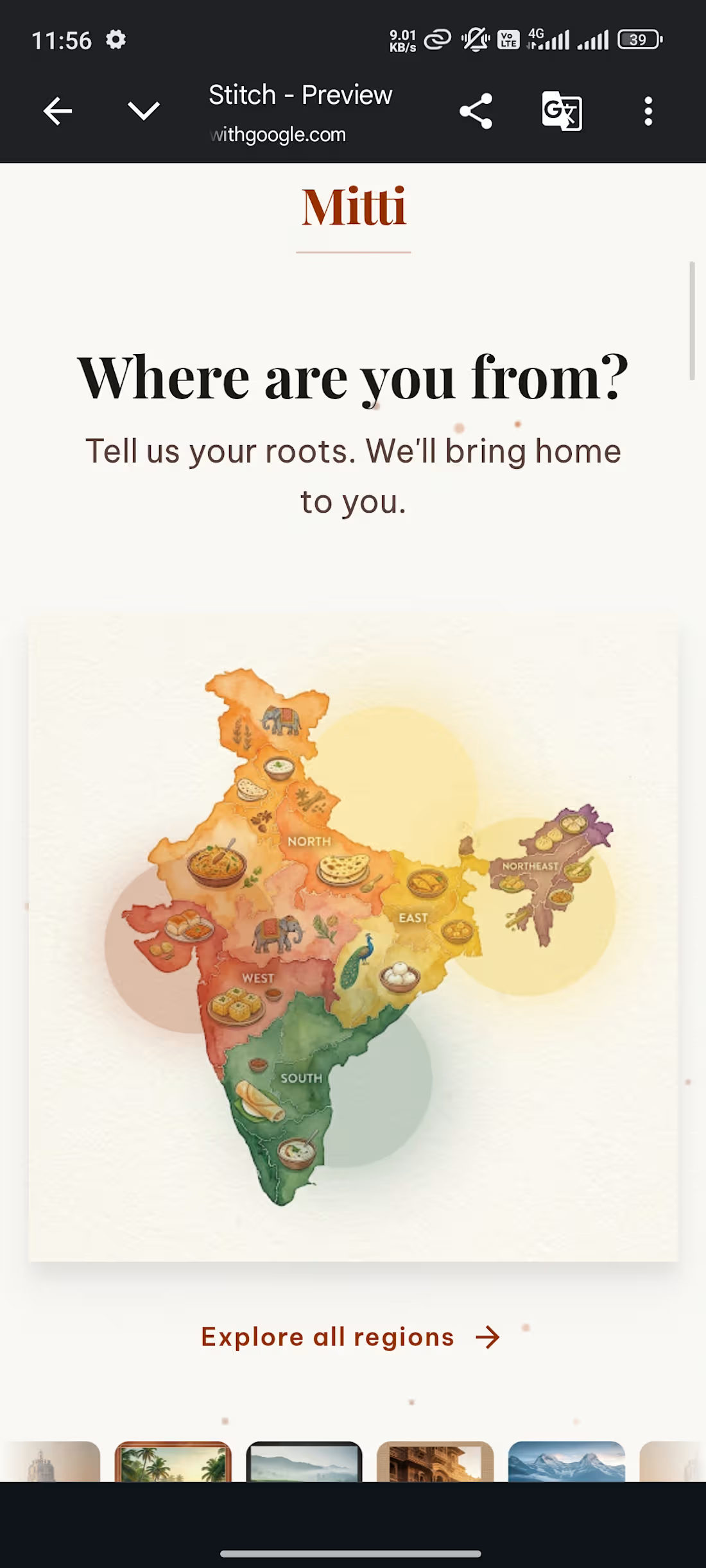
Mitti is a cultural commerce platform that reconnects people across India with authentic regional food products from their home states. Built across 9 screens, starting with a "Where are you from?" onboarding moment where users tap their home region on an animated India map, through regional pages for Uttarakhand, Kerala, Assam and Rajasthan, to a cart that shows a living map of where every product in your box comes from.
This isn't an e-commerce app. It's a way to taste home.
I'm from Dehradun. Mandwa ka atta, Pahadi ghee, Buransh juice, I grew up with these. Small farmers in Chamoli and Almora have been producing them for generations. They just had no digital home. Mitti is built for that gap.
How I used Stitch:
Every screen was generated using Stitch's streaming generation, I watched each interface materialize in real time and steered it mid-stream before it was done. Used in-place AI edits extensively to refine details without regenerating entire screens. The homepage India map and Find Your Roots onboarding screen use HTML canvas animations, floating spice particles, regional glow pulses, a breathing radial gradient, all generated and iterated through Stitch. Built all 9 screens, connected them into a working prototype, first time on the platform, solo, under 36 hours.
Stitch features used:
Streaming generation, in-place AI edits, HTML canvas motion, CSS keyframe animations, prototype linking across 9 screens, SVG particle systems.
Feedback on Stitch:
The streaming generation changes how iteration feels, you stop treating AI as a vending machine and start having a conversation with the canvas. Steering mid-generation saved enormous time. In-place edits meant I never had to throw away a screen and start over. The HTML canvas motion capability is genuinely new territory for a design tool, I built animations I'd normally need a developer for.
One improvement: a shared design system defined at project start would help maintain cross-screen consistency when building multi-screen apps. DESIGN.md (http://DESIGN.md) is powerful but discovering it mid-build means retrofitting.
Key numbers:
9 screens built. 4 regions. 36 hours. Solo build. First time using Stitch. Real startup idea, not just a competition entry.
3
2
95