Projects using Hugging Face
Projects using Hugging Face
Sign Up
Post a job
Sign Up
Log In
Filters
1
Projects
People
Message
0
Badaruddin Chachar
AI Image Generator with Stable Diffusion and CLIP Evaluation
0
17
Message
0
Iftekhar Ahmed
AI Agents with LangGraph
0
20
Message
0
Shoiba Ali
Dua Counter App Development
0
3
Message
0
Adam Shah
Poli-Bias AI
0
5
Message
0
Abe Treviño
Exquisite Taco Plate Reimagined in 3D 🍻🌮 | Built in Spline
0
18
Message
1
Tom di Mino
Conversational A.I. with a subconscious, memories, and dreams
1
16
Message
0
Marcin Wylot
Conversational Support Summarization with Large Language Models
0
20
Message
0
Everett Frank
5 Easy Ways Anyone Can Run an LLM Locally
0
30
Message
0
Paraskevi Kivroglou
LlamaEval: Quick Evaluation Dashboard
0
9
Message
0
Fahad R
pro
MakeMyQuiz (AI Project)
0
46
Message
0
Ugo Chukwu
pro
LLM Fine-Tuning & Evaluation for Financial Risk
0
18
Message
0
Caitlin Nelson
pro
Caitlin O. Sound — Virtual Sound Bath Facilitation
0
11
Message
1
Meddy ㅤ
Qrave.ai - Artistic QR Code Generator 2022
1
16
Message
1
Niko Minadze
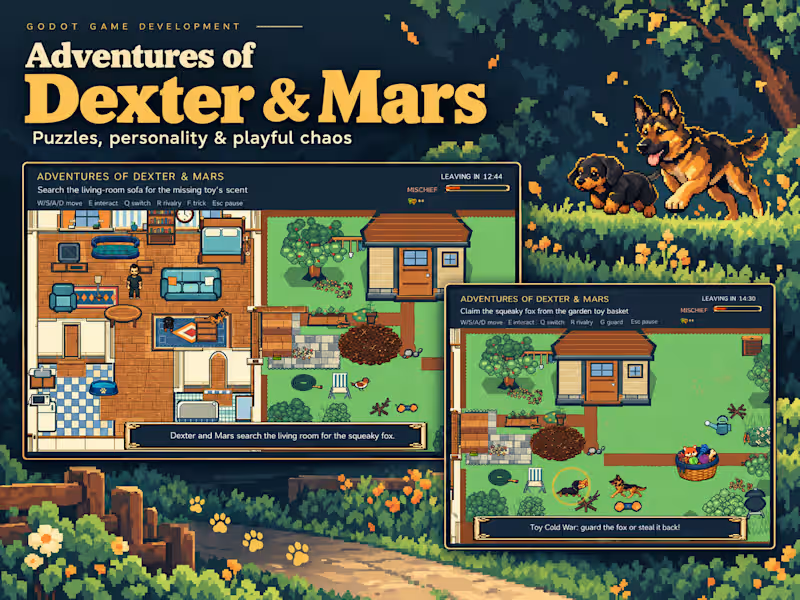
Adventures of Dexter & Mars: Building a Godot Dog Adventure
1
4
Message
3
Saud Saleem
AI Function Calling Agent
3
16
Message
0
Md Rajibul Ahsan
pro
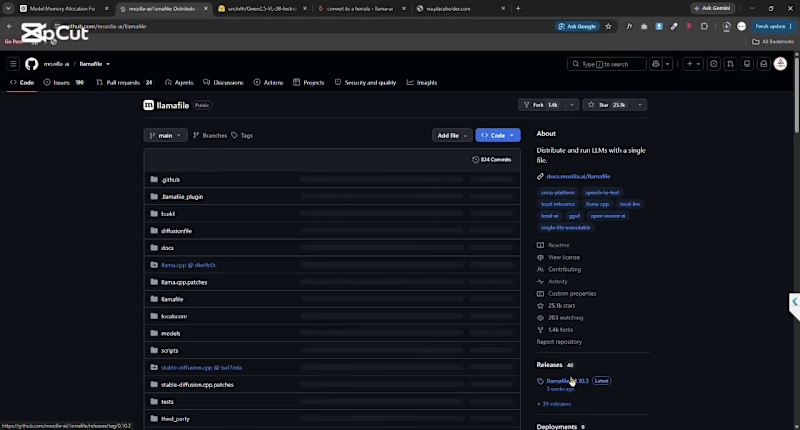
🚀 Run Your Own AI Locally — No Cloud Required! Want to run an AI model like ChatGPT directly on your computer? Here's a simple setup using Llamafile and Qwen3 4B Thinking: Step 1: Download Llamafile Search for Llamafile GitHub and download the latest release. Step 2: Download the Model Get the Qwen3 4B Thinking 2507 GGUF model from Hugging Face. Step 3: Create a Batch File Create a .bat file in the same folder and add: .\llamafile-0.10.3.exe -m qwen3-4b-thinking-2507.Q4_K_M.gguf --server --gpu disable Step 4: Launch Your AI Double-click the .bat file to start the server. Step 5: Open in Browser Visit: http://127.0.0.1:8080/ That's it! 🎉 You now have a private AI assistant running entirely on your own machine—no subscriptions, no API keys, and no internet dependency after setup. ✅ Full local control ✅ Better privacy ✅ Works offline ✅ Easy to set up Have you tried running LLMs locally yet? Share your experience in the comments.
0
226
Explore projects