
Versatile writer specializing in content, blogs, and script
Versatile writer specializing in content, blogs, and script


View more →


Writer just getting her foot in the door.
Writer just getting her foot in the door.


Compelling Copywriter & Project Manager
Compelling Copywriter & Project Manager


Programmer | Data Analyst
Programmer | Data Analyst


Video Editor & Marketer | Content, UGC, Paid + Organic, SEO

Video Editor & Marketer | Content, UGC, Paid + Organic, SEO


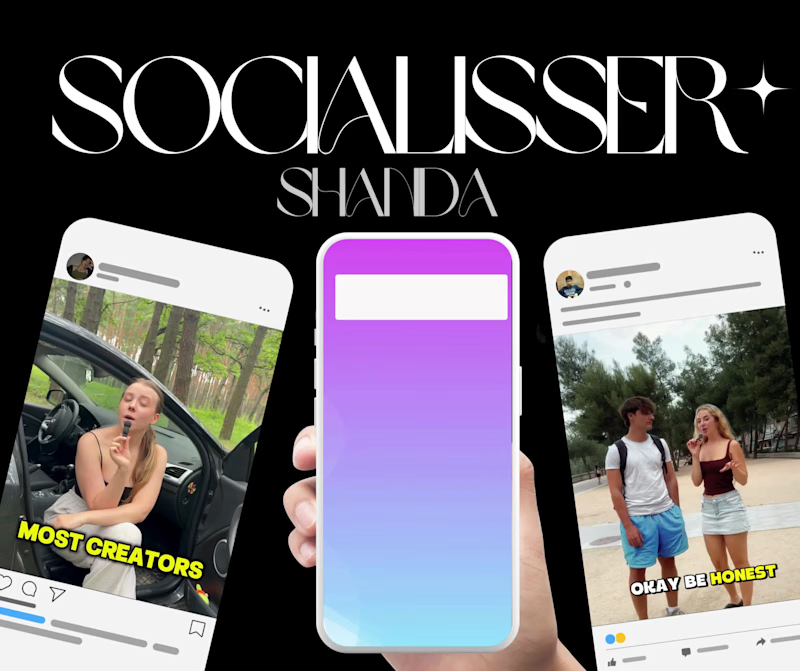


Multidisciplinary Designer ✳︎ We're ready to serve you


Multidisciplinary Designer ✳︎ We're ready to serve you


DevOps Automation | Full stack Developer | Java Developer
- 5.0
- Rating
- 25
- Followers
DevOps Automation | Full stack Developer | Java Developer

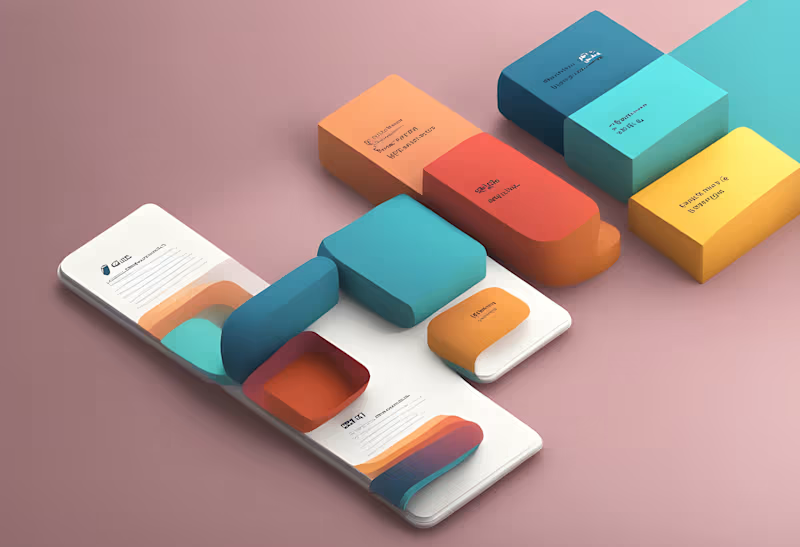

🚀 Troubleshooting Critical Terraform Drift in AWS Production
Project Description / Post Body:
I recently encountered a critical CI/CD failure while deploying a serverless backend to a new AWS environment. The pipeline was paralyzed due to "Resource Drift"—a mismatch between the Terraform state file and the actual infrastructure.
The Challenge:
A manual "hotfix" in the AWS Console created "ghost resources" (Secrets) that Terraform couldn't see.
This caused repeated deployment failures and blocked the staging environment.
The Solution:
Instead of tearing down the environment, I used the terraform import workflow to:
Documented the full fix in my technical blog (Link below)
https://shorturl.at/ZJR3g
1
0
192
Hey fellow Contra builders! 👋✨
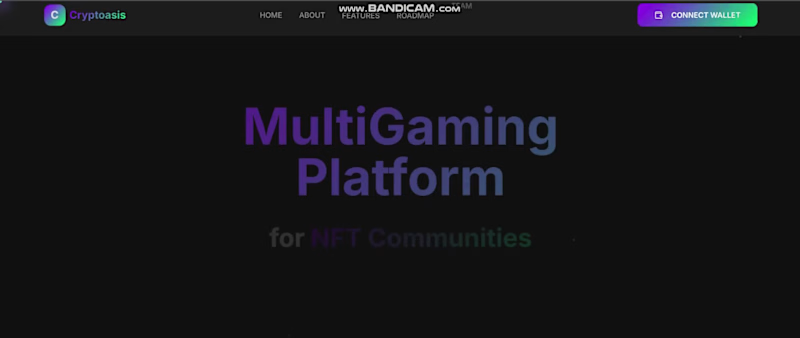
I'm Vikaskumar, a Full Stack Developer pioneering the future with Web3. Currently crafting a decentralized app using TypeScript, Next.js, Tailwind, Node.js, and Ether.js—where smart contracts meet sleek modern UI! (client returning from LinkedIn!)
Check out this Next.js-powered UI sneak peek 👀. Looking to connect with new clients and collaborators here at Contra Too.
Open to feedback, partnerships, and sharing ideas with fellow tech visionaries! 🚀
#web3project #fullstackdeveloper #nextjs #javascript #typescript #tailwindcss #etherjs #OpentoWork #thenewcontra
2
2
232

Blogger & Blogspot Web Creation | Customization | Redesign
New to Contra
Blogger & Blogspot Web Creation | Customization | Redesign
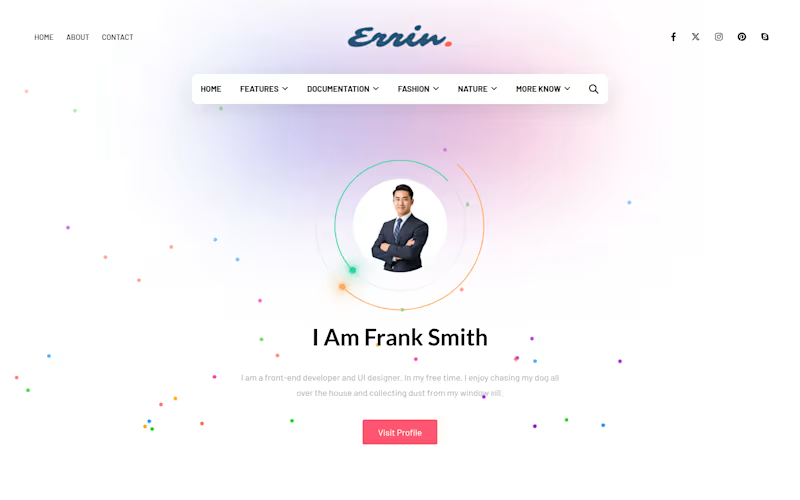
𝐄𝐫𝐫𝐢𝐫 𝐖𝐞𝐛 𝐈 𝐁𝐥𝐨𝐠𝐠𝐞𝐫 𝐓𝐞𝐦𝐩𝐥𝐚𝐭𝐞 𝐂𝐮𝐬𝐭𝐨𝐦𝐢𝐳𝐚𝐭𝐢𝐨𝐧
𝐏𝐫𝐨𝐣𝐞𝐜𝐭 𝐎𝐯𝐞𝐫𝐯𝐢𝐞𝐰
Errir Web is a customized Blogger website built from an uploaded template and transformed into a structured, client-ready blog website. The template was customized with additional sections, improved content organization, and a practical layout so the client can replace the existing demo content with their own content directly through Blogger.
𝐌𝐲 𝐑𝐨𝐥𝐞: Blogger Website Designer & Customization
𝐏𝐥𝐚𝐭𝐟𝐨𝐫𝐦: Blogger / Blogspot
𝐏𝐫𝐨𝐣𝐞𝐜𝐭 𝐓𝐲𝐩𝐞:Template Customization & Website Setup
𝐁𝐫𝐚𝐧𝐝:RAVORA (https://ravoraweb.blogspot.com/)
💎 𝐓𝐡𝐞 𝐂𝐡𝐚𝐥𝐥𝐞𝐧𝐠𝐞
A template alone is not always ready for practical client use. It needs proper setup, organized sections, and a clear structure that makes content management easier.
💎 𝐌𝐲 𝐀𝐩𝐩𝐫𝐨𝐚𝐜𝐡
I uploaded the Blogger template, customized its layout, added the required sections, and organized the website into a usable structure. The focus was to turn the template into a complete website that the client can personalize without rebuilding the design from scratch.
💎 𝐊𝐞𝐲 𝐅𝐞𝐚𝐭𝐮𝐫𝐞𝐬
1️⃣ Customized Blogger template
2️⃣ Additional website sections and widgets
3️⃣ Organized blog layout and content areas
4️⃣ Navigation and content presentation
5️⃣ Client-editable content using Blogger
6️⃣ Ready-to-personalize website structure
🅵🅸🅽🅰🅻 🅾🆄🆃🅲🅾🅼🅴
The website is now set up as a complete Blogger project, ready for the client to replace the demo text, images, and posts with their own content.
Designed and customized by RAVORA. (https://ravoraweb.blogspot.com/)
0
353

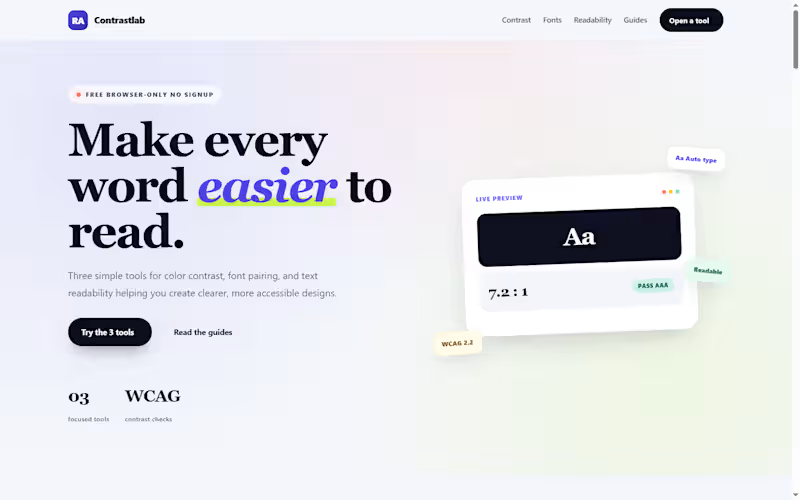
𝐂𝐨𝐧𝐭𝐫𝐚𝐬𝐭𝐋𝐚𝐛 — 𝐅𝐫𝐞𝐞 𝐀𝐜𝐜𝐞𝐬𝐬𝐢𝐛𝐢𝐥𝐢𝐭𝐲 𝐓𝐨𝐨𝐥𝐬 𝐖𝐞𝐛𝐬𝐢𝐭𝐞
𝐏𝐫𝐨𝐣𝐞𝐜𝐭 𝐎𝐯𝐞𝐫𝐯𝐢𝐞𝐰
ContrastLab (https://contrastlab.blogspot.com/) is a free, browser-based toolkit I built on Blogger to help designers, developers, bloggers, and content creators check the three most common readability problems: 𝐜𝐨𝐥𝐨𝐫 𝐜𝐨𝐧𝐭𝐫𝐚𝐬𝐭, 𝐟𝐨𝐧𝐭 𝐩𝐚𝐢𝐫𝐢𝐧𝐠, and 𝐭𝐞𝐱𝐭 𝐝𝐢𝐟𝐟𝐢𝐜𝐮𝐥𝐭𝐲. The site hosts three interactive tools a Color Contrast Checker, a Font Pairing Generator, and a Text Readability Checker all built from scratch with vanilla HTML, CSS, and JavaScript, and all running entirely in the browser with no signup, no downloads, and no server-side processing.
𝐓𝐡𝐞 𝐏𝐫𝐨𝐛𝐥𝐞𝐦
Most accessibility and typography tools fall into one of two camps. Either they are enterprise software with a subscription wall, or they are single-purpose checkers that do one thing and stop. A designer checking WCAG contrast has to open one tab, then a different tool for font pairing, then a third for readability. None of them talk to each other, and most require an account before you can test a single color pair.
For bloggers and small teams, the friction is worse. A content creator who wants to check whether a post is readable at grade 8 has to install a Chrome extension, or open Google Docs, or find a free calculator that only runs one formula. The tools that actually work are scattered, inconsistent, and rarely free.
𝐓𝐡𝐞 𝐒𝐨𝐥𝐮𝐭𝐢𝐨𝐧
ContrastLab consolidates the three most common readability checks into one free site:
𝐂𝐨𝐥𝐨𝐫 𝐂𝐨𝐧𝐭𝐫𝐚𝐬𝐭 𝐂𝐡𝐞𝐜𝐤𝐞𝐫 — Tests any foreground and background color pair against WCAG AA and AAA standards. Returns the exact contrast ratio, flags pass/fail at normal and large text sizes, and supports hex, RGB, and opacity values. Includes an image pixel sampler for text over photos.
𝐅𝐨𝐧𝐭 𝐏𝐚𝐢𝐫𝐢𝐧𝐠 𝐆𝐞𝐧𝐞𝐫𝐚𝐭𝐨𝐫 — Previews Google Fonts combinations at real heading and body sizes. Pick a category (sans, serif, display, or script), select a heading and body font, adjust the size sliders, and copy the production-ready CSS. The tool flags weak pairings so the output is usable without a second check.
𝐓𝐞𝐱𝐭 𝐑𝐞𝐚𝐝𝐚𝐛𝐢𝐥𝐢𝐭𝐲 𝐂𝐡𝐞𝐜𝐤𝐞𝐫 — Pastes any text and returns Flesch Reading Ease, Flesch-Kincaid Grade Level, Gunning Fog, SMOG, ARI, and Dale-Chall scores in a single pass. Also reports word count, sentence count, syllables, and complex words.
Every tool runs entirely in the browser using JavaScript. No text, color value, or image is sent to a server. Nothing is stored. When the user closes the tab, the data is gone.
𝐓𝐞𝐜𝐡𝐧𝐢𝐜𝐚𝐥 𝐇𝐢𝐠𝐡𝐥𝐢𝐠𝐡𝐭𝐬
Lightweight tool code: Each tool is a single HTML block with inline CSS and vanilla JavaScript. No jQuery, no external libraries, no build step.
Blogger-friendly integration: Tools are embedded directly into Blogger pages via HTML view, with no server-side dependencies.
Custom theme: Built on a customized Blogger theme with a responsive layout, gradient header cards, and mobile-first CSS.
Mobile-first design: All three tools use responsive grid layouts that collapse to single columns on mobile, with touch-friendly controls.
Zero data storage: No backend, no database, no cookies, no tracking on tool inputs. All processing happens client-side.
Copy-ready output: The font pairing tool exports production CSS; the contrast checker exports design tokens; the readability checker exports scores.
𝐒𝐄𝐎 𝐚𝐧𝐝 𝐂𝐨𝐧𝐭𝐞𝐧𝐭 𝐒𝐭𝐫𝐚𝐭𝐞𝐠𝐲
Beyond the tools themselves, the site includes a content strategy built around long-tail keyword clusters:
30+ planned posts per tool, each targeting a specific keyword group with no overlap.
FAQ schema, WebApplication schema, and Article schema on every page.
Internal linking between all three tools so users can move from contrast to typography to readability in one session.
Essential pages — About, Contact, Privacy Policy — written with E-E-A-T signals and structured data.
Answer-first formatting for AI search optimization (AEO), with direct answers in the first sentence of every H2 section.
The content is optimized for both traditional search engines and AI search surfaces, with specific data, named tools, and clear Q&A structures.
𝐃𝐞𝐬𝐢𝐠𝐧 𝐀𝐩𝐩𝐫𝐨𝐚𝐜𝐡
The site uses a colorful, card-based design that avoids the sterile look of most accessibility tools:
Gradient header cards in indigo, pink, teal, and amber — one color family per tool.
Icon circles and pill badges for visual hierarchy.
Live preview panels that update as the user types, so the tool feels responsive and immediate.
Verdict cards that explain why a result is what it is, not just report a number.
The design goal was to make accessibility checks feel approachable rather than clinical the kind of tool a blogger would use before publishing, not the kind of audit software an enterprise compliance team would run once a year.
𝐑𝐞𝐬𝐮𝐥𝐭𝐬 𝐚𝐧𝐝 𝐎𝐮𝐭𝐜𝐨𝐦𝐞𝐬
Three fully functional tools running entirely client-side on a free blogging platform.
No hosting costs, no server maintenance, no subscription fees the entire site runs on Blogger's infrastructure.
Structured data on every page WebApplication, FAQ, and Article schema for search visibility.
SEO content architecture covering 90+ planned posts across three tool categories.
Cross-tool internal linking so each tool page recommends the other two where relevant.
Mobile-first, all-device-friendly layout with responsive grids and touch-friendly controls.
1
0
54
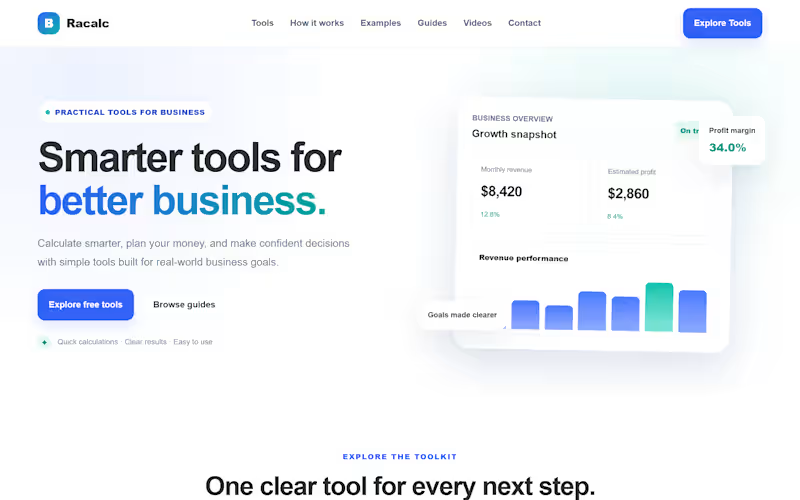
𝐂𝐮𝐬𝐭𝐨𝐦 𝐓𝐨𝐨𝐥 𝐈𝐧𝐭𝐞𝐠𝐫𝐚𝐭𝐢𝐨𝐧 𝐟𝐨𝐫 𝐚 𝐁𝐥𝐨𝐠𝐠𝐞𝐫 𝐖𝐞𝐛𝐬𝐢𝐭𝐞
Recently, I completed a project for a client where the requirement wasn't just a standard website, but a fully functional web application.
𝐓𝐡𝐞 𝐂𝐥𝐢𝐞𝐧𝐭'𝐬 𝐃𝐞𝐦𝐚𝐧𝐝:
The client needed a financial blog on Blogger, but they didn't want empty articles. They wanted interactive tools (Pricing, Budget, and Growth Calculators) built directly into the pages to provide actual value to their readers.
𝐓𝐡𝐞 𝐂𝐡𝐚𝐥𝐥𝐞𝐧𝐠𝐞:
Blogger (Blogspot) has limitations when it comes to custom backend logic. The challenge was to build multi-category calculators that are:
Lightweight (so the site loads fast).
100% mobile-responsive.
SEO-optimized with proper schema markup.
𝐓𝐡𝐞 𝐒𝐨𝐥𝐮𝐭𝐢𝐨𝐧:
I developed custom HTML/CSS/JS tools from scratch. Instead of heavy external libraries, I used pure vanilla JavaScript to keep the weight under 15KB. Each tool includes 6-7 different categories (like 50/30/20 budget rules, compound interest, etc.) and is integrated with the blog's SEO structure.
The result? A fast, fully functional blog that acts like a web app, built exactly to the client's specifications.
𝐌𝐲 𝐒𝐞𝐫𝐯𝐢𝐜𝐞𝐬:
If you need custom tools built for your website, or if you are looking for professional Blogger/Blogspot website design that actually performs and ranks, I can help.
👉 View my portfolio for more details: RAVORA (https://ravoraweb.blogspot.com/)
Let's build something functional for your business. 🤝
1
193