
I create SaaS videos that drive clarity, action and growth
- 2x
- Hired
- 5.0
- Rating
- 35
- Followers
I create SaaS videos that drive clarity, action and growth
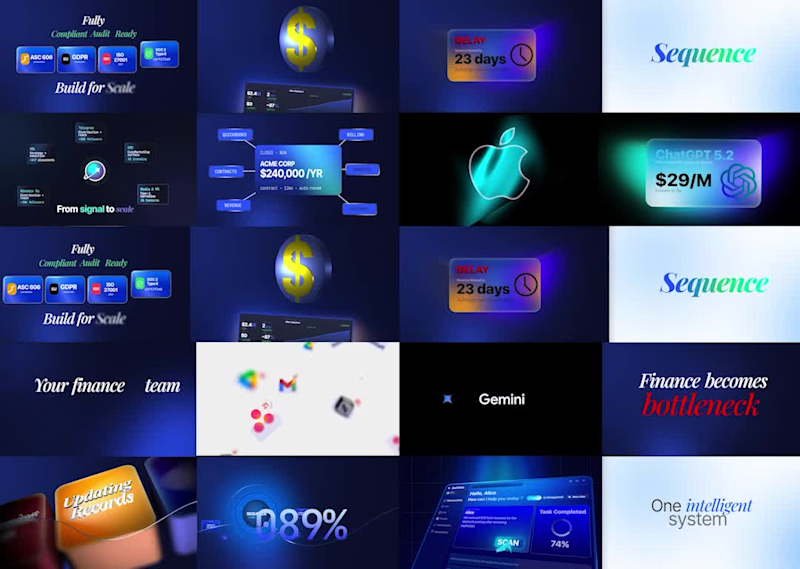
Everyone talks about computers exploding during renders. Nobody talks about the mind exploding while crafting a high-converting storyboard.
I just want to say one thing:
Before jumping into animation, having a clear approach is far more important. Start with a storyboard or simply write down your ideas before you animate anything.
Because what if your animation looks absolutely beautiful...
...but fails to explain the product?
Or worse, it generates zero conversions when used as a SaaS explainer ad.
Great animation catches attention.
A great storyboard drives understanding, trust, and conversions.
#SaaS
#SaaSMarketing
#B2BMarketing
#Startup
#TechStartup
#Founder
#StartupFounder
#ProductMarketing
#GrowthMarketing
#DemandGeneration
#CustomerAcquisition
#ProductLedGrowth
#ExplainerVideo
#VideoMarketing
#ConversionRateOptimization
2
3
311
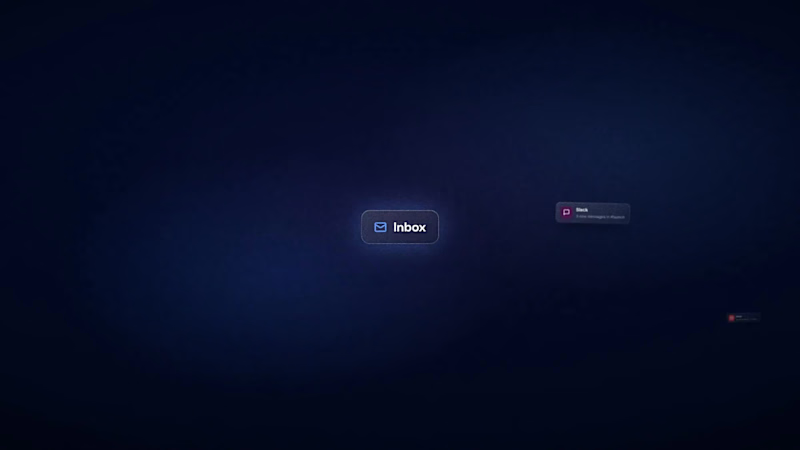
New work: TaskyAI — SaaS demo (spec edit) 🎬
I think most SaaS demos lose the viewer before the value lands. So I rebuilt one to prove the opposite is possible.
I took TaskyAI — an AI-powered task manager — and edited a demo around a single goal: make you understand the product fast enough to want it.
What I focused on:
→ UI-first storytelling — zoom, highlight, and flow that pull your eye to the feature that matters
→ Retention pacing — no dead air, every second earns the next
→ Premium-but-minimal motion — clarity over flash, always
Tools: Premiere Pro, After Effects, Figma
This is the kind of edit I build for SaaS teams who want their product to feel as good as it actually is.
Open to SaaS demo + explainer projects right now. If your product deserves a better video, let's talk. 👇
2
275

Video Editing & Thumbnail design for social media

Video Editing & Thumbnail design for social media


Video Editor for Creators & Brands | Motion & Storytelling
- 5.0
- Rating
- 5
- Followers
Video Editor for Creators & Brands | Motion & Storytelling
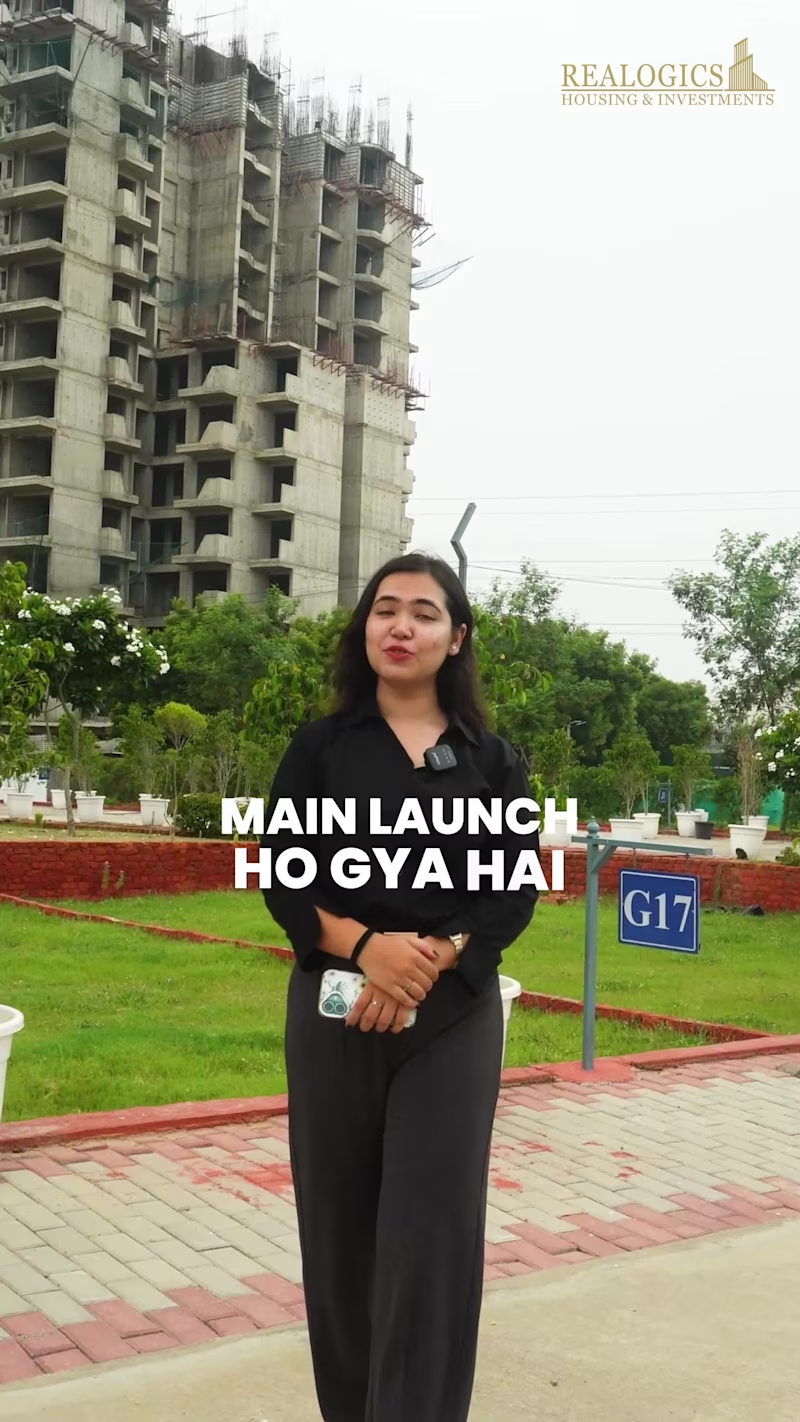
Real Estate Brand Video — Rhealogix (Client: Camulo)
One-line caption:
Turned a raw real estate walkthrough into a polished brand video for Rhealogix — full edit, carousel-style sequencing, custom typography, sound design, and a licensed BGM bed, cut in Premiere Pro and finished in After Effects.
Project Overview
Camulo brought me raw, unedited footage shot for their client Rhealogix, a real estate agency scaling up its listings and brand presence. The brief was simple on paper and demanding in practice: take unstructured raw clips and turn them into a single, upload-ready video that could sell the agency's properties and professionalism in the first three seconds of a scroll. No shot list, no pre-cut sequence — just raw footage and a goal.
My Role
I handled the edit end-to-end: story structuring, clip selection, carousel-style visual pacing, typography and on-screen text system, sound design, BGM sourcing and licensing check, and final color/export. Everything below is the actual workflow I ran, not a template — this is how I work on every real estate/brand edit.
Workflow
1. Footage Triage (Premiere Pro)
Before touching the timeline, I logged every clip: usable vs. unusable, best take per shot, and which clips had clean audio vs. needed replacement. Real estate raw footage almost always has three problems — shaky handheld transitions between rooms, inconsistent exposure between interior and exterior shots, and dead air. I flagged all three per clip so I wasn't discovering them mid-edit.
2. Structuring the Story, Not Just the Rooms
Instead of cutting room-by-room in the order it was shot, I rebuilt the sequence around a viewing logic: exterior/curb appeal → entry → living/common spaces → kitchen → bedrooms → closing wide shot. This carousel-style sequencing mirrors how a buyer would actually want to "walk" a property, and it's the difference between a video that feels like raw footage and one that feels art-directed.
3. Clip Selection Criteria
For every room, I usually had 3–6 takes. I selected based on:
Stability — no handheld drift, prioritized gimbal/tripod shots
Light — matched or gradeable exposure across cuts to avoid a jarring bright-to-dark jump
Framing — wide establishing shot first, then a detail cutaway (fixtures, finishes, natural light sources) to hold attention
Pacing fit — shorter clips for high-energy sections (exterior, kitchen), slightly longer holds for spaces meant to feel premium (living room, master bedroom)
4. Typography System (After Effects)
Built a consistent on-screen text system rather than one-off titles — same type family, same entrance/exit animation logic, same safe-zone positioning — so labels (room names, square footage, key features) read as a designed system, not scattered captions. Typography was animated with eased motion (no default AE keyframe snapping) to match the pacing of the cuts underneath it.
5. Motion Graphics (After Effects)
Beyond text, I built light supporting graphics — lower-third style property details, subtle transition wipes between sequences, and a closing end-card with agency branding. Kept motion graphics restrained: the property is the content, graphics support it without competing for attention.
6. Sound Design
Sound design here isn't just "add music." I built a layered audio bed:
Subtle ambient room tone/whoosh on transitions to smooth hard cuts
Light foley-style accents on key motion graphic entrances
BGM ducked under any retained natural audio so nothing fights for attention
7. BGM Selection
Sourced a copyright-free BGM track matched to the pacing and tone of the property (calm, upscale, unobtrusive — not stock-corporate). Checked licensing terms before locking it in, since this was a client deliverable meant for public upload, not just internal review.
8. Final Pass & Export
Full watch-through for pacing, audio levels, and color consistency across cuts, then exported to spec for the client's upload destination.
Tools Used
Adobe Premiere Pro · Adobe After Effects · Copyright-free BGM licensing
Skills Demonstrated
Video editing · Motion graphics · Typography/title design · Sound design · Real estate/brand video · Carousel-style sequencing · Client raw-footage-to-delivery workflow
Suggested Hashtags
#VideoEditing #RealEstateVideo #PremierePro #AfterEffects #MotionGraphics #SoundDesign #TypographyDesign #BrandVideo #VideoEditor #ContraPortfolio #RealEstateMarketing #VisualStorytelling #PostProduction #VideoProduction #CreativeEditing
1
31
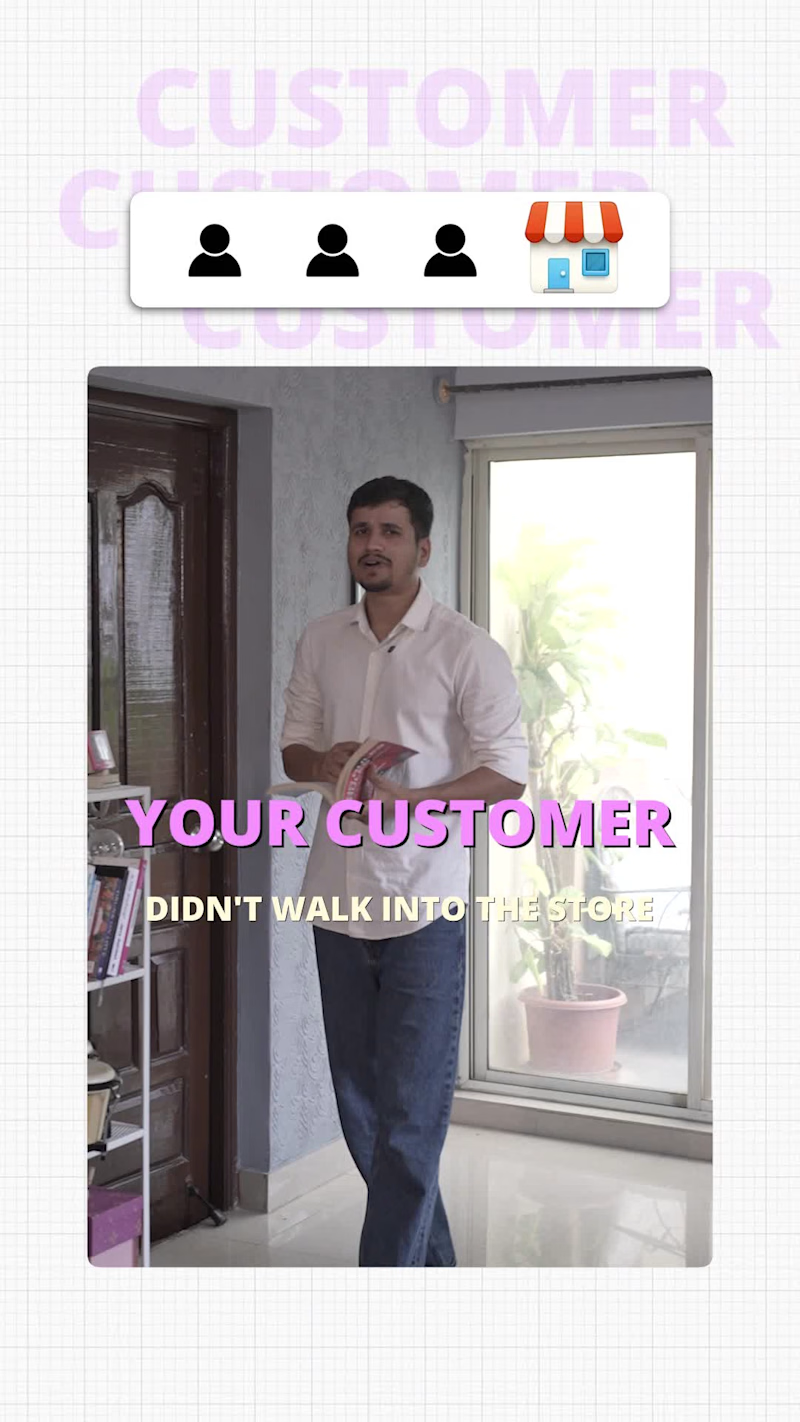
The Good Self | Premium Brand Commercial
Project Overview
The Good Self, a Hyderabad-based wellness brand, approached me to edit a premium 30-second advertisement from more than 200 raw clips. The footage consisted of multiple takes and camera angles for almost every dialogue, making the primary challenge less about editing and more about identifying the strongest visual narrative.
Rather than starting on the timeline immediately, I first reviewed every clip individually and grouped them based on performance quality, camera composition, continuity, eye-line consistency, and emotional delivery. This reduced the footage into a curated selection that became the foundation of the edit.
My Editing Process
1. Footage Audit & Shot Selection
Reviewed 200+ raw clips.
Compared multiple performances for every sentence.
Selected shots based on delivery, framing, continuity, and brand appeal.
Eliminated redundant or visually repetitive takes before editing began.
2. Story Structure
Instead of arranging clips chronologically, I rebuilt the sequence around visual momentum. Every cut was chosen to naturally guide the viewer's attention while maintaining clarity of the product message.
3. Pacing & Rhythm
The objective wasn't to create a flashy social media edit. The brand required a premium, modern aesthetic, so pacing was carefully controlled with purposeful cut points, breathing room, and visual contrast to maintain engagement without overwhelming the viewer.
4. Motion Graphics
Motion graphics were intentionally minimal. Text animation, transitions, and graphic elements were introduced only where they strengthened communication or enhanced product emphasis, allowing the visuals to remain clean and sophisticated.
5. Sound Design
Every sound effect was layered to reinforce movement and visual actions rather than simply filling silence. Whooshes, impacts, risers, and ambient textures were synchronized with transitions and key product moments to create a polished cinematic experience.
6. Brand Consistency
Typography, timing, spacing, logo animation, and overall visual language were kept consistent throughout the commercial to ensure it aligned with The Good Self's premium brand identity.
Tools Used
Adobe Premiere Pro
Adobe After Effects
Photoshop (asset preparation)
Professional SFX Library
Collaboration
The project was completed through multiple feedback iterations within one week. Throughout the process, I maintained close communication with the client, refining timing, shot choices, and visual flow until the final edit matched their creative vision.
Outcome
The final commercial transformed over 200 raw clips into a cohesive 30-second advertisement with strong pacing, premium aesthetics, and clear storytelling. The client was highly satisfied with the result and left positive feedback after project completion.
Skills Demonstrated
• Footage Curation
• Multi-Camera Editing
• Narrative Sequencing
• Commercial Video Editing
• Motion Graphics
• Sound Design
• Visual Storytelling
• Brand Advertising
• Adobe Premiere Pro
• Adobe After Effects
• Client Collaboration
1
34
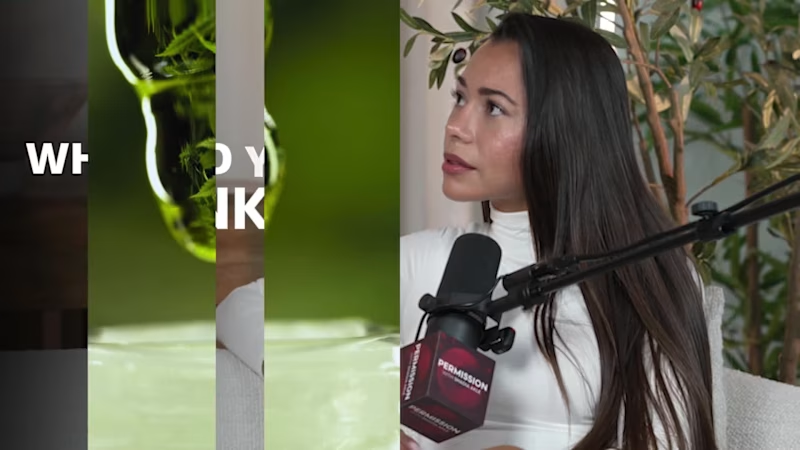
This podcast editing sample features a two-time former Mr. USA, showcasing a cinematic 1-minute teaser followed by a professionally edited 5-minute podcast segment. Every aspect of the edit was completed in Adobe Premiere Pro, with a strong focus on audience retention, storytelling, and premium visual quality.
The intro is designed to hook viewers within the first few seconds using fast-paced editing, dynamic camera cuts, cinematic B-roll, motion graphics, engaging captions, seamless transitions, and immersive sound design. The full podcast edit maintains a natural conversational flow while enhancing key moments through strategic pacing, visual storytelling, and polished post-production.
If you're looking for a professional podcast video editor specializing in YouTube podcasts, teaser trailers, long-form podcast editing, cinematic intros, motion graphics, and high-retention content, this sample demonstrates my editing approach from start to finish.
#PodcastEditor #PodcastEditing #VideoEditor #YouTubeEditor #LongFormEditing #PodcastProduction #AdobePremierePro #PremierePro #MotionGraphics #CinematicEditing #YouTubePodcast #ContentCreator #VideoEditing #AudienceRetention #Storytelling #ProfessionalEditor #PodcastTeaser #ReelsEditor #EditingShowreel #PostProduction
1
133


AI Full-Stack Developer & Motion Designer · 3D Web & Rive

🎁 SPECIAL DELIVERY — the holiday ad where your product is the gift
To: every small brand that wrapped its own orders this December
From: the last stop on Santa's route
You know the feeling. The big brands get snow, music and a film people wait for all year. Everyone else gets a card in the feed and hopes someone stops scrolling.
This one is for everyone else.
It's the night before Christmas. Snow falls on a sleeping town. A sleigh crosses the moon. Santa checks the Nice List twice and finds your customer's name on it. One box drops down one chimney and lands by the fire. The lid lifts, the room fills with light, and inside is the thing you make: your product, your logo, your words.
That's the moment every Christmas ad is chasing. The second before a gift is opened. Now your brand gets it too.
In the video, the same box opens four times: a bottle of perfume, a pair of running shoes, a tin of hot cocoa, an instant camera. Four very different brands. One night they all share.
📦 What's in the box
• A 24-second film in ten shots, from the moonlit town to the living room
• EDIT ME layers for everything you'd change: product-image, logo, headline, CTA, sign-off
• Live text on the gift tag, the Nice List and the end card, so it can speak to your own customer
• One accent colour, picked once
• Four ways for your product to arrive: rise, spin, bounce or turn
🔧 Making it yours takes minutes: swap two images, retype a few lines, choose a reveal. No keyframes to touch, no camera to rebuild.
🛠️ Staged in Blender and animated in SVGator with the MCP
Somebody out there is waiting to unwrap what you make. 👇
SPECIAL DELIVERY (https://app.svgator.com/editor#/40f72c101e2e49c190a96231924001c7)
Have to say @SVGator is easy to use as well as a good tool for us.
10
13
1.8K
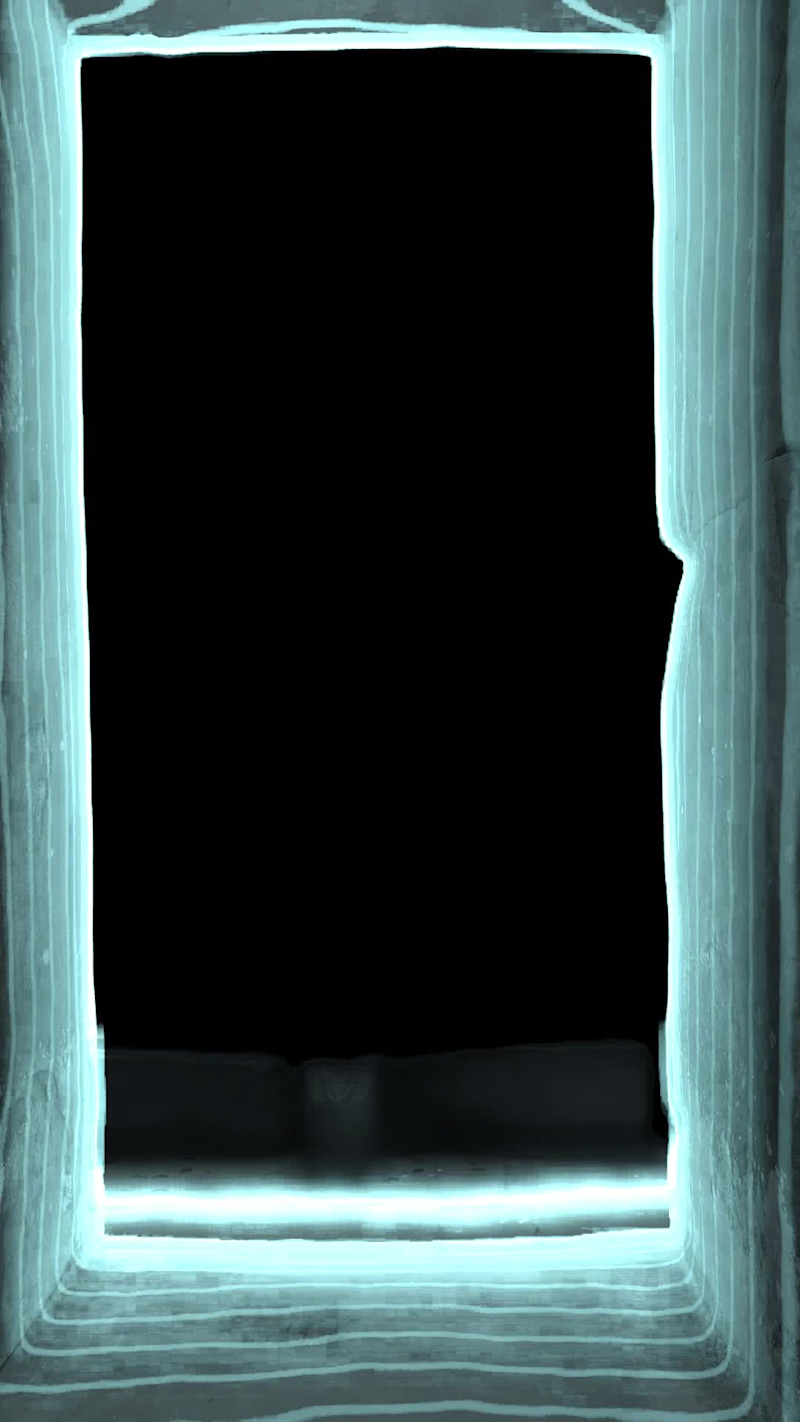
Title: Echo — a place you can only hear 🔊
Primary effect: Bring your own effect: "Echo" 🌊
invideo Editor timeline:https://invideo.io/share/ECHO-editable-timeline-n92j4troIbx
Process note:
🌑 Echo is a black screen where every sound sends a wave of light through the scene in real depth.
🎞️ Starting footage: one licensed stock clip of a temple corridor from invideo's stock library. The sound is original, synthesised for this piece. The voiceover is my own.
💬 What I asked for: a black screen where each ping lights the scene by distance, built from a depth map, with controls for each wave, afterglow, wave thickness, contour lines, outlines, colour and a final reveal.
🛠️ What was built: a depth map (Depth Anything Video), two "Echo" custom effects on the depth map (a Multiply layer for light and an Add layer for glow), an "Echo colour" effect on the footage, and keyframes for six waves and the reveal. The first build was done by Claude, connected to invideo Editor through invideo's MCP server.
🎚️ Refinement: I asked invideo's own agent (Agent Two Lite) in the editor to raise Afterglow from 0.14 to 0.3 on both Echo effects. It made the change on the timeline, and that conversation is shown in the video. I also tried a longer afterglow and a gold colour, both shown.
✅ All building and the final cut were done in invideo Editor.
11
8
1.2K
Market Day — the 15-second ad every seller deserves
Small sellers pour everything into what they make, and then get two seconds of someone's scroll to show it.
Market Day is for that moment. A seller ties off a parcel, the stall lights flicker on, and they hold out a wooden tray toward you. Your product lands on it, a little kraft label hops up to say what it is, and your headline settles onto a frosted-glass card.
I built it as one SVGator template and dropped in three businesses to prove it bends without breaking:
🍕 Forno Lucia, a wood-fired pizza café
🕯️ Ember & Oak, a candle maker
☕ Clay & Co, a ceramics studio
Same animation every time. To make it yours, swap 5 lines of text, 2 images and 1 colour. Every layer is named, the motion lives on wrapper groups, and no keyframe needs touching. About five minutes.
All artwork was made for this template, the brands are fictional and the fonts are open source, so it's free to give away.
If you sell by hand, this one's for you. Which stall should I set up next? 👇
Template: https://app.svgator.com/editor/#/0c516a7c8d234b37bb98c8df7f0b4a29
(https://app.svgator.com/editor/#/0c516a7c8d234b37bb98c8df7f0b4a29)@SVGator
12
11
1.9K

Freelance Motion Designer | Explainer Videos for Startups
- $1k+
- Earned
- 3x
- Hired
- 5.0
- Rating
- 7
- Followers
Freelance Motion Designer | Explainer Videos for Startups




Web Designer & Framer Expert | Landing Pages, 3D & Motion
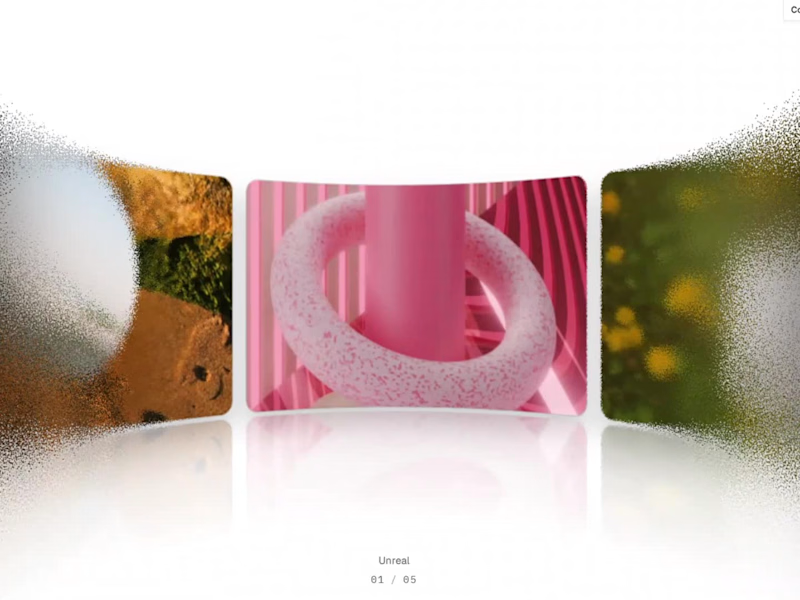
A little grain. A little distortion. A whole lot of interaction. ✳️
Introducing Grainy Carousel — an interactive Framer Code Component I've been building.
I wanted to explore how far a simple horizontal carousel could go when combined with motion, texture and optical effects.
So I brought together:
→ 7 predefined visual styles + custom mode
→ Infinite scrolling with auto-play and drag interaction
→ Procedural grain distortion
→ Adjustable blur effects
→ Concave & convex lens refraction
→ Extensive customization through the Properties panel
One component. Multiple visual directions. Endless ways to experiment.
Built for creative portfolios, digital agencies, editorial websites and immersive landing pages.
Grainy Carousel is now available on Contra.
🔗 Check it out, explore the variations and let me know which style is your favourite.
To integrate in your project, purchase it from here: https://contra.com/products/dg9gbcuK-3-d-grainy-carousel-interactive-framer-code-component
I'm also open to collaborating with teams and founders looking to bring distinctive interactions, motion and 3D experiences into their websites.
Have an interesting web experience in mind? Let's build it.
#Framer #InteractionDesign #CreativeDevelopment #MotionDesign #WebDesign
2
5
501
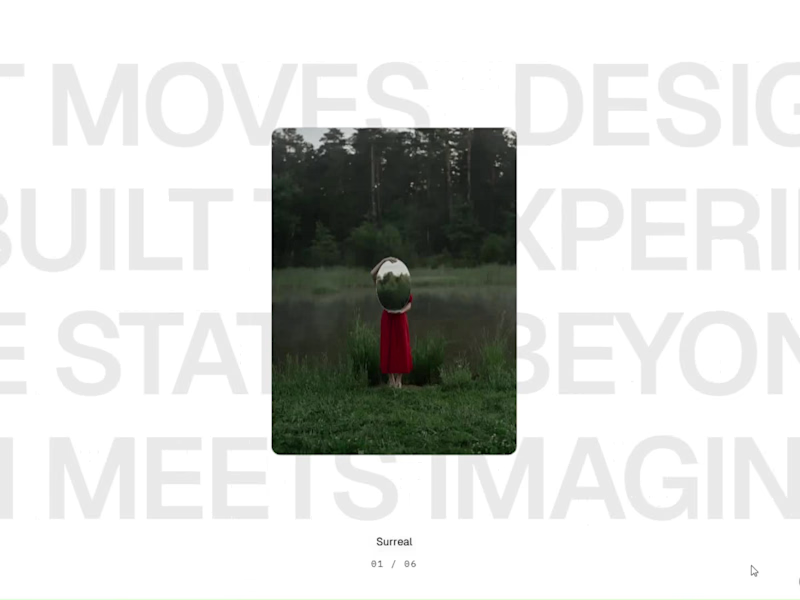
Introducing Fluid Cards — make your designs move.
I’ve been working on something new: Fluid Cards, an interactive Framer component designed to turn static images into a more expressive visual experience.
Think fluid card deformations, sequential flipping animations, scrolling headline tickers and customisable motion — all inside Framer.
What's included:
Fluid, 3D-inspired card deformation
Sequential card-flipping animations
Single-row and multi-row headline tickers
Customisable typography, captions and card links
Adjustable lighting, shadows and motion settings
Flexible controls directly inside Framer
Built for creative portfolios, agency websites, landing pages and visual storytelling.
No complicated setup. Just add the component, customise it and make your layouts move.
Explore Fluid Cards:
🔗 Live demo: https://fluidcards.framer.website/
🛒 Get the component on Contra: https://contra.com/products/ROSwJ0ag-fluid-cards-interactive-framer-component
I'd love to see what you create with it!
#Framer #FramerComponents #InteractionDesign #MotionDesign #CreativeDevelopment #WebDesign #NoCode
2
2
495
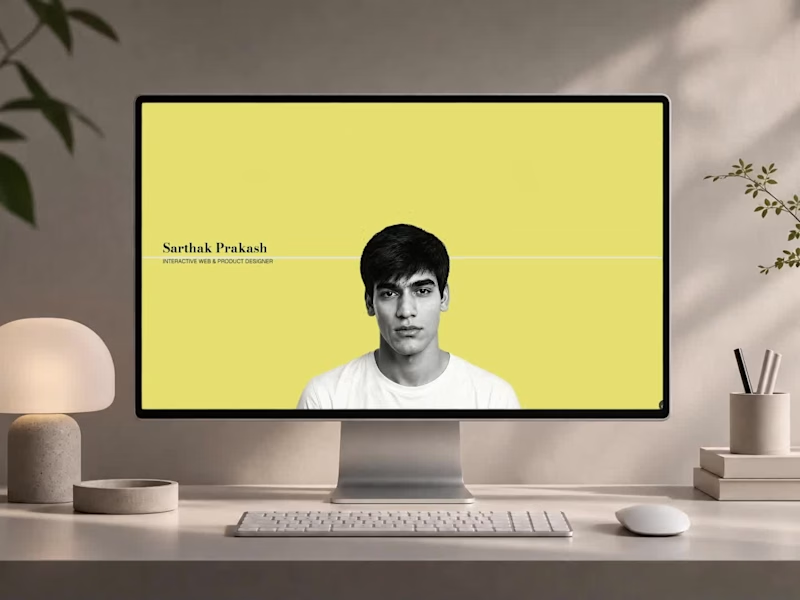
Why I built a 3D mini-game for my design portfolio 👾👇
When I set out to redesign my portfolio, I knew a standard grid of case studies wouldn't cut it. With 4+ years of experience across product interaction, WebAR, and UX design, I needed a space that actually demonstrated what I can build.
So, I built Sartisticway, an immersive web experience developed entirely in Framer.
Here is what I focused on:
🧵 Scroll-Driven Storytelling: Custom SVG paths that dynamically "untangle" as you scroll, guiding the narrative.
🚀 Gamified Skill Discovery: Instead of reading a list of tools, users play "Skill Run"—a custom 3D WebGL mini-game where they pilot a ship to discover my tech stack.
📱 Zero Performance Compromise: Cinematic 3D motion and micro-interactions that run at a smooth 60fps across all breakpoints.
I’ve just published the complete breakdown of my design and development process on Contra. If you are a founder or team looking to build products at the intersection of art and emerging technology, let's talk.
📌 Check out the full case study here (https://contra.com/p/kglEkNA2-immersive-3-d-web-portfolio-design-and-development?referralExperimentNid=DEFAULT_REFERRAL_PROGRAM&referrerUsername=sarthak_prakash_z5j95nca)
🕹️ Play the portfolio (https://sartisticway.in/)
🛠️ Build your own immersive site with Framer
(https://framer.link/sartisticway)✅ Check out other Framer-build experiences: Classical Dance (https://nrityamohana.in/) | Finance (https://sartisticway.in/jbr)
#FramerDeveloper #ProductDesign #UXUI #CreativeTechnology #ContraIndependents #HireMe #WebExperience
2
1
490
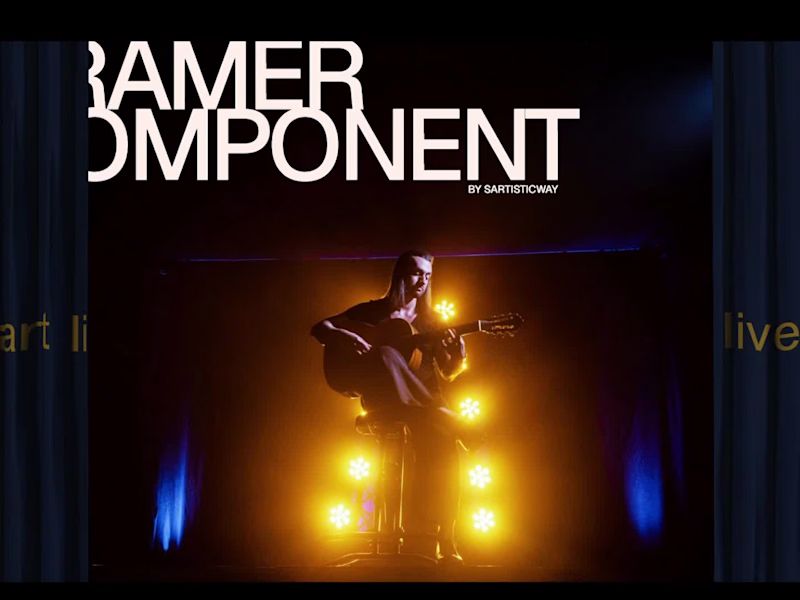

Cinematic Video Editor & Motion Graphics Expert

I created a kinetic intro animation inspired by the design evolution from the OnePlus 13 to the upcoming OnePlus 15.
The concept starts with the iconic Plus symbol, then transitions into the outline of the OnePlus 13. I used dynamic line movements to reshape its silhouette into the new OnePlus 15 form factor. The sequence ends with a clean reveal of the OnePlus 15 logo, followed by a smooth wave transition from the static render into the main video.
What I focused on:
Clean logo-driven animation
Shape-to-shape transformation (OP13 ➜ OP15)
Smooth morphing lines for design evolution
Minimal, modern motion language
Wave-style transition into the final video
This intro sets a futuristic, premium tone for smartphone content while keeping the animation short, bold, and visually impactful.
1
85

I created a high-end motion graphics demo showcasing a fictional collaboration between Apple Watch and Emirates Airlines. The project features realistic 3D models of both the Apple Watch and Emirates flight, combined with dynamic animations, elegant transitions, and detailed widget visuals that bring the concept to life. Every motion, reflection, and camera move was carefully designed to reflect premium brand aesthetics. I also handled the entire sound design, syncing audio perfectly with visuals for a cinematic and immersive experience.
Role: Motion Graphics Designer | 3D Visualization | Sound Design
8
144

The story behind the ThinkPad — from IBM to Lenovo.
I created a motion graphic breaking down the timeline of how Lenovo acquired the ThinkPad brand from IBM and continued its journey in the laptop market.
This project was originally made for the Gyan Therapy YouTube channel, combining research, design, and animation to present the history in a clear and engaging format.
3
79


We build the product and the story that sells it.

A 35-second Short built as a proof-of-craft piece: editing advice for other editors, delivered in the format it's teaching. Fast cuts, kinetic captions, on-screen demonstration of the technique being described — the edit is the argument.
Delivered: short-form edit, kinetic captions, motion titles, vertical cut.
#videoediting #motiongraphics #aftereffects #videoeditor #editingtips
0
72

Athlete Training Film — Motion Graphics & Cinematic Edit
A short-form hype film following an athlete's training arc through to competition. Built on rhythm — cuts matched to the beat, speed ramps on peak effort moments, and kinetic titles that hit on impact.
Motion graphics carry the intensity where footage alone can't: stat overlays, countdown/round cards, and graphic transitions between training and competition. Graded for contrast and grit.
Delivered: full edit, motion titles, stat overlays, sound design, platform cuts.
0
78

Personal Finance Podcast — Sizzle Edit & Motion Graphics
A sizzle cut from a long-form personal finance interview, built to sell the full episode in under a minute. Answers were pulled from across the conversation and re-sequenced into a rapid-fire Q&A — debit vs. credit, where to invest first, whether homeownership still makes sense, who pays on the first date.
The motion work does the structural lifting: animated question cards to frame each beat, kinetic captions to hold attention through talking-head footage, and hard cuts timed to punchlines. Vertical and horizontal cuts delivered for multi-platform posting.
Delivered: sizzle edit, animated question cards, kinetic captions, motion titles, platform cuts (YouTube / Reels / Shorts).
0
83

India's Pharmacy Paradox — Data Explainer with Motion Graphics
A short-form data documentary on India's pharmaceutical contradiction: it manufactures a third of the world's pills and 70% of its vaccines, yet 60% of Indian healthcare spending still comes straight out of people's pockets.
The script moves fast and every beat is a statistic, so the motion work had to carry the argument, not just decorate it — timeline sequences for the 1970 patent shift, comparative bar and share visualizations for global supply, and stark ratio graphics for the doctor shortage. Restrained editorial palette, no gimmicks, pacing built so each number lands before the next arrives.
Delivered: full edit, animated data visualizations, timeline and infographic sequences, motion titles, captions.
0
89