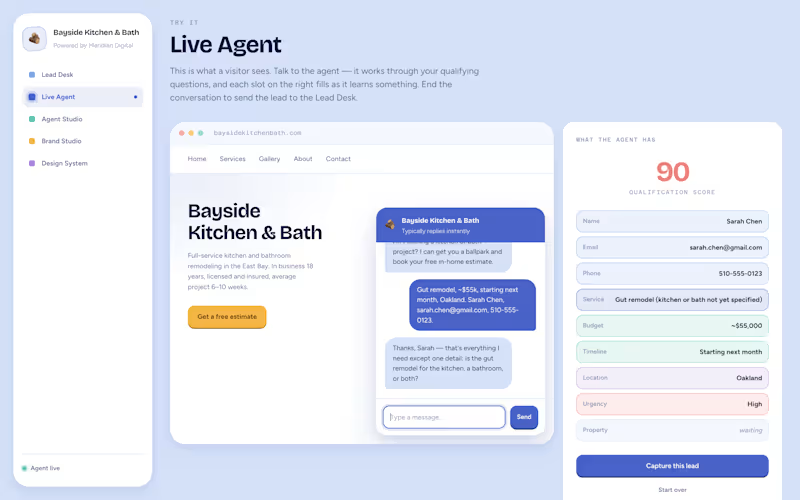
Projects using Python in NoidaProjects using Python in NoidaMy submission for replitbuildathon. Features an AI agent that answers inbound leads in seconds, qualifies them against your rules, and books the appointment — rebrandable for a new client in about a minute. Most small businesses lose leads to silence. Someone lands on the site at 9pm, fills nothing in, and leaves. Frontdesk is the agent that catches them. It greets the visitor, works through the qualifying questions you defined, scores what it hears out of 100, books the appointment, and hands the team a lead with the transcript and a follow-up email already drafted. The reason it's a template and not a product: it's built to be rebranded.
Set a logo and two colours in Brand Studio and the entire app, the chat widget, and the design system documentation retint together, because they all read the same tokens. Agencies fork it once per client. Applying a preset doesn't recolour the same install: it opens a different one, with its own agency name, business name and greeting. Checkout the app here: https://frontdeskzip--SuyashDubey3.replit.app RetailEye Insights – AI-Powered Retail Analytics & Live Monitoring Platform
Overview
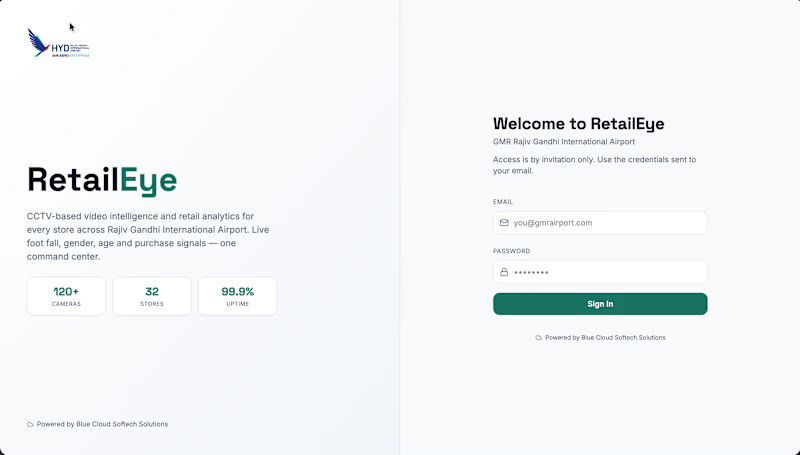
RetailEye Insights is a real-time retail intelligence platform developed for GMR Hyderabad International Airport to help retailers understand customer behaviour, monitor store activity, and make data-driven business decisions using AI-powered video analytics.
The platform aggregates data from multiple cameras across retail stores and presents actionable insights through an interactive dashboard, enabling store managers and administrators to monitor footfall, customer demographics, occupancy, and live activity from a centralized interface.
My Role
Frontend Developer (React.js)
I was responsible for designing and developing the complete frontend application, integrating real-time APIs, building reusable UI components, optimizing performance, and creating interactive analytics dashboards for enterprise users.
Key Features
📊 Real-Time Analytics Dashboard
Developed an interactive analytics dashboard that provides:
Live footfall tracking
Customer entry and exit statistics
Hourly traffic trends
Store-wise analytics
Peak business hours
Occupancy monitoring
Real-time KPI cards
Historical trend analysis
👥 Customer Demographics
Implemented AI-powered demographic visualizations including
Gender distribution
Age group classification
Customer segmentation
Hourly demographic trends
Comparative analytics
These insights help retailers understand customer behaviour and optimize staffing and marketing strategies.
🎥 Live Camera Monitoring
Built live monitoring interfaces allowing administrators to:
View multiple camera feeds
Monitor stores in real time
Switch between camera locations
Observe customer activity instantly
Access centralized surveillance dashboards
📈 Interactive Data Visualization
Created responsive and interactive charts for:
Footfall over time
Gender trends
Age distribution
Customer activity
Historical reports
Features include:
Dynamic filtering
Hover tooltips
Responsive layouts
Smooth chart animations
🏬 Multi-Store Management
Implemented support for multiple retail locations with:
Store selection
Centralized monitoring
Individual store analytics
Cross-store comparison
Unified management dashboard
🔍 AI Person Tracking & Debug Console
Developed an advanced debugging interface for AI detection pipelines that displays:
Active tracking sessions
Identified and unidentified persons
Face detection quality
Re-identification confidence
Tracking lifecycle
Camera pipeline status
Frame statistics
Live processing information
This interface significantly improved monitoring and debugging of the AI vision system during development.
👤 User & Access Management
Implemented secure administrative modules for:
User management
Role-based access
Authentication
Administrative controls
Secure dashboard access
Technical Highlights
Developed a scalable component-based architecture
Integrated REST APIs with real-time polling
Optimized rendering performance for large datasets
Built reusable UI components
Implemented responsive layouts for enterprise users
Managed application state efficiently
Created modular analytics widgets
Improved dashboard loading and rendering performance
Frontend Tech Stack
React.js
TypeScript
Tailwind CSS
React Query
REST APIs
Chart.js / Recharts (Analytics Visualizations)
Material UI
Responsive UI Design
Backend Tech Stack
Python
FastAPI
PostgreSQL
SQLAlchemy
JWT
YOLOv8
InsightFace
TorchReID
OpenCV
ONNX Runtime
MinIO
Outcome
RetailEye Insights provides retailers with real-time visibility into customer behaviour through AI-powered video analytics, helping improve operational efficiency, optimize staffing, understand shopper demographics, and make informed business decisions across multiple retail locations. That makes total sense. A lot of portfolio platforms like Contra don't support LaTeX rendering, so those equations just end up looking like broken code.
Here is the revised version with the math translated into clean, readable plain text so it formats perfectly on the site.
AuraOps: The Autonomous Unified Release Authority 🚀🧠
Moving AI from "Assisting Developers" to "Making Production Decisions"
Modern CI/CD pipelines are reactive. They lint, test, and warn—but the final decision still depends on a human. As DevOps complexity grows with security risks, compliance requirements, and sustainability concerns, developers are overwhelmed.
We asked a simple question: What if the pipeline itself could decide whether code is safe to ship? That idea led to AuraOps—a multi-agent AI system integrated directly into GitLab Merge Requests that doesn’t just analyze code, but actively fixes it, verifies it, and makes the final release decision.
💡 How It Works: The Autonomous Pipeline
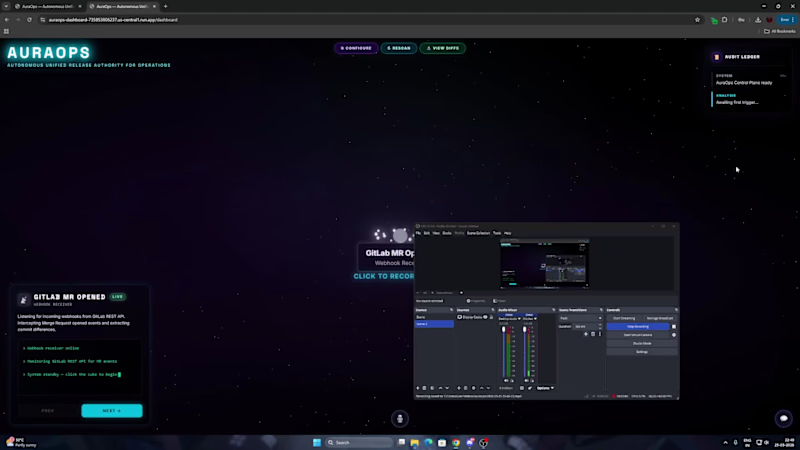
AuraOps intercepts GitLab webhooks when a Merge Request is opened, extracts the code diff, and triggers a 3-phase autonomous pipeline powered by specialized AI agents.
The Execution Flow:
Phase 1 (Parallel): Security & Sustainability Analysis
Phase 2 (Sequential): Validation & Risk Decision
Phase 3 (Parallel): Compliance Checks & Deployment
🤖 The Multi-Agent AI System
AuraOps orchestrates several distinct agents to handle the entire lifecycle:
SecurityAgent: Detects vulnerabilities (SQLi, XSS, secrets), auto-remediates them by writing and committing patches, and re-validates its own fixes.
GreenOpsAgent: Optimizes infrastructure using real-time carbon data and suggests lower-emission deployment regions.
ValidationAgent: Runs the GitLab CI/CD pipeline to ensure AI-generated fixes didn’t break functionality, with graceful fallbacks if CI is down.
ComplianceAgent: Audits code and deployment against SOC2, GDPR, and HIPAA requirements.
DeployAgent: Builds and deploys the application to Google Cloud Run, selecting the greenest, most optimal region.
RiskEngine (The Brain): The decision-making core that aggregates all signals into a single release scorecard and outputs a definitive APPROVE or BLOCK.
🧮 The RiskEngine Decision Model
To confidently block or approve a release without human input, we engineered a weighted decision model to generate a final confidence score.
The core confidence score combines three key weighted metrics:
Security Score * Eco (Sustainability) Score * Validation Result The final AI decision function evaluates this combined score against a strict threshold. For example, if the total confidence score is 75% or higher, the release is securely shipped and marked as APPROVE. If it falls below that mark, the system automatically outputs a BLOCK decision to prevent risky deployments.
🧗♂️ Engineering Challenges
Reliable Auto-Remediation: Detecting issues is easy; safely fixing them is not. We implemented multi-pass revalidation (up to 3 cycles) and auto-commits directly to GitLab.
Failure Resilience: Real-world systems fail. We built AuraOps with graceful degradation—handling CI failures by safely skipping them, retrying API rate limits with exponential backoff, and bypassing missing configs without crashing.
Sustainability as a Metric: Mapping cloud infrastructure to real-time carbon intensity APIs to quantify exact CO₂ savings.
🚀 The Final Output: The Release Scorecard
Instead of overwhelming the developer with logs, AuraOps outputs a clean, aggregated scorecard directly in the MR containing:
Security score & vulnerabilities auto-fixed
Sustainability index & CO₂ emissions avoided
Time saved via automation
Final AI Decision + Confidence Percentage
💻 Built With
AI Models: Gemini 2.5 Flash | Gemini 3.5 Pro | Claude 3.5 Sonnet
Backend & Orchestration: Python | FastAPI | Uvicorn | Node.js | TypeScript
Frontend & 3D Vis: React | Three.js (React Three Fiber) | CSS
DevOps & Cloud: Docker | GitLab API & Webhooks | GitLab CI | Google Cloud Build | Google Cloud Run
Try AuraOps : https://auraops-735853806237.europe-north1.run.app/dashboard
Now, meet the one I already told you all my project jarvis which is complete now. Here's the details -
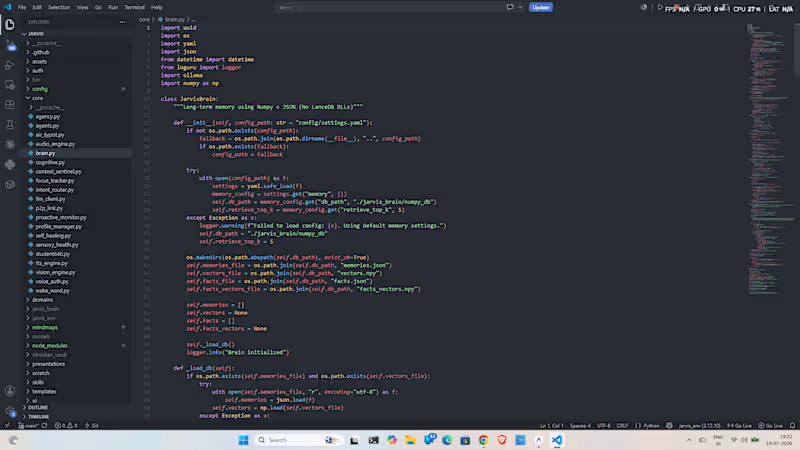
JARVIS is a production-grade, privacy-first AI desktop assistant designed to operate fully locally on standard hardware. Built to rival modern desktop AI systems, JARVIS seamlessly integrates natural voice interaction, real-time screen vision comprehension, deep Windows OS automation, and intelligent document/presentation generation.
Unlike basic wrappers around cloud APIs, JARVIS features a hybrid architecture combining zero-latency regex intent routing, local LLM fallbacks, Win32 API shell controls, and active VLM screen verification.
Key Capabilities of Jarvis -
🎙️ Multimodal Voice & Audio Intelligence
Bilingual STT & Dynamic Query Cleaning: Real-time speech recognition tuned for Hinglish, Hindi, and English with automatic phonetic filler word stripping.
Expressive Local TTS & Emotion Effects: Low-latency neural speech synthesis powered by Piper ONNX and Edge TTS with adaptive prosody and emotional modulation.
Hands-Free Media & Non-API Automation: Full hardware media key automation for Spotify and browser video playback without requiring paid API tokens.
👁️ Vision AI & Live Screen Comprehension
VLM Window & Screen Verification: Captures active window frames using OpenCV and local vision models (Moondream / Qwen-VL/Mistral) to verify OS tasks (e.g., verifying opened folders, app states, or UI elements).
Camera Emergency Sentinel: Real-time visual distress sentinel using multimodal vision checks before initiating priority emergency calls.
🖥️ Deep OS & File System Automation
Subfolder Inspection & Bulk Purging: Inspects complex nested folder structures (e.g., Pictures/Screenshots), calculates storage footprints, and executes secure file/folder purges via Win32 shell calls.
OneDrive-Aware Name-Based Resolution: Intelligent 3-tier lookup engine resolving standard paths (Desktop, Downloads, Pictures) across native paths and OneDrive redirects without needing absolute user paths.
Silent Recycle Bin Clean & Disk Optimization: Win32 API integration (SHEmptyRecycleBinW) for 100% silent, error-free disk maintenance.
📄 Productivity & AI Document Generation
Automated Presentation Engine: Generates styled PowerPoint presentations (.pptx) with custom slide themes, topic summaries, and automated asset downloads.
Markdown & PDF Document Compiler: Built-in Marp compilation engine converting voice notes to polished PDF slides and documents.
And not only that I have open-sourced the entire github repo you can install it, check it and run it to your laptop as your assistant too, and don't forget to give the star, and if you face any issue kindly dm me or message in github too.
Here's the link - "https://github.com/darshitp091/Jarvis " Hit a classic Django trap this week and figured it's worth sharing since so many people are running into it now.
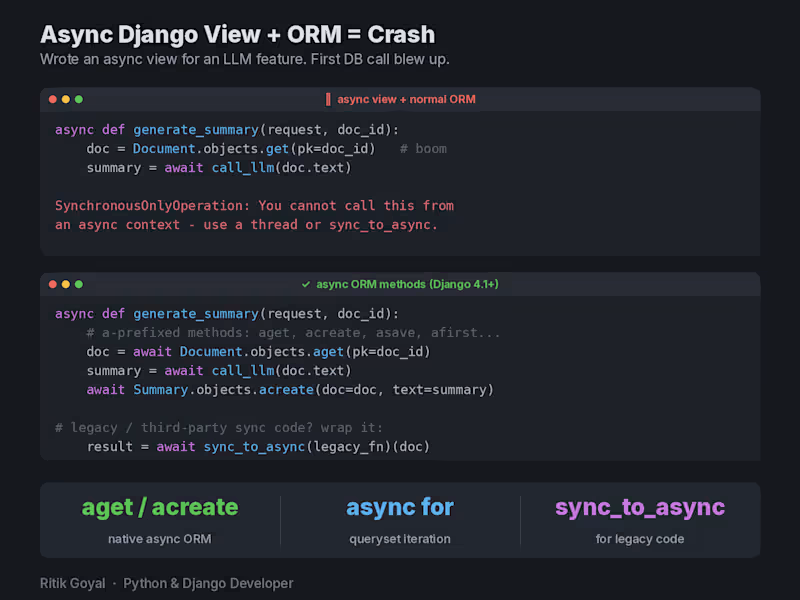
I was adding an LLM feature to a Django app. The AI call takes a few seconds, so naturally I made the view async so it doesn't block a worker while waiting. Wrote the async view, called the ORM like I always do, and boom:
SynchronousOnlyOperation: You cannot call this from an async context.
Turns out Django's ORM can't just be called normally inside async code. The classic sync API isn't safe in an event loop, so Django protects it and throws this error instead.
The fix is simpler than most people think. Since Django 4.1 the ORM has async versions of everything, same names with an "a" prefix. So objects.get() becomes await objects.aget(), create() becomes acreate(), save() becomes asave(). For loops over querysets, async for works directly. And for old sync code or third party libraries you can't change, wrap them with sync_to_async().
Why this matters right now: everyone is bolting AI features onto Django apps, and LLM calls are exactly the slow I/O that async is made for. Which means a lot of devs who never touched async Django are suddenly hitting this error for the first time.
One honest caveat: transactions still don't fully work in async mode, so if you need atomic blocks, keep that path sync and wrap it.
Anyone else made the jump to async views yet, or still happily on WSGI? Problem:
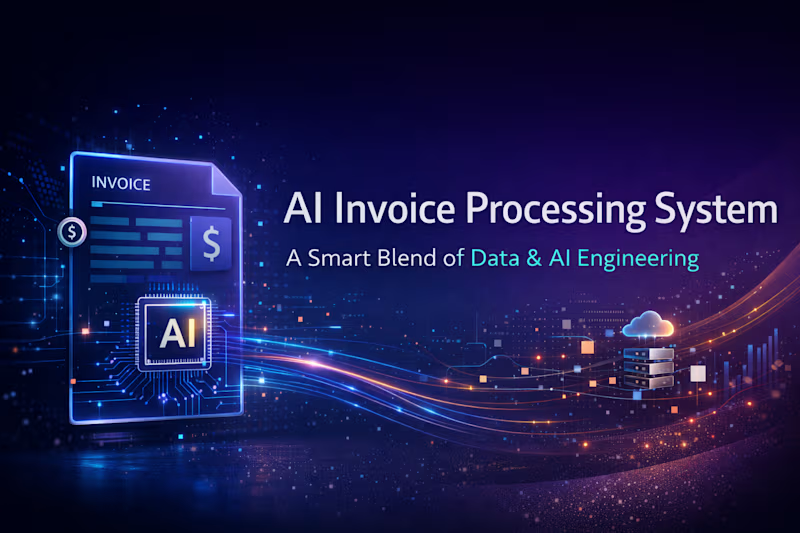
Many organizations still process invoices manually by reading PDF documents and entering key details (invoice number, vendor, amount, etc.) into systems. This process is slow, error-prone, and difficult to scale, and it also makes it harder to detect duplicate invoices or incorrect totals.
Solution:
This project builds an automated invoice processing pipeline that converts uploaded invoice PDFs into structured data. It uses OCR to extract text, LLMs to identify invoice fields, validation checks to ensure correctness, and Kafka-based event streaming to manage the processing pipeline. The extracted data is stored in PostgreSQL and visualized through a dashboard, enabling faster, scalable, and more reliable invoice processing.