Projects using Google Sheets in Islamabad Capital TerritoryProjects using Google Sheets in Islamabad Capital TerritoryStop chasing leads by hand. Let automation do it.
Following up on emails takes a lot of time. You have to remember who you wrote to, who replied, and who needs a nudge.
I built a tool that does this for you.
Heres how it works:
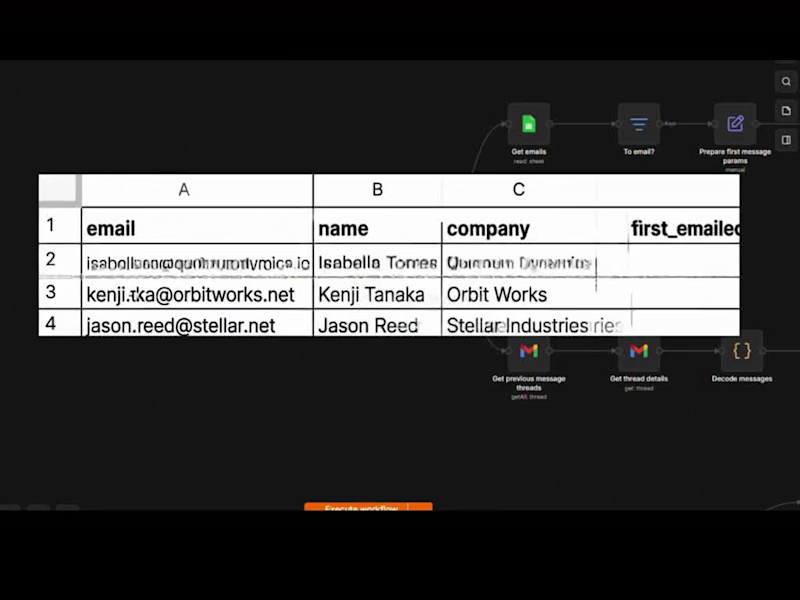
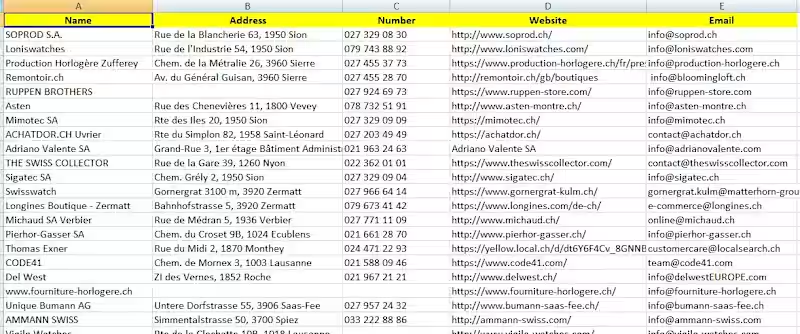
✅ Put your contacts in a Google Sheet
✅ The first email goes out to everyone, with their name and company filled in
✅ If someone doesnt reply, it sends a follow-up on day 3, then day 8 (you choose the days)
✅ If someone replies, it stops right away
✅ All follow-ups land in the same email thread, so it looks natural
✅ It never sends on weekends You only talk to people who answer.
The tool handles everyone else.
What you get from me:
📦 The ready-to-use n8n workflow
📖 A simple step-by-step guide
⚙️ Setup help so it works with your Gmail and Google Sheet
It works well for:
Freelancers and agencies looking for clients
Sales teams doing outreach
Anyone who sends the same follow-ups again and again
No expensive software.
It runs on Gmail, Google Sheets, and n8n. 👉 Get it here: https://lnkd.in/dPHbfWKh
(https://lnkd.in/dPHbfWKh)Please use it for real, relevant outreach and always give people a way to opt out.
#automation (https://www.linkedin.com/search/results/all/?keywords=%23automation&origin=HASH_TAG_FROM_FEED) #n8n (https://www.linkedin.com/search/results/all/?keywords=%23n8n&origin=HASH_TAG_FROM_FEED) #emailmarketing (https://www.linkedin.com/search/results/all/?keywords=%23emailmarketing&origin=HASH_TAG_FROM_FEED) #leadgeneration (https://www.linkedin.com/search/results/all/?keywords=%23leadgeneration&origin=HASH_TAG_FROM_FEED) #freelance (https://www.linkedin.com/search/results/all/?keywords=%23freelance&origin=HASH_TAG_FROM_FEED) AI-Powered Lead Generation & Automated Email Workflow System
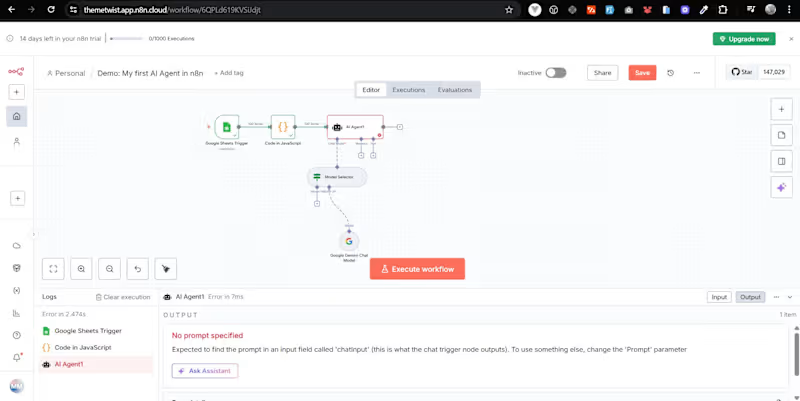
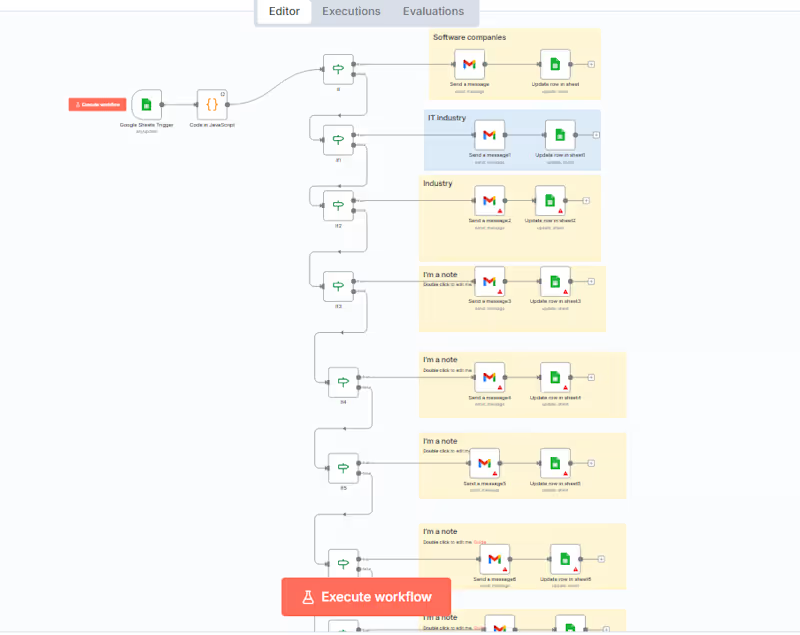
This project is a fully automated lead processing and outreach system built using n8n, Google Sheets, and Gmail integration.
The workflow is triggered by new entries in Google Sheets, processes data using custom JavaScript logic, categorizes leads by industry, and automatically sends personalized emails. After sending emails, the system updates lead status in separate sheets for tracking and reporting.
Key Features:
Google Sheets trigger for real time lead intake
Custom JavaScript node for data processing & filtering
Conditional routing based on industry categories
Automated Gmail email sending
Dynamic sheet updates for tracking responses
Multi-branch automation architecture
Technologies Used:
n8n, Google Sheets API, Gmail API, JavaScript, Automation Logic