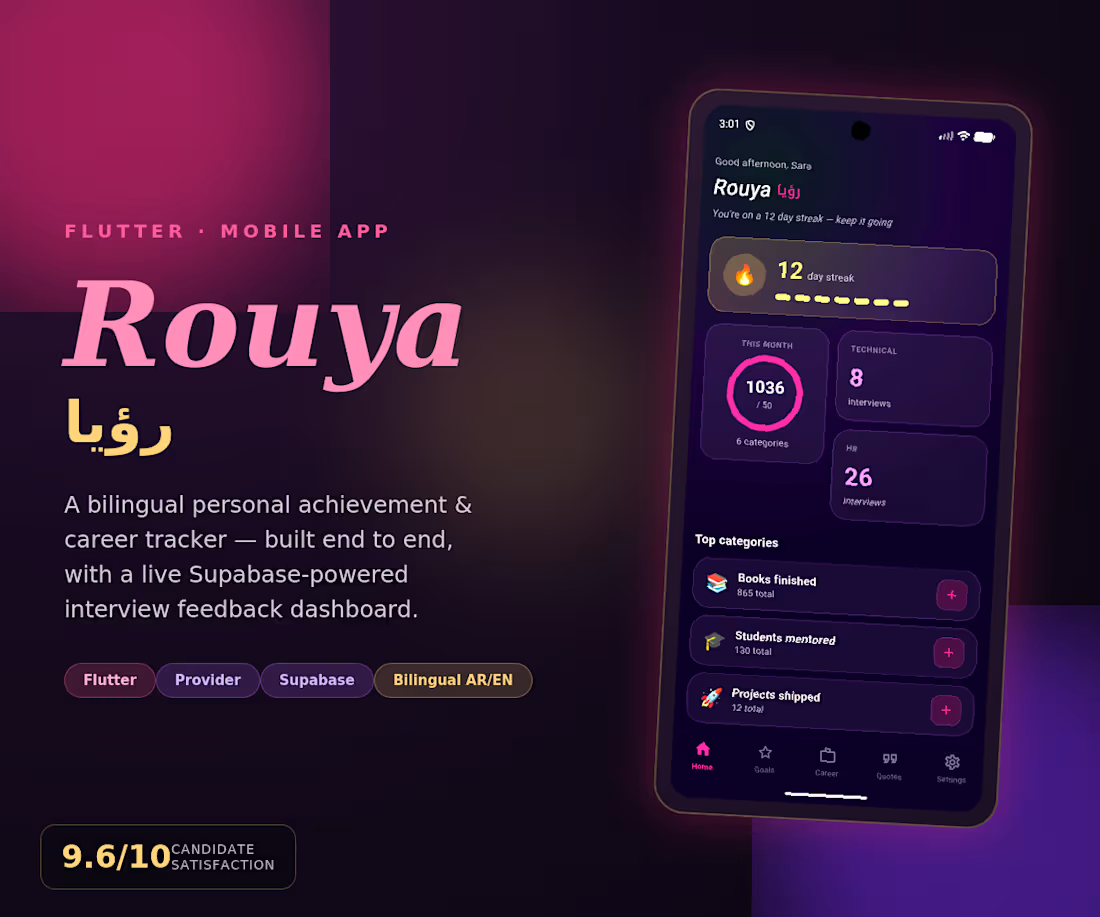
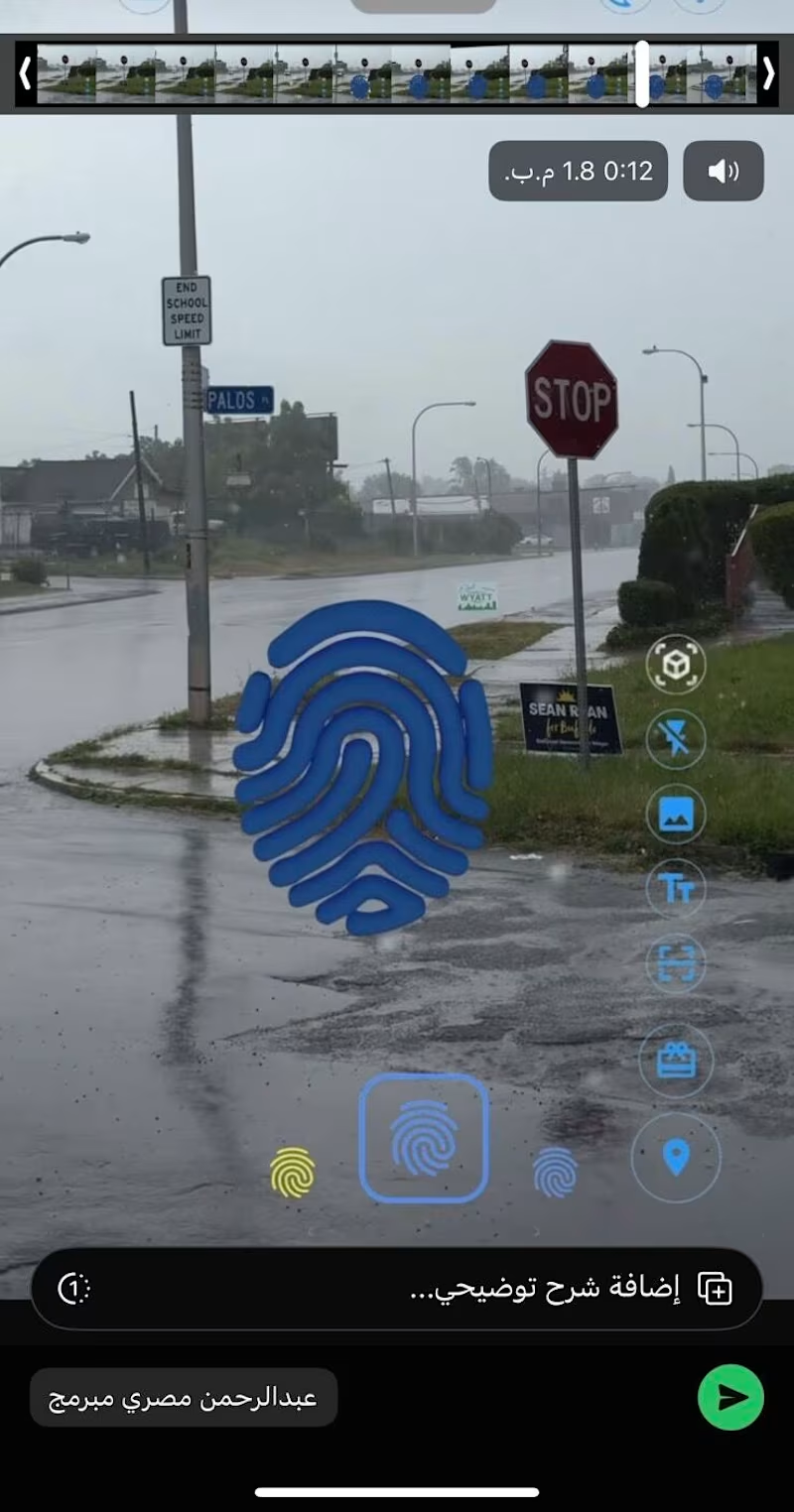
Mobile Development Projects in CairoMobile Development Projects in CairoRouya (رؤيا, "vision") is a Flutter app for professionals to track achievements, career journey, teaching, and favorite quotes in one place. It has a live dashboard with streak tracking, a custom achievement system, a career module for logging interviews with outcomes and ratings, a teaching tracker, and a quotes library with favorites. It integrates with Supabase to pull live candidate survey data from real interviews, visualizing feedback across multiple dimensions. Rouya supports two dark themes (Feminine Power and Obsidian), uses Provider for state management, and reflects real data: 865+ books finished, 130+ students mentored, 32 interviews at 9.6/10 satisfaction. Imagine walking down the street, raising your phone, and finding a message someone left hanging in mid-air right where you're standing—a photo, a song, a text post—like they left a piece of themselves behind in the real world.
That was the client’s request. I said, "On it."
—
I built the feature in just two days. Open the camera, and the object appeared perfectly in the air. I sent it to the client, feeling pretty proud.
His response came back: "I don't see anything."
—
I kept wondering—how is this even possible? I could see it clearly on my screen. Then, it hit me.
The AR object was being positioned using GPS. When I dropped it, my device calculated its position based on mycoordinates. When the client opened the app in the same spot, his device calculated it from his side—and the error margin between the two devices reached up to 5 meters.
This meant the message I left right in front of the door appeared for him in the middle of the street.
—
I searched through every available Flutter package to find a solution. Nothing.
—
That’s where things got complicated, because the only way out was to go Native.
I opened Google's ARCore documentation and started digging through the examples. At first, I barely understood a thing. But I kept reading.
Slowly, the picture became clearer. I began to understand how anchors are formed—how the device scans the visual features of the physical environment (the angles, the lighting, the precise details) and uploads them to the cloud, instead of relying solely on GPS.
It’s called Google Cloud Anchors. And that was the missing piece.
I built the method channel between Flutter and Native code by hand. Line by line. Until it finally worked.
—
The first time I hosted an object, had someone else open the app in the same exact spot, and they saw it precisely where it was meant to be—I felt something hard to put into words.
Not just because the code worked. But because I stepped into a territory that terrified me, and I walked out of it with a brand-new skill.
—
When there isn't a package ready for you, it’s not the end of the road. It’s the beginning of a journey to learn something no one else in your immediate circle is talking about.
What’s the toughest technical challenge you've dived into, even when it terrified you? 👇
#Flutter #ARCore #NativeDevelopment #MobileDevelopment #SoftwareEngineering Qodum Mobile — School Management App for Teachers, Students & Staff
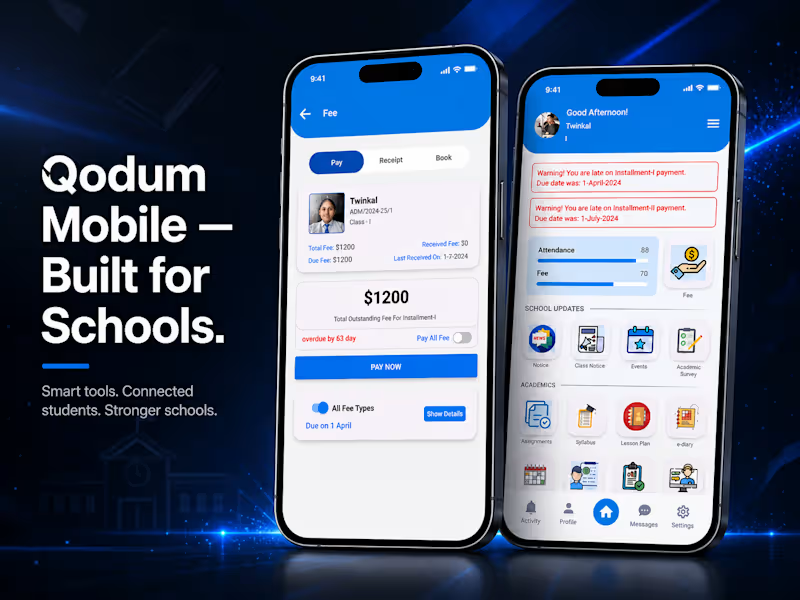
A React Native school management app with multi-role support, assignment workflows, push notifications, and fee payments.
The Starting Point
The web version of Qodum handled school operations from an admin/staff perspective — but teachers, students, and parents needed their own dedicated way to interact with the system day-to-day, from wherever they were. That's what the mobile app was built to solve.
What I Built
Qodum's mobile app supports three distinct user types — teachers, students, and staff — each with their own relevant experience within the same app. Core functionality includes an assignment system where teachers can create and review assignments, students can view and submit answers, and teachers can give feedback directly on submissions. The app also includes a notice/notification system, with real-time push notifications powered by Firebase Cloud Messaging, plus an integrated payment gateway so students can pay school fees directly from the app.
Tech Stack
Built with React Native, with Firebase handling messaging and push notifications, and a dedicated payment gateway integration for fee collection.
Why Multi-Role Matters Here
Rather than building separate apps per user type, Qodum's mobile app handles teachers, students, and staff within a single codebase — each seeing a tailored experience based on their role, which keeps the app maintainable while still serving genuinely different workflows.
How I Work
This mirrors my approach on client mobile projects — one codebase, role-based experiences, and integrations (like payments and push notifications) that actually work reliably in production, not just in a demo.
GitHub: https://github.com/jonathanadel-dev/qodum-app