
Debasish Sutradhar
Excel Data Entry Expert | Data Cleaning & Formatting
New to Contra
Debasish is building their profile!

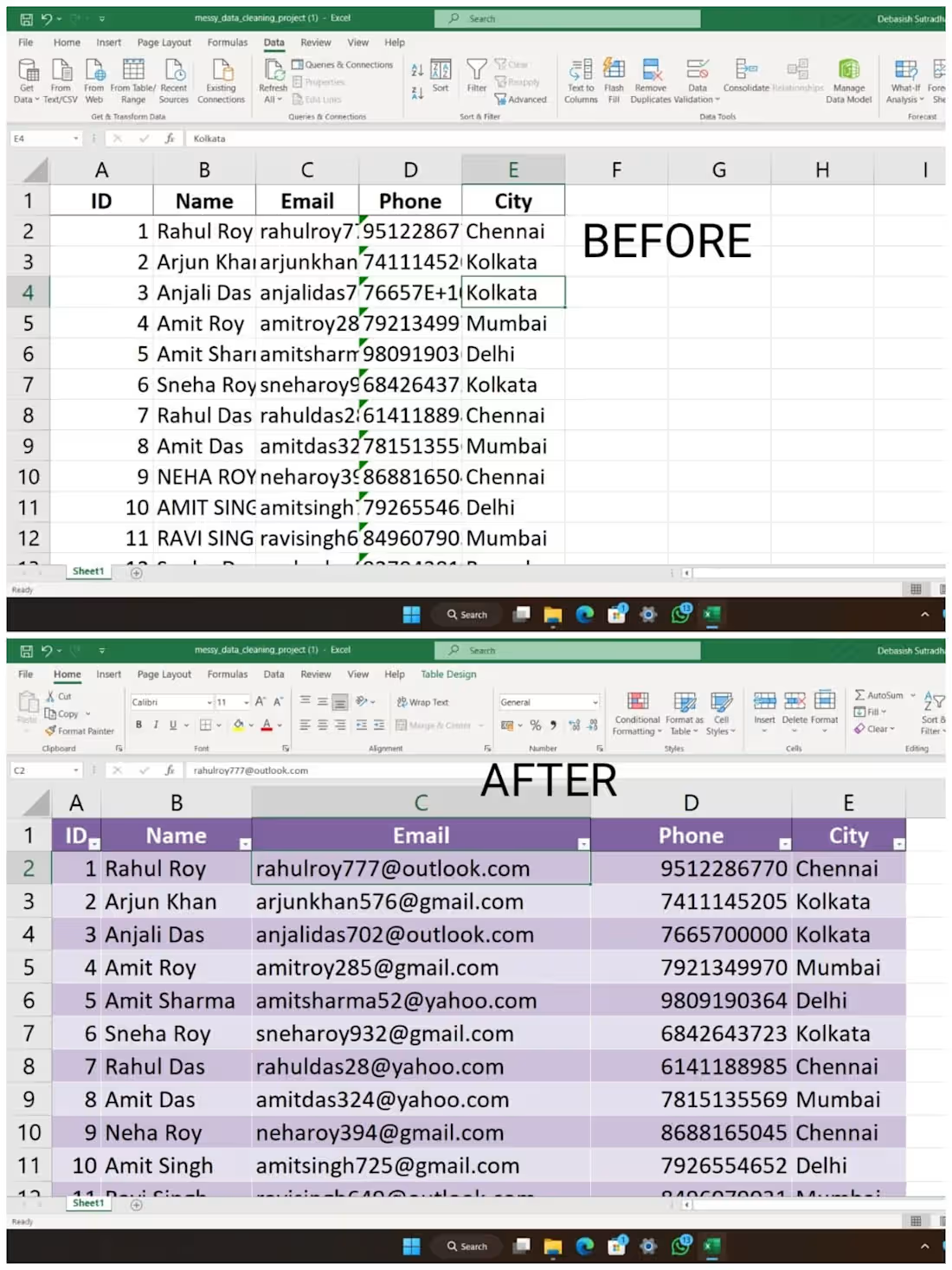
I performed a data cleaning and formatting task using Microsoft Excel. The dataset initially contained inconsistent text formatting, extra spaces, and unstructured values. I used functions like TRIM and PROPER to remove unnecessary spaces and standardize text formatting.
Additionally, I organized the data into a clean and structured format, ensuring accuracy and consistency across columns such as Name, Email, Phone, and City. This improved the overall readability and usability of the dataset.
0
37
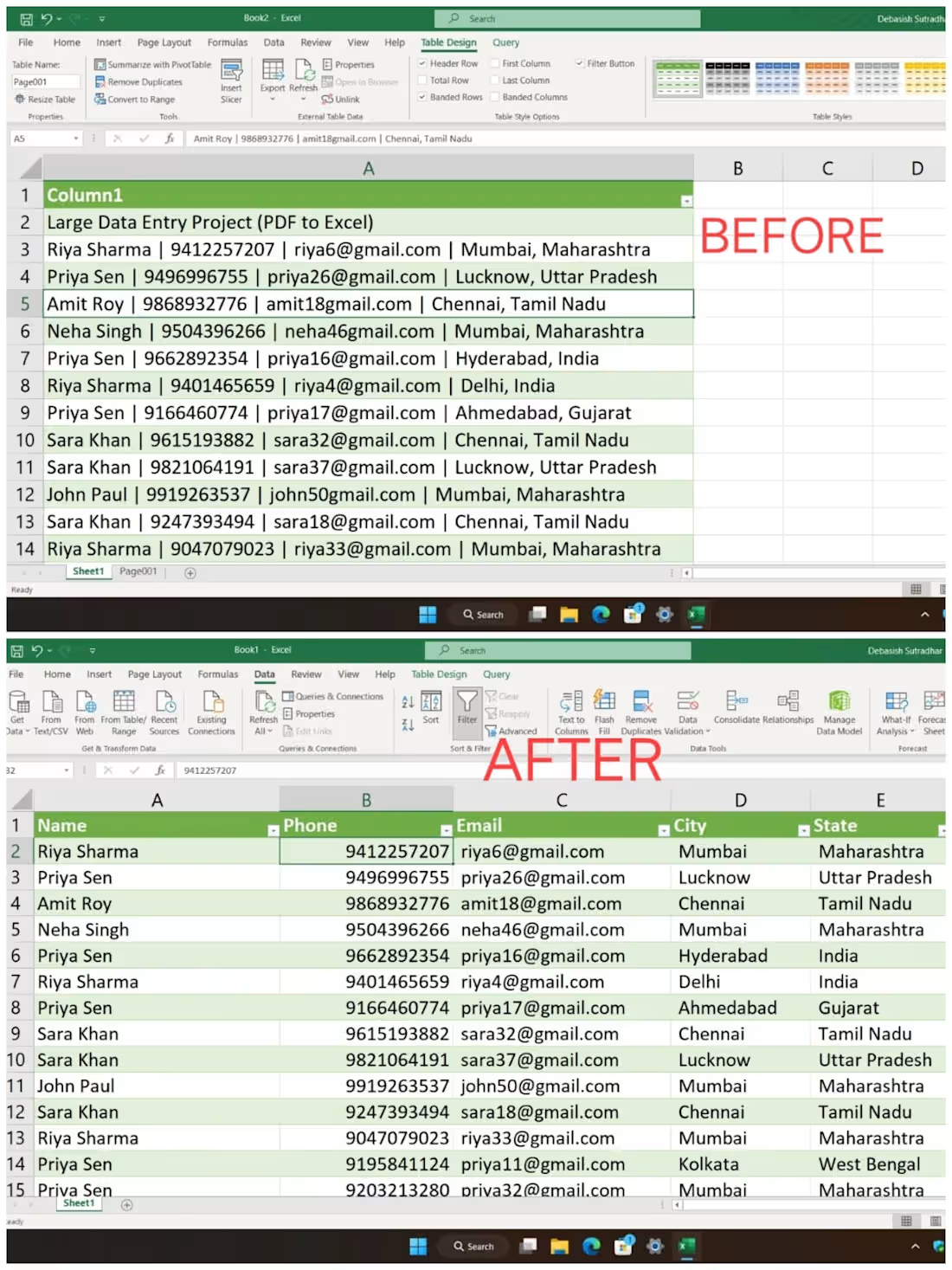
I completed a data entry and data cleaning project where raw data extracted from a PDF file was unstructured and stored in a single column. The dataset included names, phone numbers, email addresses, and locations combined in one field.
I transformed this messy dataset into a clean, well-structured Excel format suitable for analysis and business use.
📌 Tasks Performed
Converted data from PDF to Excel
Split combined data into structured columns
Cleaned errors, extra spaces, and inconsistencies
Standardized phone numbers and email formats
Removed duplicates and improved data quality
Verified accuracy and ensured proper formatting
📌 Tools Used
Microsoft Excel (Text to Columns, TRIM, CLEAN)
0
41