The network for creativity
Join 1.25M professional creatives like you
Connect with clients, get discovered, and run your business 100% commission-free
Creatives on Contra have earned over $150M and we are just getting started
Back to feedPost
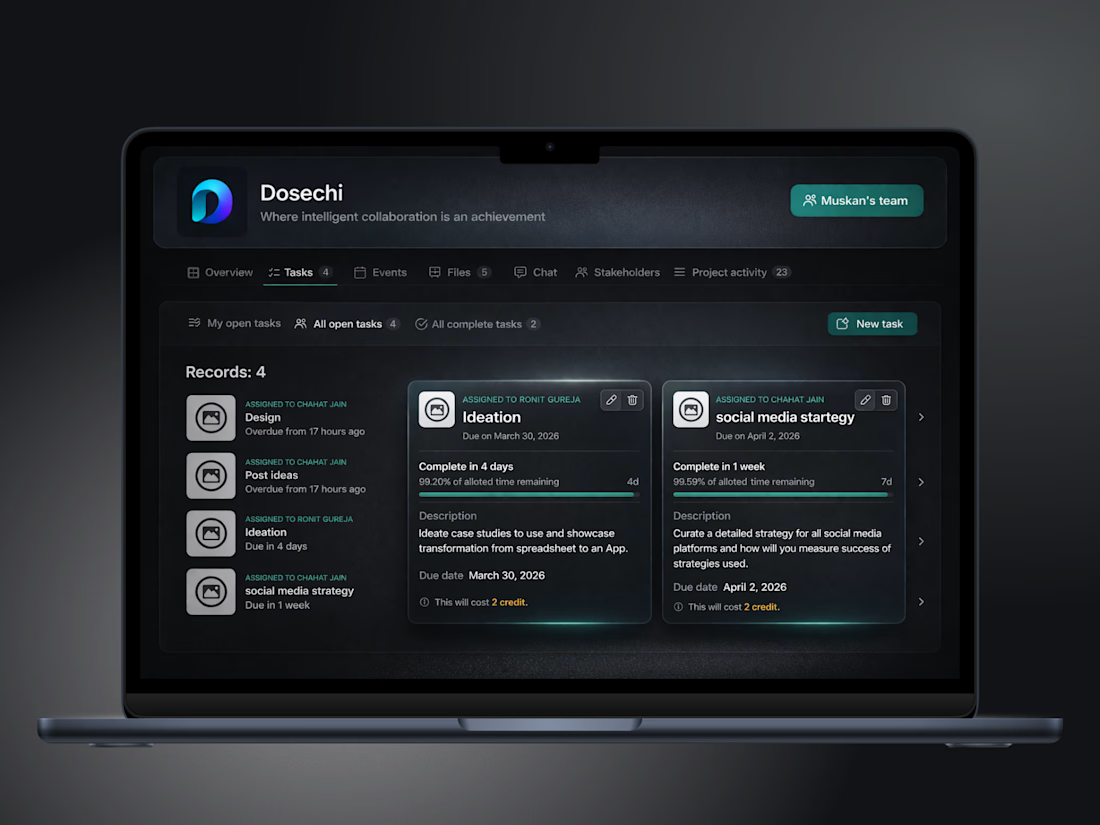
Problem - What works for 5 people, breaks at 15.
Solution - Swift Struck built Dosechi - a project management app
that scale across thousands of teams.
Result - Users told us,
“feels like half the work just disappeared.”
#growth #productivity #workflowautomation


To make teams understand automation and AI makes our job easier, they do not replace it, is part of my daily mission! This looks fantastic, honestly!


Thankyou :)
The network for creativity
Join 1.25M professional creatives like you
Connect with clients, get discovered, and run your business 100% commission-free
Creatives on Contra have earned over $150M and we are just getting started
Related posts

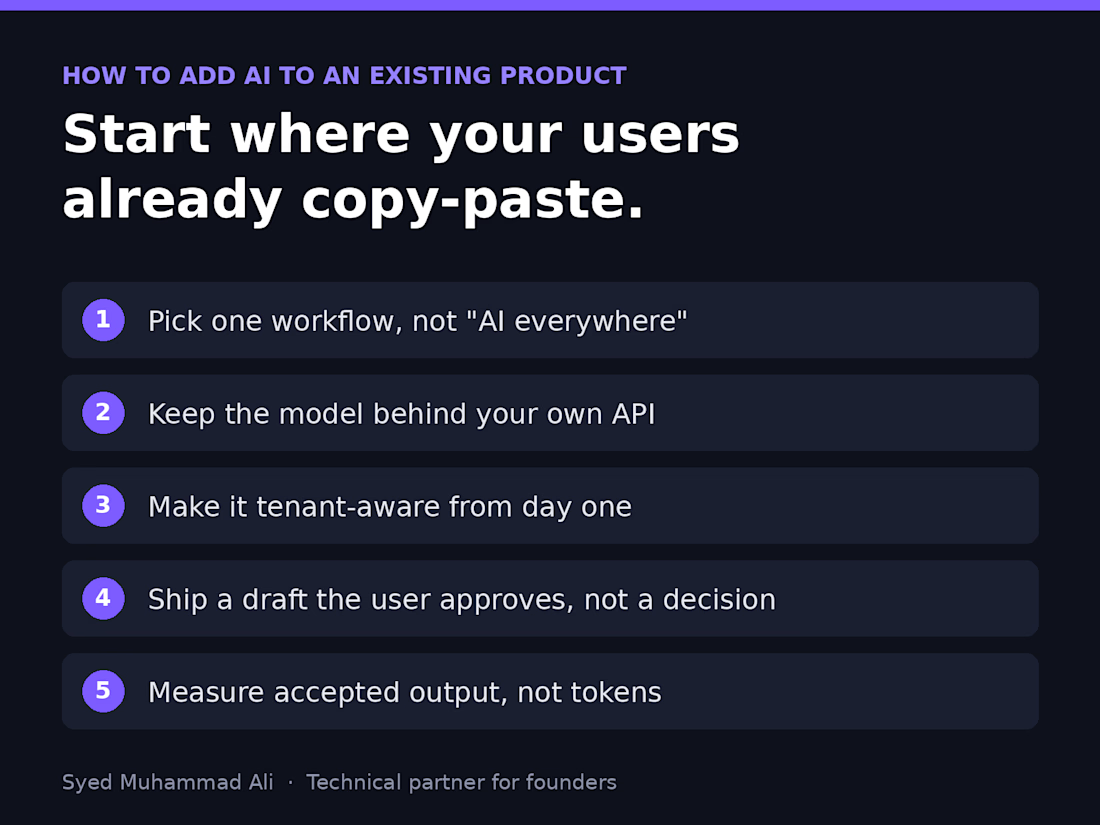
Before you add AI to your product, find the screen where your users already copy and paste.
That's usually where the real AI feature lives. Not a chatbot in the corner, but a step people already do by hand: summarising a ticket, drafting a reply, tagging an upload, pulling fields out of a PDF.
Here's the order I follow when a founder asks me to add AI to an existing SaaS:
1. Pick one workflow, not "AI everywhere." Watch where users leave your app to paste something into ChatGPT and come back. That round trip is your feature.
2. Keep the model behind your own API. One service owns prompts, retries, logging and cost limits, so you can switch providers without touching the frontend.
3. Make it tenant-aware from day one. Each customer's data, prompts and usage stay scoped to their account, or the first enterprise security review will stop you.
4. Ship a draft, not a decision. Let the AI suggest and the user approve. You earn trust and get real feedback before you automate anything.
5. Measure accepted output, not tokens. If users rewrite most of what it produces, the prompt or the context is wrong, and that's your real roadmap.
Most AI features that flop didn't fail because of the model. They were bolted onto the wrong step.
What's the one task your users still copy into ChatGPT?

Watching where users paste into ChatGPT and come back is such a practical way to find the real feature. Most teams start with the chatbot instead.

Vibe coding looks easy… until your app breaks. 😅
“Just tell AI what you want and it will build it.”
Sounds great.
Until you spend credits asking it to fix the same bug 10 different ways.
Then another feature breaks.
You fix that one.
Something else stops working.
Then you're staring at the same error for hours thinking:
“Why is this still happening?”
That's the part people don't show you about vibe coding.
AI can write code incredibly fast, but fast code doesn't automatically mean good code.
You still need to understand:
→ How the application is structured
→ Where the bug is actually coming from
→ How different features affect each other
→ When an AI-generated solution is making things worse
→ How to debug instead of blindly regenerating code
And sometimes the biggest time killer isn't building a feature.
It's getting stuck on one tiny bug that refuses to die.
That's why I don't see vibe coding as:
“Tell AI what to build.”
I see it as:
Human problem-solving + AI development.
The AI can help you move faster.
But you still need someone who knows where to go when things stop working.
That's where the real skill comes in.
What has been your biggest headache with vibe coding? 👇
— Optimum Studio


the same bug fixed 10 different ways is painfully accurate lol

Most inbound bottlenecks aren't caused by low lead volume—they happen during triage.
When inquiries roll into a Google Sheet or CRM, operations teams often waste 10–15 minutes per submission reading through messy paragraphs, deciphering budget mismatch, and manually deciding who gets an immediate call vs. a standard rate sheet.
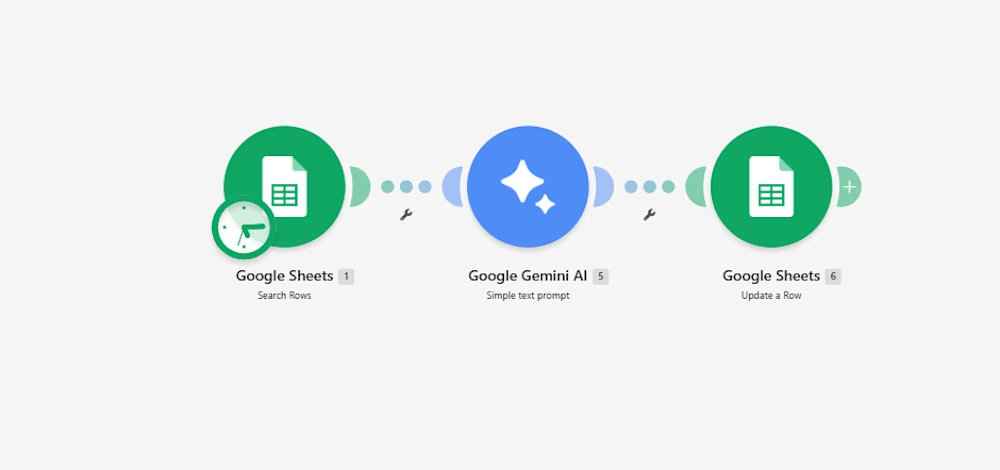
Instead of adding a bulky CRM add-on, I documented a lightweight 3-step automation pipeline built inside Make:
Intake & Extraction: An active listener triggers immediately upon a new submission, extracting core variables: client scope, target deliverables, timeline, and stated budget.
Context-Aware Evaluation (Gemini 2.5 Flash): The payload passes through an AI evaluation node with strict guardrails:
Evaluates budget against minimum agency criteria.
Assigns a triage score: Hot (immediate priority), Warm (nurture), or Cold (disqualified/template reply).
Generates a strict 15-word operational summary—no long paragraphs.
Determines an automated next step (e.g., routing to an account lead or flagging for asynchronous follow-up).
Data Return & Clean Pipeline: Appends the structured classification directly back to the master operational tracker, keeping the sheet filterable and clean.
The outcome: The sales and operations team can filter the entire board by priority status in two clicks, cutting first-touch response time to minutes without manually reading every single submission.
I’ve documented the full scenario map, execution logic, and data schemas below.
Curious how other agency operators and automation leads here handle their lead enrichment layer—are you doing AI scoring at the form level, or later in the CRM pipeline?:


For the budget gate, I'd keep an unstated budget separate from one explicitly below your minimum. Does the Make route ask for clarification when the amount or currency is missing, so a potentially suitable lead doesn't fall into Cold by default?