The network for creativity
Join 1.25M professional creatives like you
Connect with clients, get discovered, and run your business 100% commission-free
Creatives on Contra have earned over $150M and we are just getting started
Back to feedPost

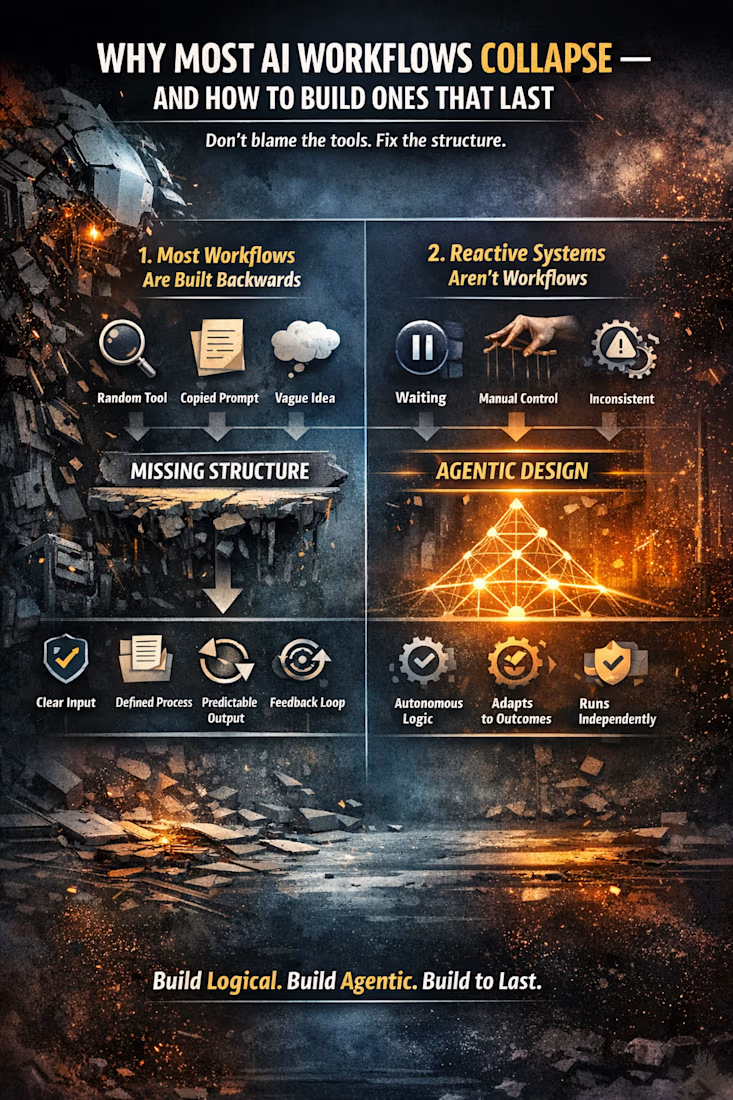
WHY MOST AI WORKFLOWS COLLAPSE — AND HOW TO BUILD ONES THAT LAST
AI workflows are everywhere — funnels, automations, agents, “hands‑free” systems. But most collapse within days. Not because the tools are bad, but because the structure behind them is missing.
This flyer breaks down the real reasons AI workflows fail, and the framework that makes them durable, scalable, and
agentic.
1. Most Workflows Are Built Backwards
Most people start with:
a tool they saw online
a prompt they copied
a vague idea of the outcome
Then they try to connect everything together.
Durable workflows start with logic, not tools. They require:
a clear input
a defined process
a predictable output
a feedback loop
a fail‑safe
Without these, you’re stacking tools and hoping they behave.
2. Reactive Systems Aren’t Workflows
Most AI setups wait for instructions. They don’t:
make decisions
follow logic
adapt to outcomes
operate independently
That’s not a workflow — that’s supervision.
Agentic design creates autonomous logic chains that:
run without babysitting
handle edge cases
produce consistent results
This is the foundation of Synthetic Intelligence.
3. The Guru Method Creates Fragile Systems
The internet teaches:
“Use this tool”
“Paste this prompt”
“Follow this hack”
But it never teaches:
error handling
logic structure
resilience
outcome testing
So when something breaks — and it will — the entire workflow collapses.
Real builders rely on systems, not hacks.
4. The Five‑Layer Workflow Model
A durable AI workflow follows a simple, universal structure:
Layer 1 — Input Clarity
What exactly enters the system?
Layer 2 — Process Logic
What steps occur, in what order, under what conditions?
Layer 3 — Decision Rules
How does the system choose between options?
Layer 4 — Output Format
What does the result look like, and where does it go?
Layer 5 — Feedback Loop
How does the system learn, retry, or adapt?
This model works across marketing, accounting, content creation, customer service, and operational flows.
It’s not tool‑dependent — it’s logic‑dependent.
5. The Anti‑Guru Truth
You don’t need:
10 tools
100 prompts
a $997 course
You need:
clarity
structure
logic
resilience
agentic design
That’s what makes AI workflows actually work — and what separates collapsing automations from systems that run reliably.
aiworkflowagenticarchitectureautomationAI Agent EngineerAd CopywritingContent StrategyCopywritingArticle WritingClaudeGoogle DriveNotion


The network for creativity
Join 1.25M professional creatives like you
Connect with clients, get discovered, and run your business 100% commission-free
Creatives on Contra have earned over $150M and we are just getting started



Related posts

Login page idea design
A playful visual concept where the character literally “arms” himself depending on the strength of the password.
As the user creates a stronger password, the character progressively equips himself with more powerful protection and armor. The stronger the password, the better prepared and more protected he becomes.
The idea turns password security into a simple and engaging visual metaphor , instead of showing abstract security levels, the user can immediately see how their password makes the character stronger and safer.


Very cool, Anna!

Did a motion for the Cockpit concept ⁕ 🔈 ON
Design & Creative Direction: Me
Motion & Sound: Claude Code
Cockpit is an AI agent management platform concept that helps teams:
- Set boundaries
- Monitor activity
- Manage approvals
- Track knowledge sources
- Measure performance and costs
It brings together five key AI UX challenges:
👉 Autonomy
👉 Observability
👉 Human Approvals
👉 Context
👉 Analytics
The idea is simple:
As AI agents become more capable, the experiences we design around them need to make their actions more transparent, predictable, and manageable.
Thanks!


Human approvals is the part most agent UIs skip. Good call making it one of the five challenges.

Weekend fun 😺. The new MacBook Pro has a Dynamic Island, and I kept wondering: what if that little pill was where your AI agent lived?
Try it live: https://lab.behzad.me/agent-mew/
So I spent the weekend prototyping Agent Mew. You drop a file on the notch, give it a task, and it quietly works up there while you keep doing your thing. It shows progress in the wings, asks a quick question when it needs one, and always waits for your OK before doing anything that leaves your Mac, like sending an email.
A few things I explored:
- Progress that stays out of the way, readable at a glance
- Questions as one tap, not a chat window
- Approval cards for anything with real consequences
- Paused and stuck states that tell you what to do next
- A small animated cat, because agents should have some personality


Approval cards for anything that leaves the Mac is the right line to draw. Does the card show the full email before you tap OK, or a short summary? I'd lean toward full text for anything going to another person.