The network for creativity
Join 1.25M professional creatives like you
Connect with clients, get discovered, and run your business 100% commission-free
Creatives on Contra have earned over $150M and we are just getting started
Back to feedPost

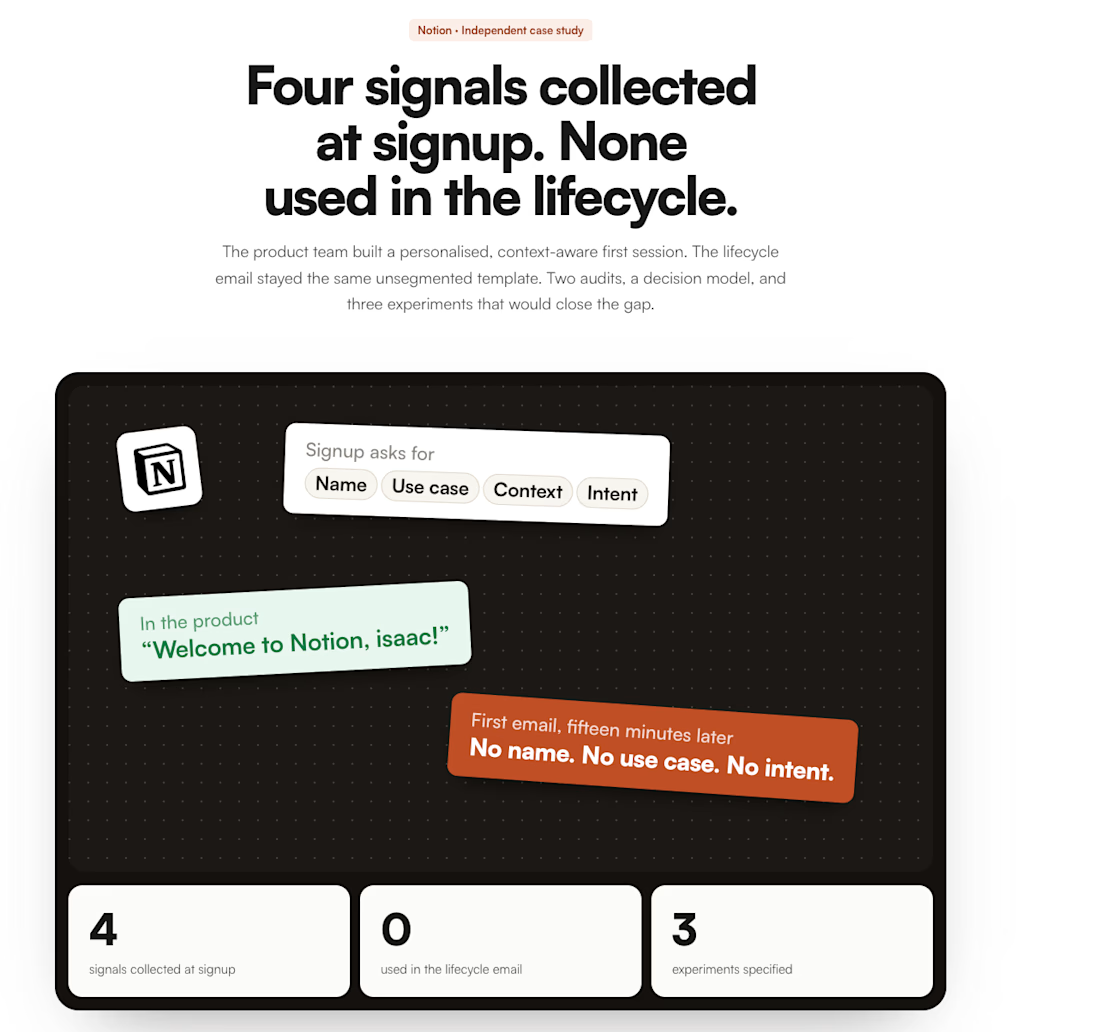
I’ve spent the last 7 months going down a Notion rabbit hole.
What started as a question about how Notion moves users from declared intent → behaviour → activation turned into two complete signup audits, a behavioural decision model, lifecycle architecture, and three experiments I’d run to close the gap.
I finally pulled the work together:
Notion — Behavioral Revenue Architecture
https://isaacolukoya.com/work/notion-behavioral-revenue-architecture
It’s a 25-page deep dive into what I found, what I think the gap means, and what I’d test next.
If you’re interested in PLG, behavioural activation, lifecycle, or the space between what the product knows about a user and what the lifecycle actually does with that information, I’d genuinely love for you to take a look.
And I’m especially interested in what people here disagree with.

The network for creativity
Join 1.25M professional creatives like you
Connect with clients, get discovered, and run your business 100% commission-free
Creatives on Contra have earned over $150M and we are just getting started
Related posts

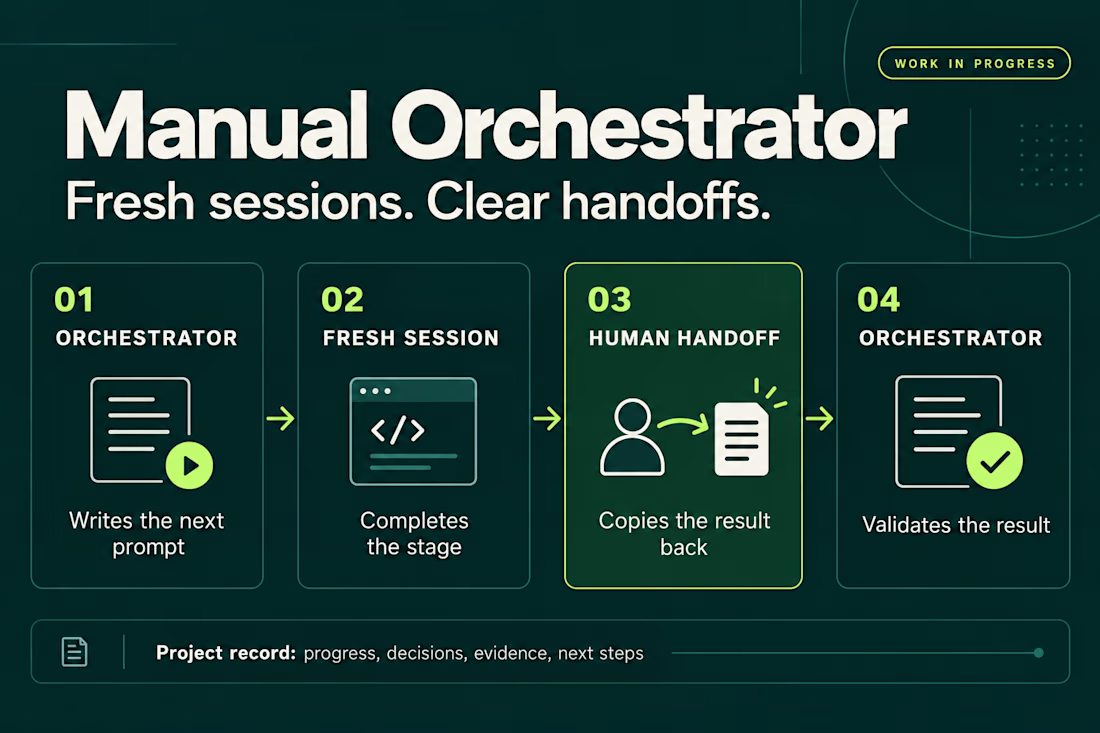
I’ve been working on a small skill called Manual Orchestrator to make longer projects with AI agents easier to manage.
The problem started with a familiar situation: one chat would accumulate plans, implementation details, corrections, and test results. By the time I was ready for the next phase, I wanted a fresh conversation without losing the decisions we’d already made.
Manual Orchestrator gives that process some structure. One chat acts as the orchestrator: it breaks the work into stages and writes a prompt for the next one. I run that prompt in a new session, then bring the result back. The orchestrator reviews it against the stage’s criteria before preparing the next prompt. If something needs fixing, I go back to the same worker session.
The skill also keeps a record in the project with the current stage, decisions, evidence, and next steps. That makes it easier to pause, resume, or hand the work to another session.
The handoff is manual. I choose when to open a session and carry the result back. The orchestrator and worker sessions can also use different agent CLIs, with the prompt adapted to the capabilities available.
It’s open source and still a work in progress. I’m using it to learn what helps in practice and where the workflow needs to improve. Installation has been checked for Codex, Claude Code, and Gemini CLI, but the full workflow hasn’t been tested across every CLI or version.
If you try it, I’d be interested in hearing what works and where it gets in your way.


Weekend fun 😺. The new MacBook Pro has a Dynamic Island, and I kept wondering: what if that little pill was where your AI agent lived?
Try it live: https://lab.behzad.me/agent-mew/
So I spent the weekend prototyping Agent Mew. You drop a file on the notch, give it a task, and it quietly works up there while you keep doing your thing. It shows progress in the wings, asks a quick question when it needs one, and always waits for your OK before doing anything that leaves your Mac, like sending an email.
A few things I explored:
- Progress that stays out of the way, readable at a glance
- Questions as one tap, not a chat window
- Approval cards for anything with real consequences
- Paused and stuck states that tell you what to do next
- A small animated cat, because agents should have some personality


Questions as one tap instead of a whole chat window is such a good call, and the cat seals it. Would you let it run several tasks at once, or keep it to one at a time up there?

I didn't agree with you fully because there are ways to remove the ai slope, I think a human skill + ai is a killer combo 💀...
But in short AI has given us the speed of 10x even sometimes its 100x, so the thing you have to learn is the basics process:
(Input -> Process -> Output)
and then you have to guide the ai and it will slay it off like a pro🔥
Trust me bros its true 🙌

Manual work is always better than ai slop you can use ai for some clips but full video made with ai is unprofessional and a waste of money and resources