The network for creativity
Join 1.25M professional creatives like you
Connect with clients, get discovered, and run your business 100% commission-free
Creatives on Contra have earned over $150M and we are just getting started
Back to feedPost


How fast can a template get without changing a single pixel?
⠀
We just optimized 11 of our templates in Framer, Astro and Next.js. The rule was simple: nothing visible changes, only how things load.
⠀
What we changed: CSS inside the page, fonts from our own domain instead of Google Fonts, WebP images with phone-sized copies, videos that load when you scroll near them, heavy videos re-encoded without visible loss (one template went from about 20 MB of video to 2.4 MB), WebGL that starts near the screen, and analytics after the page. Every page was checked pixel by pixel at three widths before and after.
⠀
Mobile PageSpeed now, Astro / Next.js:
Sunbeam 100 / 100
Auria 100 / 96
Lapse 97 / 98, up from 64 / 66
Parley 97 / 94
Nova Quinn 93 / 92 ⠀
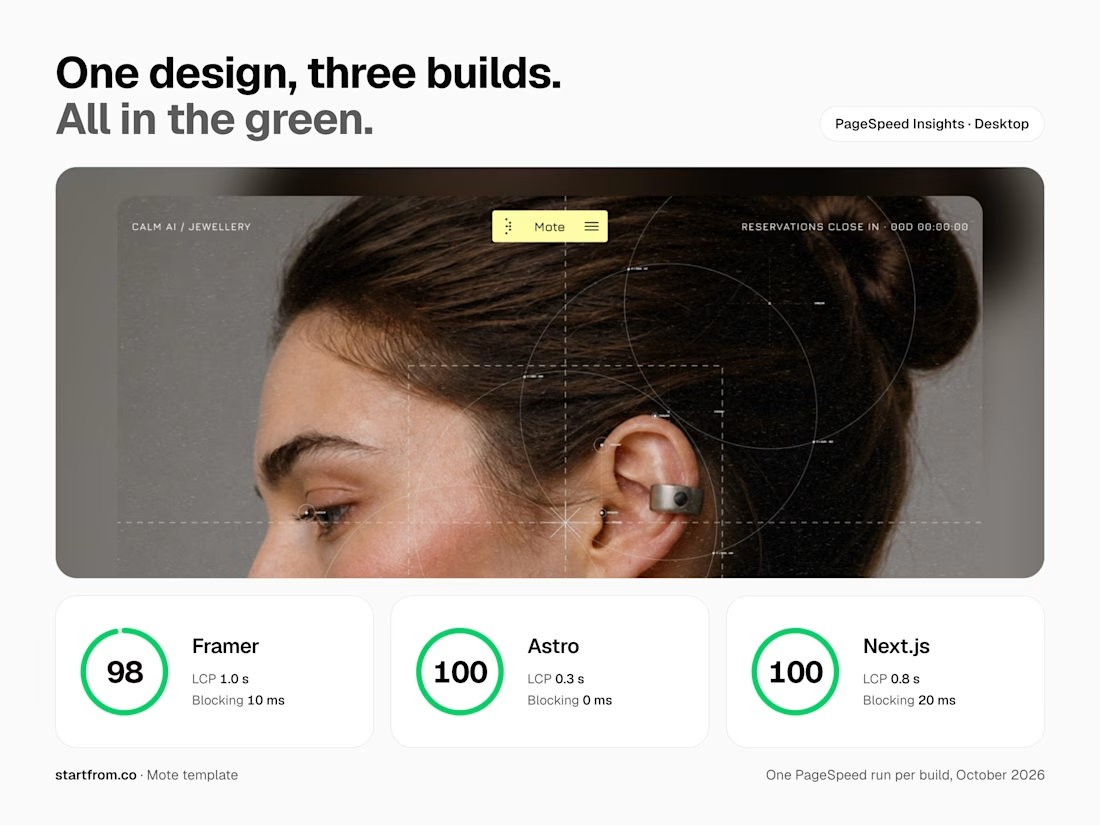
On desktop, Mote scores 98 in Framer and 100 in Astro and Next.js.
More posts on the individual fixes coming.


The network for creativity
Join 1.25M professional creatives like you
Connect with clients, get discovered, and run your business 100% commission-free
Creatives on Contra have earned over $150M and we are just getting started

Challenges
View all


Related posts


We just released Spotlight Reveal: a free, interactive Framer component that turns any video or image into an interactive reveal experience. A dark overlay covers the media as visitors move their cursor, a circular spotlight follows and uncovers what's underneath. One click reveals everything 🔦
See it here: https://www.framer.com/@rabenrifaie/components/

this is so cool! need to try this spotlight effect on my portfolio


I built the Contra Labs Creative Intelligence Report 2026 Framer site.


the report site scrolls like a film. clean framer build

Built this 2-page dental clinic website in Framer.
On desktop, the hero section includes service cards that move into place as you scroll and reveal information about each service.
On tablet and mobile, I placed the cards in the services section below the hero instead.
There simply isn't enough space to fit the same interaction without making the hero too crowded, so I kept the layout simpler on smaller screens.

Great Work and the thought behind responsiveness without trying to fit things and simply letting them be a part of the layout without unnecessary animations was a good choice. Just a suggestion the reveal effect with a slight stagger would look great on the mobile i think 😁😁


