The network for creativity
Join 1.25M professional creatives like you
Connect with clients, get discovered, and run your business 100% commission-free
Creatives on Contra have earned over $150M and we are just getting started
Back to feedPost


👩💻 𝗜’𝗺 𝘄𝗼𝗿𝗸𝗶𝗻𝗴 𝗼𝗻 𝗮 𝘀𝗺𝗮𝗹𝗹 𝗽𝗿𝗼𝗱𝘂𝗰𝘁 𝗳𝗼𝗿 𝗨𝗜/𝗨𝗫 𝗮𝗻𝗱 𝘄𝗲𝗯 𝗱𝗲𝘀𝗶𝗴𝗻𝗲𝗿𝘀.
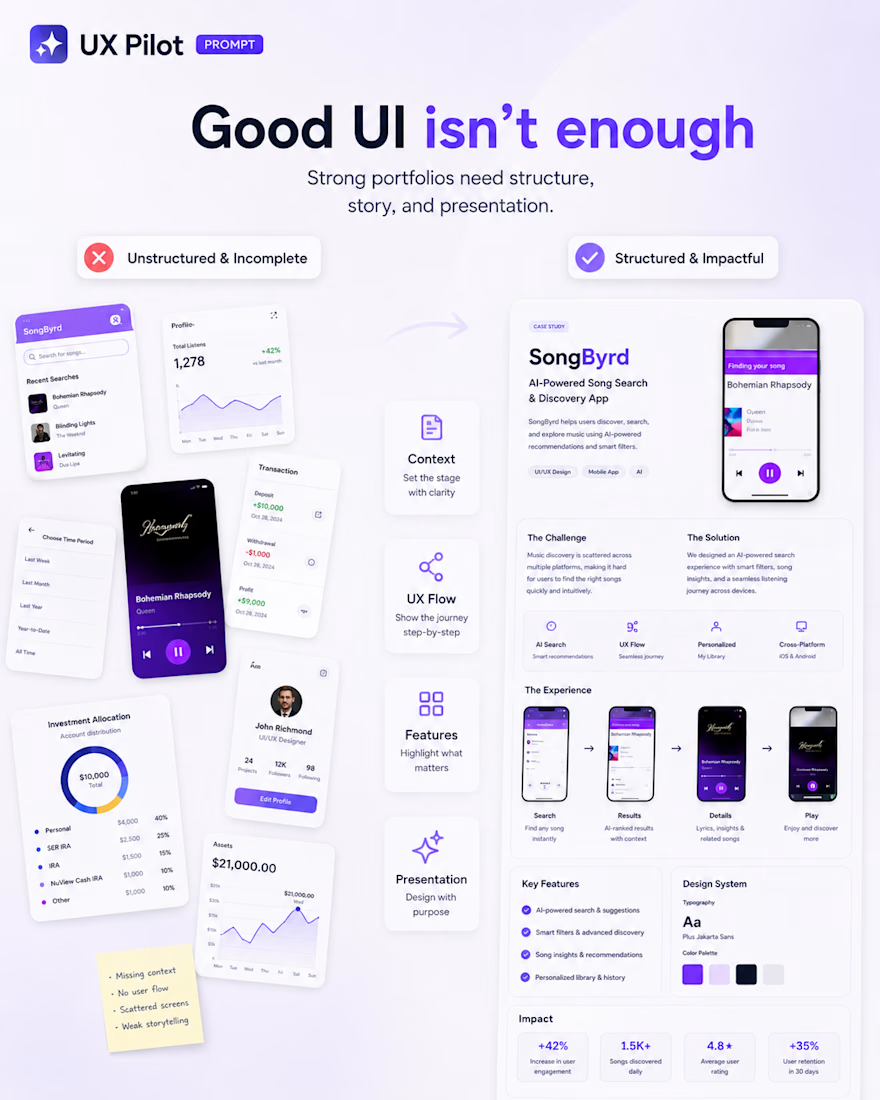
It’s a ready-to-use UX Pilot prompt that helps turn your UI screens into a structured case study.
The idea is simple:
You add your project description, attach your screens in UX Pilot, paste the prompt, and generate a case structure.
It helps with:
- hero section
- challenge and solution
- UX logic
- feature descriptions
- design system highlights
- final portfolio presentation
So instead of staring at a blank page, you get a clear direction for your case.
I’ll soon share how it works and what the final result looks like.
The network for creativity
Join 1.25M professional creatives like you
Connect with clients, get discovered, and run your business 100% commission-free
Creatives on Contra have earned over $150M and we are just getting started



Related posts


Been using Graphical UI add-on by Josh Pucket a lot lately – makes a huge difference when shipping visual requests to agents
And that Allo font is so charming

Agent handoff is where most of my visual requests get lost, so a UI layer for it makes a lot of sense. Do you find it cuts down the back-and-forth, or mostly just speeds up the first pass?

Concept UI/UX design for Tempo, a screen time and focus app. I designed the full onboarding flow: splash, welcome, intro slides, name input, quiz, daily goal di


My first Framer code component, made for showcasing featured projects or services. Meet Focus Carousel Loop, connect it to your CMS and your projects show up as slides. One card stays in focus while the rest loop around it, and each card can hold an image or a video. On mobile the next card peeks in from the side.


solid first code component. interior shots are a nice pick for a focus loop, the rooms still read when they're out of focus. does the caption under the focus card pull straight from a cms field?


