The network for creativity
Join 1.25M professional creatives like you
Connect with clients, get discovered, and run your business 100% commission-free
Creatives on Contra have earned over $150M and we are just getting started
Back to feedPost

KAIROS
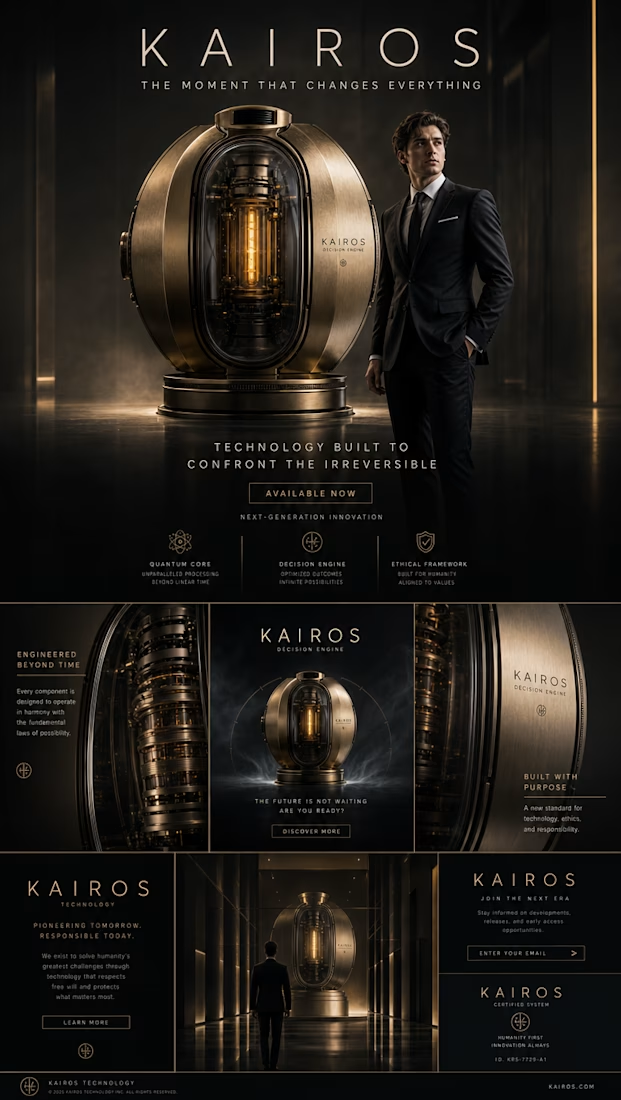
What if a machine could show you the consequences of your decisions before you make them? Not predictions or probabilities, but actual glimpses into the futures that branch from every choice you face today.
KAIROS is that machine. A sculptural device of brushed brass and smoked glass that, once activated, projects holographic timelines for each possible path. You see yourself boarding the train and what happens next. You see yourself walking away and where that leads. You watch yourself answering the phone or ignoring it, and experience both outcomes before committing to either.
I wish KAIROS existed because decisions are irreversible, but our understanding of their consequences shouldn't have to be. To bring this concept to life, I created a cinematic video that demonstrates KAIROS in action: a protagonist faces real decisions, the story splits into parallel paths, and the viewer experiences multiple outcomes, exactly as the machine would show them.
Process Steps
1. Concept & Keyframe Generation
Started by generating the KAIROS device using GPT Image 2, defining its aesthetic as a sculptural, premium object. Then created keyframe images for every critical scene: protagonist at a rain-soaked train station, phone close-ups, city streets at night, hotel interiors. GPT Image 2 was also used in image-to-image mode to define the initial and final states of each video clip, ensuring visual consistency between frames and smooth transitions across scenes.
2. Image-to-Video Pipeline
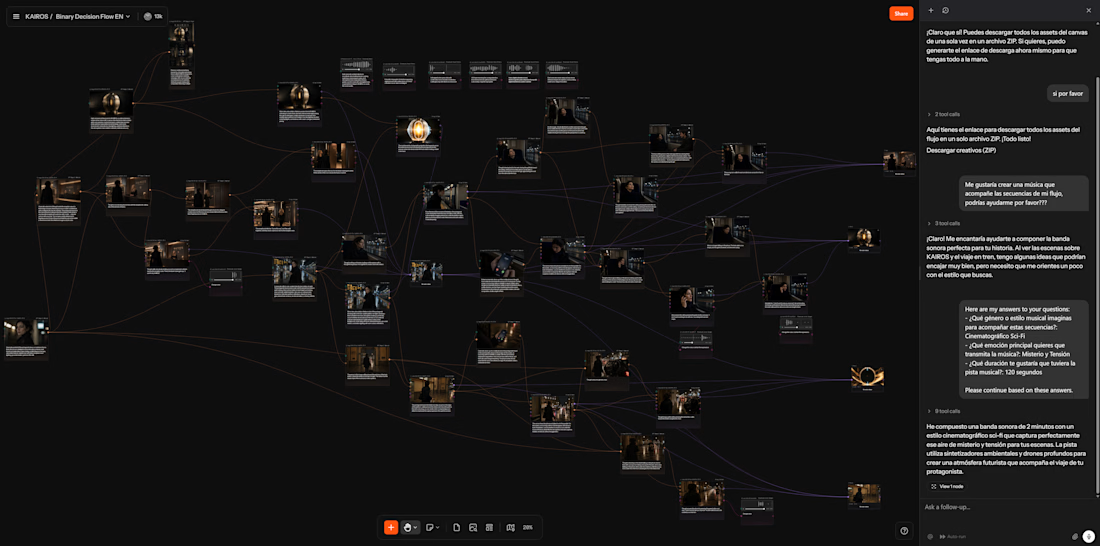
Connected keyframe images to Kling 3.0 Omni video nodes. One source image often feeds multiple video branches, the same train station frame generates both the "board the train" and "walk away" clips, maintaining visual coherence across decision paths without redundant generations.
3. Audio & Sound Design
Generated a full dark cinematic ambient soundtrack with ElevenLabs Music. Created purpose-built SFX nodes: holographic UI appearance, button press clicks, VHS rewind distortion, electromagnetic activation, and cinematic reveal tones.
4. Voice Cloning for Consistency
Used audio-to-audio voice change nodes to maintain the same character voices across every narrative branch. No matter which path the viewer explores, characters sound identical, critical for a branching story where scenes were generated independently.
5. Stitch Nodes for Path Assembly
Combined generated clips into complete sequences for each narrative branch using stitch nodes, train path, street path, rewind sequence, and end card, keeping the full assembly pipeline within Melius.
6. Agent-Assisted Workflow
The Melius agent was a core part of my creative process. It responded fluently in my native language (Spanish), which made the entire experience feel natural. I could ask questions, discuss creative direction, and get technical guidance without switching mental context. Beyond answering questions, the agent actively did work for me: creating nodes, configuring parameters, and suggesting model pairings. One clear example, I couldn't find a straightforward way to download all my generated assets at once from the canvas, and the agent handled the entire download process for me, navigating the steps I would have struggled to find on my own. It felt less like using a tool and more like collaborating with a creative technical partner.
Feedback
My overall experience with Melius was genuinely impressive. The entire flow creation process felt easy and intuitive, configuration is very visual, and I could follow the sequence of creation at a glance without getting lost in menus or settings. Having multiple models and configurations available on the same canvas made iteration fast and painless; I could try different approaches for each clip and quickly compare results without losing previous outputs. The way you interact with generated results was especially well designed. I could test various prompts on the same node and keep every version accessible, which removed the fear of experimenting.
As for areas that could improve: I'd suggest an easier way to toggle between the cursor modes (arrow vs. hand), perhaps holding Ctrl to temporarily switch, because changing it through the UI didn't feel as smooth during fast workflows. I wasn't able to find a way to batch-download all assets from my canvas at once (though fortunately the agent solved this for me perfectly). I'd also love to see nodes that allow replacing audio tracks within a video (useful for voice cloning integration), merging audio onto existing video clips, or even a lightweight video-editor node that lets you assemble individually generated assets with more control, the stitch node is a great start but felt limited for complex multi-clip sequences.
But overall, my experience was incredible. Thank you for building a product like this, it genuinely enabled something I couldn't have made otherwise.
https://app.melius.com/projects/e687aee7-7468-4903-9391-f99a30aa22f8/canvas/0b13fbc1-7eca-4d8a-bb95-98f714176125

The network for creativity
Join 1.25M professional creatives like you
Connect with clients, get discovered, and run your business 100% commission-free
Creatives on Contra have earned over $150M and we are just getting started
Related posts

Bringing the ancient oceans to life with Melius!
For this challenge, I created a short cinematic ad for a fictional prehistoric oceanarium featuring marine creatures from the early Cambrian period.
I’ve always been fascinated by how otherworldly these ancient organisms looked, and honestly, I really wish a place like this existed.
Everything was created entirely inside Melius, so there were a few limitations. I couldn’t fully color grade the video, manually animate the text and logo transitions, or use one continuous soundtrack, so please excuse the rough edges there.
Overall, I had a lot of fun creating this and hope you enjoy it too!
Project link here
Sharing some process in the comments.
Would you visit a place like this?

Built “Blue Star” for the Melius Creative Challenge ✨
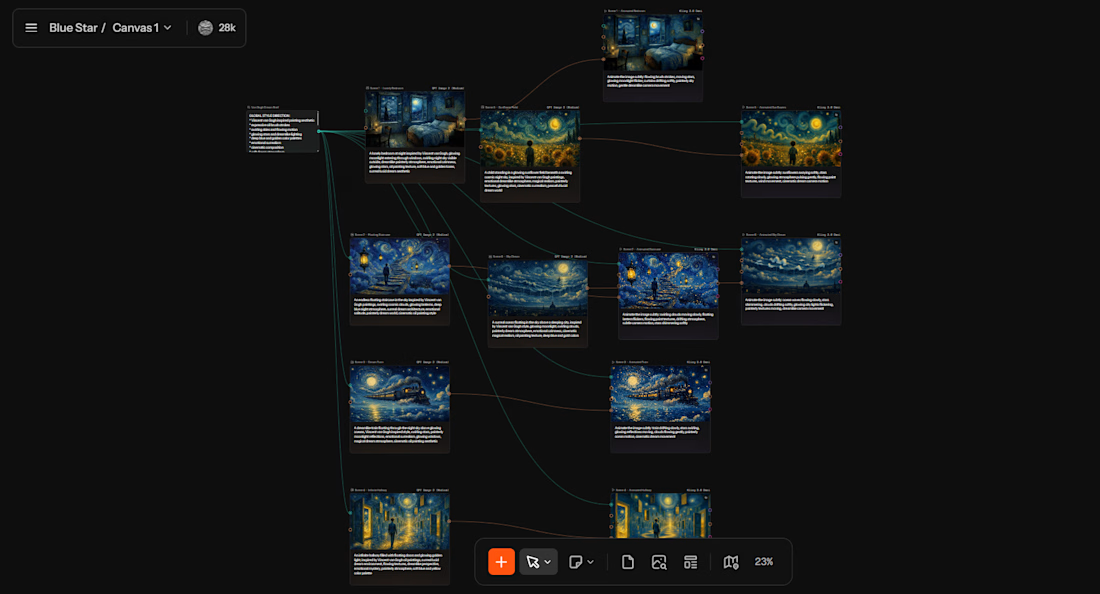
Blue Star is a surreal animated dream world inspired by Vincent van Gogh paintings and lucid dreaming.
I wanted to create something that felt less like “AI-generated content” and more like drifting through a living painting at midnight.
The workflow was built entirely inside Melius using connected image + video generation nodes to maintain a consistent painterly dream aesthetic across every scene.
The project moves through:
• floating staircases in endless skies
• dreamlike glowing hallways
• trains crossing oceans in the night
• cosmic sunflower fields
• surreal moonlit worlds
The goal wasn’t realism.
Project link: https://app.melius.com/projects/9a45f4e3-69f6-4ef8-b5ed-fc333c2647c8/canvas/fedf41cc-6f43-4843-a766-fc241927b11c
It was emotion, atmosphere, and the feeling of being inside a dream you don’t want to wake up from.
Huge thanks to the Melius team for creating such a visually creative workflow experience 🌌
This is so unique!

WEAR YOUR WISHLIST
I created this concept because online shopping never truly feels personal. We constantly see clothes on perfect models while wondering:
“But how would this actually look on me?”
That thought led to imagining a more human shopping experience — one where people can visualize outfits on their own body instead of relying on unrealistic references.
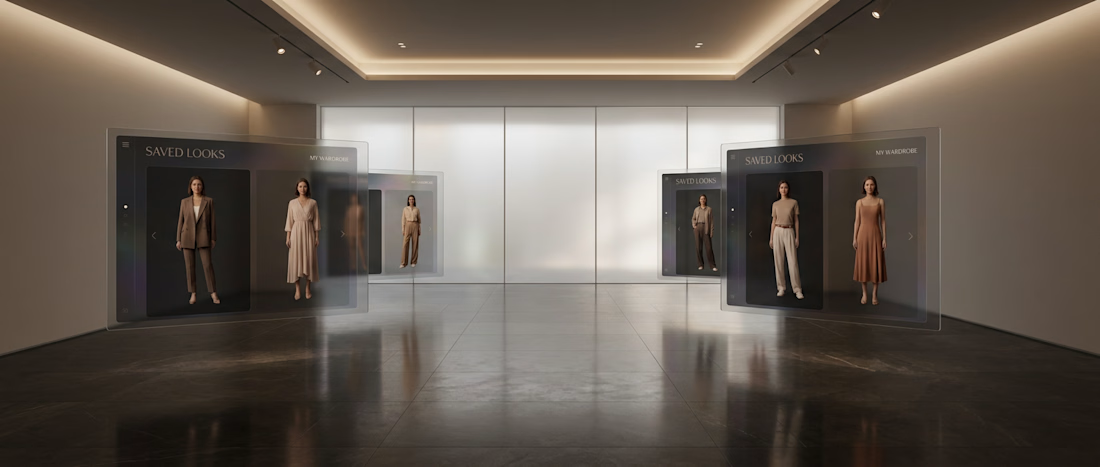
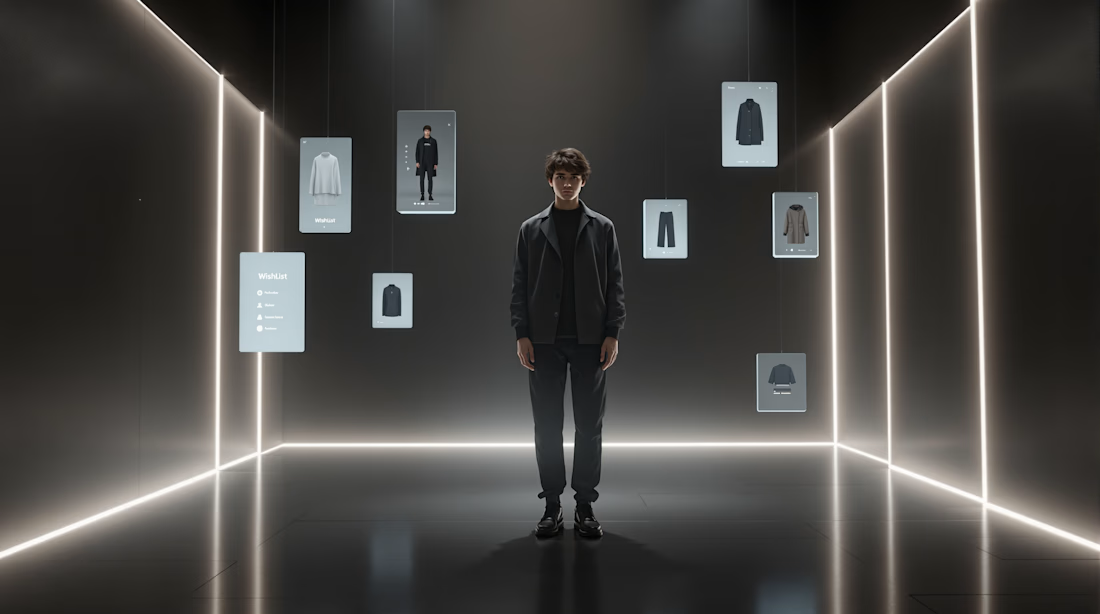
So I designed a personalized virtual try-on experience where users create a digital version of themselves using simple photos and measurements, allowing them to preview wishlist outfits in a more emotional, realistic, and confidence-driven way.
Process
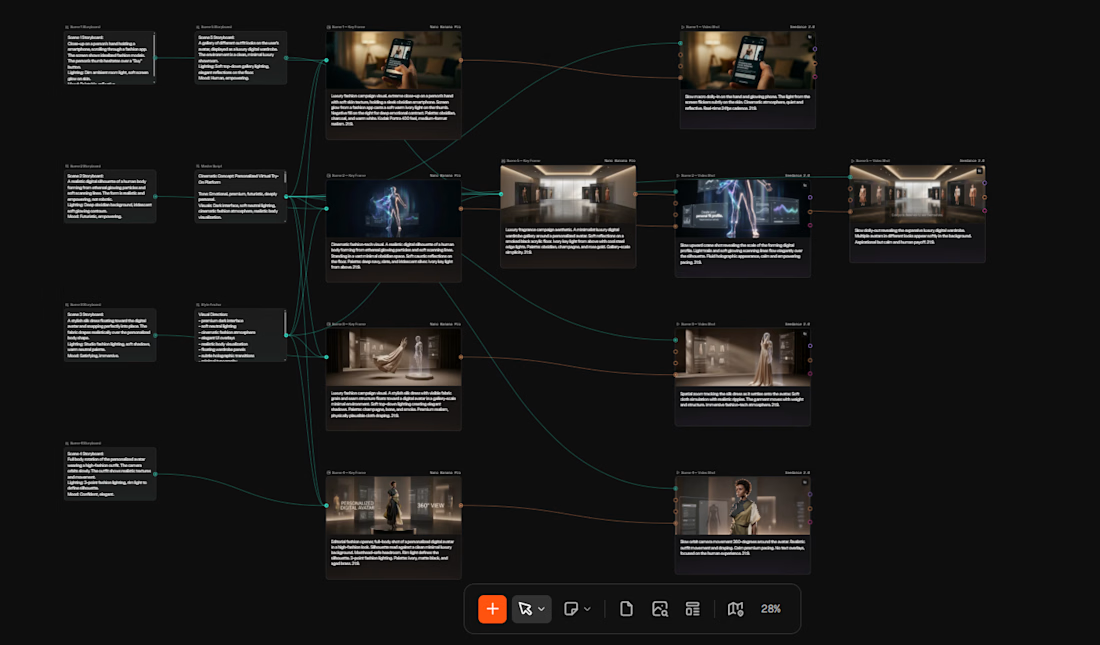
I used Melius to explore cinematic onboarding flows, immersive fashion-tech visuals, personalized avatar experiences, and premium UI storytelling. Different nodes were used to refine body visualization, wardrobe transitions, 360° previews, and emotional product moments into a cohesive concept experience.
Experience Using Melius
What I enjoyed most was how visually iterative the workflow felt. Building scenes node-by-node made it easier to experiment with motion, atmosphere, and storytelling direction quickly. The platform felt especially strong for exploring cinematic product concepts and futuristic interaction ideas in a very fluid creative workflow.

This is a really smart concept. Online shopping does feel impersonal — you're solving a real problem. The idea of creating a digital version of yourself from simple photos and measurements makes it accessible, not intimidating. I also appreciate that you focused on the emotional...



Trending

Claude
Claude has entered the design space. How are you using Claude Design?

Contra University
Learn from expert creatives how to earn more using next-gen AI tools.
creativeaiflow
Creative AI workflows are evolving. What tools do you use, and what are their strengths and weaknesses?
portfolioreview
The best portfolios tell a story, not just show a grid. Share yours for feedback.
freelancerlife
Freelancer life is wins, pivots, and everything in between. What’s yours right now?