The network for creativity
Join 1.25M professional creatives like you
Connect with clients, get discovered, and run your business 100% commission-free
Creatives on Contra have earned over $150M and we are just getting started
Back to feedPost


Your Bubble.io app can find a business. But can it show the real Google rating and review count?
Imagine building a Bubble.io app where users can search for businesses, view their locations, and access important business information.
But there’s one thing missing.
⭐ Google Rating
💬 Total Google Reviews
This is where the Google Places API comes in.
In this tutorial, you’ll learn how to connect the Google Places API to Bubble.io and display real Google business ratings and review counts directly inside your Bubble application.
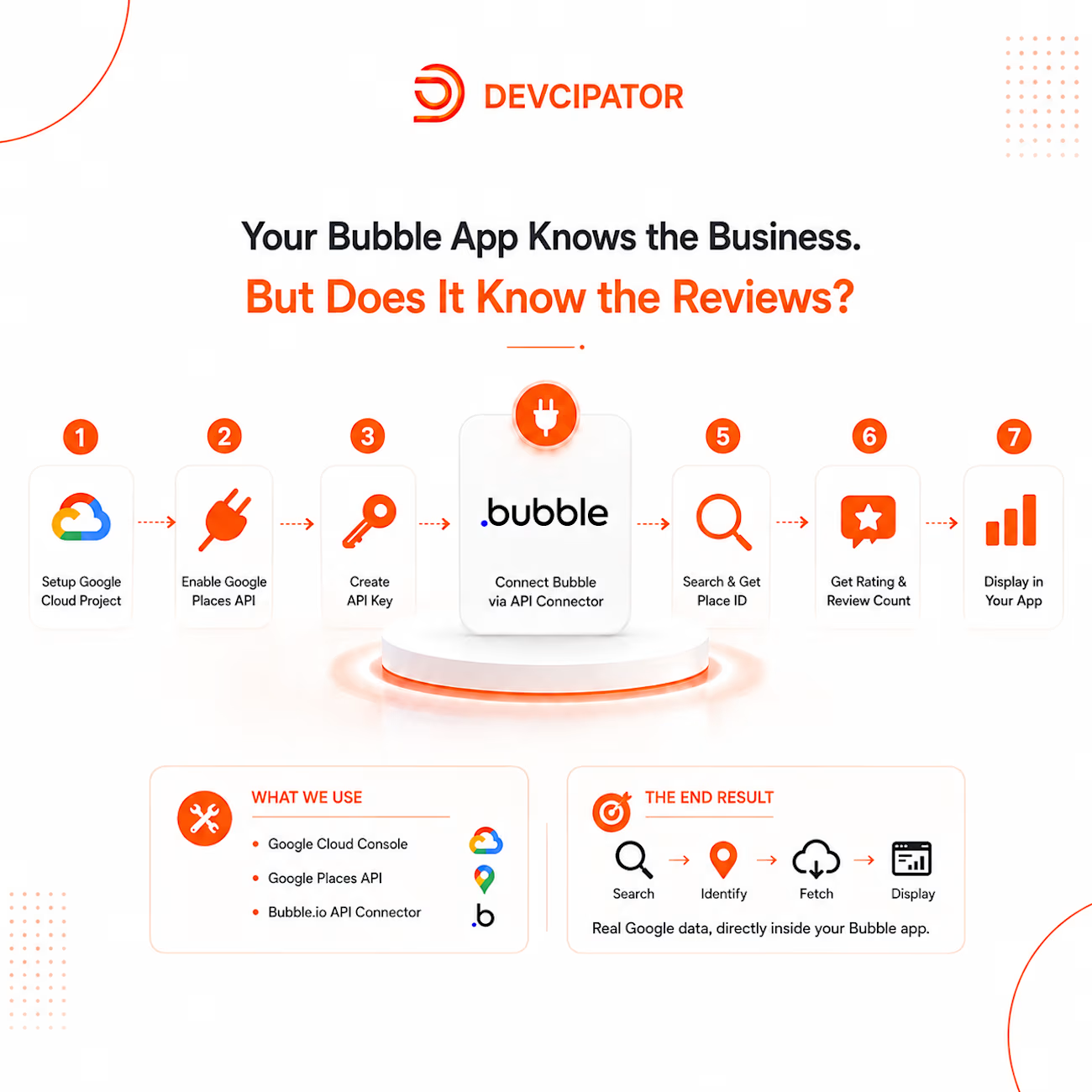
🚀 THE JOURNEY
Step 1: Create a Google Cloud Project
We start by creating a Google Cloud project and setting up the environment required to work with Google Places data.
Step 2: Enable the Google Places API
Next, we enable the Google Places API so Bubble.io can request business information from Google.
Step 3: Generate an API Key
We create a Google API key and configure it properly so our Bubble application can securely access the required data.
Step 4: Connect Google Places API to Bubble.io
Using the Bubble.io API Connector, we connect our application to the Google Places API and prepare the API calls.
Step 5: Find the Business Place ID
When a user searches for a business, we use the business information to retrieve its unique Google Place ID.
Step 6: Retrieve Google Ratings and Reviews
Using the Place ID, our Bubble app can retrieve important business data, including:
⭐ Google Rating
💬 Total Review Count
Step 7: Display the Data in Bubble.i
Finally, we bring the Google Places data into our Bubble application and display the rating and review count dynamically.
And that’s it.
Your Bubble.io app can now search for businesses and display real Google ratings and review counts.
🛠️ TOOLS USED
• Bubble.io
• Bubble API Connector
• Google Cloud Console
• Google Places API
🎯 WHAT YOU CAN BUILD
This integration can be useful for:
• Business directories
• Local business search apps
• Marketplaces
• Review platforms
• Location-based applications
• Business discovery platforms
The process is simple:
Search → Find Place ID → Fetch Google Data → Display in Bubble.io
If you’re a Bubble.io developer working with APIs, adding Google Places data can make your application much more useful and engaging.
🚀 𝗕𝘂𝗶𝗹𝗱 𝗺𝗼𝗿𝗲 𝗽𝗼𝘄𝗲𝗿𝗳𝘂𝗹 𝗕𝘂𝗯𝗯𝗹𝗲 𝗮𝗽𝗽𝘀.
💬 WhatsApp: +92 308 9492688
📅 Book a call: https://calendly.com/tassawarhussain/
🔗 Website: https://devcipator.com/
The network for creativity
Join 1.25M professional creatives like you
Connect with clients, get discovered, and run your business 100% commission-free
Creatives on Contra have earned over $150M and we are just getting started
Trending
retrofuturism
Share your favorite designs from the past exploring the distant future. Or your own take on the aesthetic 🚀
halftone
Dots. Texture. Grain. Let's see your designs using the halftone technique.

Midjourney
Creatives are showing off what they're making with Midjourney.
colorgrade
Video editors sound off: How do you enhance the mood of your video in color grading?





Related posts


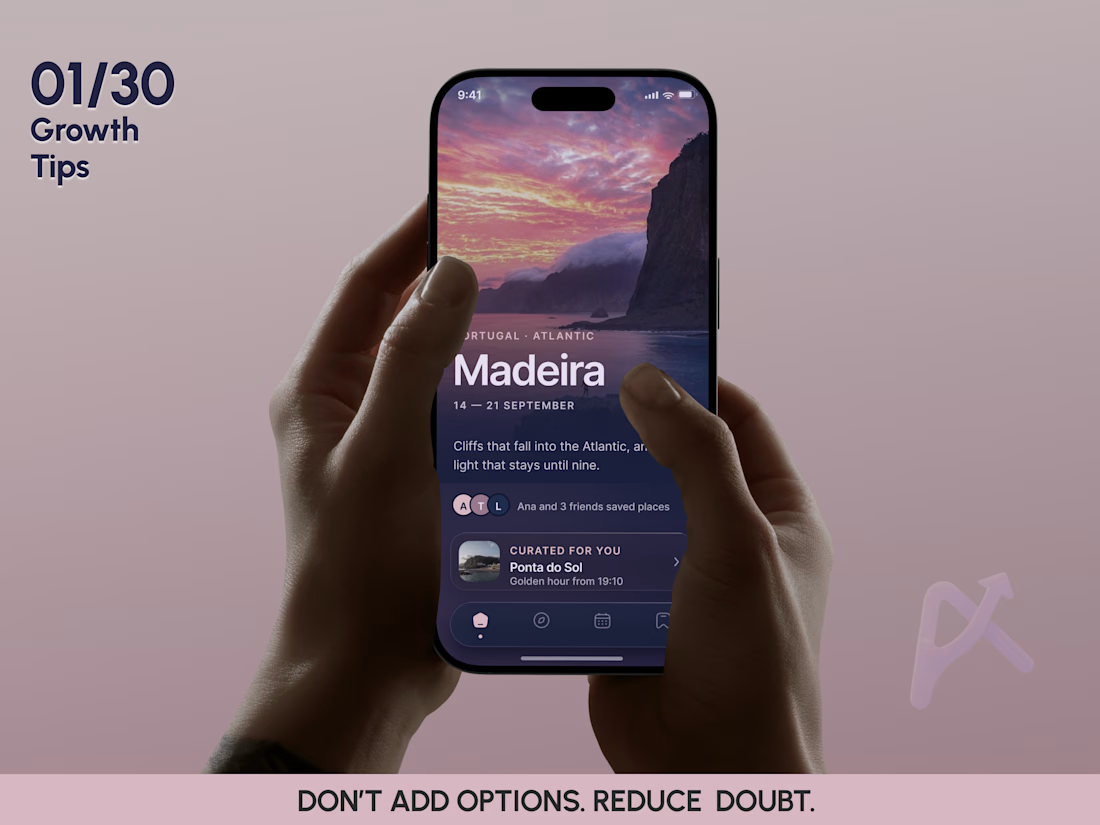
🚨 MORE RECOMMENDATIONS CAN MAKE A TRAVEL APP WORSE.
01/30 MOBILE APP GROWTH TIPS
I’m starting a new series: 30 mobile products → 30 growth decisions.
Not about UI tricks. About product decisions that can actually change retention, activation, and user behavior.
The first case is travel. 🌍
Most travel apps optimize supply. The real bottleneck is confidence.
Users already have no shortage of places to discover. Google Maps, TikTok, Instagram, blogs, saved lists. There are already more options than they can realistically use.
So adding more recommendations often does not create more value. It creates decision entropy.
In Veya, I shifted the core loop.
Not: discover → browse → save
But: context → decision → successful experience → trust → delegation
Weather, time, location, energy level, taste, previous saves and skips are not just personalization data. They are a mechanism for reducing uncertainty.
If the product repeatedly answers “What is actually worth doing today for me?” well enough, it stops being a catalog. It becomes a decision layer.
And that creates a stronger retention loop: more usage → more context → better decisions → more trust → more delegation → more usage
💡 GROWTH TIP #01
DON’T MAXIMIZE RECOMMENDATIONS. MAXIMIZE HOW MUCH OF THE DECISION USERS ARE WILLING TO DELEGATE TO YOUR PRODUCT.
That is when personalization becomes a real growth mechanism, not just another feature.
Day 1/30 Veya Mobie App Redesign
29 more product decisions are coming around gamification, personalization, retention, monetization, and AI driven growth. 🚀
If this is your kind of topic, see you in #02.
#MobileAppGrowth #ProductStrategy #Gamification #Personalization #MobileUX #Asol_design #ProductDesign




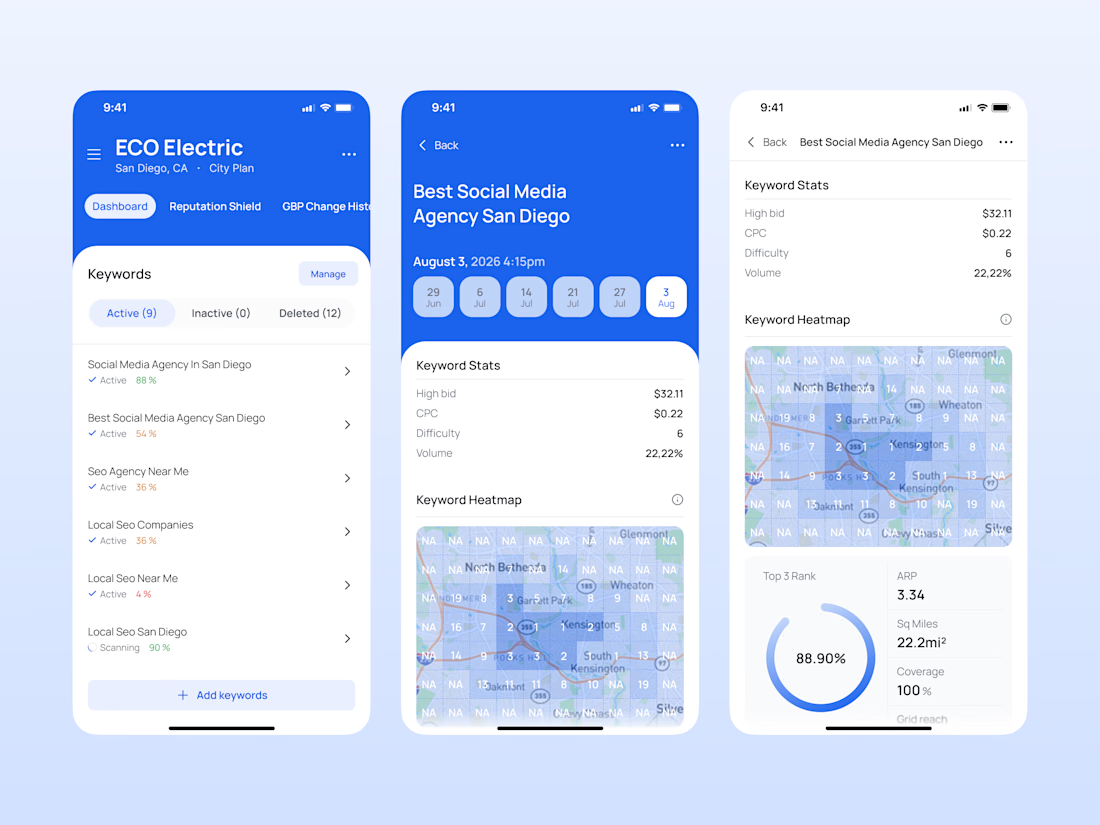

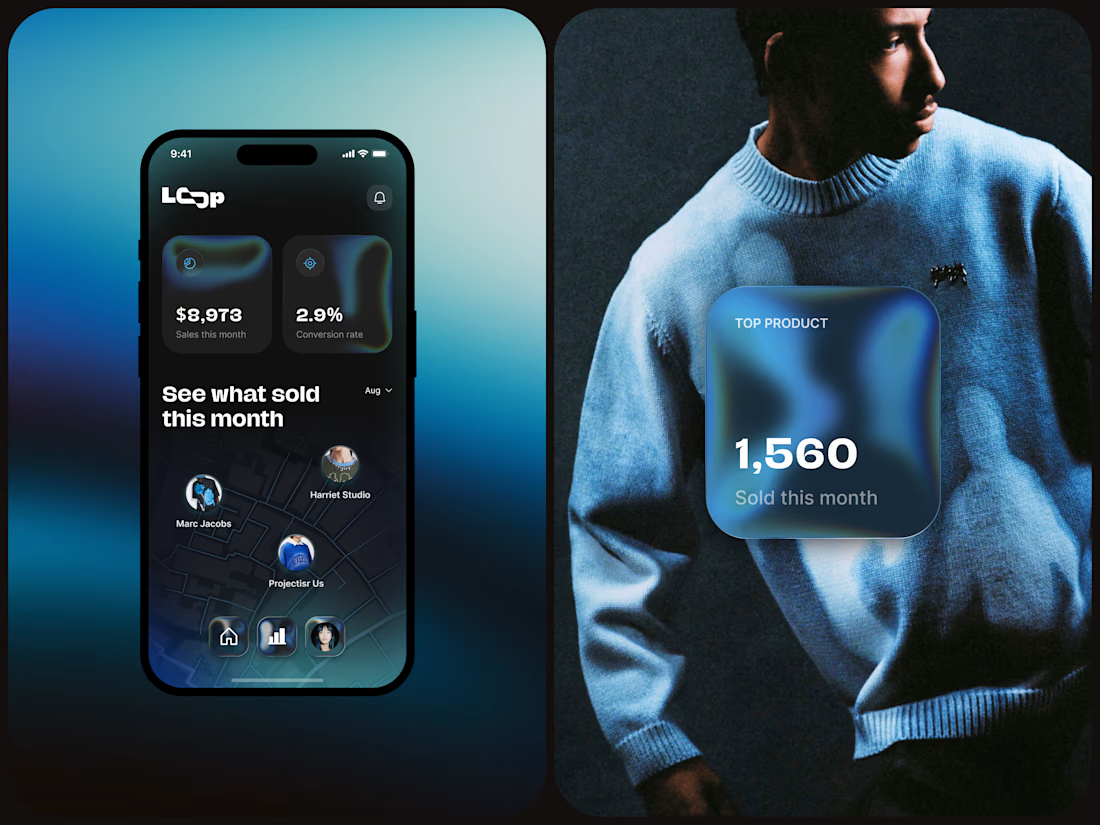
Loop is a mobile marketplace concept designed to help independent fashion and lifestyle brands turn discovery into sales.
The product combines editorial-style browsing, creator-led profiles, product shopping, AR-assisted exploration, Instant Checkout, and merchant analytics into one connected mobile experience. The goal was to make shopping feel more immersive and curated while keeping the path to purchase extremely clear.
For shoppers, Loop creates a content-to-commerce flow where product discovery, details, and checkout stay close together. For merchants, the analytics layer translates sales, conversion rate, geographic performance, and top products into simple visual signals that support better business decisions.