The network for creativity
Join 1.25M professional creatives like you
Connect with clients, get discovered, and run your business 100% commission-free
Creatives on Contra have earned over $150M and we are just getting started
Back to feedPost

Online Research & Document Support
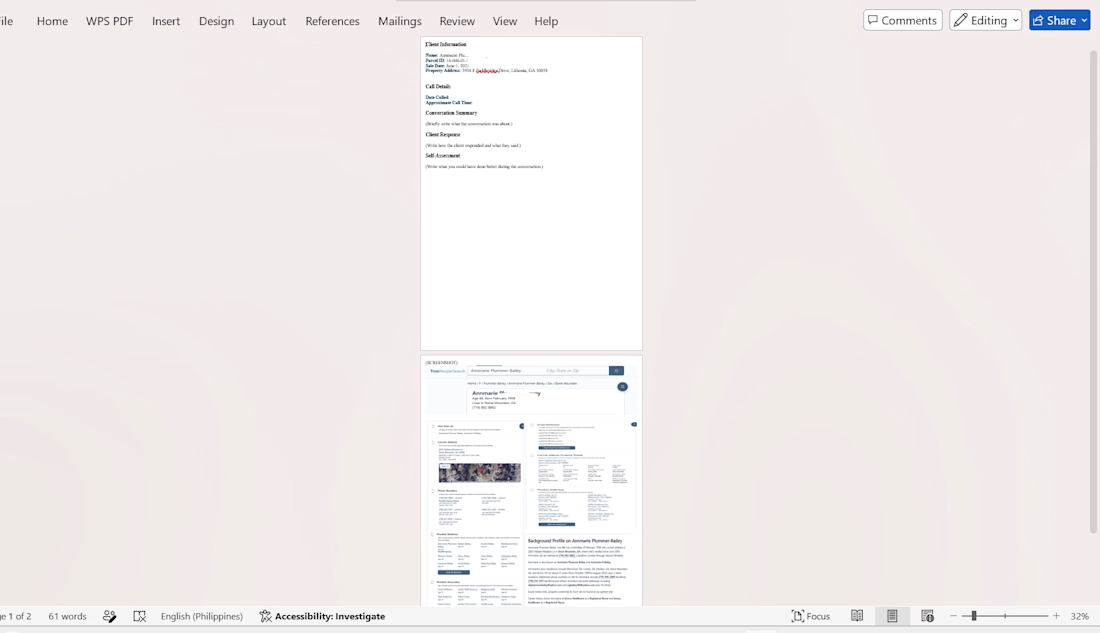
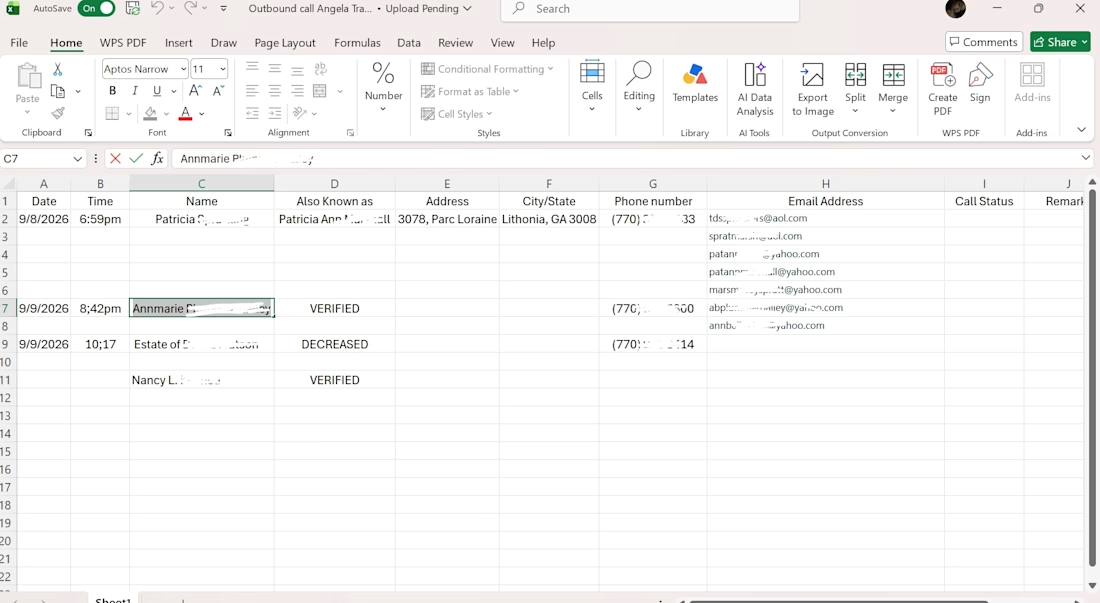
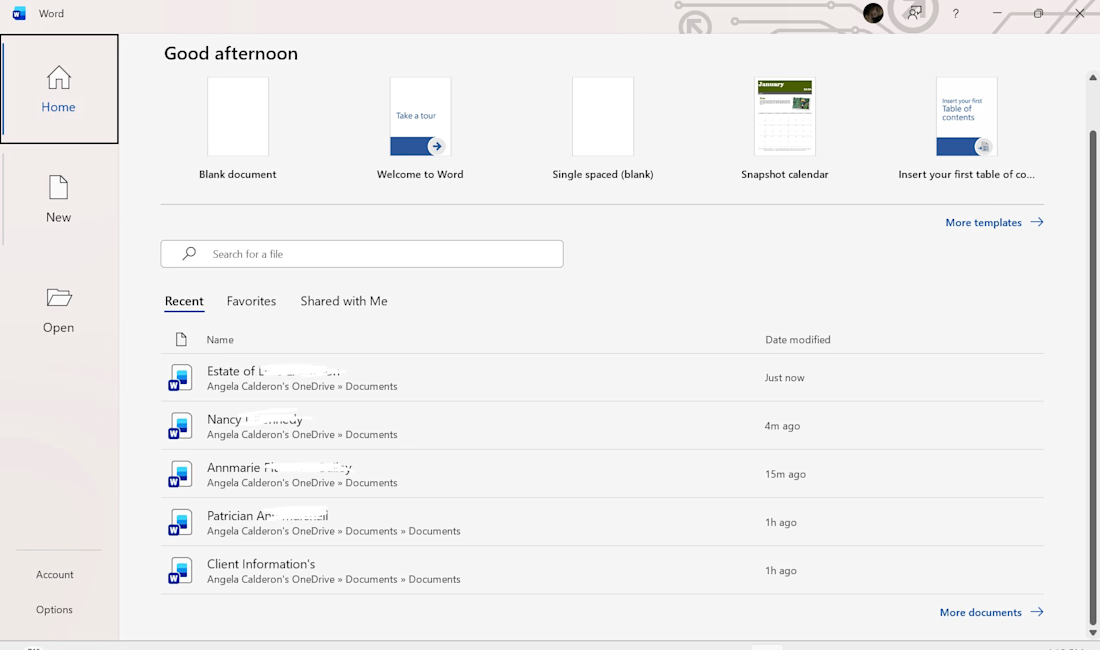
Gathered information from online sources and organized the findings into a clear and easy-to-read document. This sample demonstrates my ability to research, organize information, and format documents.💯


The network for creativity
Join 1.25M professional creatives like you
Connect with clients, get discovered, and run your business 100% commission-free
Creatives on Contra have earned over $150M and we are just getting started

Challenges
View all


Related posts

AI-Powered Client Enquiry Automation
Project Overview:
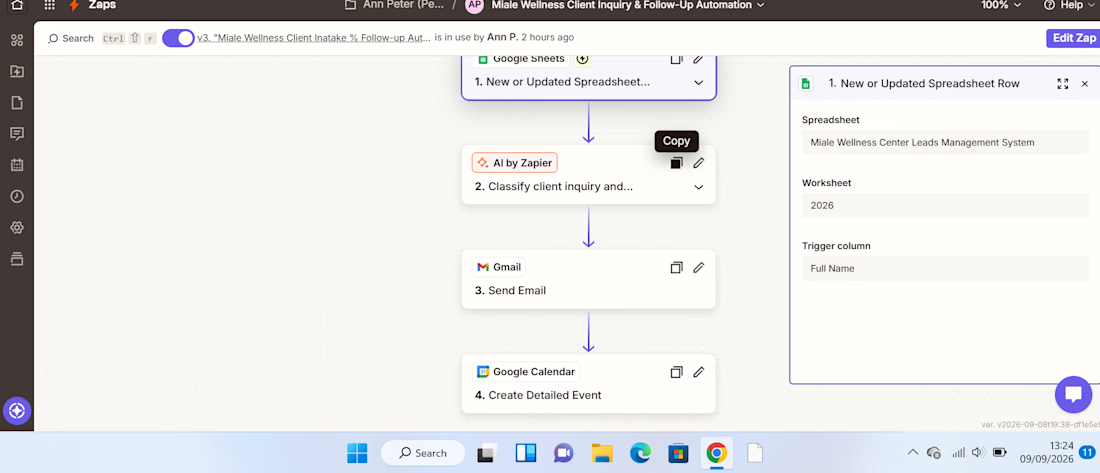
I built an AI-powered client enquiry automation workflow using Zapier, Google Forms, Google Sheets, AI by Zapier, Gmail, and Google Calendar.
The goal was to automate the initial handling of client enquiries from receiving the enquiry to understanding the client's needs, sending an acknowledgement, and creating a follow-up task.
The Problem:
Managing client enquiries manually can be repetitive and time-consuming. Each new enquiry needs to be reviewed, categorized, summarized, responded to, and followed up.
Without a structured process, it's easy for enquiries to be delayed or follow-ups to be missed.
The Solution:
I designed a workflow that automates these repetitive administrative tasks while using AI to analyze the information provided by the client.
The automation follows this process:
Client submits enquiry
↓
Google Sheets captures the enquiry
↓
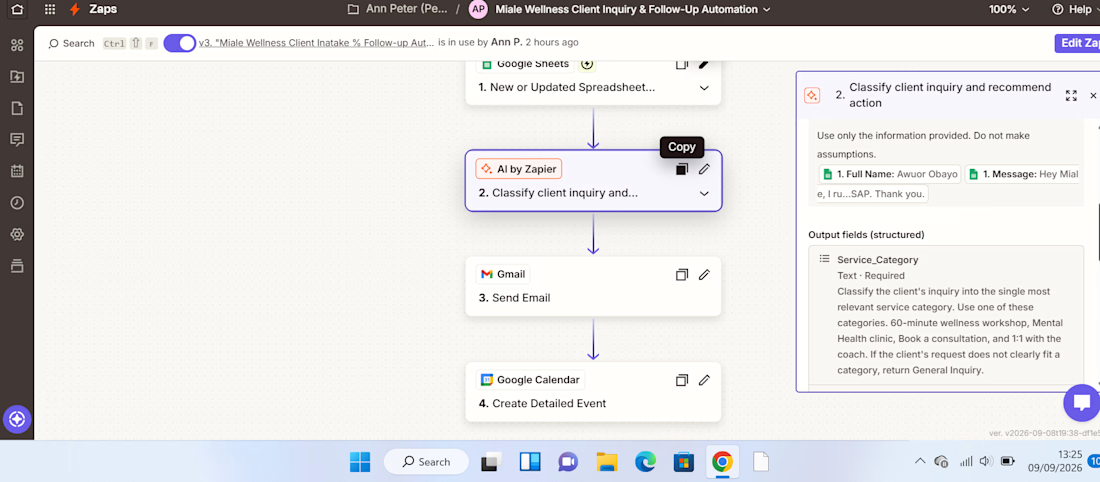
AI analyzes the enquiry
↓
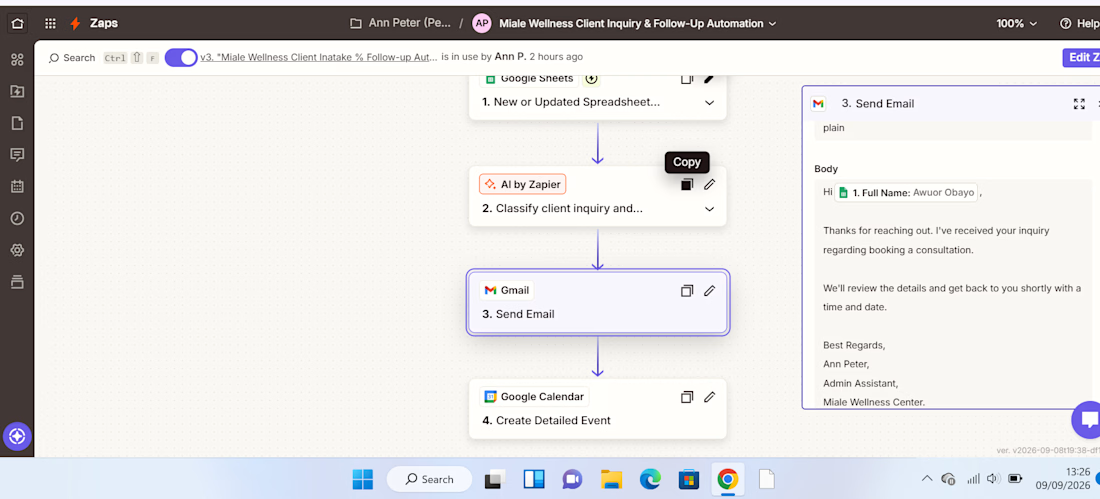
Gmail sends an acknowledgement
↓
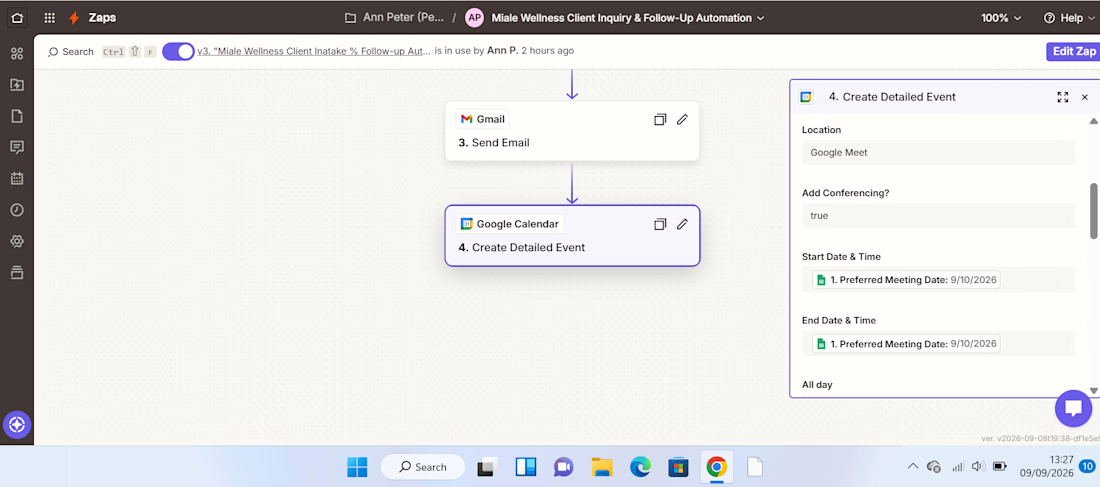
Google Calendar creates a follow-up
How It Works:
1. Enquiry Collection.
The client submits their details and enquiry through a Google Form. The information is automatically recorded in Google Sheets.
2. AI Analysis.
AI by Zapier reviews the enquiry and extracts key information such as the service category, priority, concise summary of the client's needs, and recommended next action.
This eliminates the need to manually review every enquiry just to determine what it is about and how it should be handled.
3. Automated Client Response.
After the enquiry is processed, Gmail automatically sends the client an acknowledgement, ensuring they receive a timely response.
4. Follow-Up Management.
The workflow creates a Google Calendar follow-up, helping ensure that the enquiry doesn't get lost after the initial response.
Result:
The completed workflow turns a manual enquiry process into a structured automated system:
Capture → Analyze → Respond → Follow Up
The key improvement is the use of AI as a decision-making layer, rather than simply moving information from one application to another.
This demonstrates how AI automation can reduce repetitive administrative work, improve response consistency, and help businesses stay organized with client enquiries.
Tools Used:
Zapier | AI by Zapier | Google Forms | Google Sheets | Gmail | Google Calendar
Skills Demonstrated:
AI Automation • Workflow Design • Administrative Automation • AI Prompting • Client Enquiry Management • Email Automation • Calendar Automation • Process Optimization



Really clean workflow, Ann. The Capture → Analyze → Respond → Follow Up structure makes the business value immediately clear. One useful next layer could be an exception route for urgent or low-confidence enquiries, so AI handles the routine cases while anything uncertain...

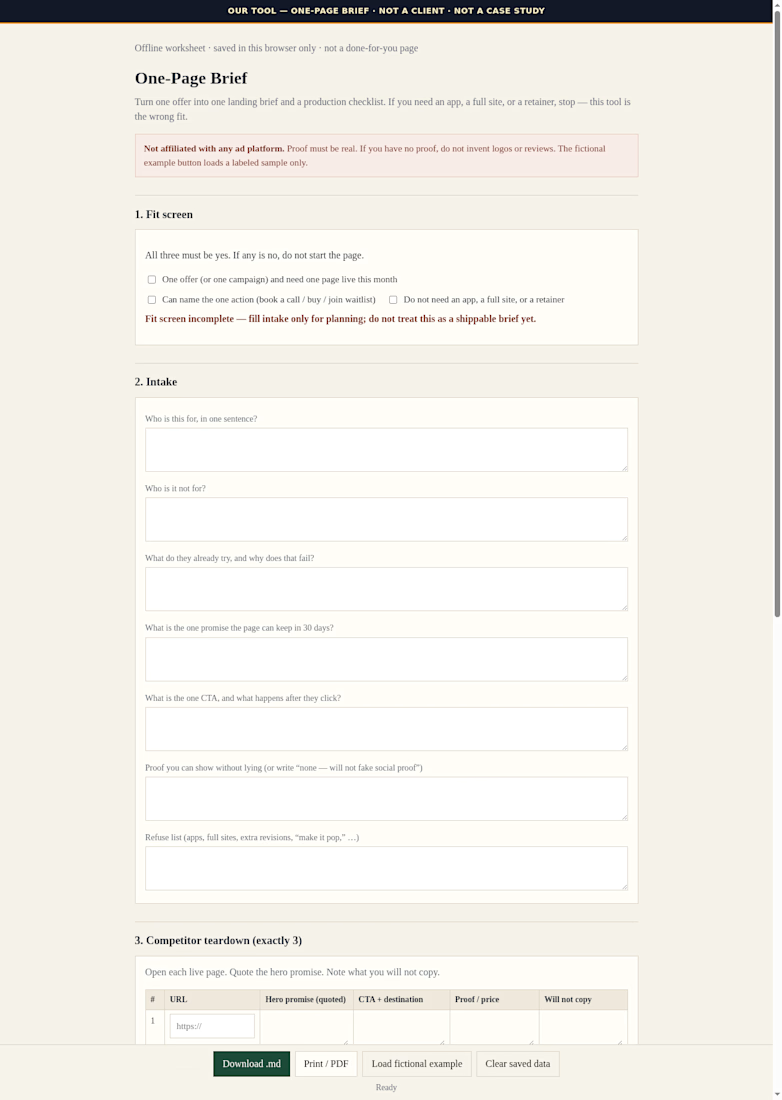
Offline worksheet for one campaign page: who it’s for, comps I opened, one promise + one CTA. Tool I use before writing the $1,500 page.

You know you need an EA.
You just don’t know what you’d actually give them to do. 😂
Because right now, you’re juggling client work, team decisions, projects, partnerships, content, planning what’s next… and somehow keeping up with everything that’s already happening too.
You know you need an extra pair of hands.
Then you start thinking:
“Okay, but what exactly would I delegate?”
Start with the work that is important but doesn’t need your personal input.
You don’t have to delegate the work you love first.
You don’t have to hand over your biggest responsibilities immediately.
Start with the tasks that take up your time, happen repeatedly, and could be completed properly by someone else with the right information and access.
A simple way to identify them is to ask:
What do I keep putting off?
What do I repeat every week?
What takes time but doesn’t require my decision?
What am I only doing because I’ve always done it?
Those are usually the best places to start.
Because the point of having an EA isn’t to keep coming up with things for them to do.
It’s having someone who can take ownership of parts of the work and keep things moving, while you have more room for the things that need you.
If you’ve got a lot on your plate and you’ve been thinking you could really use an extra hand, you can always send me a DM.
We’ll figure it out from there. 🤎