The network for creativity
Join 1.25M professional creatives like you
Connect with clients, get discovered, and run your business 100% commission-free
Creatives on Contra have earned over $150M and we are just getting started
Back to feedPost

Excited to share my submission for this Omma buildathon: Dissolve
Live link: https://omma.build/p/dissolve-zak2ob
Dissolve is an interactive, creative web utility tool built entirely on the Omma platform. The concept is centered around dynamic deconstruction, giving users the power to dissolve visual media in real-time.
Built 100% in Omma
Omma Studio: Used to generate the custom, smooth polymer pink arch mascot card acting as the application’s flagship visual asset.
Omma Canvas: The entire product architecture, interactive state management, responsive grid layouts, custom slider controls, multi-format file exporters, and cursor-tracking mouse-tilt vectors were engineered natively inside Canvas.
Effects
Pixel: Transforms images into highly customizable pixel grids. You can adjust the block size, pixel shape, colors, and layouts, all paired with animated motion.
Dither: Converts images into retro, ink-and-paper dot patterns, featuring live-animated drifting and shimmering fields.
ASCII: Maps image brightness to text characters in real time. Features customizable character sets, boxed layouts, and live text animations.
Particle: Explodes images into interactive, physics-based particle fields that react to your cursor and snap back into place. Crucially, this effect can be exported as self-contained, working HTML or TSX code.
Imports that give you freedom: Dissolve isn’t limited to the default mascot placeholder. You can upload your own image or video and the effect engines will rebuild themselves around it instantly.
Upload an MP4 and the effects run live on the video frames: the pixel grid, dither dots, and ASCII characters all recalculate in real time as the video plays.
You can also upload a custom background image for Pixel, Dither, and ASCII: it sits behind the effect layer, composited directly on the canvas. Every import is local and sandboxed, nothing leaves your browser.
The export system was built with intention: Static effects export as PNG or JPG at ×1 to ×4 resolution. PNG is transparent when no background is set; with a background, the full canvas is included.
When a video is uploaded or animation is enabled, exports switch to GIF and MP4. The Particle effect exports as a self-contained HTML file or TSX component with all settings and physics baked in, fully responsive to any screen size.
Try it out and feel free to comment your creations below!


looks so cool, and I will definitely use it
Wish you the best, supporting you.
The network for creativity
Join 1.25M professional creatives like you
Connect with clients, get discovered, and run your business 100% commission-free
Creatives on Contra have earned over $150M and we are just getting started
Related posts

What if one of the most meaningful messages you ever receive… is written by a version of you that no longer exists?
That question became Dear Future my submission for the #Base44Challenge.
We save photos.
We save messages.
We save memories.
But we rarely preserve who we were in that exact moment what we were thinking, hoping for, afraid of, or becoming.
So I designed a digital time capsule where your words don’t just get stored.
They wait for you.
With Dear Future, you can:
✦ Write a letter to your future self or someone else
✦ Add memories and images
✦ Choose the exact future date it should return
✦ Personalize your capsule with colours and seals
✦ Seal it so it can’t be read or edited before its opening date
✦ Watch the countdown inside your personal archive
✦ Return later and experience the letter as something preserved not just another notification
But the biggest design challenge wasn’t creating a way to send a letter later.
It was designing the wait.
As a Senior Product & UI/UX Designer, I wanted every interaction to support that idea.
The archive.
The physical capsule metaphor.
The vintage television.
The sealing ritual.
The countdown.
The responsive mobile experience.
None of them are there just for decoration. Together, they turn anticipation into part of the product.
I designed the UX, visual system, interaction language, responsive experience, storytelling, and complete product flow then built and shipped the working experience with @Base44.
This project reminded me why I love product design:
A good interface helps someone complete a task.
A meaningful experience makes them feel something while doing it.
Dear Future Words outlive the moment.
Experience the project ↓
Dear future capsule
Would you write something for yourself five years from now?


Designed a booking screen for a concept pilates studio app, then gave GPT Image 2.5 just that one screenshot.
Two launch shots came back. Which one makes you want to book a class, A or B?

3 voted
20%
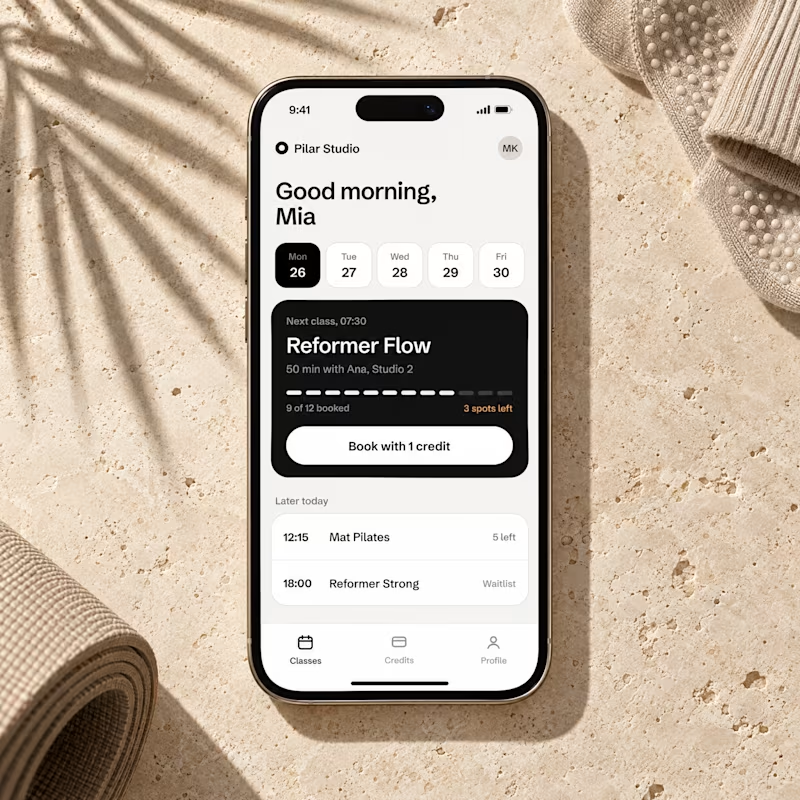
12 voted
80%
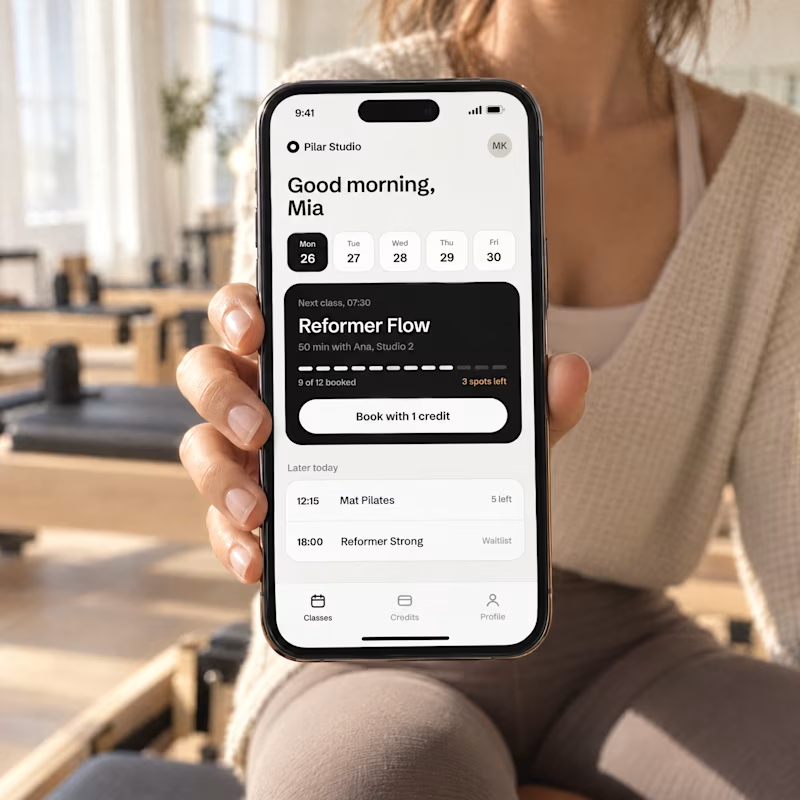
15 votes
Closed


Icon animations for a new project.
Having fun building this out 🙂↕️


Aesthetic!