The network for creativity
Join 1.25M professional creatives like you
Connect with clients, get discovered, and run your business 100% commission-free
Creatives on Contra have earned over $150M and we are just getting started
Back to feedPost

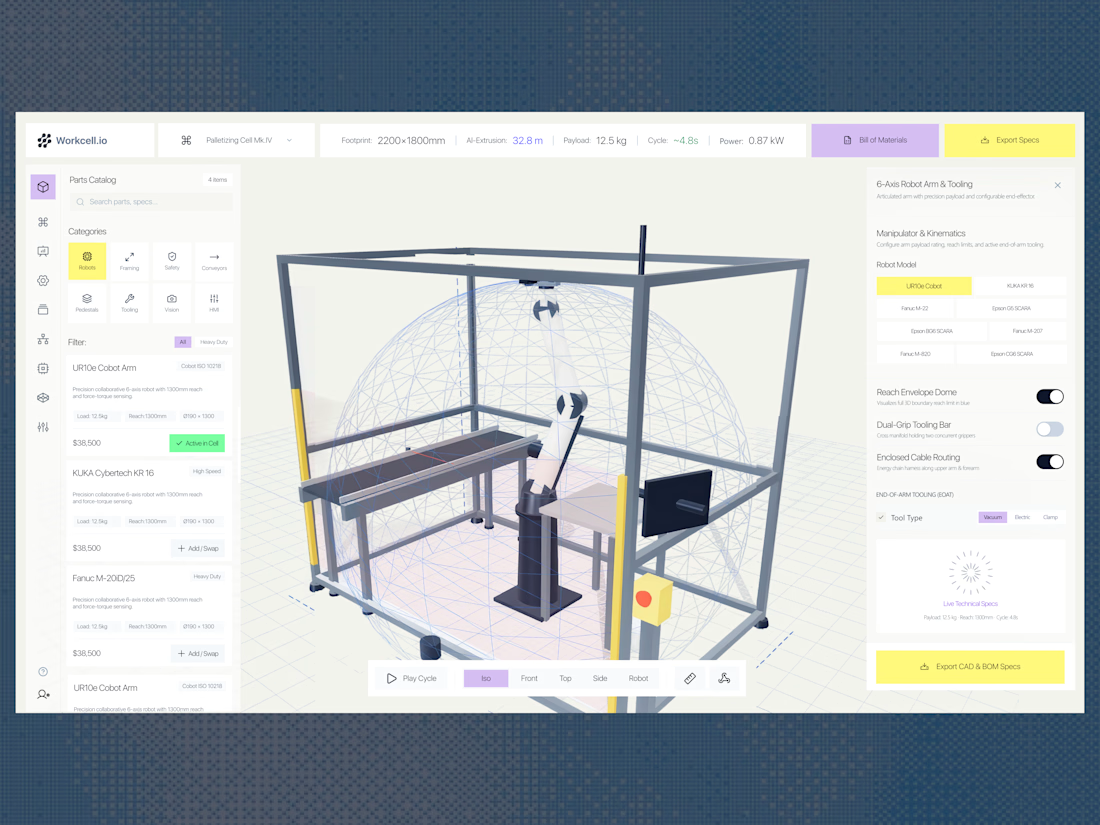
Workcell.io is a UI/UX concept for an AI-assisted industrial robotics configuration platform. The idea is to bring robot selection, workspace planning, reach visualization, and technical specifications into one unified interface.
The design approach
The challenge was to present complex engineering information without making the workspace feel overwhelming. I explored a layout that keeps the 3D workcell at the center, with supporting tools positioned around it for quick access.
Key interface highlights
Interactive 3D workspace: Visualize the robotic workcell, surrounding equipment, and reach envelope.
Parts catalog: Browse and compare robotic arms, tooling, conveyors, safety components, and other equipment.
Technical overview: Access important specifications such as payload, reach, cycle time, footprint, and power consumption.
Configuration controls: Switch robot models, adjust tooling options, and manage cable routing and safety-related settings.
Engineering handoff: Export CAD files, bills of materials, and configuration specifications.
Visual direction
I used a clean, light interface with restrained colors, clear information hierarchy, and a spacious 3D viewport. Yellow highlights important actions, while purple provides a secondary visual accent.
The goal was to make an engineering-heavy tool feel approachable while preserving the precision and information density required for industrial workflows.
My focus: Visual design, information architecture, usability, and the relationship between a technical control panel and a real-time 3D workspace.
This is a conceptual UI/UX exploration of how industrial robotics software could be designed for a more intuitive workflow
The network for creativity
Join 1.25M professional creatives like you
Connect with clients, get discovered, and run your business 100% commission-free
Creatives on Contra have earned over $150M and we are just getting started



Related posts

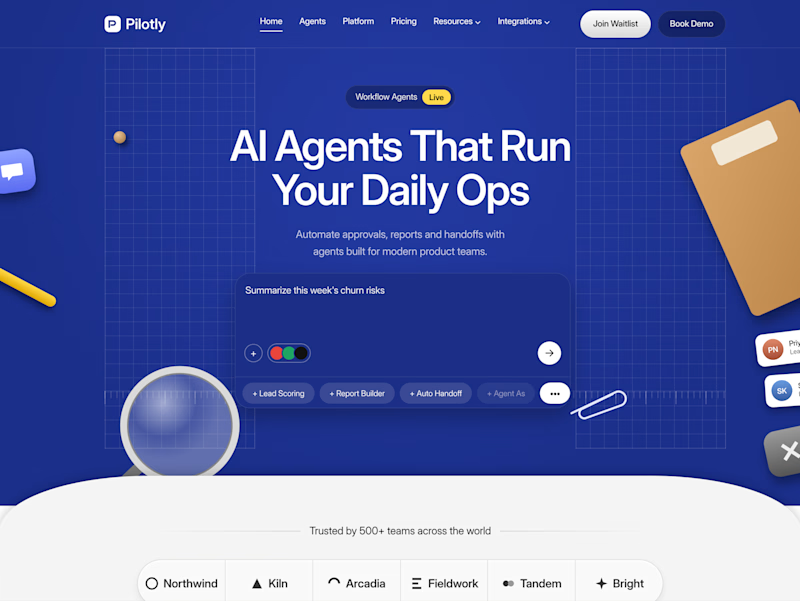
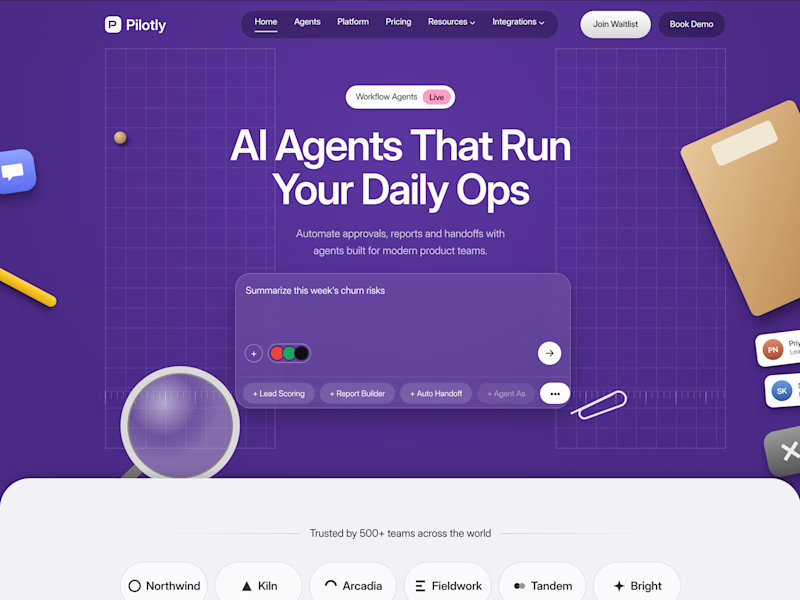
Testing two color directions for Pilotly, an AI agent platform for product teams.
Which direction would you pick for an AI automation product?


3 voted
100%
0 voted
0%
3 votes
Closed

I'd pick Violet Desk. Blue is what every SaaS uses, violet stands out and still says AI, and the orange sticky notes pop more against it. Does the hero chip row under the headline work on mobile?


Introducing Fluid Cards — make your designs move.
I’ve been working on something new: Fluid Cards, an interactive Framer component designed to turn static images into a more expressive visual experience.
Think fluid card deformations, sequential flipping animations, scrolling headline tickers and customisable motion — all inside Framer.
What's included:
Fluid, 3D-inspired card deformation
Sequential card-flipping animations
Single-row and multi-row headline tickers
Customisable typography, captions and card links
Adjustable lighting, shadows and motion settings
Flexible controls directly inside Framer
Built for creative portfolios, agency websites, landing pages and visual storytelling.
No complicated setup. Just add the component, customise it and make your layouts move.
Explore Fluid Cards:
🔗 Live demo: https://fluidcards.framer.website/
🛒 Get the component on Contra: https://contra.com/products/ROSwJ0ag-fluid-cards-interactive-framer-component
I'd love to see what you create with it!
#Framer #FramerComponents #InteractionDesign #MotionDesign #CreativeDevelopment #WebDesign #NoCode


The card flips sound fun.