The network for creativity
Join 1.25M professional creatives like you
Connect with clients, get discovered, and run your business 100% commission-free
Creatives on Contra have earned over $150M and we are just getting started
Back to feedPost

Your CRM has all the data. Does it tell your team what to do next?
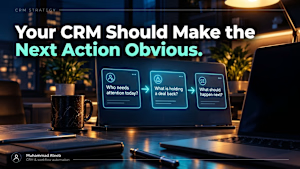
Three questions a CRM should answer the moment you open it:
Who needs attention today?
What is holding an active deal back?
What should happen next?
If answering any of them means opening the inbox, a spreadsheet or a chat thread, the problem usually isn’t the CRM. It’s the workflow around it.
A well-designed setup quietly handles the background work: new leads get assigned, follow-ups are created, replies and meetings show up in the record, stale opportunities are surfaced, and deal stages move when real business events happen.
On three of my projects, that meant:
A hire company’s enquiry-to-invoice funnel across Pipedrive, PandaDoc and Xero, with the pipeline updating itself.
A move from ActiveCampaign to GoHighLevel, with contracts sent natively and a contract tool retired.
GoHighLevel conversation summaries saved to CRM Notes, so nobody re-reads a whole history before a follow-up.
A ten-minute test: for one day, have your team note every time they leave the CRM to find out what to do next. The lookups that repeat most are your first automations.
I build CRM and workflow automations for service businesses. Message me where your team leaves the CRM and I’ll tell you where I’d look first.
Where does your team leave the CRM to find out what to do next?
linkedin.com
Is Your CRM Helping Your Team Work, or Just Storing Information?
Why a good CRM should tell your team what to do next, not make them search for answers. Picture a Monday morning.
The network for creativity
Join 1.25M professional creatives like you
Connect with clients, get discovered, and run your business 100% commission-free
Creatives on Contra have earned over $150M and we are just getting started



Related posts

Most small businesses lose clients in the gap between "new request" and "someone replies".
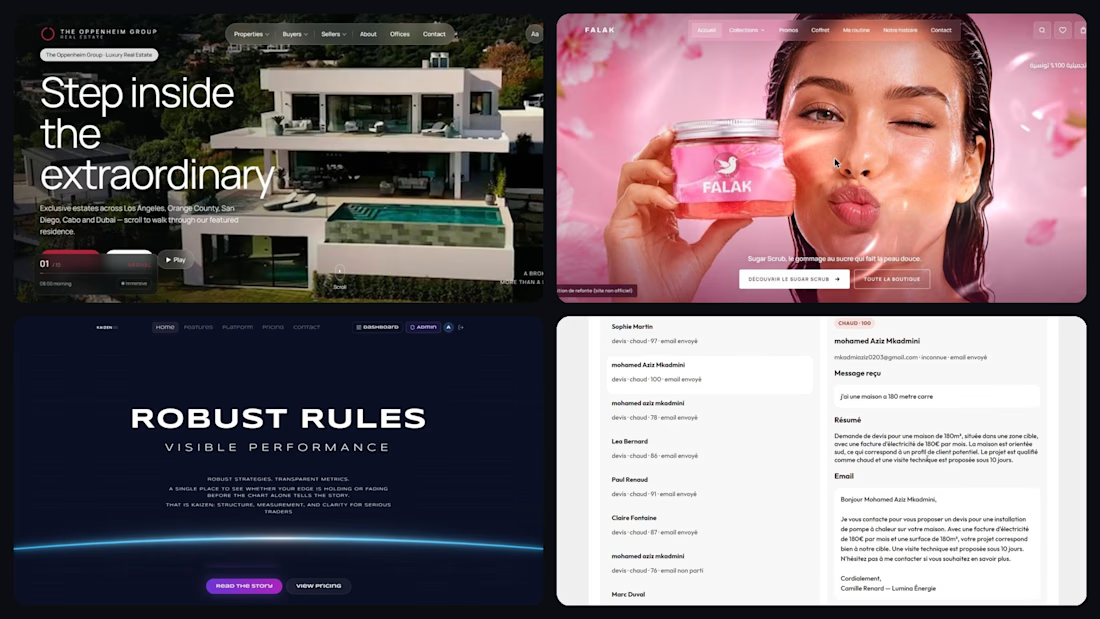
This year I shipped 5 projects that close that gap.
→ n8n AI agents that score every lead and reply with a personalised email in seconds
→ MedAssist AI, a SaaS that lets patients book and get answers 24/7
→ Kaizen Kyoto Capital, a crypto SaaS live with Paddle billing, 2FA and 43 automated tests
→ Two premium redesigns (luxury real estate in 3D, a cosmetics brand) with before/after
I'm a full-stack & AI automation developer, available now for websites, SaaS MVPs and n8n automations. French, English, Arabic. I reply within 24h.
Got a process that eats your team's time? Send me a message and I'll map your first automation for free.

Good work, keep going

Some designers are waiting for flashy visuals to shine in their portfolio, but keep forgetting that the process is far more important.
Recently, I had a good opportunity
To focus on what matters for a client
The process.
The thing they can't find even with AI.
What AI can’t give a founder ↓
↳ Context: it hasn’t heard their last three customer calls
↳ A decision trail: why this positioning, and who signed off
↳ Consistency: the deck, the site and the outbound each get a different prompt, so each tells a different story
↳ One final version: nobody is sure which file is the real one
Most AI-built brands don’t fail on speed or creativity.
They fail on the structure around the output.
So I built that structure before the project starts.
Every client gets a private portal on day one ↓
→ A Loom walkthrough from me
→ About 20 onboarding questions on their business and customers
→ A brief drafted from their answers: AI drafts, they approve, then it locks
→ One page per phase, with its own comments
→ 3 revision rounds on the logo and the landing page
→ Start and end dates they can see
The point?
Visuals get you noticed.
Process gets you hired.
What does your portfolio show: the final visuals, or how you got there?


Most 'lost' leads didn't say no. They said not now.
• A workflow starts when an opportunity's status changes to Lost.
• It waits 90 days, then sends a short SMS asking if they're still planning the job.
• A reply moves the opportunity back into the pipeline and creates a task to call them that day.
• When they book, a confirmation email goes out automatically.
How long would you wait before checking back with a lost lead?
Follow for more videos: instagram.com/sellwrightstudio · youtube.com/@sellwrightstudio

I'd split it by the lost reason instead of one timer. Price objections get a check-in at 30 days, timing objections get one on the date they mentioned, and everything else waits 90. Tagging the reason when the deal is marked Lost makes that easy to branch in GoHighLevel, and the follow-up feels personal instead of automated.