The network for creativity
Join 1.25M professional creatives like you
Connect with clients, get discovered, and run your business 100% commission-free
Creatives on Contra have earned over $150M and we are just getting started
Back to feedPost


Wow that's cool
The network for creativity
Join 1.25M professional creatives like you
Connect with clients, get discovered, and run your business 100% commission-free
Creatives on Contra have earned over $150M and we are just getting started



Related posts

I recently built VoltEdge Electronics as a sample project to explore how e-commerce operations can be automated beyond the storefront.
The challenge was connecting multiple business processes: order processing, pricing, payment tracking, customer notifications, and support into one seamless system without relying on manual intervention at every stage.
How I approached it:
Built the storefront website.
Used n8n to orchestrate order processing and business logic.
Integrated Supabase for structured data storage.
Automated pricing, including promotional discount calculations.
Connected Gmail and Slack for customer and internal notifications.
Integrated an AI customer support assistant with human escalation.
One of the biggest lessons from this project was that automation isn't simply about connecting tools. It's about designing reliable workflows, handling different outcomes, maintaining data consistency, and ensuring that each process works as expected.
The result is a connected e-commerce system where the storefront, backend, notifications, and customer support work together.
I'm always interested in helping businesses identify repetitive processes that can be simplified or automated.
If you're looking to automate your business operations, workflows, or customer processes, feel free to reach out.

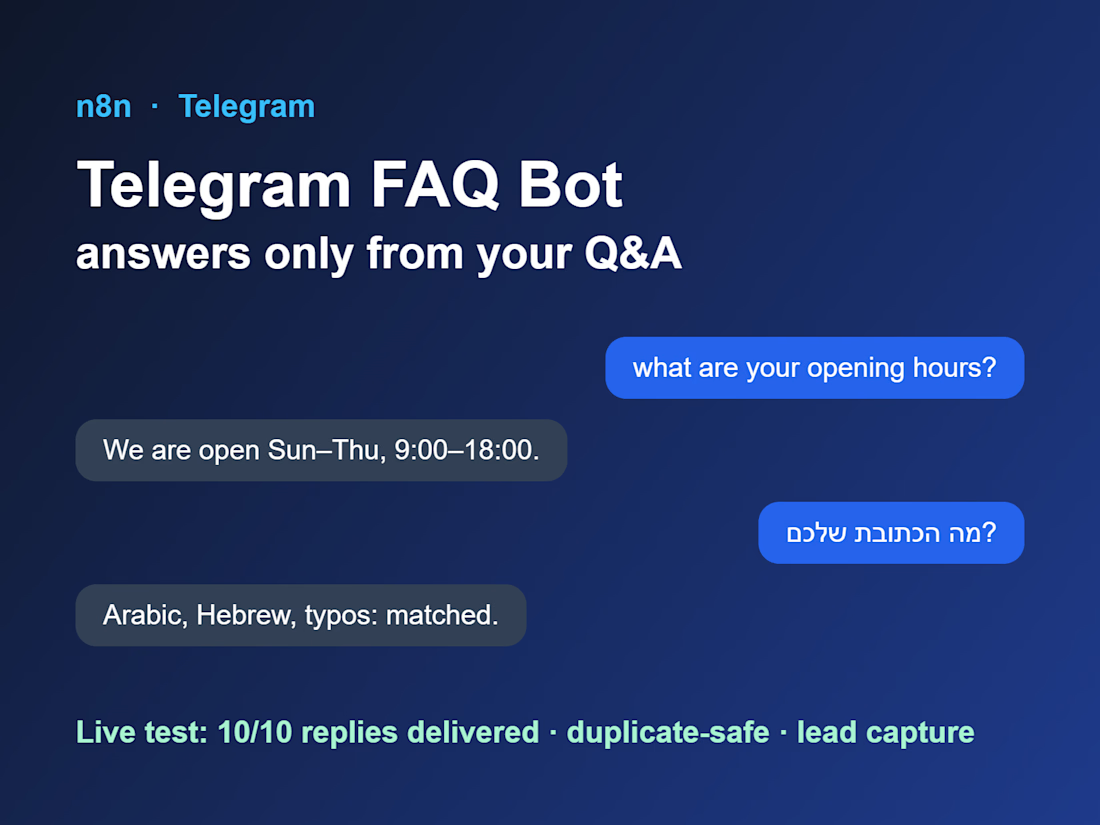
n8n workflow that answers Telegram customer questions only from your own Q&A; lead capture, duplicate-safe; live-tested with a real bot (10/10).

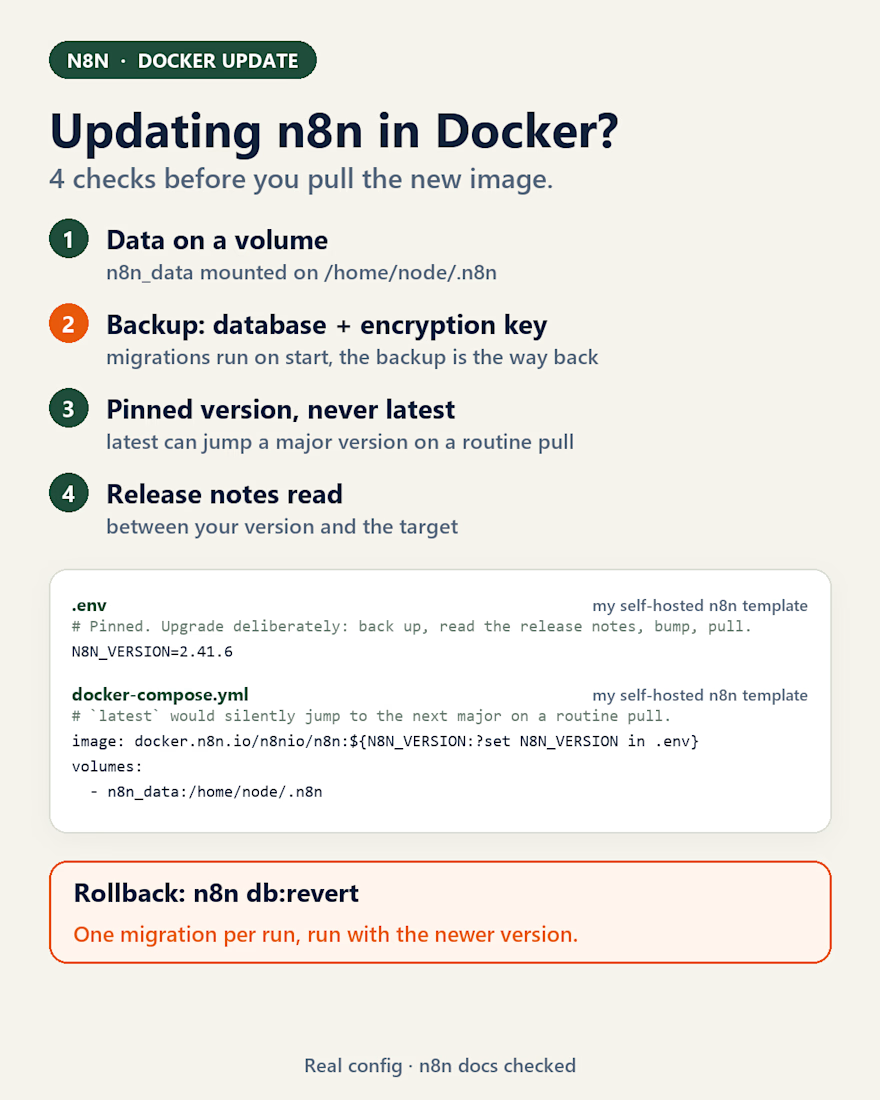
How to update n8n in Docker without losing data, and what to do before you pull the new image.
The update itself is short. With Docker Compose: pull the new image, then recreate the container (docker compose pull, then docker compose up -d). Your workflows only survive if the data sits outside the container. Here is what my self-hosted template does, checked against the n8n docs:
Before the update
• Check where the data lives. The n8n_data volume must be mounted on /home/node/.n8n. Even with PostgreSQL, that folder still holds the encryption key. No volume means the new container starts empty.
• Back up the database and the encryption key. Migrations run when the new version starts. If one can't be reverted, the backup is the only way back.
• Pin the version. My .env says N8N_VERSION=2.41.6, never latest, because latest can jump a major version on a routine pull.
• Read the release notes between your version and the target. The docs advise updating at least once a month, so you never jump many versions at once.
If it goes wrong
• n8n db:revert undoes one migration per run, and it has to be run with the newer version.
• If that fails, restore the backup and go back to the old tag.
One more trap: after the update the n8n container gets a new IP, and a reverse proxy that cached the old one answers 502. Mine resolves the container on every request.
How do you update n8n today: pinned version, or latest and hope?