The network for creativity
Join 1.25M professional creatives like you
Connect with clients, get discovered, and run your business 100% commission-free
Creatives on Contra have earned over $150M and we are just getting started
Back to feedPost

💡 𝗧𝗶𝗽 𝗼𝗳 𝘁𝗵𝗲 𝗗𝗮𝘆 — 𝗝𝗮𝘃𝗮𝗦𝗰𝗿𝗶𝗽𝘁
𝗗𝗶𝗱 𝘆𝗼𝘂 𝗸𝗻𝗼𝘄?
"debounce" and "throttle" solve different performance problems — and choosing the wrong one can hurt UX.
🔧 𝗗𝗲𝗯𝗼𝘂𝗻𝗰𝗲:
Runs 𝗮𝗳𝘁𝗲𝗿 the event stops firing
✅ Perfect for search inputs, resize events
🔧 𝗧𝗵𝗿𝗼𝘁𝘁𝗹𝗲:
Runs at 𝗳𝗶𝘅𝗲𝗱 𝗶𝗻𝘁𝗲𝗿𝘃𝗮𝗹𝘀 while the event fires
✅ Ideal for scroll handlers, drag events
Understanding the difference = smoother apps & better performance.
#PerformanceOptimization #FrontendDevelopment #FullstackDeveloper




The network for creativity
Join 1.25M professional creatives like you
Connect with clients, get discovered, and run your business 100% commission-free
Creatives on Contra have earned over $150M and we are just getting started
Related posts


I spent over a year as the product designer for Hypernative. They just raised $40M in Series B funding not long ago.
Hypernative is a real time security platform for Web3, protecting billions in assets across 60+ blockchains. The product is genuinely best in class. But when I started, the UX wasn't matching the tech.
The UI was super complex, data heavy, and required a steep learning curve. For a security platform where seconds matter, that's a big problem. If your users can't parse a critical alert instantly, the best detection engine in the world doesn't help.
So We rebuilt the experience around three pillars: clarity, actionability, and scalability.
Clarity meant redesigning the threat severity system so users could gauge urgency at a glance. Actionability meant replacing static alerts with interactive ones that included recommendations, historical context, and mitigation steps right in the UI. Scalability meant building a modular dashboard so different teams could customize the interface for their workflow.
The results were 40% improvement in threat detection response time. 30% increase in user retention. 25% reduction in false positive friction.
In complex B2B products, design is the difference between a tool people tolerate and a platform they rely on. Especially in security so if the UX creates cognitive load at the moment someone needs to act fast, you've already lost.
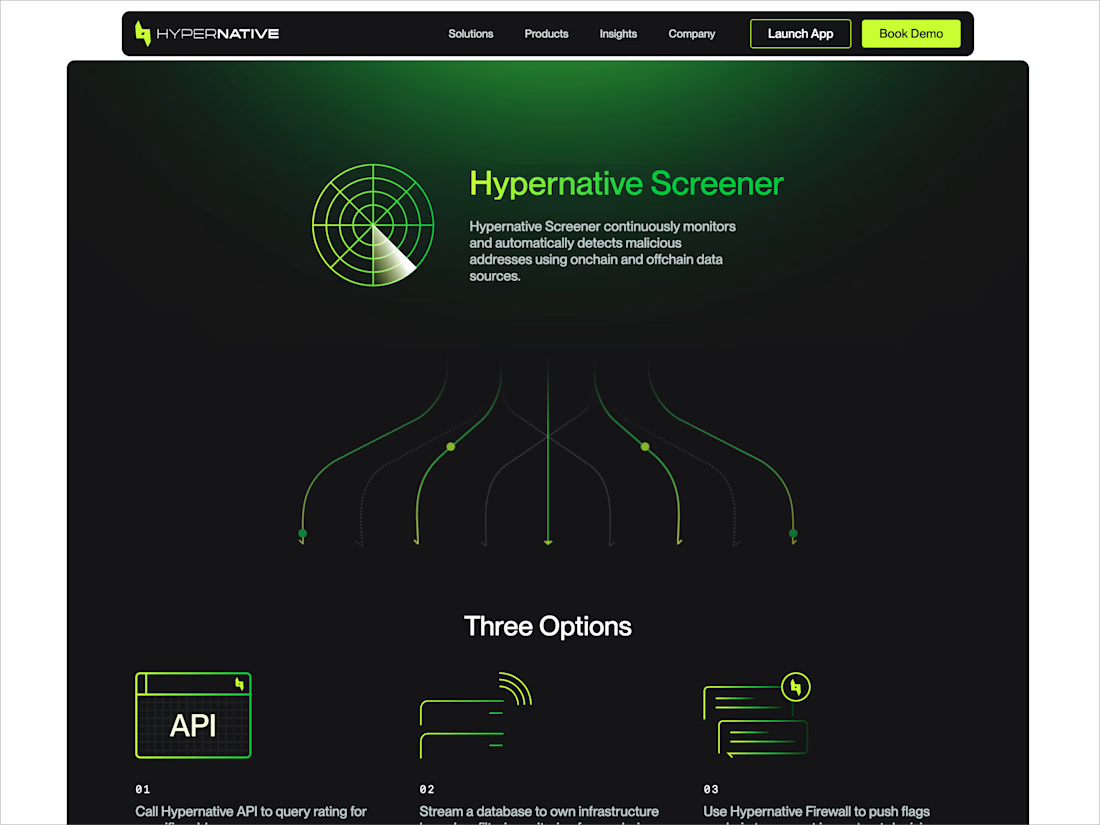

Perfect design
💡 𝗧𝗶𝗽 𝗼𝗳 𝘁𝗵𝗲 𝗗𝗮𝘆 — 𝗥𝗲𝗮𝗰𝘁
𝗗𝗶𝗱 𝘆𝗼𝘂 𝗸𝗻𝗼𝘄?
Keys in React are 𝗻𝗼𝘁 𝗷𝘂𝘀𝘁 𝗳𝗼𝗿 𝗿𝗲𝗺𝗼𝘃𝗶𝗻𝗴 𝘄𝗮𝗿𝗻𝗶𝗻𝗴𝘀 — they control how React 𝗶𝗱𝗲𝗻𝘁𝗶𝗳𝗶𝗲𝘀 𝗮𝗻𝗱 𝗿𝗲𝘂𝘀𝗲𝘀 𝗲𝗹𝗲𝗺𝗲𝗻𝘁𝘀.
Using unstable keys (like array indexes in dynamic lists) can cause:
- Broken animations
- Lost input focus
- Incorrect component state
🔧 𝗕𝗲𝘀𝘁 𝗽𝗿𝗮𝗰𝘁𝗶𝗰𝗲:
Always use 𝘀𝘁𝗮𝗯𝗹𝗲, 𝘂𝗻𝗶𝗾𝘂𝗲 𝗜𝗗𝘀 from your data whenever possible.
Good keys = predictable UI behavior.
#FrontendDevelopment #JavaScript #WebDevelopment #FullstackDeveloper




First impressions don’t start with content.
They start with feeling.
Added a subtle interaction on first scroll — small detail, big impact.
Good UX isn’t loud.
It’s intentional.
















Trending


Notion
Notion isn’t just where you work, it’s starting to work for you. What agents are you building?
portfolioreview
The best portfolios tell a story, not just show a grid. Share yours for feedback.
brandguidelines
Brand guidelines are becoming living systems, not static documents. What are you building for your clients?
aivideo
AI video tools are moving at warp speed. Which ones are you experimenting with?
freelancerlife
Freelancer life is wins, pivots, and everything in between. What’s yours right now?