The network for creativity
Join 1.25M professional creatives like you
Connect with clients, get discovered, and run your business 100% commission-free
Creatives on Contra have earned over $150M and we are just getting started
Back to feedPost


𝐓𝐡𝐞 𝐖𝐞𝐢𝐫𝐝𝐞𝐬𝐭 𝐏𝐞𝐫𝐟𝐨𝐫𝐦𝐚𝐧𝐜𝐞 𝐅𝐢𝐱 𝐈'𝐯𝐞 𝐄𝐯𝐞𝐫 𝐒𝐡𝐢𝐩𝐩𝐞𝐝
Changed one CSS value from 0 to 0.001 and dropped page load time by 2.7 seconds.
Let me explain.
I was working on a webflow project where elements had an animation-hide class set to opacity: 0. The idea was simple: hide elements on load, then animate them in with GSAP.
PageSpeed was reporting LCP at 3.5 seconds. The hero images were loading fast, the fonts were optimized, everything looked right. But the score wouldn't change.
Turns out, Chrome's LCP algorithm skips elements with opacity: 0. It doesn't consider them "painted." So even though my hero card images were fully loaded and ready, Chrome was ignoring them and waiting for a later, smaller element to count as LCP.
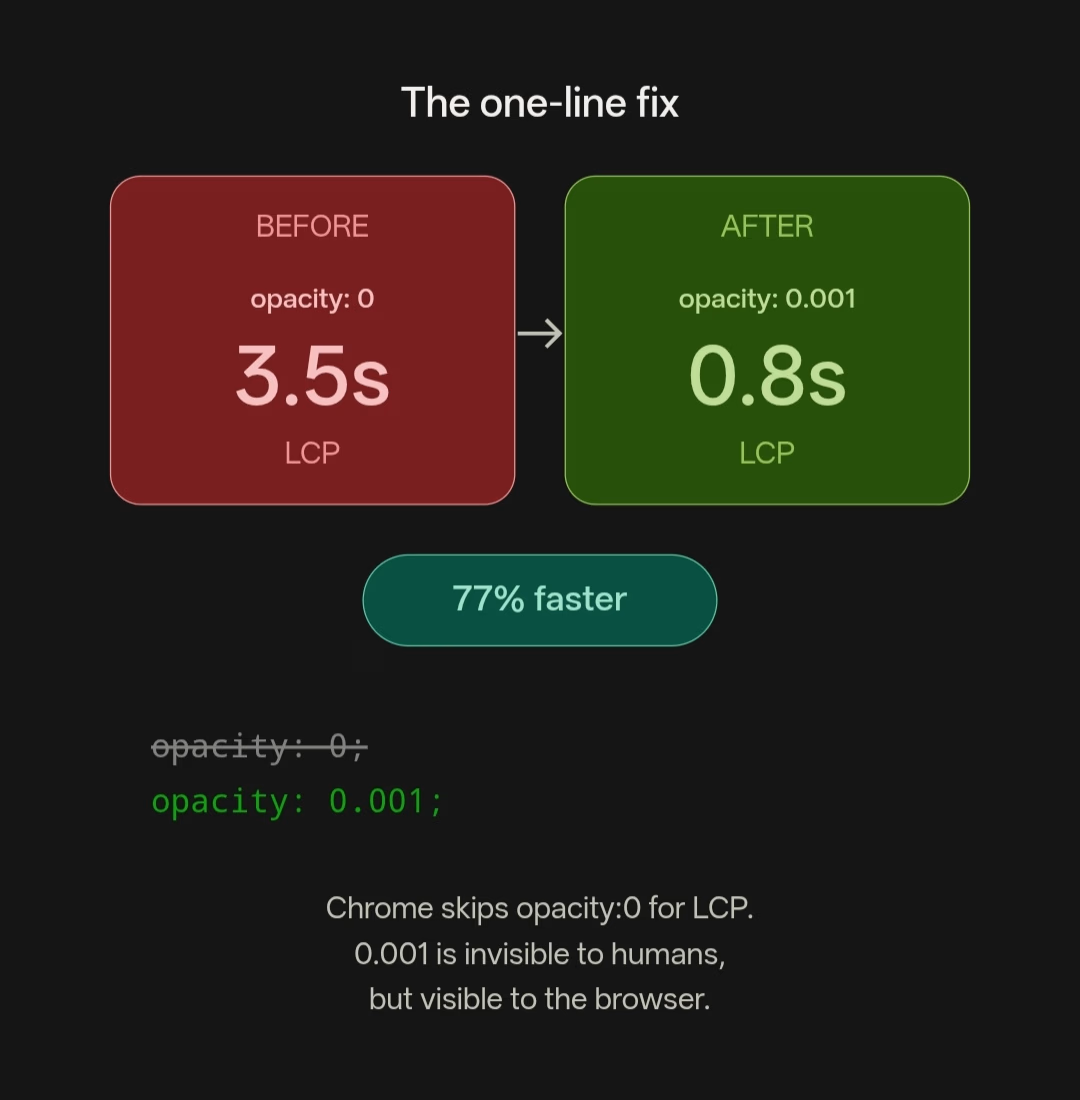
The fix: change opacity: 0 to opacity: 0.001.
Visually? Identical. No human eye can see the difference. But Chrome now counts those elements as painted at first render. LCP dropped from 3.5s to 0.8s.



Oh wow! that's huge. Didn't know this
The network for creativity
Join 1.25M professional creatives like you
Connect with clients, get discovered, and run your business 100% commission-free
Creatives on Contra have earned over $150M and we are just getting started








Related posts

Two page transitions, one site. Which one feels better to you?
5 voted
83%
1 voted
17%
6 votes
Closed

Kinetic Reveal feels more natural ❤️❤️
great job Dayyan🎉🎉

I built this speculative mineral cabinet to simulate ultraviolet fluorescence and light-wavelength transitions directly in the browser inside a clean interactive UI.
Users can flip the cabinet lamp between 5500K daylight and 365nm longwave UV to watch dull, grey stones instantly catch fire. The system catalogs seven fictional specimens from Verdigrite to Duskbloom mapping out their host lattices, trace metal activators, emission wavelengths (from 416nm cold violet to 640nm rose pink), and seam localities. If you switch the lamp back to daylight, the borrowed photon energy cuts off immediately, while specimens like Sporewort hold a brief half-second phosphorescent linger before going dark.
Everything runs on the client side using JavaScript, CSS, and HTML5. The stone visuals, wavelength states, and spectrum plots render locally in the browser without relying on heavy external assets or server calls. The page updates the crystal glow, the three step photon excitation breakdown, and the spectral chart in one pass. I even included a control specimen called Nullstone with zero trace activators. So when someone flips on the UV lamp, it stays completely dark and inert instead of faking a glow.
The ragebaiting part was to format and structure out the mineralogy lore and wavelength data so it felt clean and fast. Putting the activator traces, nanometer readings, and locality codes right beside each stone makes it easy to read the numbers while looking at the crystal glow. No distractions. Showing the emission spectrum chart at the bottom also helps visitors see where every specimen sits on the visible band before cutting the lamp.😊


MOVVA is now featured on Contra 🤍
I’m especially happy about this because working on this template was a creative outlet for me.
I wanted to build something useful for a business: a website that covers what a studio needs when it opens, from an easy-to-use schedule to clearly structured class information, with a solid foundation for SEO.
At the same time, I wanted it to feel beautiful. To bring a sense of movement, lightness, and the joy of taking a class into the design. To capture that friendly atmosphere that makes you want to walk into a studio and give it a try.
Thank you, Contra team!


Huge congrats on getting featured! 🤍 MOVVA looks stunning - love the mindful movement vibe and that hero image. Super useful concept for studios. Well deserved feature!