The network for creativity
Join 1.25M professional creatives like you
Connect with clients, get discovered, and run your business 100% commission-free
Creatives on Contra have earned over $150M and we are just getting started
Back to feedPost

Your images look crisp in Figma.
But blurry on your live site.
Webflow has two settings that fix this:
—
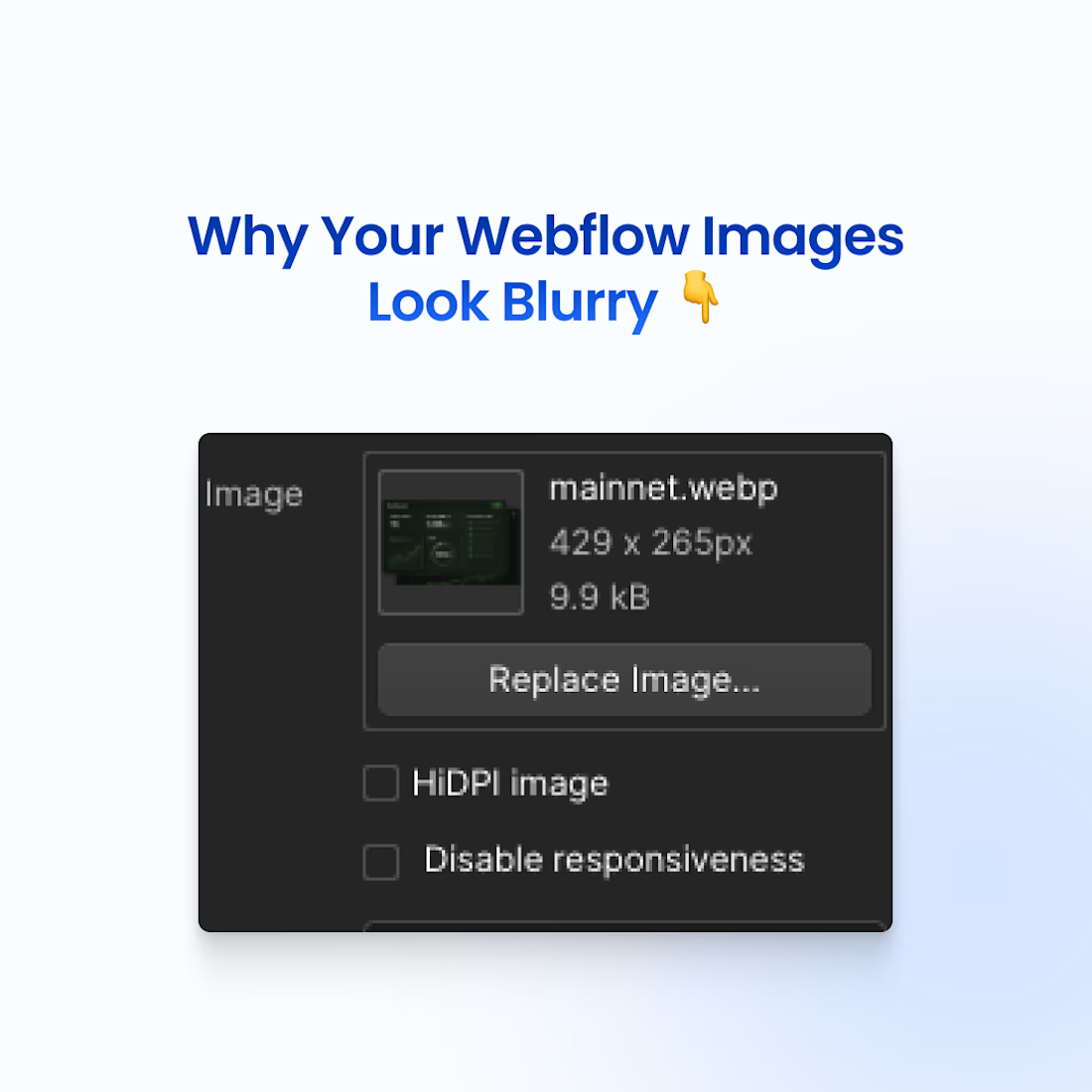
HiDPI IMAGE: Displays your image at half its pixel dimensions. 4000px upload → 2000px display. Doubles pixel density = sharp on Retina screens.
—
DISABLE RESPONSIVENESS: Webflow creates variants (500px to 3200px) and picks one based on viewport.
Sometimes it picks too small → blurry.
Disabling forces the full-res file to load.
—
THE CATCH:
Disabling responsiveness kills performance: ❌ Mobile loads massive files ❌ Page speed tanks ❌ SEO drops
—
THE BETTER FIX:
Compress before uploading (TinyPNG)
Export at 2x display size
Enable HiDPI
Keep responsiveness ON
Crisp images. Fast site. No tradeoff.
What's your image optimization workflow?

The network for creativity
Join 1.25M professional creatives like you
Connect with clients, get discovered, and run your business 100% commission-free
Creatives on Contra have earned over $150M and we are just getting started











Related posts

🔎 Your Webflow CMS Can Do More Than Organize Content.
A well-designed website should look good, be easy to manage, and help people discover your business.
That's why SEO should be considered when structuring your Webflow CMS.
Here's what I focus on:
→ SEO-friendly CMS fields for titles and descriptions
→ Clean URL structures for dynamic pages
→ Consistent heading hierarchy in templates
→ Descriptive image alt text
→ Internal links between related content
→ Unique metadata for each CMS item
The goal isn't to add SEO as an afterthought.
It's to build a content structure that supports discoverability from the beginning.
Good CMS architecture organizes content. Good SEO helps people find it.
Build with structure. Design with purpose. Make every page count.
#Webflow #WebflowCMS #SEO #WebDesign #CMS #Contra




This is the kind of work I want to do more of.
A strong visual direction and plenty of room to get creative with the development. Built in Webflow, animated with GSAP.
Here’s a look around.


Outstanding Work❤️



Looks clean And Modern