The network for creativity
Join 1.25M professional creatives like you
Connect with clients, get discovered, and run your business 100% commission-free
Creatives on Contra have earned over $150M and we are just getting started
Back to feedPost

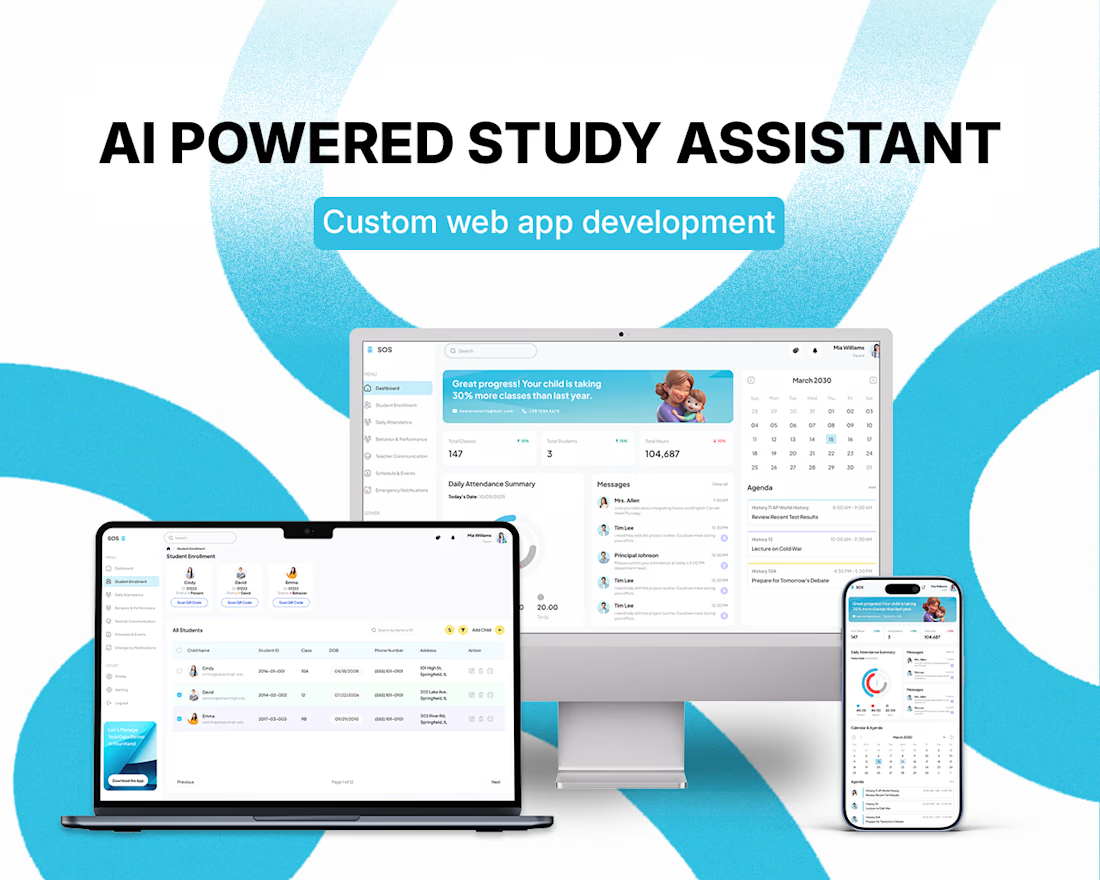
StudySpace — AI-Powered Study & Learning Platform
Transforming Course Materials Into Personalized, Exam-Ready Learning
StudySpace is an AI-powered learning platform designed to turn unstructured academic content into organized, personalized study resources.
Instead of manually working through lecture slides, textbooks, PDFs, and past examinations, students can upload their materials and use AI to transform them into an interactive learning environment.
The Challenge
Students often have plenty of study material but lack an efficient way to turn it into structured preparation.
Common challenges include:
Large volumes of disconnected course material
Passive note-reading instead of active recall
Difficulty identifying weak areas
Generic study tools that don't adapt to individual goals
Limited connection between generated study content and original source material
StudySpace was designed to bring these activities into one intelligent workspace.
AI-Powered Content Processing
Students can upload PDFs, lecture materials, textbooks, and previous exams.
The platform processes these documents through a multi-stage AI pipeline that identifies:
Topics
Concepts
Themes
Important sections
Exam-relevant information
The extracted knowledge then becomes the foundation for the student's personalized study environment.
Automated Study Material
StudySpace generates learning resources directly from uploaded content, including:
Condensed study notes
Spaced-repetition flashcards
Practice questions
Topic-based quizzes
Exam simulations
Generated content remains connected to the original material, allowing students to trace information back to its source.
Personalized Study Planning
The platform adapts the learning experience around each student's objectives.
During onboarding, students can define their:
Academic level
Learning goals
Exam date
Study preferences
Areas requiring additional attention
The system then builds a personalized study plan and adjusts recommendations as the student's progress changes.
Course Workspace
Each uploaded document becomes an interactive study environment.
Students can navigate through topics, review AI-generated notes, access source references, practice flashcards, and complete quizzes from a centralized workspace.
The interface brings the complete learning workflow into one structured experience rather than requiring students to switch between multiple study tools.
SpaceBot & Personalized Dashboard
StudySpace also includes an AI learning assistant designed to answer questions using the student's own uploaded materials.
SpaceBot can adapt its communication style based on the student's preference, including:
Friendly explanations
Formal academic responses
Socratic questioning
The dashboard provides an overview of the student's current learning activity, including:
Today's study sessions
Exam countdowns
Upcoming objectives
Weak topics
Progress indicators
What We Built
The final platform included:
AI-powered document processing
PDF upload and content extraction
Automated topic discovery
AI-generated notes
Flashcard generation
Adaptive quizzes
Personalized study planning
Source-level content attribution
Exam simulation
AI study assistant
Progress tracking
Personalized onboarding
The backend was designed around a multi-stage processing pipeline capable of handling document extraction, content generation, study planning, and adaptive review.
Results
The platform delivered measurable improvements across the study workflow:
90% reduction in time required to transform uploaded material into structured study resources
3× improvement in reported retention through flashcard and quiz engagement
100% source traceability for generated learning content
A centralized learning environment combining content processing, AI assistance, planning, and assessment
Technology Stack
Frontend: React, Vite, Tailwind CSS
Backend: FastAPI
Database: PostgreSQL
Processing: PyMuPDF, Celery, Redis
AI: OpenAI GPT-4o
Authentication: Clerk
Infrastructure: Docker
The Result
StudySpace turned static academic content into an interactive, personalized learning system.
Instead of simply giving students another place to store notes, the platform creates a workflow that moves from:
Upload → Understand → Organize → Practice → Track → Prepare
The result is an AI-powered study environment built around the student's own material, goals, and learning progress.


The network for creativity
Join 1.25M professional creatives like you
Connect with clients, get discovered, and run your business 100% commission-free
Creatives on Contra have earned over $150M and we are just getting started











Related posts

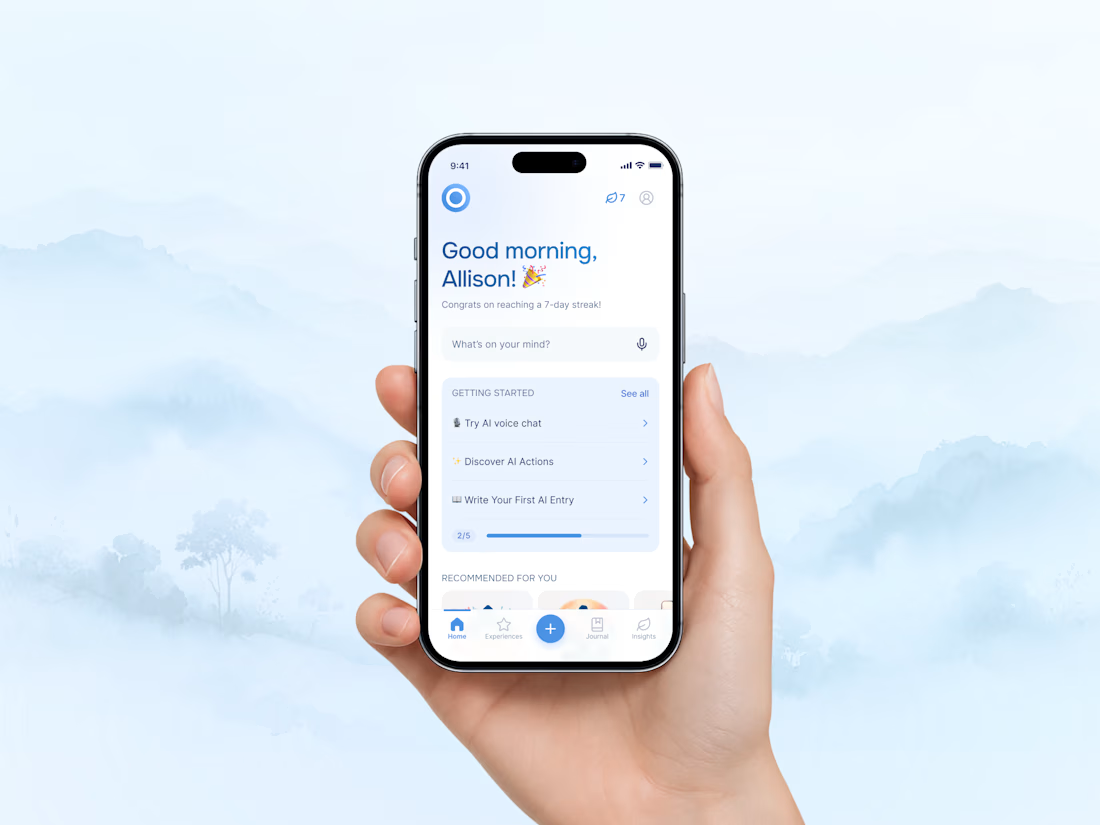
Onsen combines AI conversations, journaling, and mood tracking to help people better understand their thoughts, emotions, and daily patterns. 🧠
What I find interesting is how AI can go beyond answering questions and create more personal, meaningful experiences.
🔗 Check it out: https://www.onsenapp.com/
What do you think makes an AI app feel truly personal? 👇
#ProductDesign #AI #UXDesign #MobileAppDesign #MentalWellbeing #Contra



Sunrise Dental — Clinic Website with Online Booking
A landing page for a neighbourhood dental clinic, built around booking. Patients choose a treatment, pick a free slot and confirm in three steps, without calling. Prices are listed upfront, the hours show whether the clinic is open right now, and the layout works on any phone. Concept project.

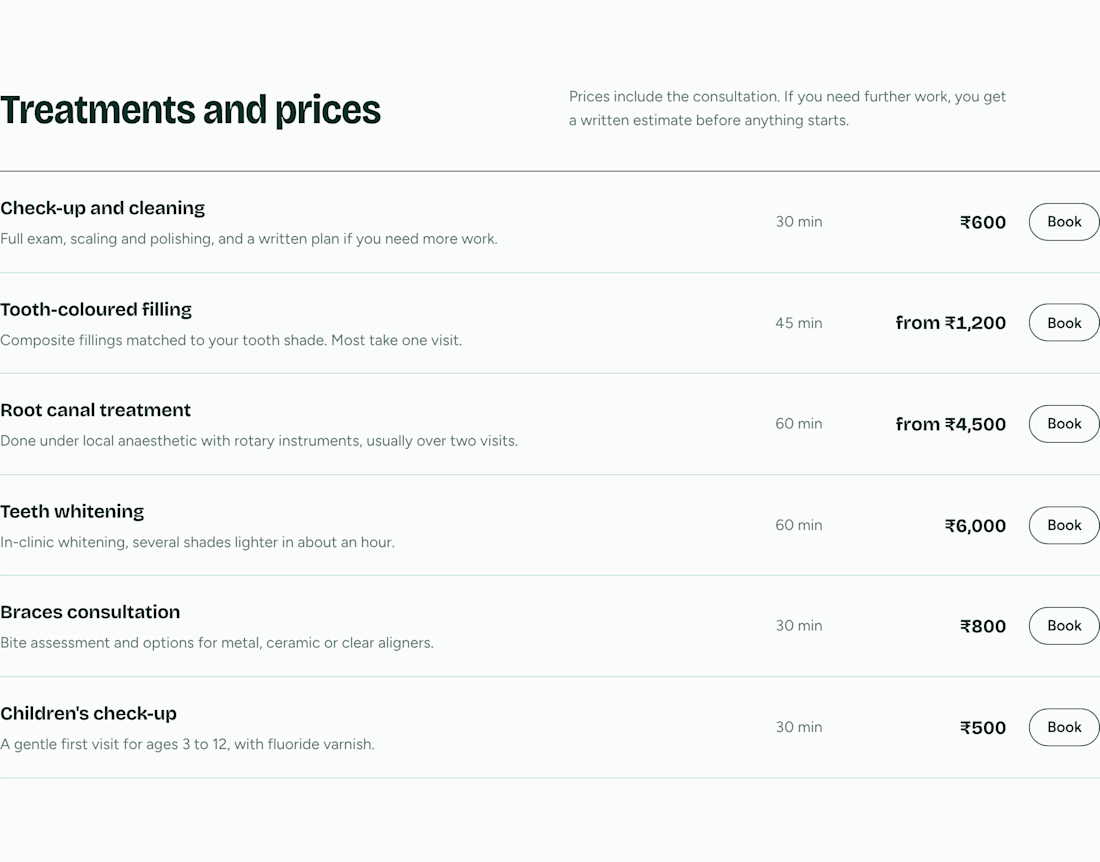
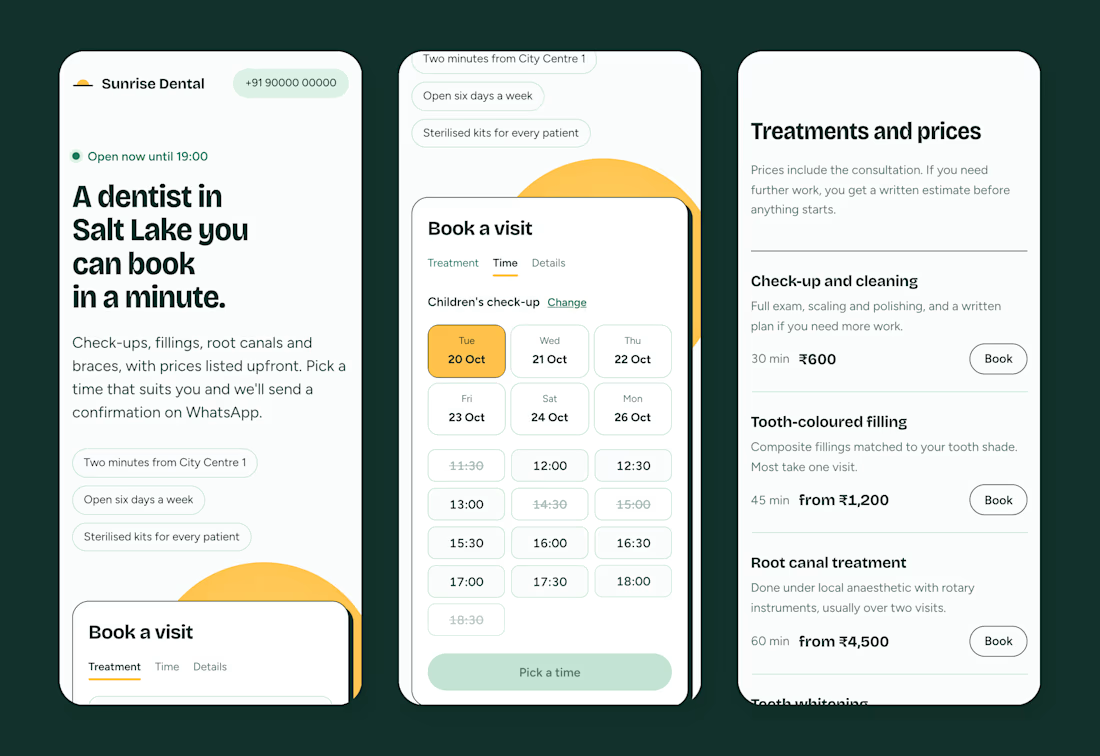
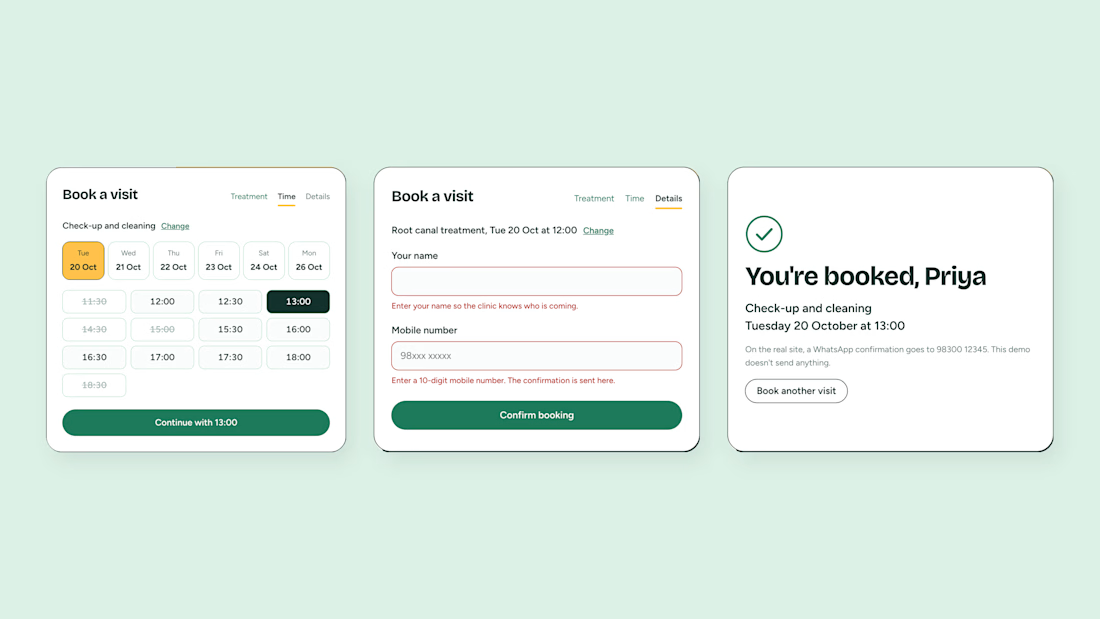
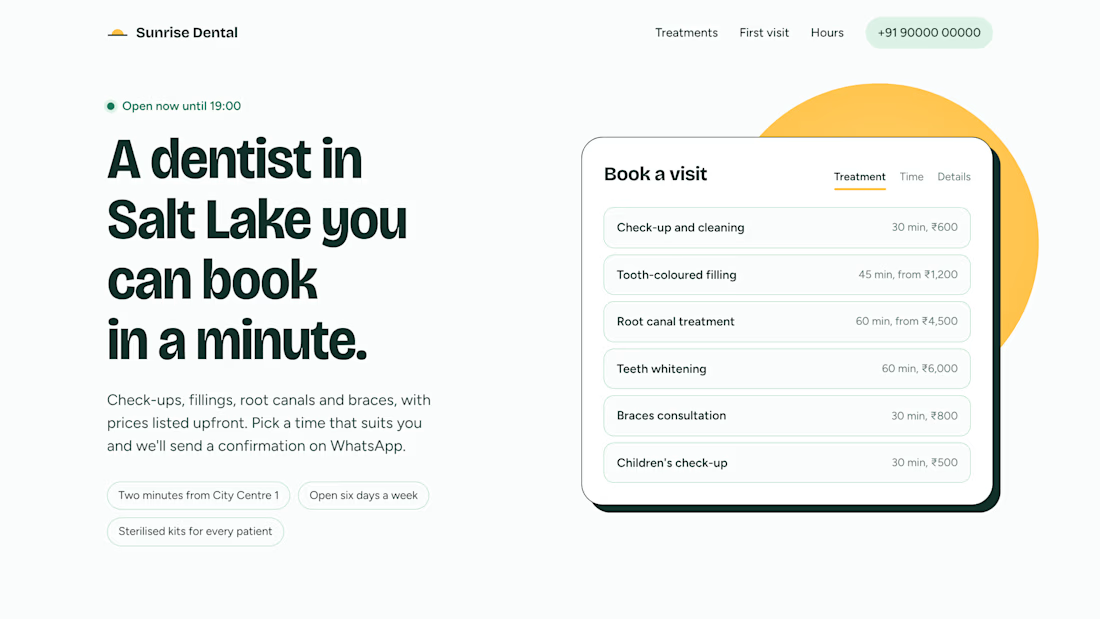

showing whether the clinic is open right now is a really useful detail, and the prices upfront too. are you planning to take it to clinics directly?

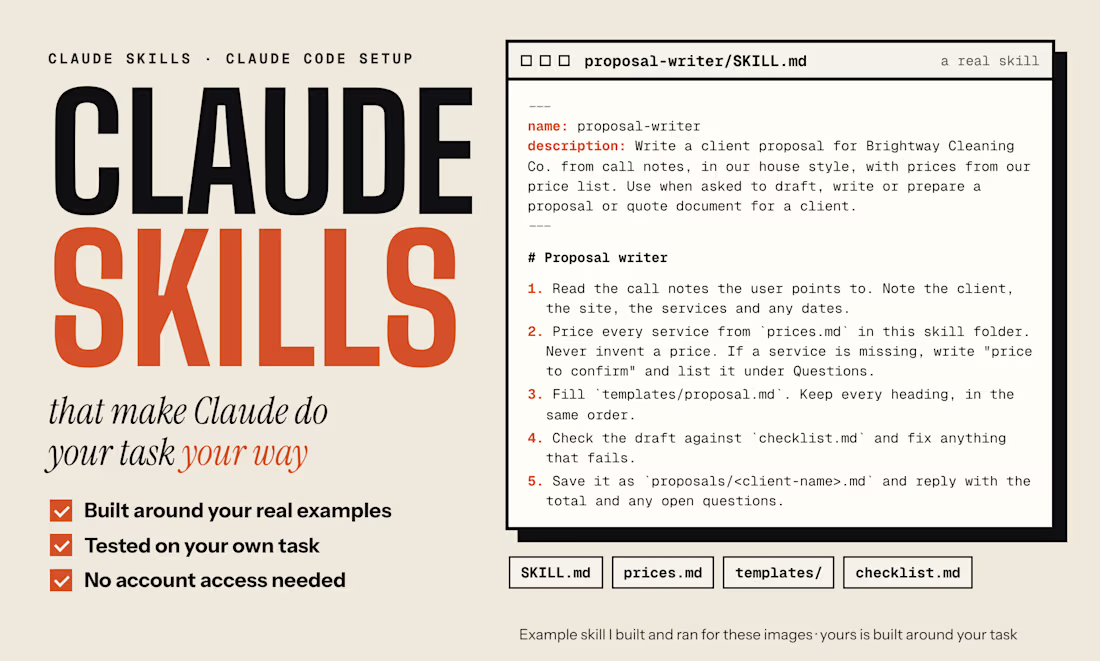
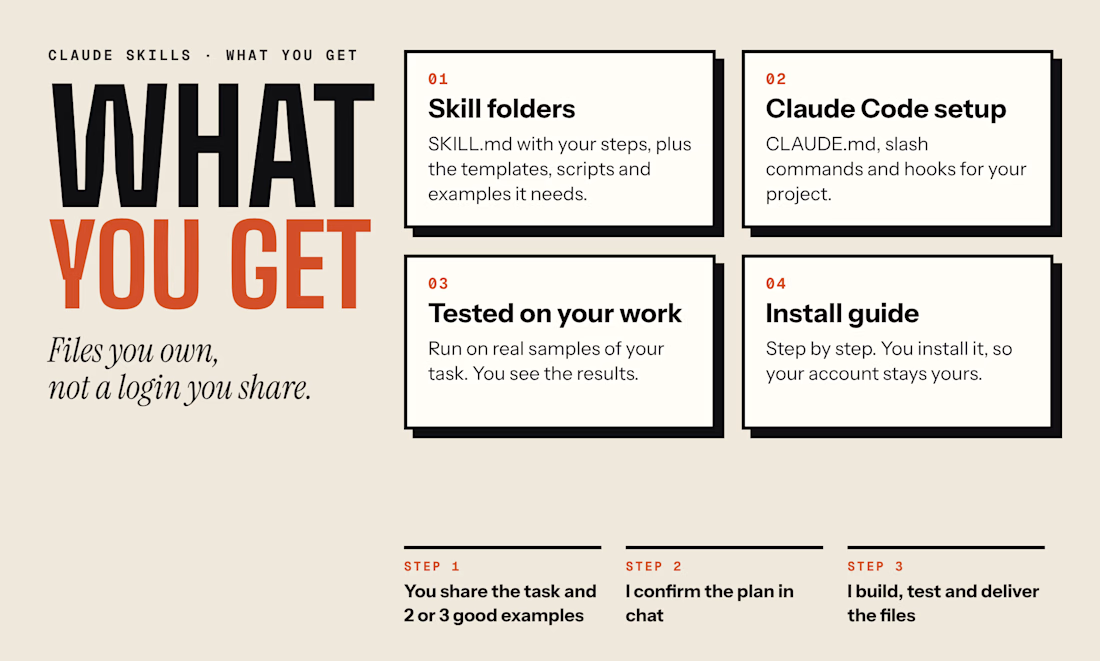
Proposal Writer: a custom Claude Skill that makes Claude follow one business's process every time.
The skill folder holds the steps (SKILL.md), a price list, a proposal template and a checklist. In a real Claude Code run, it turned call notes into a priced proposal in the house style. It used only the skill's own prices, flagged an unmeasured job as "price to confirm" and caught that 7 November 2026 is a Saturday, not a Friday.
An example I built for my portfolio, with demo data. For clients, I build skills around their own task and test them on their own examples.
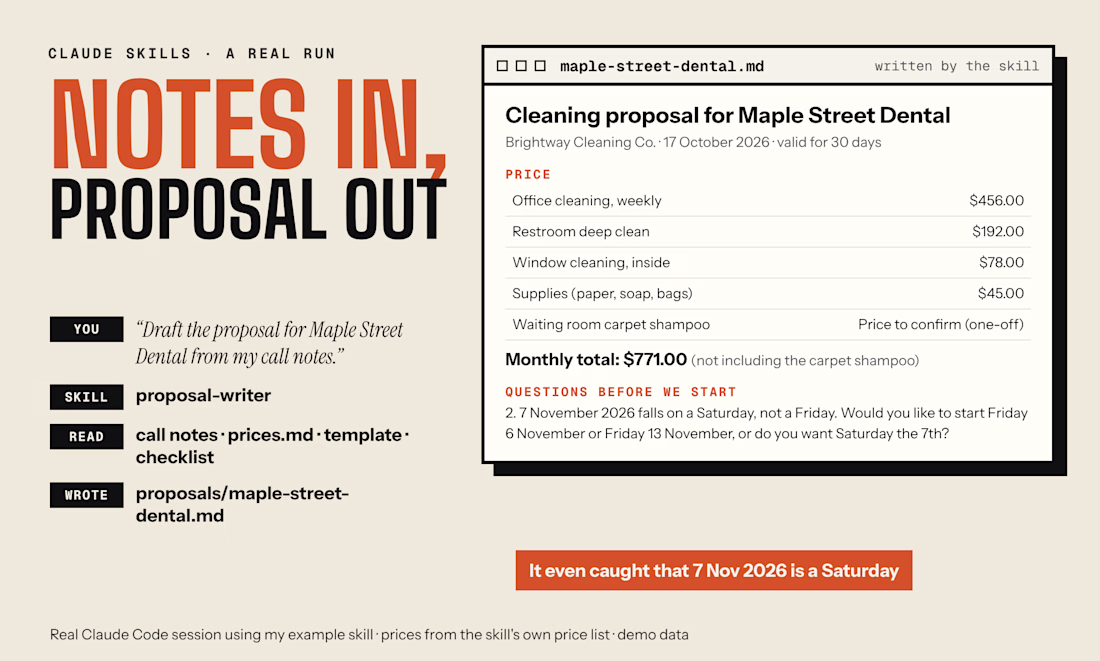

For the "price to confirm" case, I'd test notes with a quantity but no matching unit, such as "12 panels" when the rate is per square metre. Does the skill ask for the missing measurement before calculating a total, even if the notes include the client's suggested budget?