The network for creativity
Join 1.25M professional creatives like you
Connect with clients, get discovered, and run your business 100% commission-free
Creatives on Contra have earned over $150M and we are just getting started
Back to feedPost


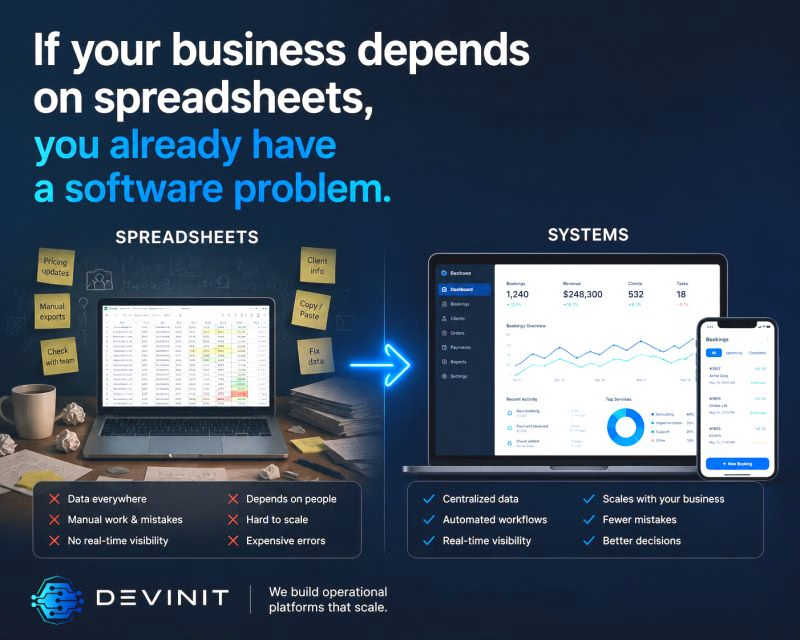
If your business depends on spreadsheets, you already have a software problem. Not because spreadsheets are bad.
But because spreadsheets are usually a sign that your operations outgrew your systems. I see this constantly in growing businesses.
At first it’s manageable:
- one spreadsheet
- a few manual processes
- a couple of people coordinating everything.
Then the business grows. Suddenly:
- data lives in 7 different places
- people manually copy information between systems
- approvals happen in Telegram
- operations depend on specific employees
- mistakes become expensive
- nobody fully trusts the numbers anymore.
At this stage, the problem is no longer "organization". It becomes an operational scalability problem. And this is where many companies start looking at automation, AI, dashboards, or new tools.
But in reality, the first issue is usually much simpler: The business has no central operational system. Most operational chaos comes from disconnected workflows - not from a lack of effort.
One important thing though:
- Not every spreadsheet problem requires custom development.
- Sometimes a process should be simplified first.
- Sometimes the real bottleneck is operational structure, not technology.
- Good software should remove complexity - not digitize chaos.
Curious at what point other founders realized their business had outgrown spreadsheets.
The network for creativity
Join 1.25M professional creatives like you
Connect with clients, get discovered, and run your business 100% commission-free
Creatives on Contra have earned over $150M and we are just getting started
Related posts

Built myself a little command center for my freelance work this week. It’s called Bench.
Contra handles the contracts and payments, but my day-to-day was scattered across Contra chats, Gmail, my calendar, Notion, and a notes app. So I pulled it all into one place:
• A dashboard showing what needs me today: unread messages, overdue tasks, past-due invoices, leads that have gone quiet
• Each project gets its own page with scope, deliveries, tasks, links, and the full message thread from Contra and email
• A pipeline for leads, including a “Ghosted” column, because we’ve all been there
• A time tracker for the hourly stuff
• It syncs with my Contra projects and invoices every morning
Curious how other freelancers here keep track of everything. Spreadsheets? Notion? Pure chaos?

The Ghosted column is painfully relatable. Does the morning sync use Contra's API?

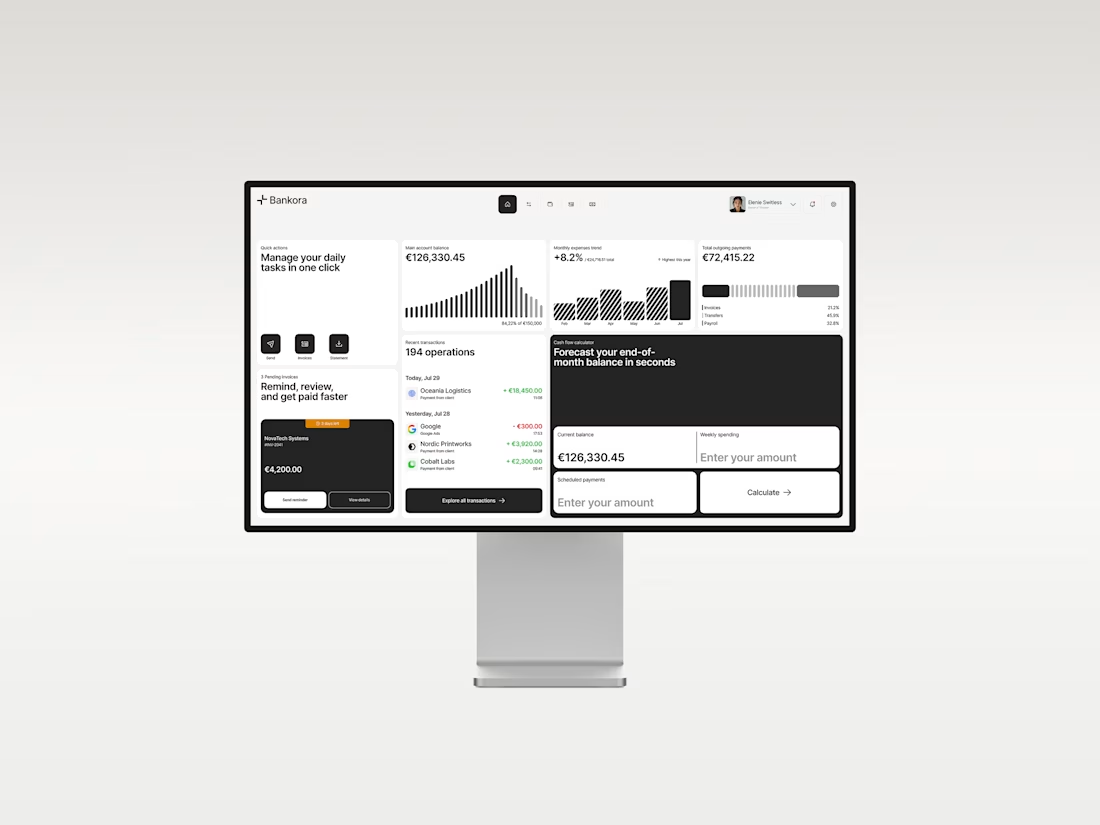
Business banking is already complex. The product shouldn’t make it feel even harder.
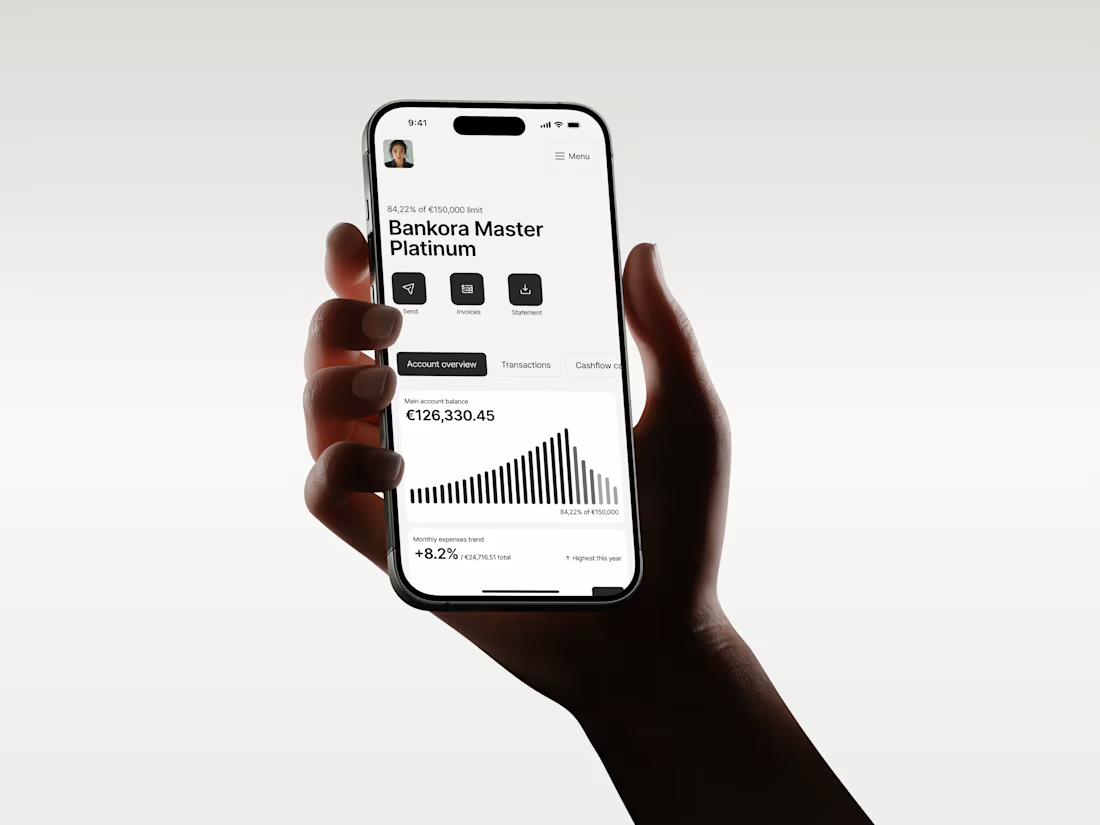
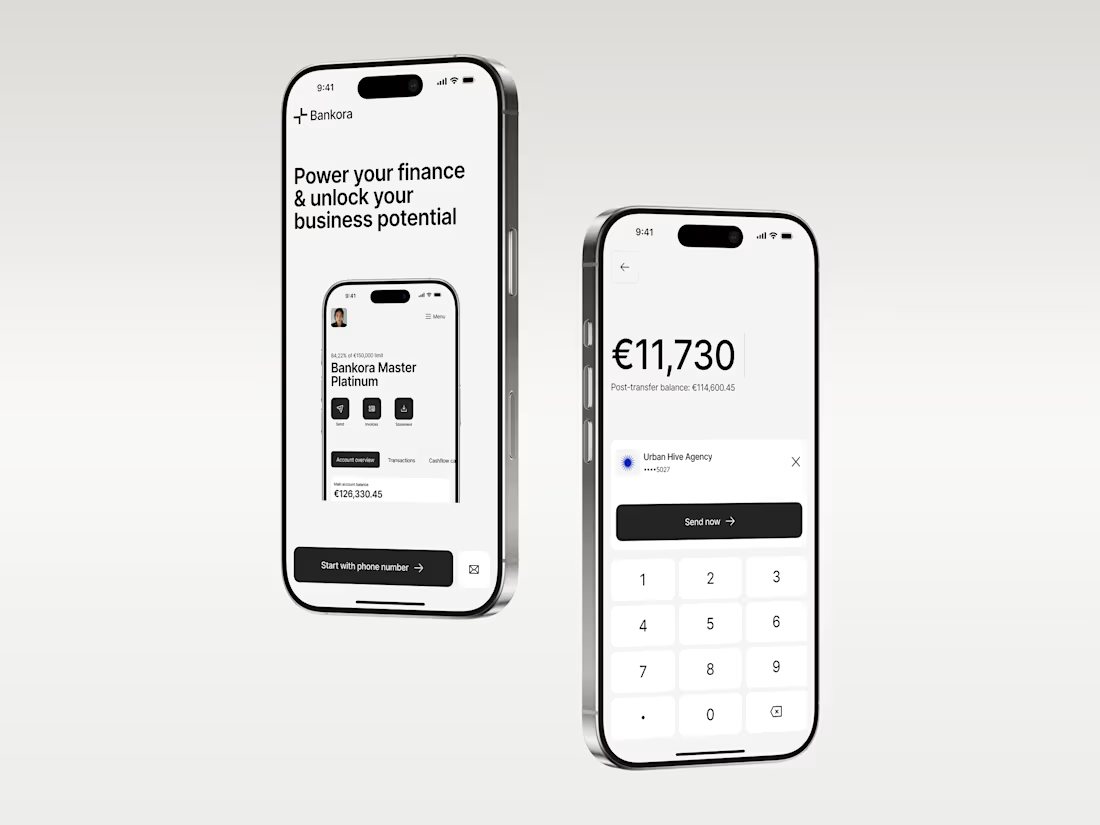
That was the thinking behind Bankora.
Payments, invoices, cash flow, financial overview. These are things business teams deal with constantly, yet many banking products still bury simple actions under dense data, long paths, and complicated navigation.
So I started with the workflows, not the screens.
I looked at the tasks people need to complete most often, where unnecessary steps appear, and what information actually needs attention first.
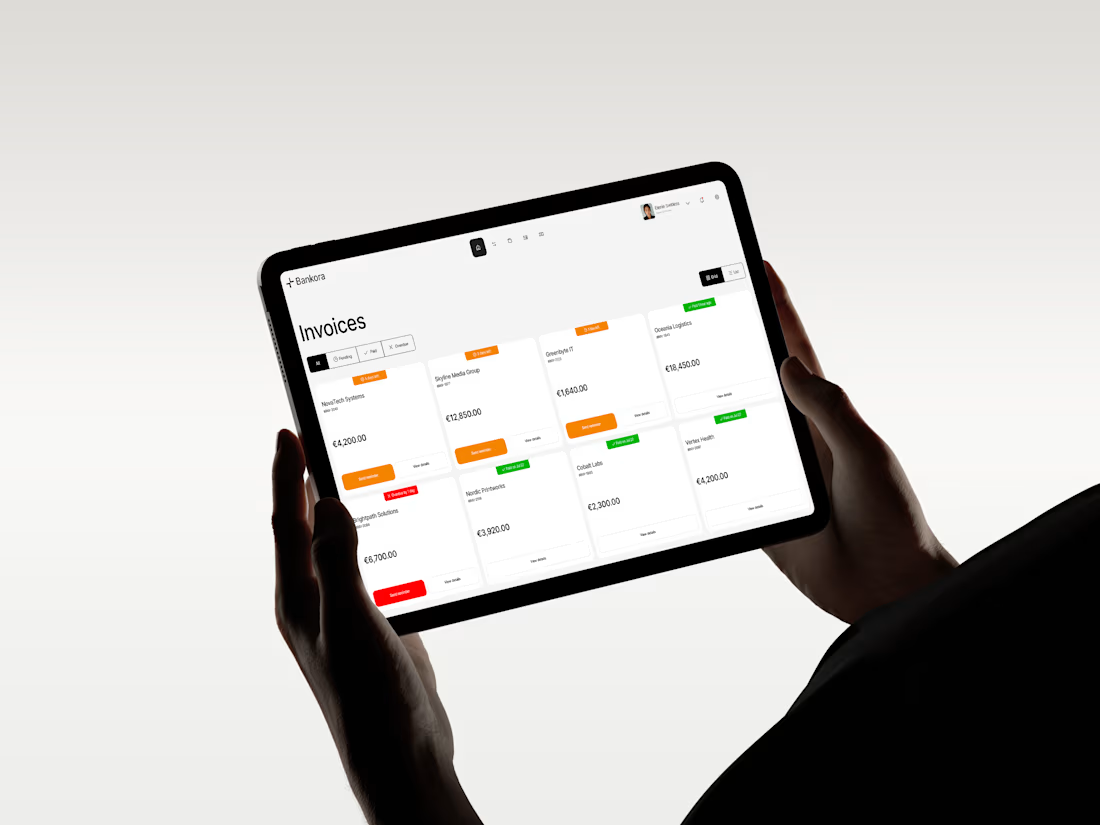
From there, I built the experience around clearer priorities: key actions available quickly, predictable navigation, structured financial data, and modular UI that makes things like pending and overdue invoices easier to understand at a glance.
I also designed an interactive cash flow calculator to help users see where the business may be heading, not just what has already happened.
The goal wasn’t to make financial operations simpler than they really are.
It was to make interacting with them feel simpler.
Less searching. Less cognitive load. More confidence in what to do next.
And it was especially nice to see Bankora later featured by Contra.

clean!

Real Estate Operations Management System | Notion Template
Project Overview
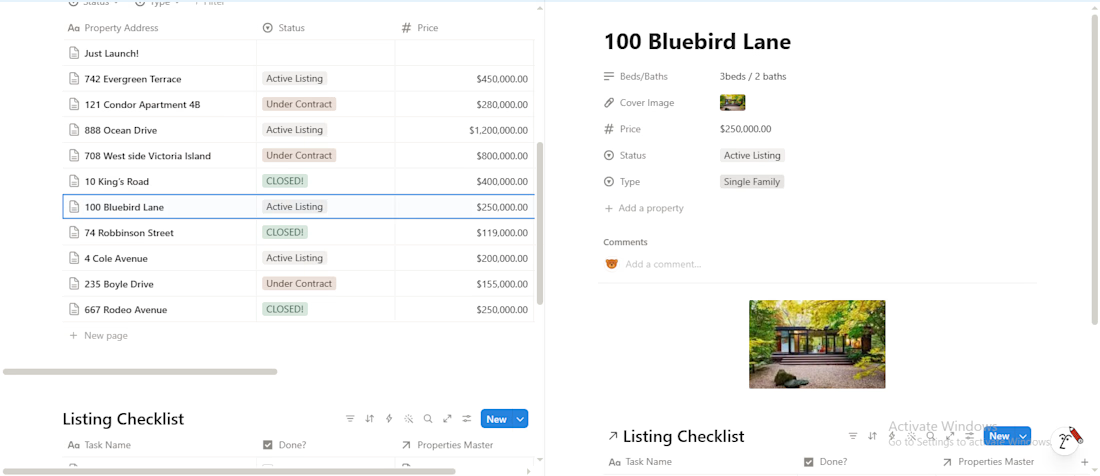
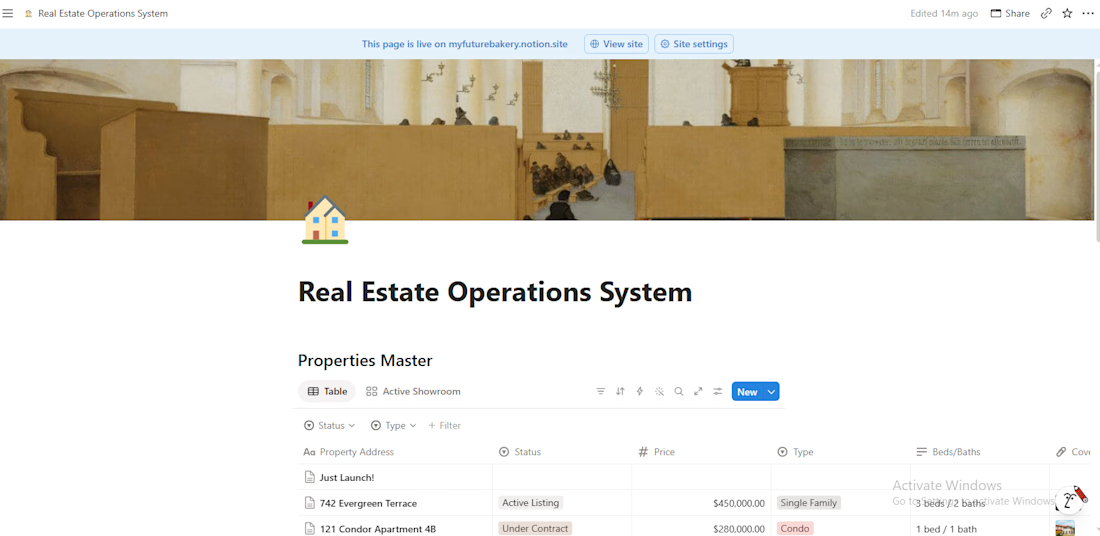
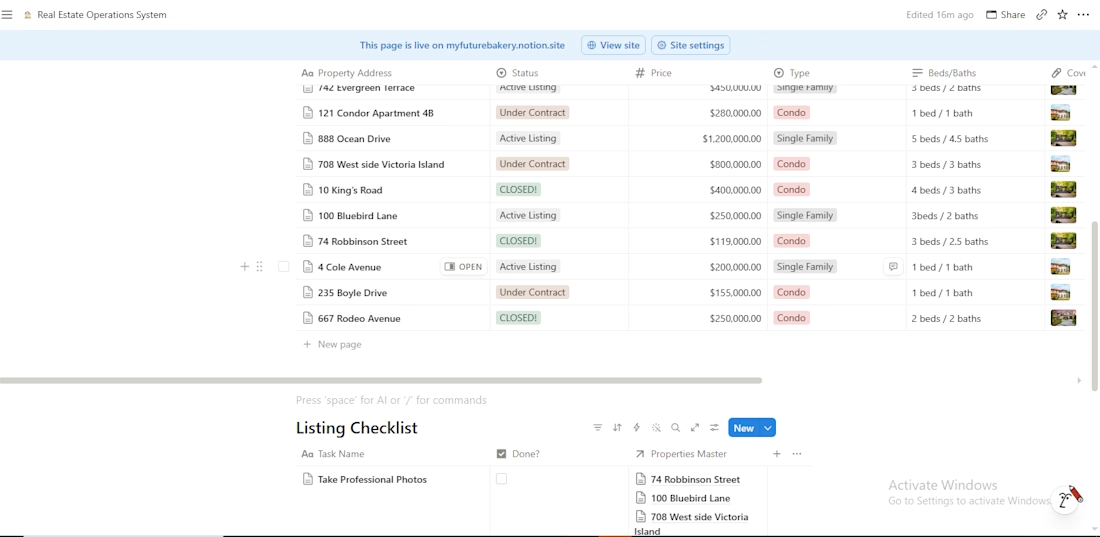
I designed and built a centralised Notion workspace for real estate professionals to organise property information, manage daily operations and keep track of important business activities.
The workspace brings essential real estate management functions together in one place, providing a structured way to manage properties, monitor activities and stay on top of appointments.
Key Features
Property Management: Maintain an organised database of property listings, details, availability and other important information.
Viewing Schedule: Organise property viewings, track appointments and keep viewing details accessible.
Task Management: Manage daily responsibilities, follow-ups and operational tasks.
Client Management: Keep client information and relevant property interests organised.
Business Organisation: Bring important operational information and activities together in one accessible workspace.
The Goal:
To create a practical and easy-to-use system that helps real estate professionals stay organised, manage property-related activities and keep their operations running smoothly without relying on scattered records or multiple disconnected tools.
Tools Used: Notion