The network for creativity
Join 1.25M professional creatives like you
Connect with clients, get discovered, and run your business 100% commission-free
Creatives on Contra have earned over $150M and we are just getting started
Back to feedPost

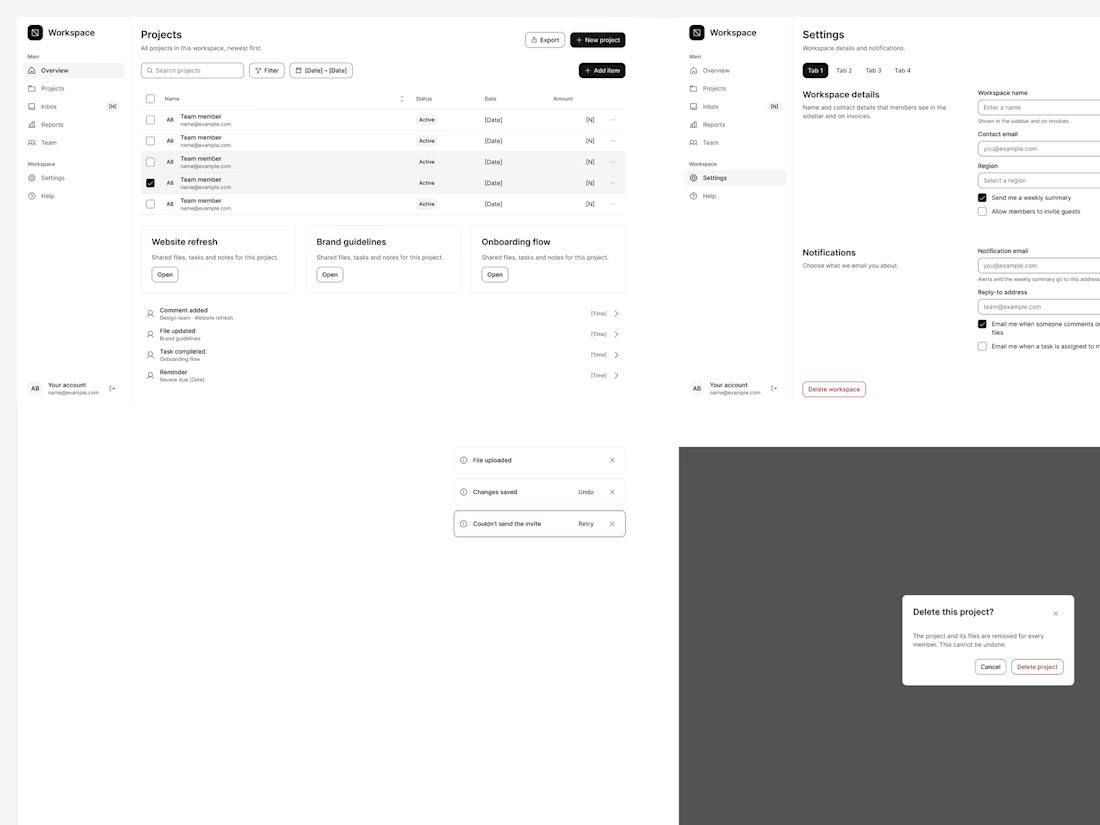
Why your AI writes six kinds of checkboxes
If an AI tool can't see your components, it writes its own. Ask it for a settings page and you can get a checkbox your team never designed. Ask six times and you can end up with six kinds of checkboxes.
So I see a design system as a limit for AI code. A good limit.
At PASV I built our first design system with a front-end engineer: 120 documented components with states, usage guidance and accessibility notes. It is one shared source for design and engineering. An AI tool needs the same base. The components should live in code with clear names, and colors should come from tokens, not raw hex values. Then the usage rules go into a short text file the tool reads before it builds.
It also helps with accessibility. We brought 300+ screens to WCAG 2.1 AA by fixing about 15 critical contrast and keyboard-focus issues at the design-system level. When AI builds from the same components, its screens get those fixes too.
Before you ask AI to build more screens, make sure it builds from your components.
The network for creativity
Join 1.25M professional creatives like you
Connect with clients, get discovered, and run your business 100% commission-free
Creatives on Contra have earned over $150M and we are just getting started



Related posts

I'm building MorningAI — an AI automation platform designed to help businesses save time and work smarter.
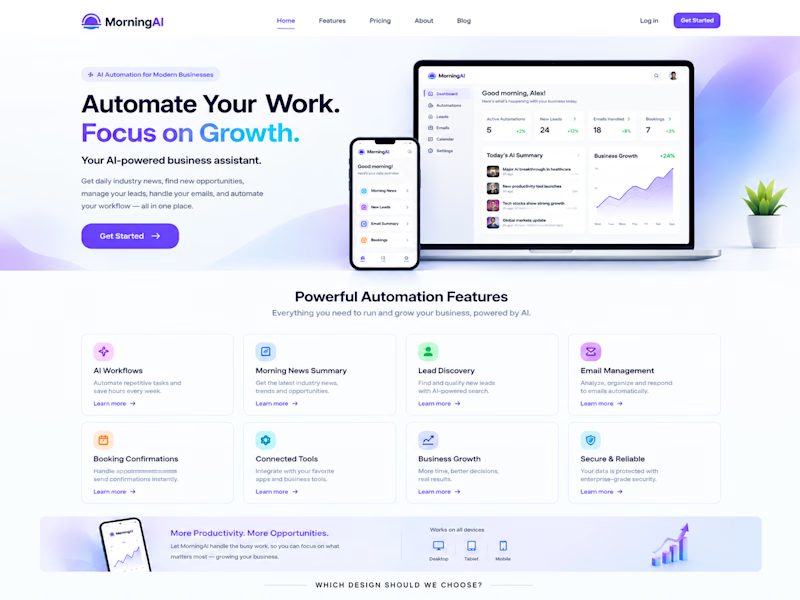
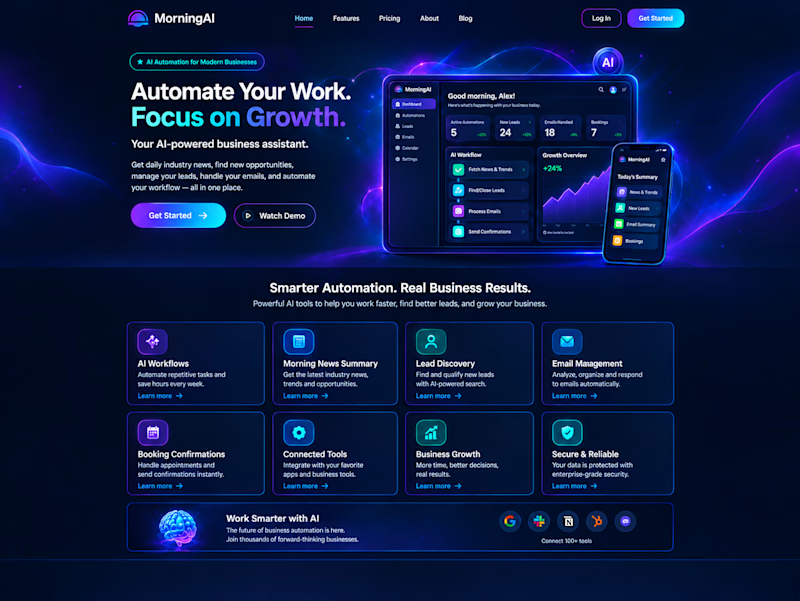
I'm deciding on the website's visual direction, and I'd love your opinion!
🅰️ Design A: Light, clean & professional
🅱️ Design B: Dark, futuristic & premium
Which design should I choose for MorningAI — A or B?
Drop your choice in the comments! 👇
4 voted
57%
3 voted
43%
7 votes
Closed

With AI everywhere, clients are still looking for a designer who can think differently!


Component states for an analytics platform
Each state is decided before the build, so the team isn't stopping mid-sprint to ask how it works.