The network for creativity
Join 1.25M professional creatives like you
Connect with clients, get discovered, and run your business 100% commission-free
Creatives on Contra have earned over $150M and we are just getting started
Back to feedPost

A stalled software project usually does not need more activity first. It needs a decision.
My Failed Project Recovery Plan separates symptoms from root causes, maps ownership and access gaps, identifies the first 72 hours, and ends with a clear stop, stabilize, rebuild, or continue recommendation.
The sample shows the decision system before implementation begins.
The network for creativity
Join 1.25M professional creatives like you
Connect with clients, get discovered, and run your business 100% commission-free
Creatives on Contra have earned over $150M and we are just getting started
Related posts

Most unfinished work doesn't stall because it's hard. It stalls because coming back means reconstructing the situation.
Resume This removes that cost: you photograph a project before you pause, and the app turns that into a short summary of what's done, what's in progress and the first small step.
It's built for DIY and repairs, creative work and side projects, and it's deliberately calm: no streaks and no guilt.


Be honest: how long has your MVP been “almost ready”?
Most MVPs don’t fail because the idea is bad. They fail because:
The scope kept growing
Nobody tracked whether it was working
The stack was built for a company that doesn’t exist yet
So here’s the real question: if you had to launch in 30 days, which feature would you cut first? Drop it in the comments
We’ll reply with how we’d scope it. And if you’re planning an MVP (or rescuing one that stalled), we’re Qoderx. Message us and let’s map it out.
Save this for your next launch. #MVP #StartupFounders #ProductDevelopment #AppDevelopment #SaaS #TechStartup #Qoderx


Task & Project Management
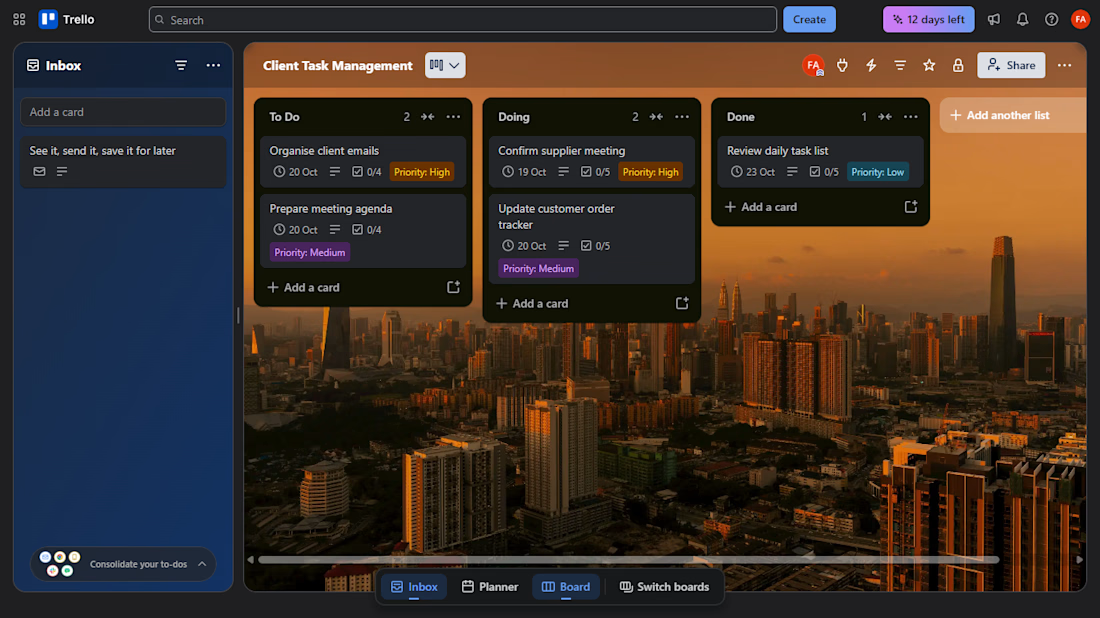
A Trello board that breaks the week into clear tasks: organising client emails, preparing a meeting agenda, confirming a supplier meeting, updating a customer order tracker and reviewing the daily task list. Each card moves from To Do to Done, with a due date, checklist and priority label.