The network for creativity
Join 1.25M professional creatives like you
Connect with clients, get discovered, and run your business 100% commission-free
Creatives on Contra have earned over $150M and we are just getting started
Back to feedPost

Automated Client Statement Generator | Excel & Word VBA Automation
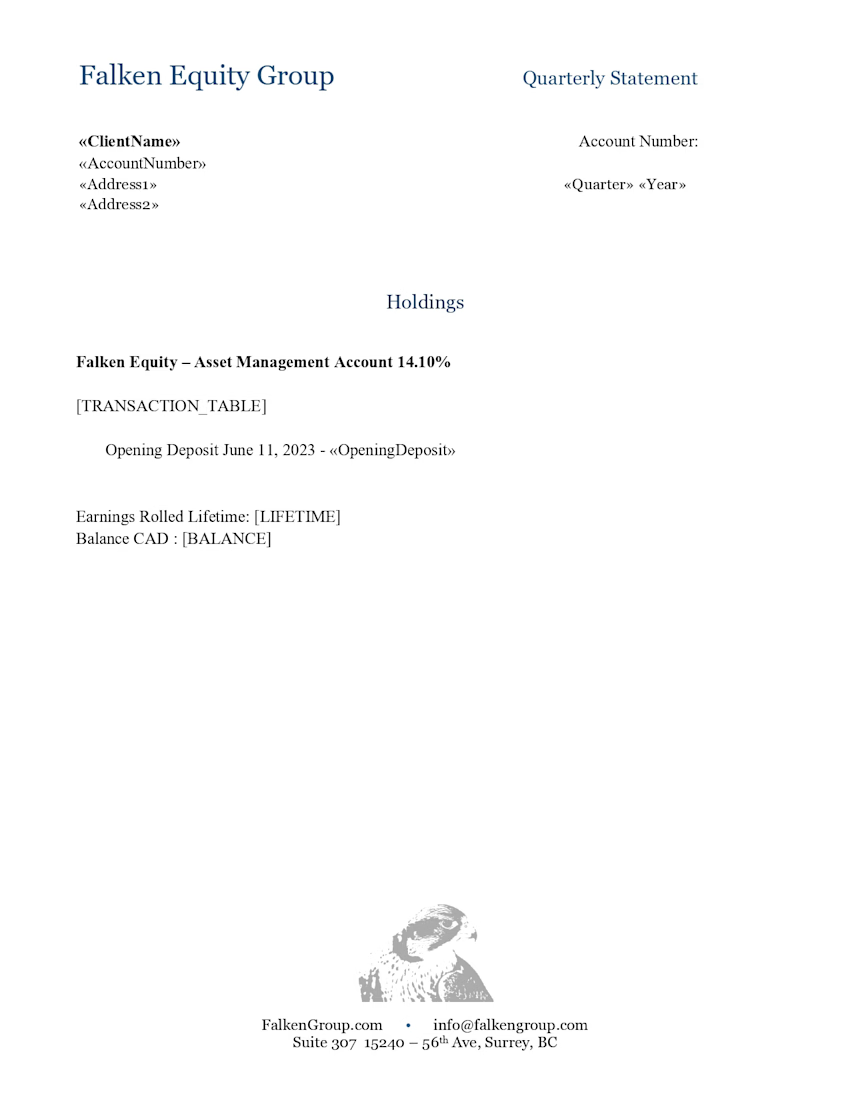
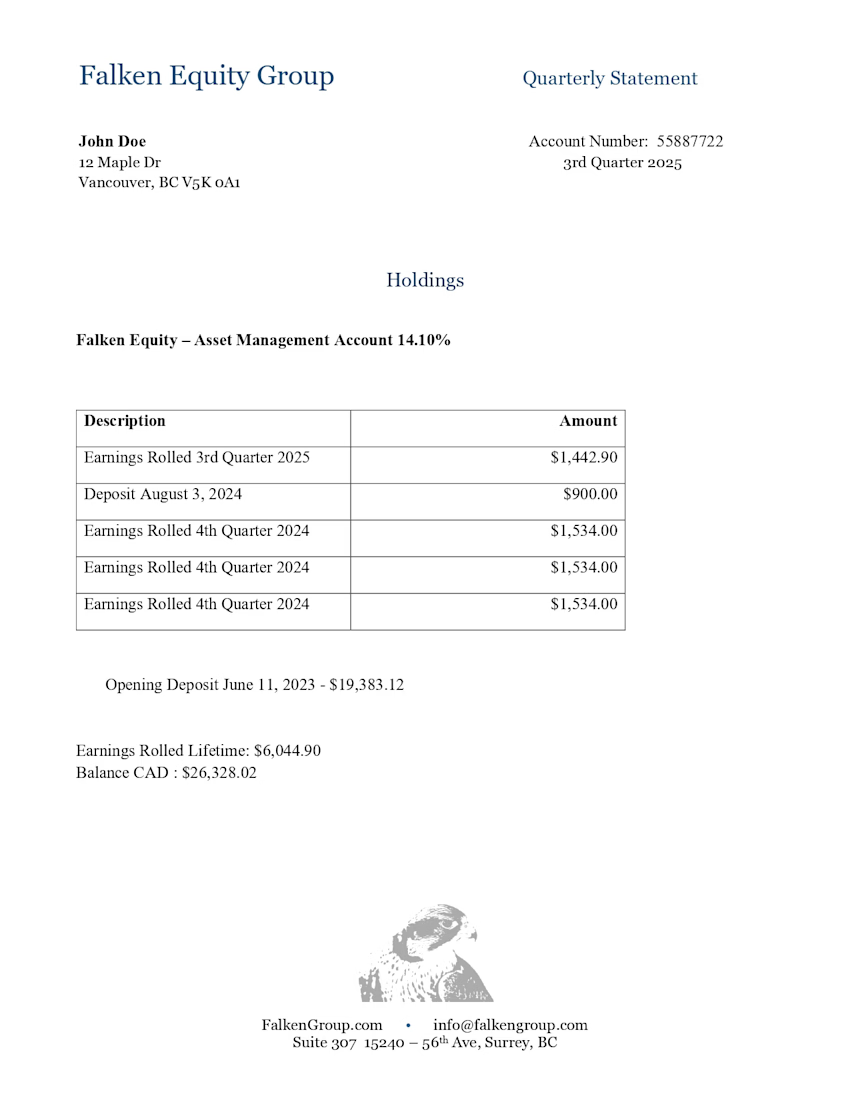
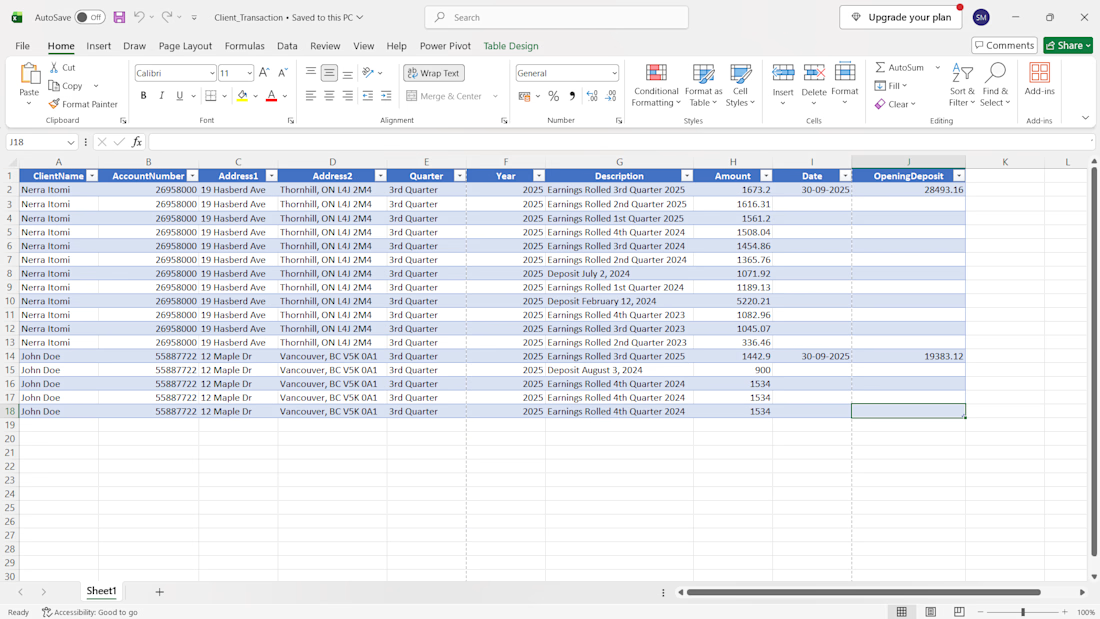
I developed an automated client statement generation system that converts Excel transaction data into individual, professionally formatted PDF statements with just one click.
The solution combines Microsoft Excel, a macro-enabled Microsoft Word template, and VBA automation to eliminate repetitive manual work and simplify quarterly statement preparation.
Key Features
One-Click PDF Generation: Generate individual PDF statements for multiple clients in a single run.
Excel Data Integration: Automatically reads client details, account numbers, transaction descriptions, dates, amounts, and opening deposits from an Excel workbook.
Automated Calculations: Processes statement data and calculates totals automatically.
Individual PDF Export: Creates a separate PDF statement for each client, using their account number and name for file naming.
Reusable Quarterly Template: Update the Excel data for the next quarter and regenerate statements without manually creating each document.
Consistent Formatting: Uses a standardized Word template to maintain a consistent statement layout.
Tools & Technologies
Microsoft Excel • Microsoft Word • VBA Macros • PDF Automation • Data Processing
Project Outcome
This system streamlines repetitive reporting tasks, reduces manual document preparation, and makes generating statements for multiple clients faster and more consistent.
I build practical Excel automation solutions that help businesses save time, simplify reporting, and improve their workflows.


The network for creativity
Join 1.25M professional creatives like you
Connect with clients, get discovered, and run your business 100% commission-free
Creatives on Contra have earned over $150M and we are just getting started



Related posts

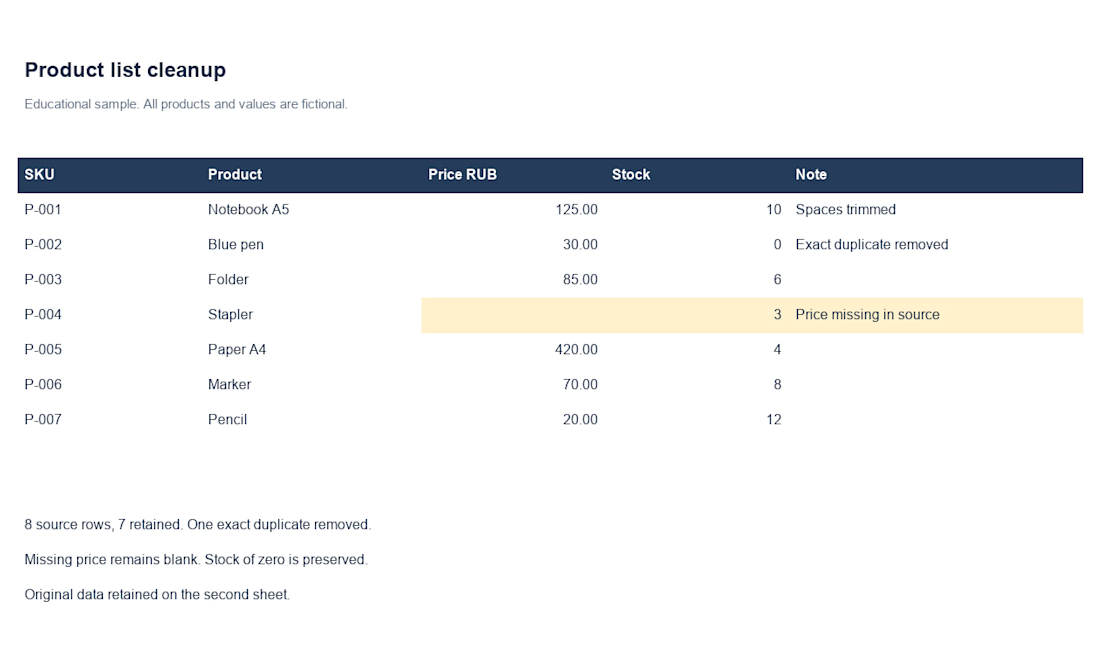
A personal Excel/CSV data-cleaning demo: 8 fictional input rows become 7 after removing one exact duplicate. Zero stock is preserved; a missing price stays blank and is flagged. The original data is retained for comparison. This is a self-initiated example, not client work.
I can help with Excel/CSV cleaning, reconciliation and clear reports. We agree scope, price and delivery after reviewing a sample. First project: 50% off the agreed regular quote, with no future-order commitment.

Great approach to data cleaning! Preserving the original data while flagging missing values and removing only exact duplicates helps maintain accuracy and transparency. These small checks can make a big difference in reliable reporting.

Stop wasting time processing PDFs manually.
With n8n and AI, extract important information automatically and organize it in Google Sheets.
More than automation: a smarter solution to a real business problem.


Nice, swapping in a vision model is a smart upgrade for scanned files. Are you planning to add a fallback for when the AI node isn't confident?

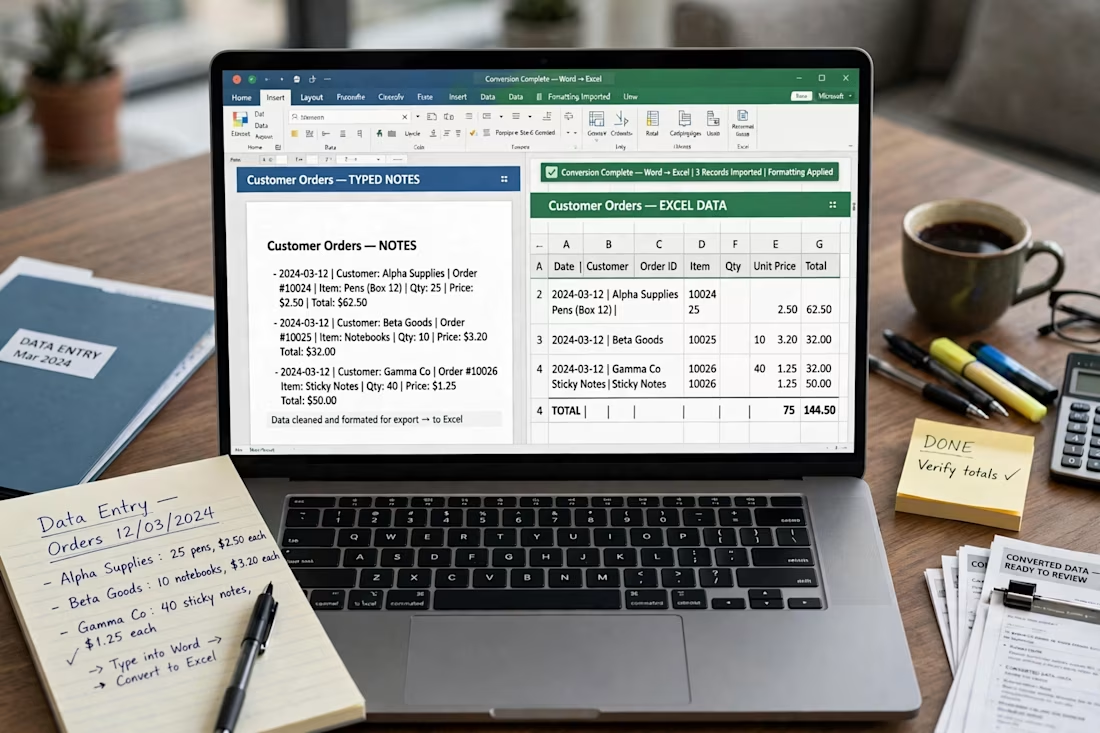
Handwritten Notes to Excel Conversion
Ty or d and converted handwritten customer orders into a structured Excel sheet. Included date, customer name,order ID, quantity and total calculations. ensured 100% accuracy. Tools:Excel ,Data Entry.