The network for creativity
Join 1.25M professional creatives like you
Connect with clients, get discovered, and run your business 100% commission-free
Creatives on Contra have earned over $150M and we are just getting started
Back to feedPost

Show us how you made an idea into reality with the Squarespace Make It Real Challenge, happening July 16–23.
Check out the challenge guidelines and start creating!

The network for creativity
Join 1.25M professional creatives like you
Connect with clients, get discovered, and run your business 100% commission-free
Creatives on Contra have earned over $150M and we are just getting started
Related posts


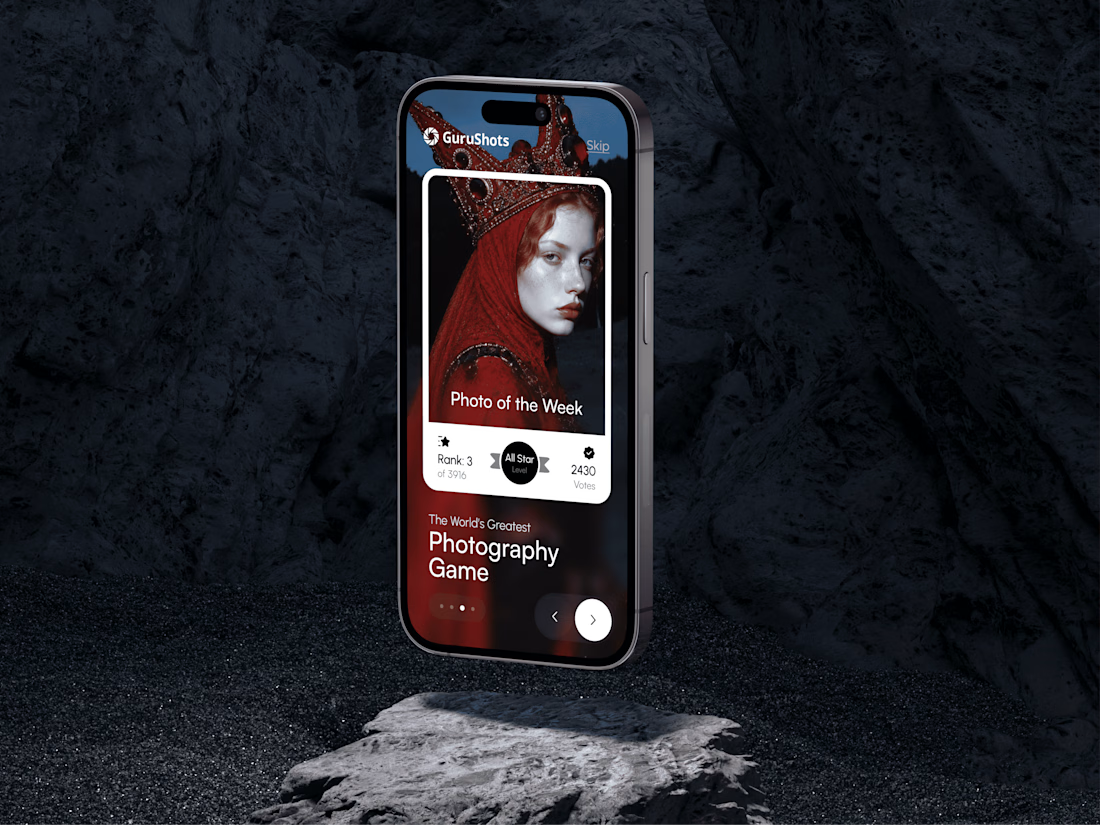
A new day, a new design to share! 📸
This time it is a photography challenge app that brings creativity and competition together through contests, voting, and gamification. What do you think of this one? ✨



The SVGator Challenge is officially done! Big shoutout to everyone who participated, liked, commented, shared, and scrolled through 🙌
Congratulations to the winners:
1st place: Kiel C.
2nd place: Artem Prokhorov
3rd place: Anna Peredelskaia
Best Use of MCP: The Fantone
Most Engaged Social Post: Om Shukla


Gamification doesn't have to mean building an app. Sometimes it's meeting your audience where they already play.
Check the case study here. For Weaselrat, we took our real-world lineup and made it skateable. The Weaselrat® Expansion Kit puts 29 pieces into Skater XL: 14 decks, tees, hoodies, hats and custom wheels, all built from our actual product art. Free for players, and a new place for the brand to live with the people who already love skate culture.

Putting the Expansion Pack card inside real skate footage is the smart move, the brand shows up where players already are. Pushback: the pack is free, so the 29 pieces only pay off if players wear the Weaselrat gear in the game and then want it off screen. How will you know that...


