The network for creativity
Join 1.25M professional creatives like you
Connect with clients, get discovered, and run your business 100% commission-free
Creatives on Contra have earned over $150M and we are just getting started
Back to feedPost

If your WooCommerce store feels slow, check these three things before you pay for a new theme or a bigger server.
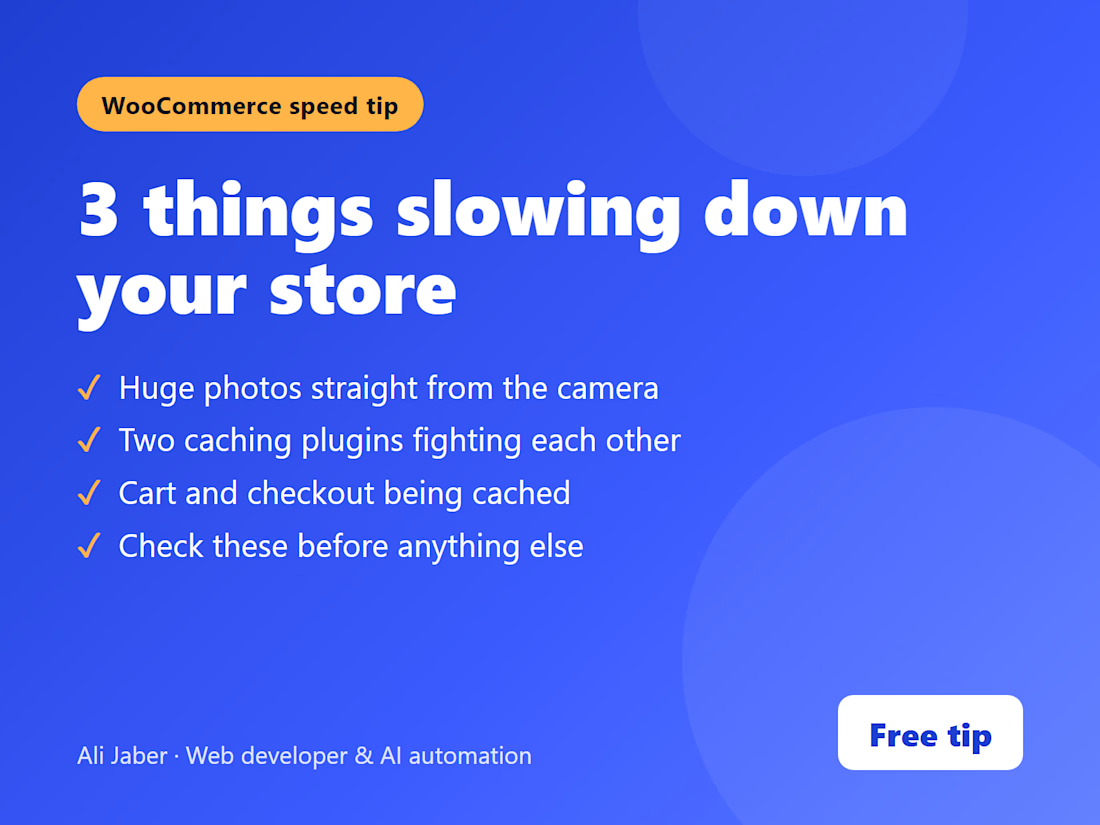
1. Huge product photos uploaded straight from the camera or the supplier. Resize and compress them.
2. Two caching plugins installed at the same time. They fight each other. Keep one.
3. Cart and checkout pages being cached. That can show customers the wrong cart. Exclude them from the cache.
These are the first things I check on any store, including my own. Want me to look at yours? My SEO and speed audit is in my services.


The network for creativity
Join 1.25M professional creatives like you
Connect with clients, get discovered, and run your business 100% commission-free
Creatives on Contra have earned over $150M and we are just getting started









Related posts


How fast can a template get without changing a single pixel?
⠀
We just optimized 11 of our templates in Framer, Astro and Next.js. The rule was simple: nothing visible changes, only how things load.
⠀
What we changed: CSS inside the page, fonts from our own domain instead of Google Fonts, WebP images with phone-sized copies, videos that load when you scroll near them, heavy videos re-encoded without visible loss (one template went from about 20 MB of video to 2.4 MB), WebGL that starts near the screen, and analytics after the page. Every page was checked pixel by pixel at three widths before and after.
⠀
Mobile PageSpeed now, Astro / Next.js:
Sunbeam 100 / 100
Auria 100 / 96
Lapse 97 / 98, up from 64 / 66
Parley 97 / 94
Nova Quinn 93 / 92 ⠀
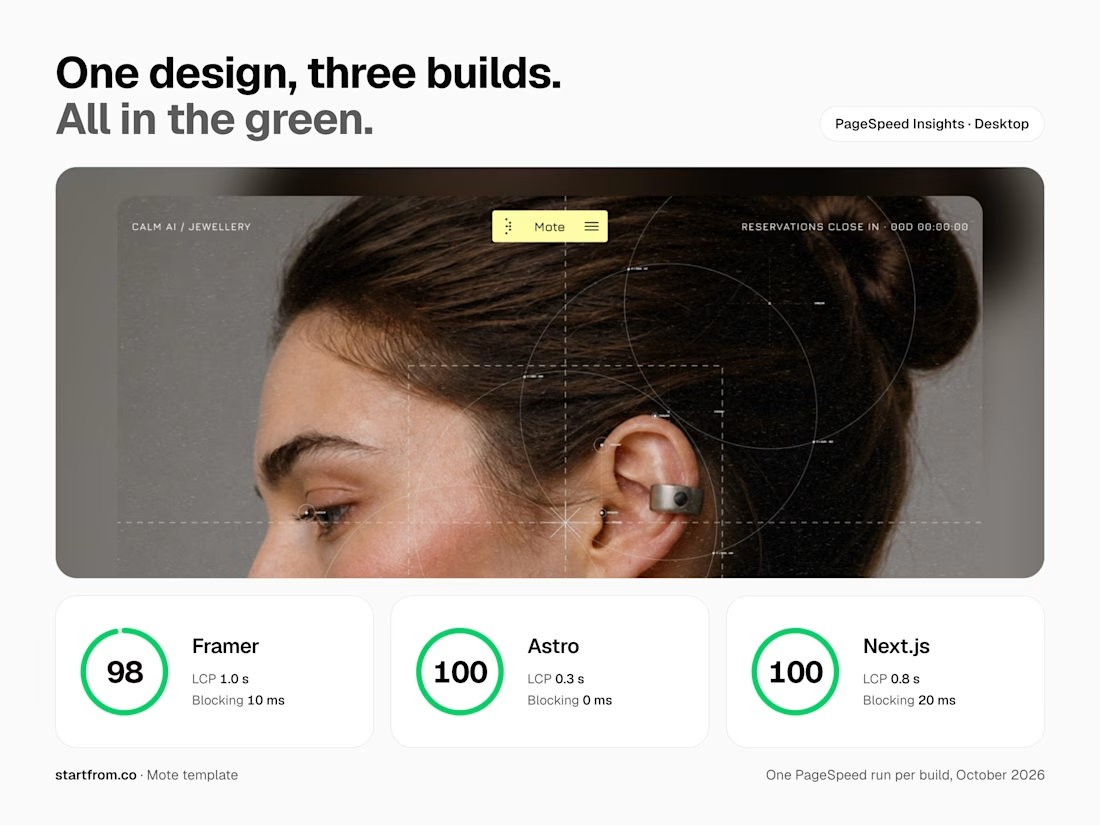
On desktop, Mote scores 98 in Framer and 100 in Astro and Next.js.
More posts on the individual fixes coming.



Nothing visible changes, only how things load is such a good rule. Speed work like this is underrated, buyers feel it even if they can't see it.

𝗜𝘁'𝘀 𝗗𝗮𝘆 𝟭𝟬 𝗼𝗳 𝟯𝟬𝗱𝗮𝘆𝘀
𝗦𝗵𝗼𝗽𝗶𝗳𝘆 𝗦𝗽𝗲𝗲𝗱 𝗢𝗽𝘁𝗶𝗺𝗶𝘇𝗮𝘁𝗶𝗼𝗻: How to Score 95+ on Google PageSpeed Insights
Is your Shopify store slow on mobile? Slow load times directly hurt your conversion rate.
𝗧𝗼-𝗱𝗼 𝗟𝗶𝘀𝘁:
1. Compress banners to WebP format.
2. Remove unused tracking app scripts.
3. Preload critical brand fonts.
4. Defer non-essential JavaScript.
𝗧𝗼𝗼𝗹𝘀 𝘁𝗼 𝘁𝗲𝘀𝘁 𝗼𝘂𝘁 𝘆𝗼𝘂𝗿 𝘀𝗶𝘁𝗲 𝘀𝗽𝗲𝗲𝗱:
𝗦𝗵𝗼𝗽𝗶𝗳𝘆 𝗦𝗽𝗲𝗲𝗱 𝗧𝗲𝘀𝘁: https://www.shopify.com/ng/compare/sitespeed
𝗦𝗵𝗼𝗽𝗦𝗰𝗮𝗻 𝗔𝗽𝗽: https://www.shopscan.app/tool/shopify-speed-checker
𝗧𝗵𝘂𝗻𝗱𝗲𝗿𝗽𝗮𝗴𝗲𝗦𝗽𝗲𝗲𝗱: https://www.thunderpagespeed.com/tools/speed-test/
𝗪𝗮𝘁𝗰𝗵 𝗼𝘂𝘁 𝗳𝗼𝗿 𝗺𝗼𝗿𝗲 𝘁𝗶𝗽𝘀 & 𝗵𝗮𝗰𝗸𝘀


Day 10 of 30 and you are unstoppable, Abdullahi. Removing unused tracking scripts is the one most stores ignore and the one that hurts most. Preloading critical fonts plus deferring non-essential JavaScript is the real speed formula. Sharing the testing tools makes this genuinely actionable.


If you sell to enterprises, deals feel slow right now.
And the fix going around is "send more emails."
More cold emails. More ads. An AI that sends them for you.
But that's rarely the real problem.
The real problem: buyers decide before they talk to you.
One big survey of business buyers found most of them pick their shortlist before they speak to any salesperson.
And they almost always buy from that list.
Where do they make that list.
On your website. Before you even know they exist.
So more emails just send more people to the same page.
If the page doesn't work, you just get more people leaving.
Here's the fix 👇
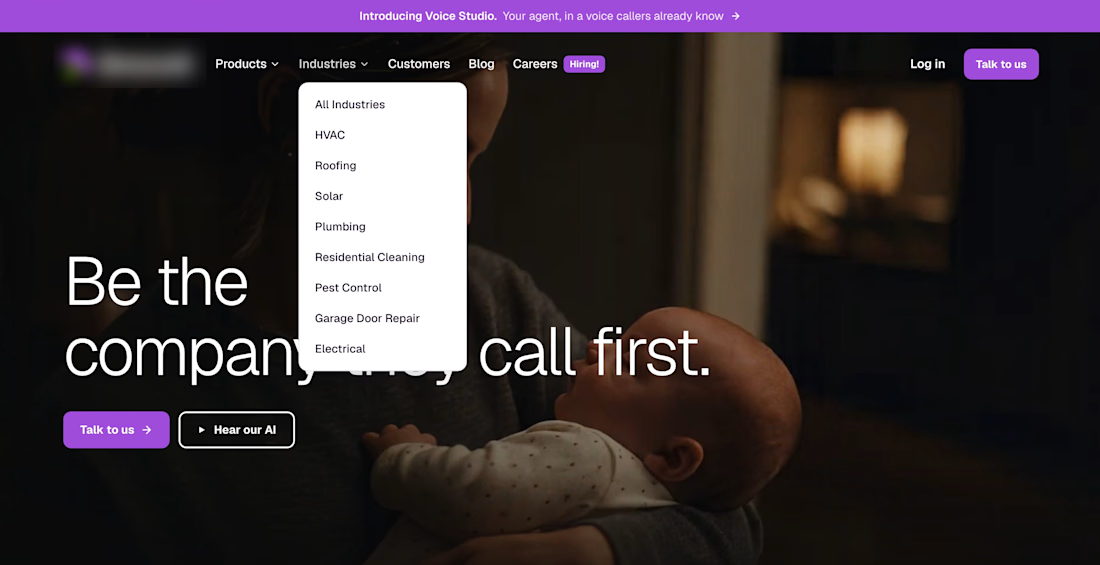
#1 - Make it clear who it's for. A stranger should get it in 5 seconds. One voice AI company lists 8 trades right in its menu. A roofer finds roofing in one click.
#2 - Show proof from a company like theirs. Their size, their industry, one real number.
#3 - If you handle their data, show how you keep it safe.
Bottom line: fix the page first. Then send more people to it.
This is the work we do.
We write and design the page your buyers land on. DMs open.