The network for creativity
Join 1.25M professional creatives like you
Connect with clients, get discovered, and run your business 100% commission-free
Creatives on Contra have earned over $150M and we are just getting started
Back to feedPost

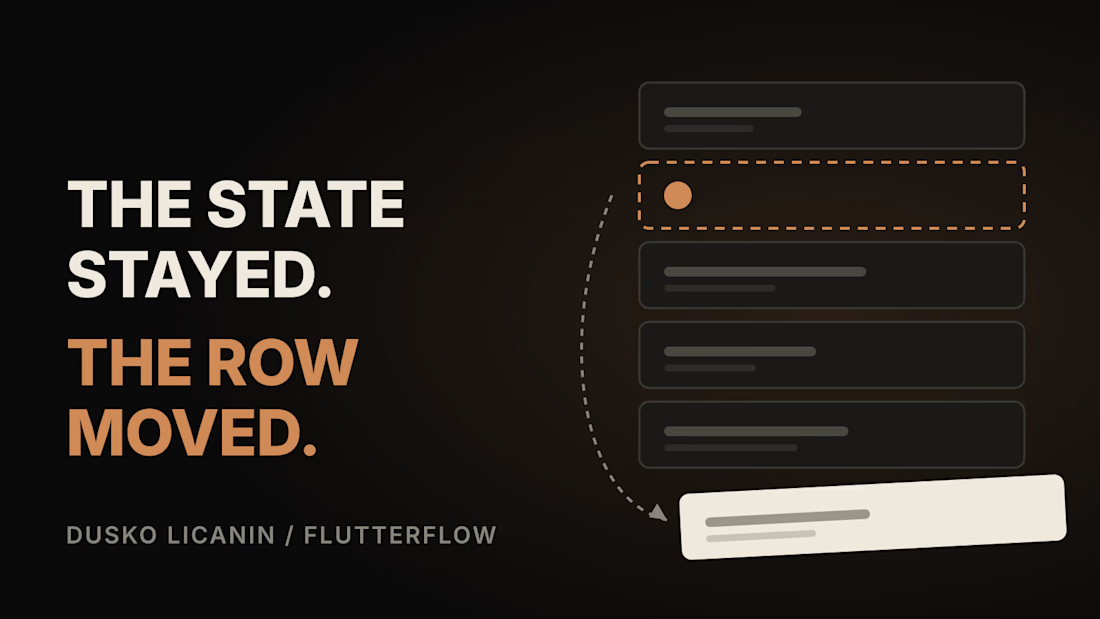
A list card in FlutterFlow can carry three values that look alike and belong in three different places: whether the card is expanded, whether the task is a favorite, and which task the side panel shows. Mixing them up is why one row's state turns up on another after a refresh.
Expanded is display state for one instance, so component state fits and a reset is acceptable. A favorite is a fact about the task, so it belongs in a field on that document. The selected task is one page-wide choice, so page state holds it as a document reference, not a list index.
Identity is the other half. Without a key, Flutter matches rebuilt rows by type and position, so state sitting at index 1 stays there and lands on whatever record moved into it. The ValueKey documentation recommends a stable identifier from the data model, such as a Firestore document ID.
Set one card's state, move that card to the top, and watch where the state goes.
https://www.duskolicanin.com/blog/flutterflow-component-state-list-reuse

The network for creativity
Join 1.25M professional creatives like you
Connect with clients, get discovered, and run your business 100% commission-free
Creatives on Contra have earned over $150M and we are just getting started



Related posts

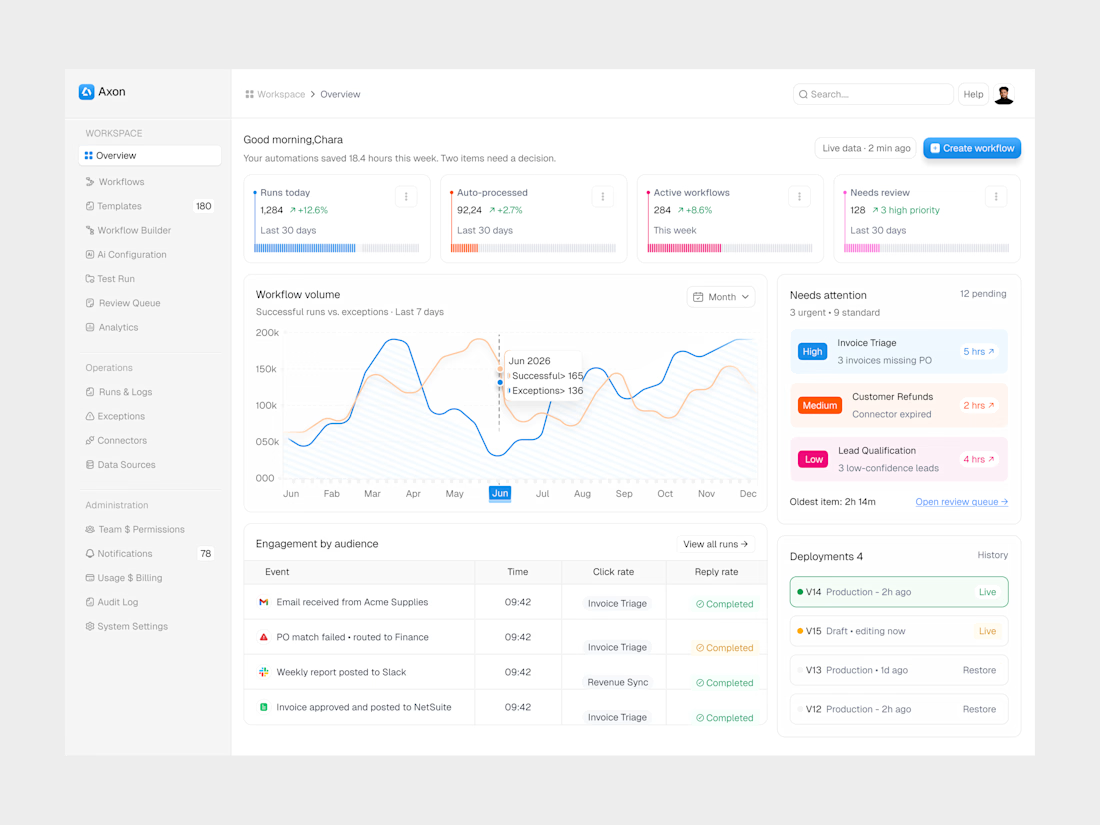
Workflow Automation SaaS Dashboard UI Design
Workflow automation dashboard UI for a SaaS platform. Run volume charts, a review queue, deployment history and exception triage.
Designed in Figma.



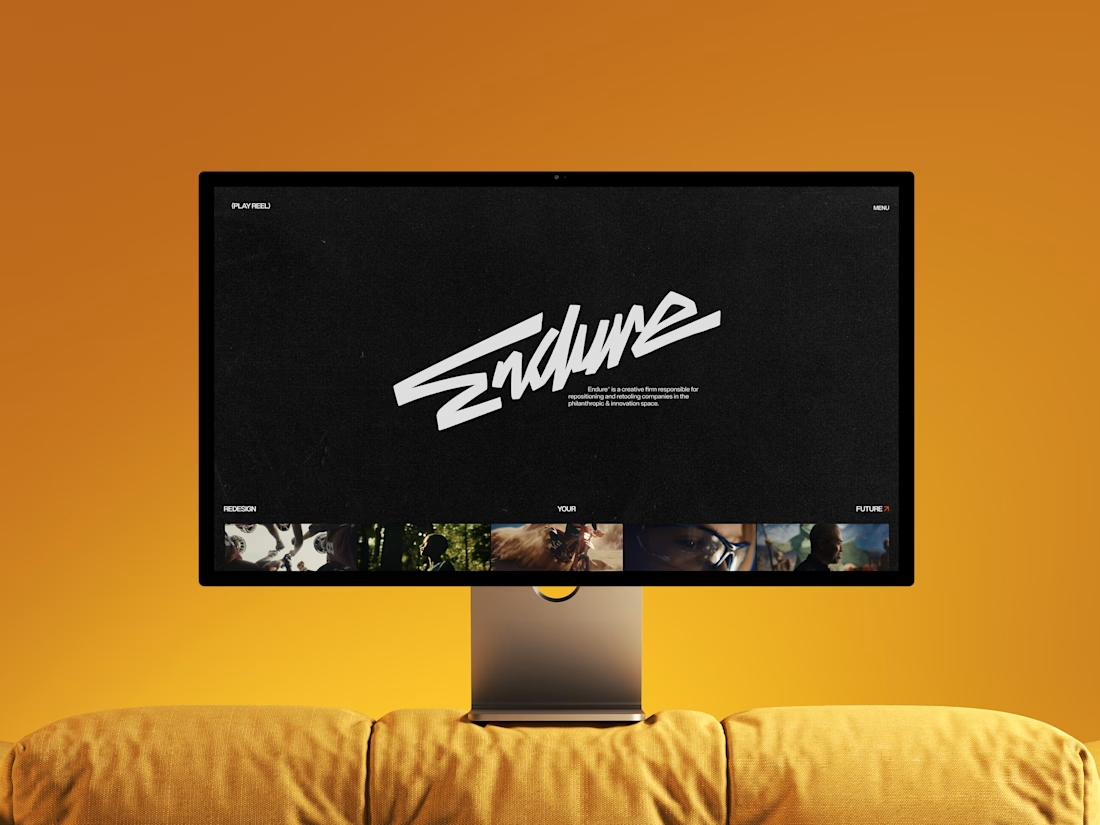
Endure Group's site, built in Webflow earlier this year.
Endure repositions and retools companies in the philanthropic and innovation space. They brought a design concept, and I built it: a type system on Webflow variables, GSAP and Barba page transitions, a filterable Insights CMS and technical SEO on every page.
The part I'm happiest with: the motion holds up in everyday browsing, not only in a demo.
Thanks to Wesley at Endure for the kind words.


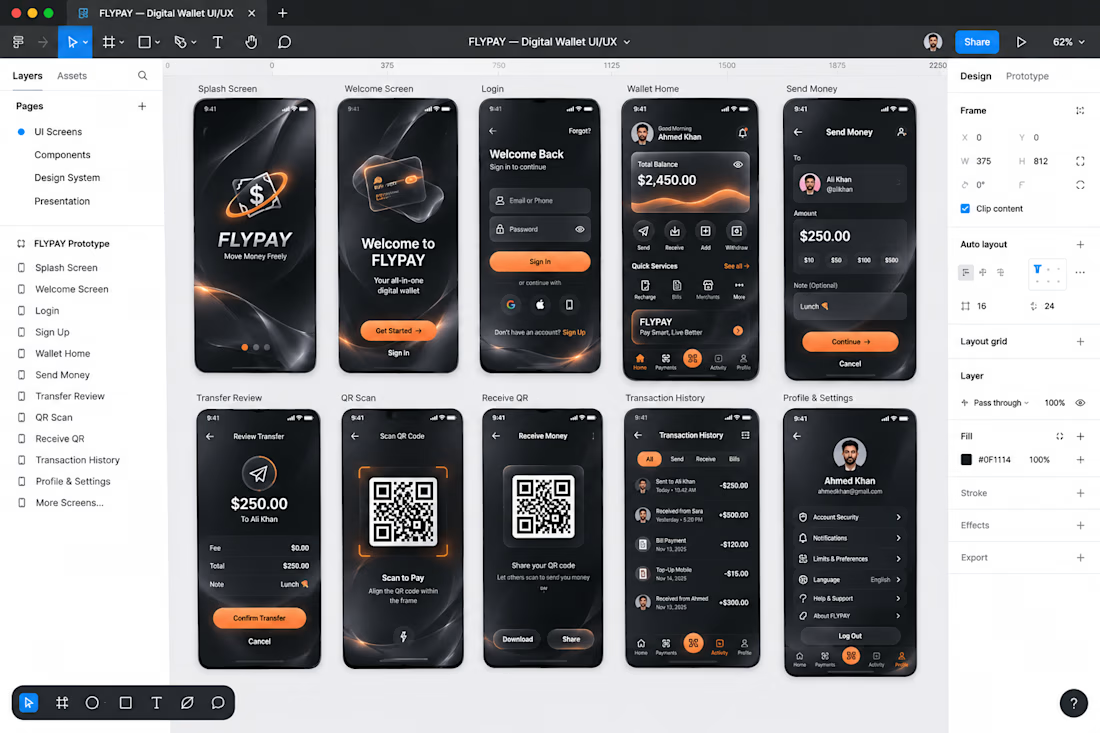
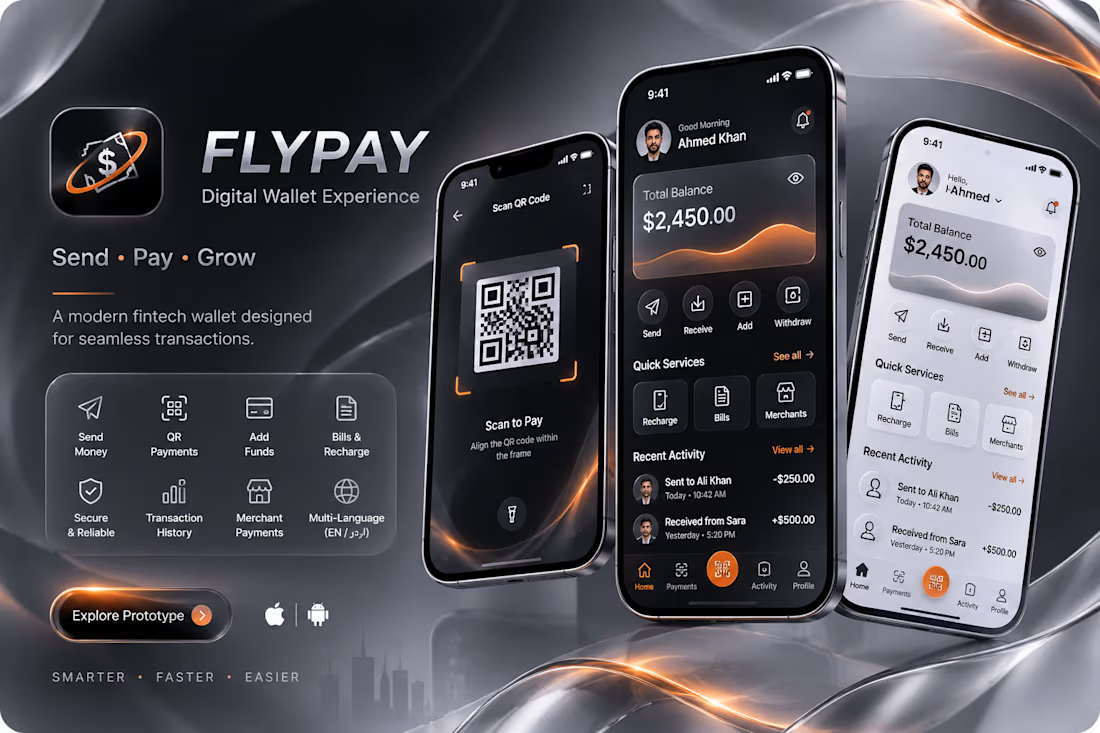
FLYPAY — Rethinking the Digital Wallet Experience
Introducing FLYPAY, a modern fintech mobile wallet concept designed to make everyday financial interactions simple, seamless, and intuitive.
I explored a premium visual direction combining graphite, silver, futuristic glassmorphism, and subtle orange accents.
Features explored:
• Digital wallet dashboard
• Send and receive money
• QR payment experience
• Bill payments and mobile recharge
• Transaction history
• Profile and security settings
• Merchant payment experience
• Dark and light themes
🎨 Design focus: Modern UI, usability, visual clarity, and smooth mobile interactions.
📱 Platform: Mobile App
Category: Fintech / UI/UX Design
🌍 Concept market: All over
🔗 Explore the interactive prototype:
https://indexhtmlhtml-ruddy.vercel.app
FLYPAY is a conceptual design project. All transactions are simulated and no real banking services are connected.

love the graphite and orange combo, the dark and light themes feel really consistent