The network for creativity
Join 1.25M professional creatives like you
Connect with clients, get discovered, and run your business 100% commission-free
Creatives on Contra have earned over $150M and we are just getting started
Back to feedPost

I have a friend who’s a business broker and has been in real estate for many years. Over the years, I’ve worked with him on an off with several of his projects. Additionally, a while back, I tipped my toe into the real estate investing area, so I have a good idea of some of the things the need to know.
The Commission Pricing Calculator was designed to help someone answer a more useful question than simply, “What is my commission?”
It helps them determine:
What will I actually take home from this deal after splits, fees, and deductions — and what needs to change if that number is too low?
The calculator supports both forward and reverse decision-making.
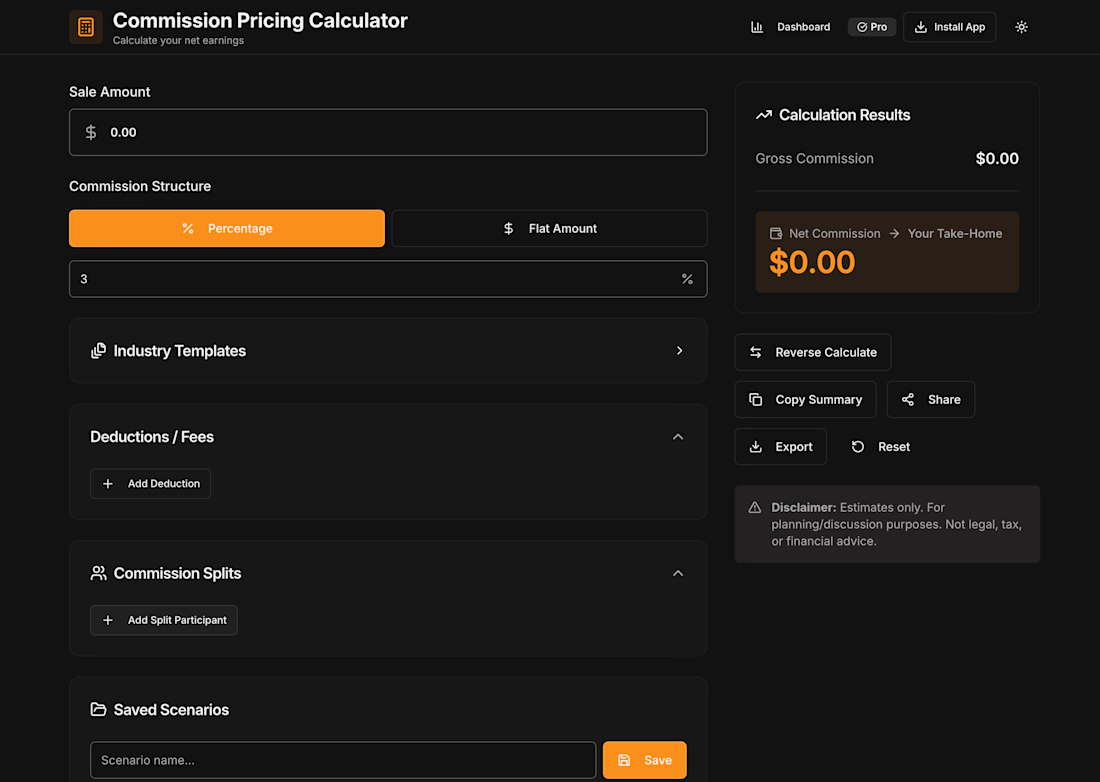
In forward mode, the user can model a deal and immediately see how changes in sale price, commission percentage, brokerage or partner splits, and fees affect the final net amount.
In reverse mode, the user can start with a target take-home amount and work backward to determine the deal size or pricing required to reach that goal.
The goal was to turn commission math from a static calculation into a practical scenario-planning tool.
Input/output structure
The calculator was structured around the pieces of information that materially change the outcome of a commission-based deal.
Inputs
Users can enter:
Sale or deal amount
Commission as either a percentage or flat amount
Multiple labeled fees or deductions
Fees as either percentages or fixed amounts
Multiple commission split participants
Splits as either percentages or fixed amounts
A target net commission when using reverse calculation
The inputs were designed to accommodate real-world deal structures rather than assume a single simple percentage calculation.
Outputs
The calculator returns:
Gross commission
Itemized fees and deductions
Itemized commission splits
Net commission / estimated take-home amount
Required sale or deal amount when reverse calculation is used
Saved scenario data for later comparison
A shareable or exportable calculation summary
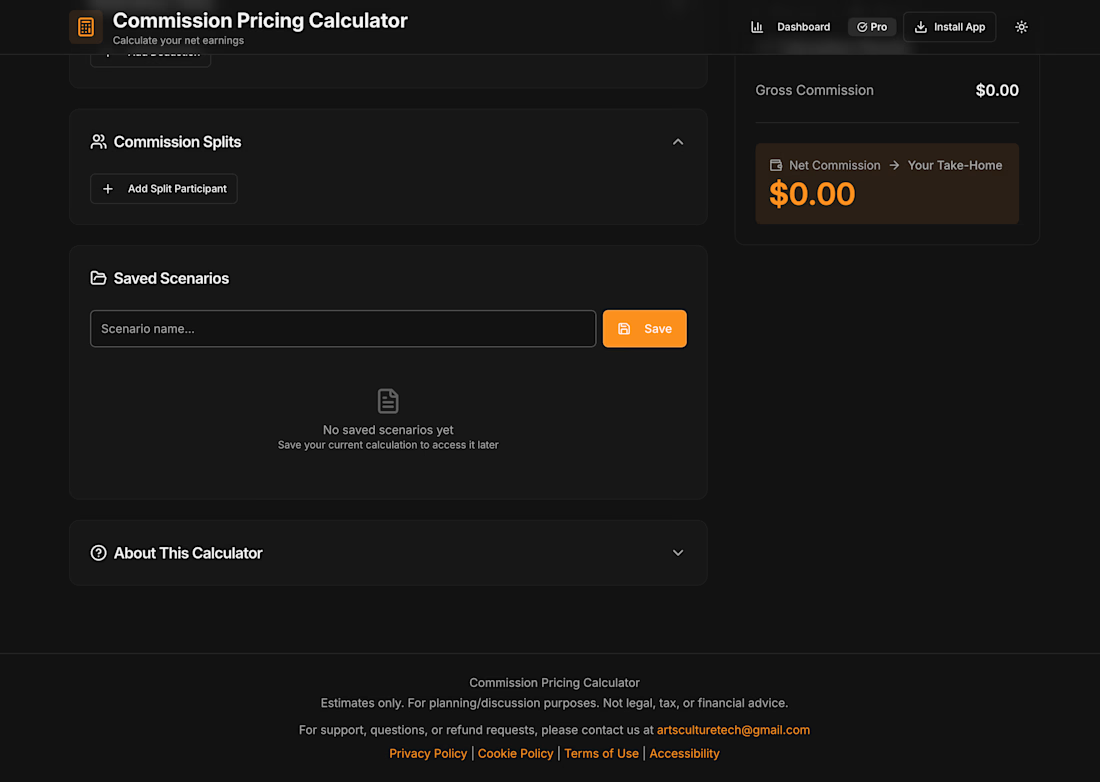
The net result was intentionally given the strongest visual emphasis because it is the number the user is ultimately making the decision around.
The system also included validation so invalid percentages, negative values, or impossible split structures would not silently produce misleading results.
Everything recalculates in real time as inputs change, so the agent sees net commission move as they adjust the split or add a fee, rather than running the numbers once and reading a static result.

The network for creativity
Join 1.25M professional creatives like you
Connect with clients, get discovered, and run your business 100% commission-free
Creatives on Contra have earned over $150M and we are just getting started

Challenges
View all


Related posts

👐🏻🏡 Our new case is a care home website built so a local authority and a future employee each get the answers they came for.
See how it's structured inside the case.


Choosing what to leave out is the part of the work that pays for itself once development begins" exactly right for a trust-driven site like this. Showing the house room by room as it really looks, rather than styled, is what actually earns that trust.

been going back and forth on lando norris's official site for the past few months.
the portrait mask is a strong opening move. love the interactions and how detailed each website section is. this took someone actually deciding what story the page should tell.
genuinely can't picture an AI tool putting this together! https://landonorris.com/

This is pure 🔥

Forms is live — and it’s free.
An editorial Framer template I designed for interior designers, interior architects & creative studios.
Bold typography, immersive project pages, CMS-powered works + journal, and plenty of space for the work to speak for itself.
Built in Framer. Free to remix. ✦
https://framer.link/MG0s5kl
Oh, and if you need a hand personalising it, just reach out — I’m only a message away :)


Love this!