The network for creativity
Join 1.25M professional creatives like you
Connect with clients, get discovered, and run your business 100% commission-free
Creatives on Contra have earned over $150M and we are just getting started
Back to feedPost

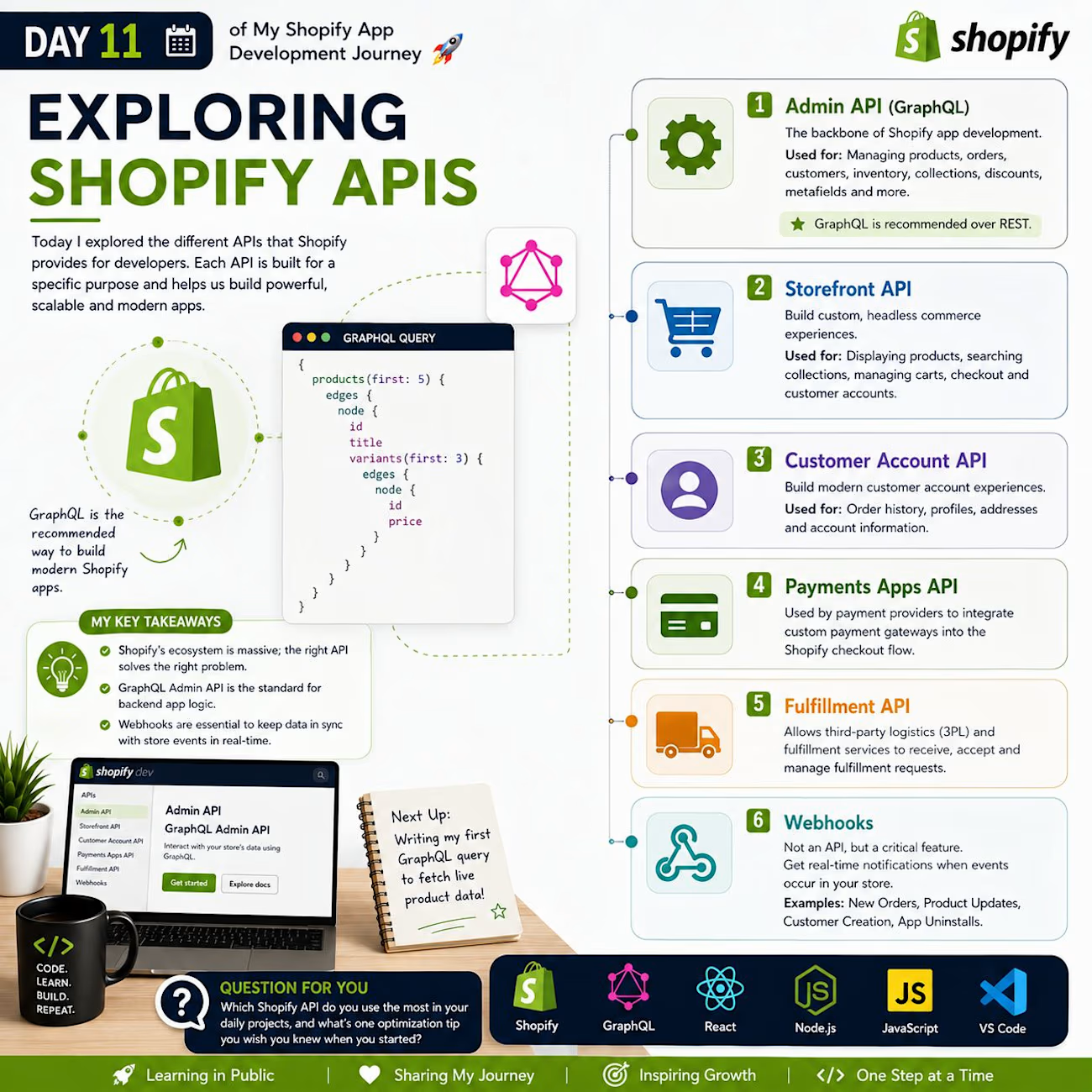
🚀 Day 11 of My Shopify App Development Journey | Exploring Shopify APIs
Before today, I thought Shopify only had one main API. But after diving into the documentation, I realized Shopify offers an entire suite of APIs each precision-engineered for a specific purpose.
Understanding which API to use is just as critical as learning how to use it.
Here is the breakdown of the Shopify APIs I explored today:
📚 1. Admin API (GraphQL) The backbone of Shopify app development. It's the primary way to interact with a store's backend data.
Used for: Managing products, orders, customers, inventory, collections, discounts, and metafields.
Note: GraphQL is heavily recommended by Shopify over REST for all modern app development.
🌐 2. Storefront API The go-to API for building custom, headless commerce experiences.
Used for: Displaying products, searching collections, managing carts, completing checkouts, and handling customer accounts outside of a standard Liquid theme.
⚡ 3. Customer Account API Designed to build modern, seamless customer account experiences.
Used for: Letting customers view order history, update profiles, manage shipping addresses, and securely access account info.
💳 4. Payments Apps API A specialized API used by payment providers to deeply integrate custom payment gateways into the Shopify checkout flow.
🚚 5. Fulfillment API Allows third-party logistics (3PL) and fulfillment services to automatically receive, accept, and manage fulfillment requests.
📦 6. Webhooks Not technically an API, but easily one of the most critical features. Webhooks automatically notify your app in real-time when events occur (e.g., New Orders, Product Updates, Customer Creation, or App Uninstalls).
💡 My Key Takeaways Today:
Shopify’s ecosystem is massive; you don't need to build everything from scratch, you just need to orchestrate the right APIs.
The GraphQL Admin API is the absolute standard for backend app logic.
Webhooks are non-negotiable for keeping your app's database synchronized with store events efficiently.
Next Up: Tomorrow, I'm writing my very first GraphQL query to fetch live product data from a development store! 🚀
💬 Question for Shopify Developers: Which Shopify API do you find yourself using the most in your daily projects, and what’s one optimization tip you wish you knew when you started?
I'd love to hear your experiences below! 👇

The network for creativity
Join 1.25M professional creatives like you
Connect with clients, get discovered, and run your business 100% commission-free
Creatives on Contra have earned over $150M and we are just getting started
Trending
retrofuturism
Share your favorite designs from the past exploring the distant future. Or your own take on the aesthetic 🚀
halftone
Dots. Texture. Grain. Let's see your designs using the halftone technique.

Midjourney
Creatives are showing off what they're making with Midjourney.
colorgrade
Video editors sound off: How do you enhance the mood of your video in color grading?





Related posts

Fashion E-commerce Shopify Store
A modern Shopify e-commerce store designed for a women's fashion brand.
I focused on creating a clean and visually appealing storefront that highlights products, promotions, collections, and key customer benefits while maintaining a simple shopping experience.
My work included:
Shopify store design
Homepage layout
Collection sections
Promotional/discount sections
Customer benefit sections
Contact form
Responsive design
Conversion-focused CTAs
Objective: Create a professional fashion storefront that combines strong visual presentation with a straightforward customer journey.
Role: Shopify Designer / E-commerce Web Designer

Really clean execution. The visual hierarchy works beautifully.

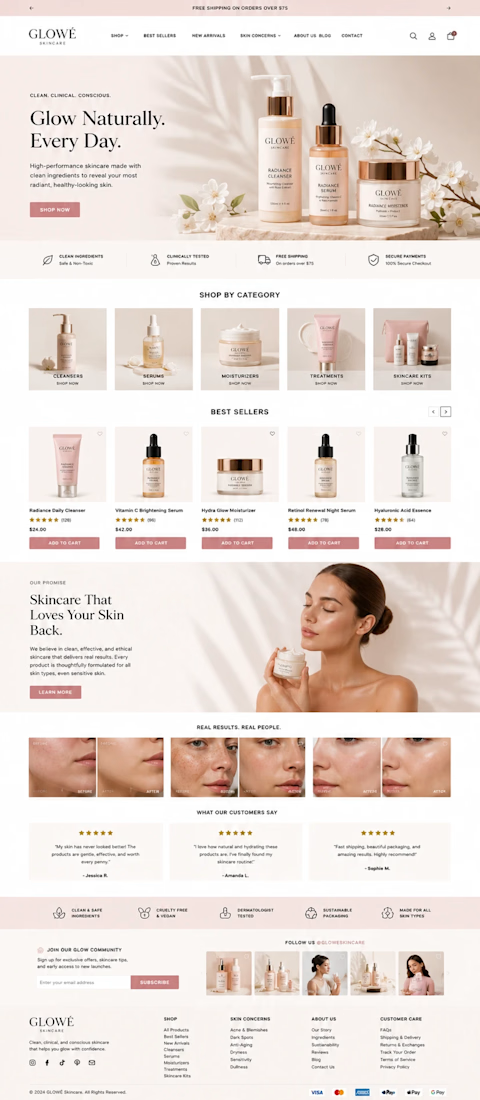
Elegant Skincare Shopify Store Design
Built and optimized a polished Shopify store for a growing skincare brand, with a focus on creating a premium shopping experience and supporting long-term e-commerce growth.
The project included store planning, theme customization, product page optimization, app integrations, and performance improvements. Every part of the storefront was designed to make browsing easier, strengthen the brand presentation, and improve conversion opportunities across desktop and mobile.
- Custom Shopify store design and theme customization
- Conversion-focused product page optimization
- Mobile-friendly, responsive storefront
- App and third-party integration
- Store speed and performance improvements
- Clean, premium visual direction for a skincare brand
- Scalable setup built to support future products and growth




Creative work