The network for creativity
Join 1.25M professional creatives like you
Connect with clients, get discovered, and run your business 100% commission-free
Creatives on Contra have earned over $150M and we are just getting started
Back to feedPost

Why the Linux OOM Killer nukes your database first: A rogue background worker leaked memory, but your core PostgreSQL instance paid the price.
Every production systems engineer has seen this horror story: A developer deploys a new Python background worker or Node.js processing script on a shared application host. The script has a slow memory leak. Hours later, the Linux kernel triggers the Out-Of-Memory (OOM) Killer.
Instead of terminating the leaking script, the kernel violently SIGKILLs your primary PostgreSQL or MariaDB daemon.
Here is the exact kernel logic that causes this catastrophe:
1. The Badness Heuristic: When physical RAM and swap are exhausted, the Linux kernel computes an ``oom_score`` for every running process. The primary input to this score is raw Resident Set Size (RSS)—the total physical memory pages held by that process. 2. The Database Target: A healthy database server deliberately buffers gigabytes of data in memory (shared buffers, cache pages). Even though the database was behaving perfectly, its massive memory footprint gives it the highest ``oom_score`` on the host. 3. The Collateral Damage: The kernel reaps the database process to reclaim the largest block of memory instantaneously. Transactions abort, dirty pages are abandoned, and the database is forced into crash recovery on restart.
Preventing rogue processes from taking down mission-critical daemons requires **systemd cgroups v2 resource slicing**: • Memory Protection with MemoryLow & MemoryMin: Configure systemd service units with ``MemoryMin=`` and ``MemoryLow=``. This instructs the kernel memory reclaimer that the database process's memory pages are strictly protected and must never be swapped or pruned under memory pressure. • Adjusting oom_score_adj: Explicitly protect critical daemons by setting ``OOMScoreAdjust=-900`` in the database service unit file. Conversely, configure untrusted background workers with ``OOMScoreAdjust=800`` so the kernel reaps the offender first. • Hard Slice Enclosure: Isolate workloads into dedicated systemd slices (``system.slice`` vs ``app.slice``). Enforce strict ``MemoryMax=8G`` and ``MemoryHigh=7G`` on application workers, terminating or throttling the leaking container within its own slice before host memory is threatened.
Never leave your production database's survival to default kernel memory heuristics.
Harden your Linux systems and container runtimes with our 2-week Hardened Linux & Container Infrastructure Sprint on Contra: https://contra.com/s/Xbg7ALqN-hardened-linux-and-container-infrastructure
#Linux #Performance #Infrastructure #Database #Architecture #DevOps #SRE


The network for creativity
Join 1.25M professional creatives like you
Connect with clients, get discovered, and run your business 100% commission-free
Creatives on Contra have earned over $150M and we are just getting started







Related posts

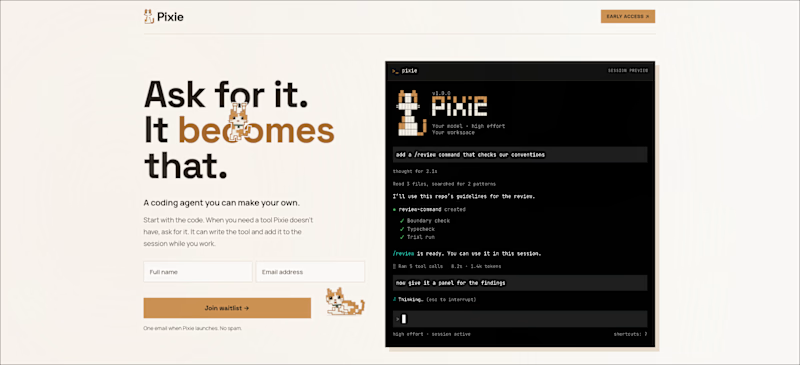
So I Recently rebranded my upcoming AI Agent Harness from "Crank" to "Pixie" which is the name of my cat. Do you think it was the right decision?
Which one do you prefer? Crank or Pixie?!
Check it out here: pixie.ecnivs.com
#FreelancerLife #AIHarness #FrontendDesign #AIAgent #ArtificialIntelligence #WebDevelopment #Design #TasteTest
5 voted
71%
2 voted
29%

7 votes
Closed

Pixie gets my vote too. Naming it after your cat makes it memorable, and it feels a lot friendlier for a tool people trust with their code. Nice rebrand.

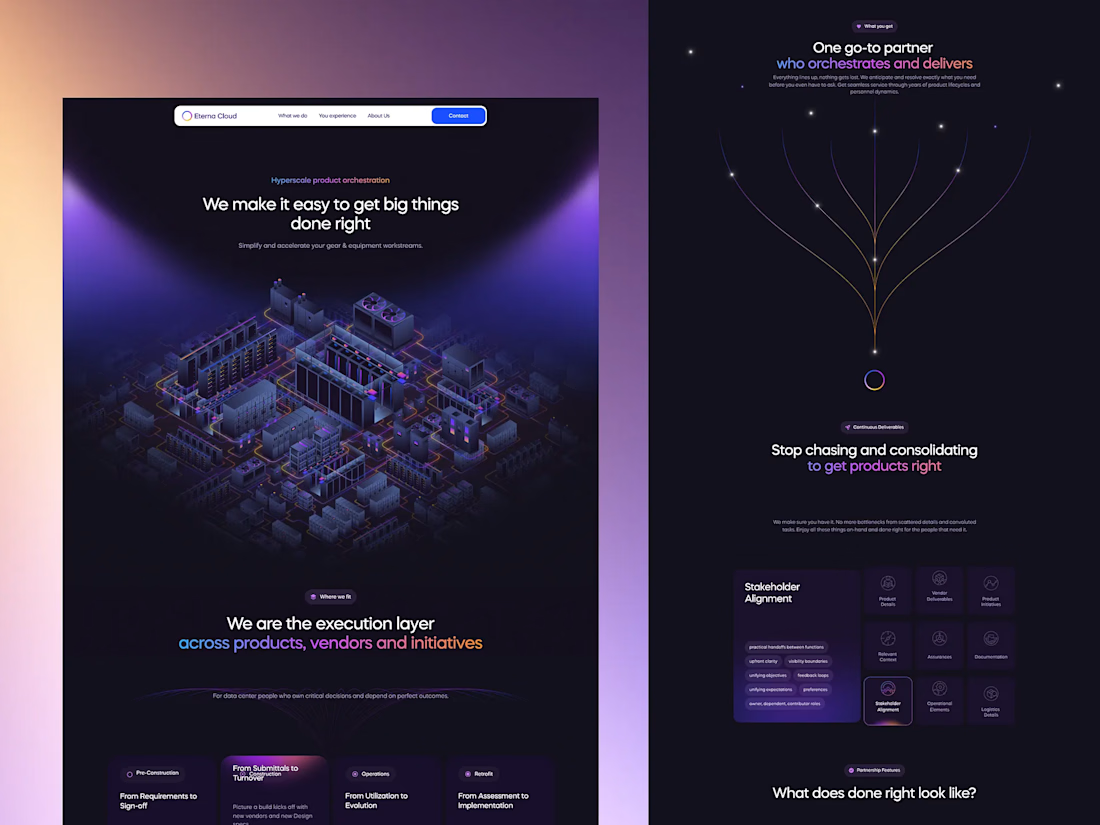
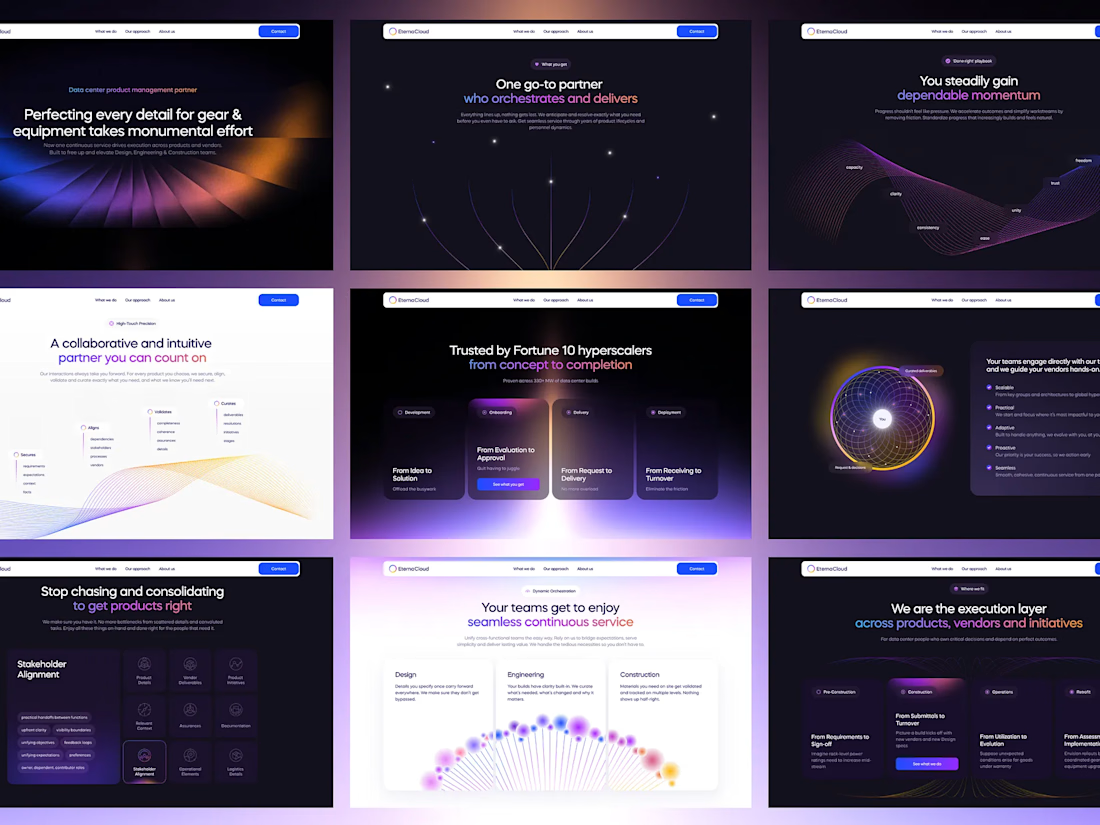
End-to-end UI/UX design and full-stack development for Eterna Cloud, streamlining hyperscale data center operations.
I led the end-to-end product design and full-stack web development for Eterna Cloud, an enterprise platform engineered to orchestrate complex equipment workflows, vendor handoffs, and lifecycle management for hyperscale data centers. On the design side, I established a scalable design system with custom tokens and crafted an immersive dark-mode interface paired with high-impact isometric visuals, transforming dense technical submittals and stakeholder matrices into an intuitive, frictionless user journey. For development, I translated these designs into a responsive, high-performance web architecture, optimizing dynamic dashboards and continuous data states to ensure rapid load times, pixel-perfect execution, and a seamless operational experience across every phase from pre-construction to turnover.



A competitive online chess platform combining real-time multiplayer gameplay, tournaments, player rankings, payments, staking infrastructure, and a comprehensive in-platform economy.