The network for creativity
Join 1.25M professional creatives like you
Connect with clients, get discovered, and run your business 100% commission-free
Creatives on Contra have earned over $150M and we are just getting started
Back to feedPost

✨ Realistic Photo Editing in Adobe Photoshop ✨
In this video, I'll show you how I transformed an ordinary photo into a stunning, professional-looking edit using Adobe Photoshop. Watch the complete editing process, including color grading, skin retouching, lighting adjustments, and cinematic effects to create a realistic final result.
Whether you're a beginner or an experienced Photoshop user, you'll learn useful editing techniques and creative tips that you can apply to your own projects.
🔹 What you'll learn:
• Professional photo retouching
• Color correction & color grading
• Lighting and shadow adjustments
• Skin smoothing techniques
• Realistic Photoshop editing workflow
• Final cinematic look
If you enjoyed this video, don't forget to Like 👍, Comment 💬, Share 📤, and Subscribe 🔔 for more Photoshop editing tutorials and creative content.
#Photoshop #PhotoEditing #AdobePhotoshop #PhotoshopTutorial #PhotoRetouching #ColorGrading #PhotoManipulation #GraphicDesign #DigitalArt #EditingTutorial #PhotoshopEdit #CinematicEditing #CreativeEditing #AIArt #PhotoRetouch

The network for creativity
Join 1.25M professional creatives like you
Connect with clients, get discovered, and run your business 100% commission-free
Creatives on Contra have earned over $150M and we are just getting started





Related posts

At first glance, this looked like a simple experiment.
In reality, it turned out to be much more challenging than I expected. 👀
Another round of generative AI testing, this time focused on transforming a logo and placing it into various creative environments. Nano Banana performs surprisingly well for this kind of task and offers a strong level of control over the final output. The creative possibilities are huge, and at this point the main limitation is really imagination ✨
Even with prompts designed to preserve proportions and logo scale, the model did not always remain fully consistent. In some cases the geometry or size of the mark shifted slightly, so I used Generative Fill in Adobe Photoshop to clean up the final details.
Interestingly, generating the assets was not the hardest part. Once I started adding music and building a more dynamic edit, it became clear how much work it takes to polish even a seemingly simple concept 🎬
Overall, I’m really happy with the result and will definitely keep exploring this direction.
Visuals created in @Magnific Spaces, currently my favorite tool for this type of work. Editing and animation done in Adobe After Effects.
#GenerativeAI #AIDesign #CreativeAI #BrandDesign #MotionDesign #NanoBanana #VisualDesign #AIWorkflow #netflix #freepik


Vaughn is more than just a name to me.
It was my grandpa’s last name. His brother Ed was the reason I fell in love with photography, which eventually led me to design.
Neither of them are here anymore, but a little piece of both of them lives on through vaughn.agency


Ye le Jani Austyn ke liye:
This is beautiful Austyn! ❤️ Much more than just a brand name - what a meaningful tribute to your grandpa and Ed. Love how their legacy lives on through your love for photography and design. Wishing huge success to vaughn.agency - such a powerful story behind it!

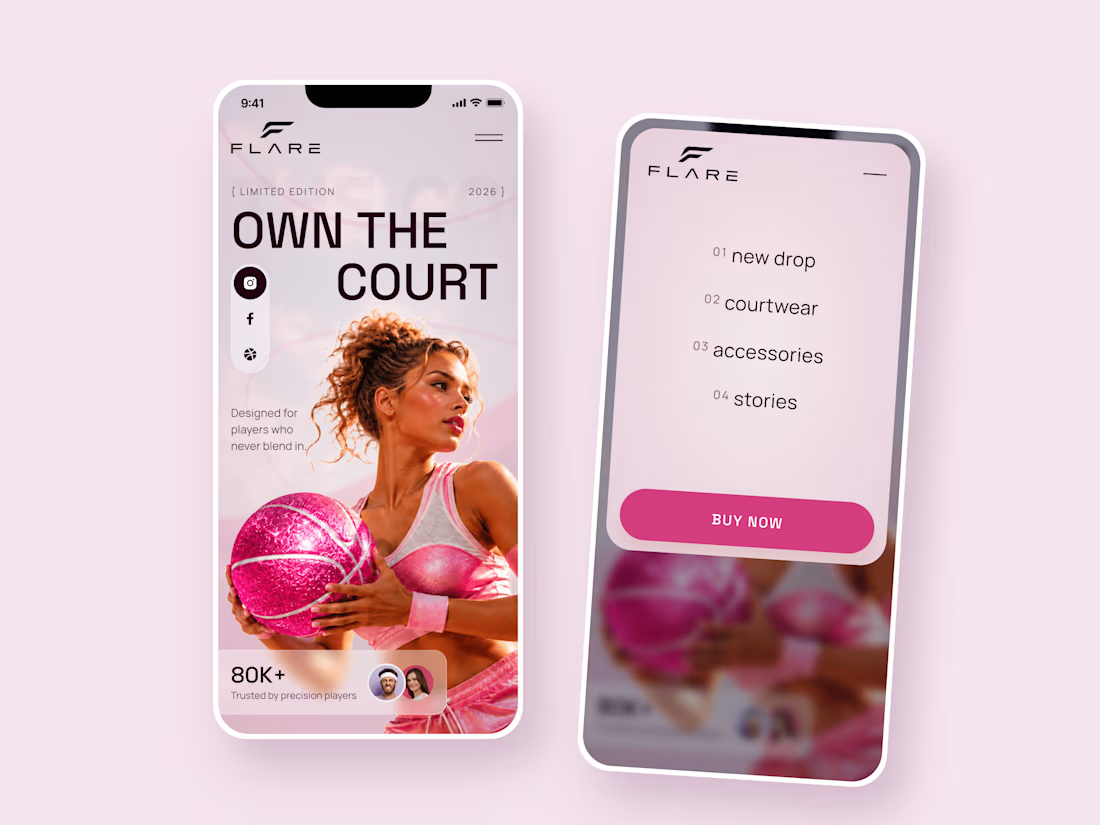
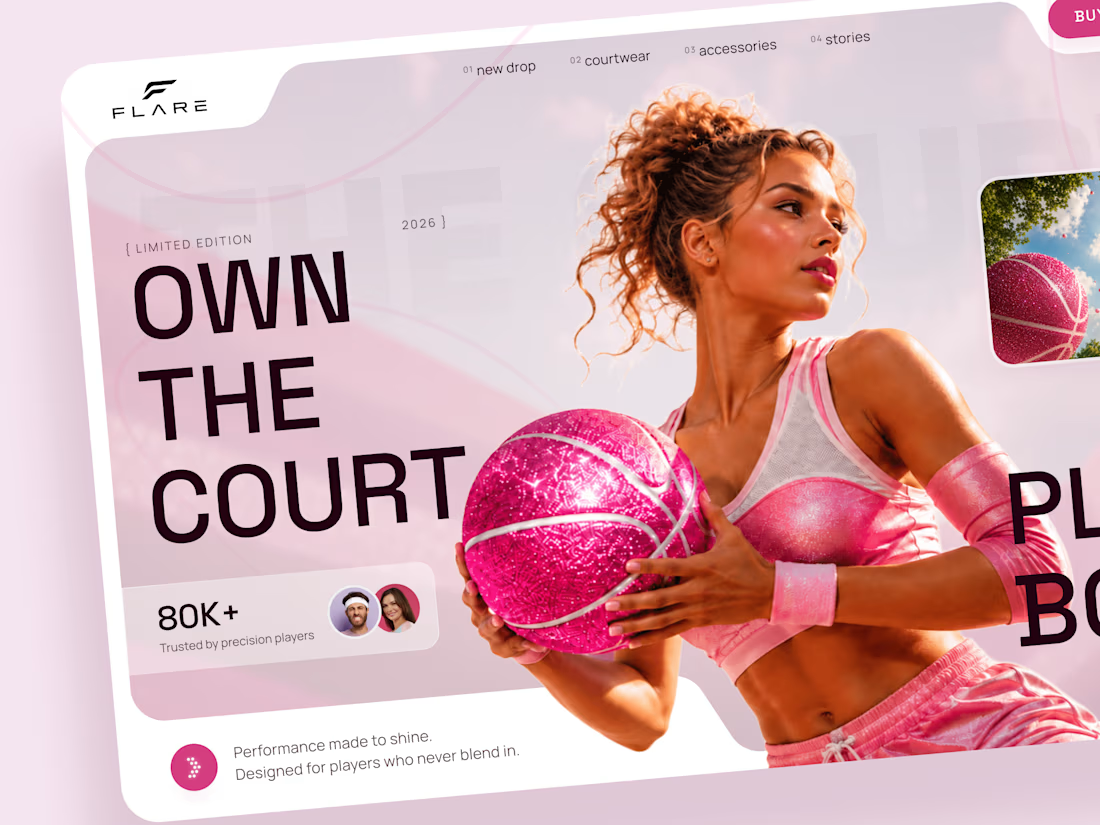
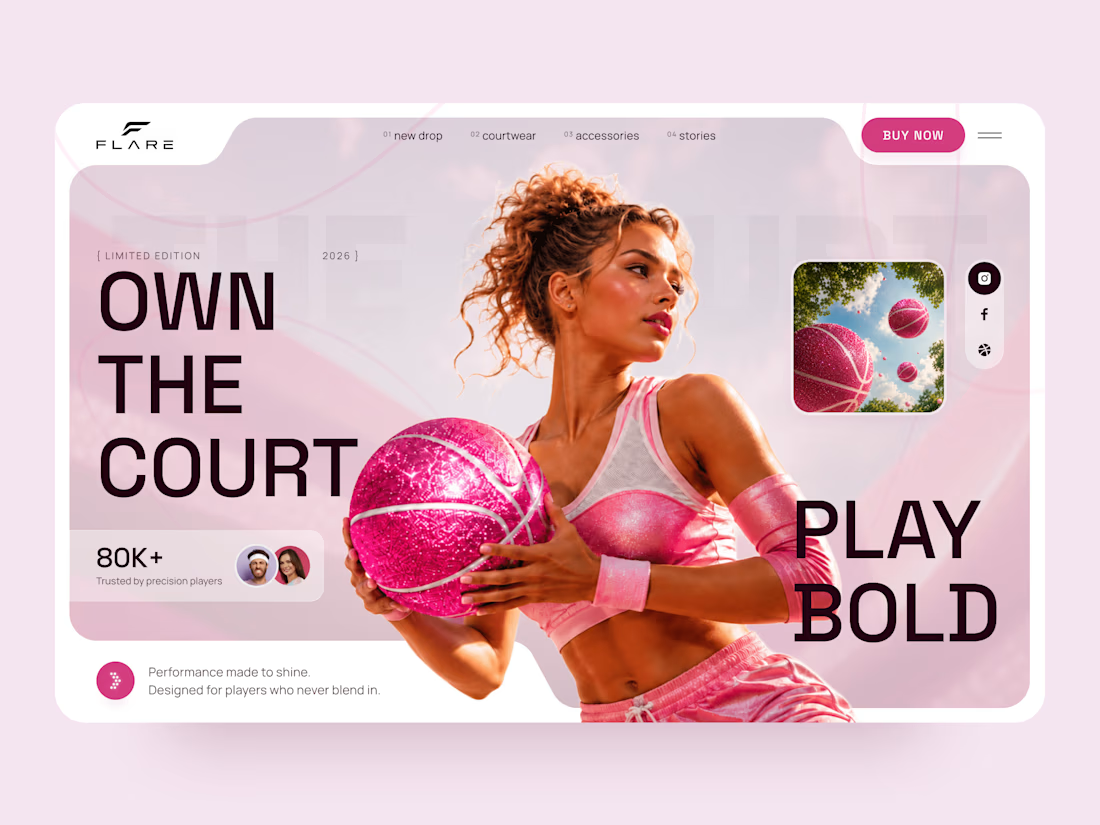
FLARE — Bold Basketball & Courtwear Landing Page 🏀
A fresh landing page concept for a basketball-inspired sportswear brand that brings together performance, fashion, and a bold pink aesthetic.
The design combines energetic sports visuals, oversized typography, and soft pink tones to create a playful yet confident look.
Special attention was given to:
• Bold hero section with strong visual impact
• Pink-inspired color palette and sporty aesthetic
• Oversized typography and clean layout
• Fashion-focused basketball imagery
• Responsive desktop and mobile design
• Simple mobile navigation and clear CTA
The result is a vibrant landing page that feels sporty, stylish, and full of personality.
Looking to create a standout website for a sportswear, fashion, or lifestyle brand? Let's connect 🚀

Cool 😎