The network for creativity
Join 1.25M professional creatives like you
Connect with clients, get discovered, and run your business 100% commission-free
Creatives on Contra have earned over $150M and we are just getting started
Back to feedPost

Most AI companions are menu-based, which isn't helpful when someone isn't sure what they need. Postpartum mothers often come with vague worries at 2am.: "Is this normal?" "Something feels off." A menu system can make them diagnose themselves, which is exactly what this product aims to avoid.
Elle is a conversational interface that begins by listening. Her voice is more like a doula's than a clinician's — she recognizes the emotional weight of a question before addressing the practical details. She’s supported by a hidden framework: six postpartum categories, three response tiers, and ten critical edge cases, all designed to keep her consistent and trustworthy.
Elle doesn't guess or improvise. She follows a mapped, reviewable path aligned with ACOG guidance, including when to escalate to a human. She’s honest about what she can and can’t do — she’s not a therapist or doctor. Being clear about her limits is how she earns trust.
Demo below.

The network for creativity
Join 1.25M professional creatives like you
Connect with clients, get discovered, and run your business 100% commission-free
Creatives on Contra have earned over $150M and we are just getting started
Related posts

I’ve been working on a small skill called Manual Orchestrator to make longer projects with AI agents easier to manage.
The problem started with a familiar situation: one chat would accumulate plans, implementation details, corrections, and test results. By the time I was ready for the next phase, I wanted a fresh conversation without losing the decisions we’d already made.
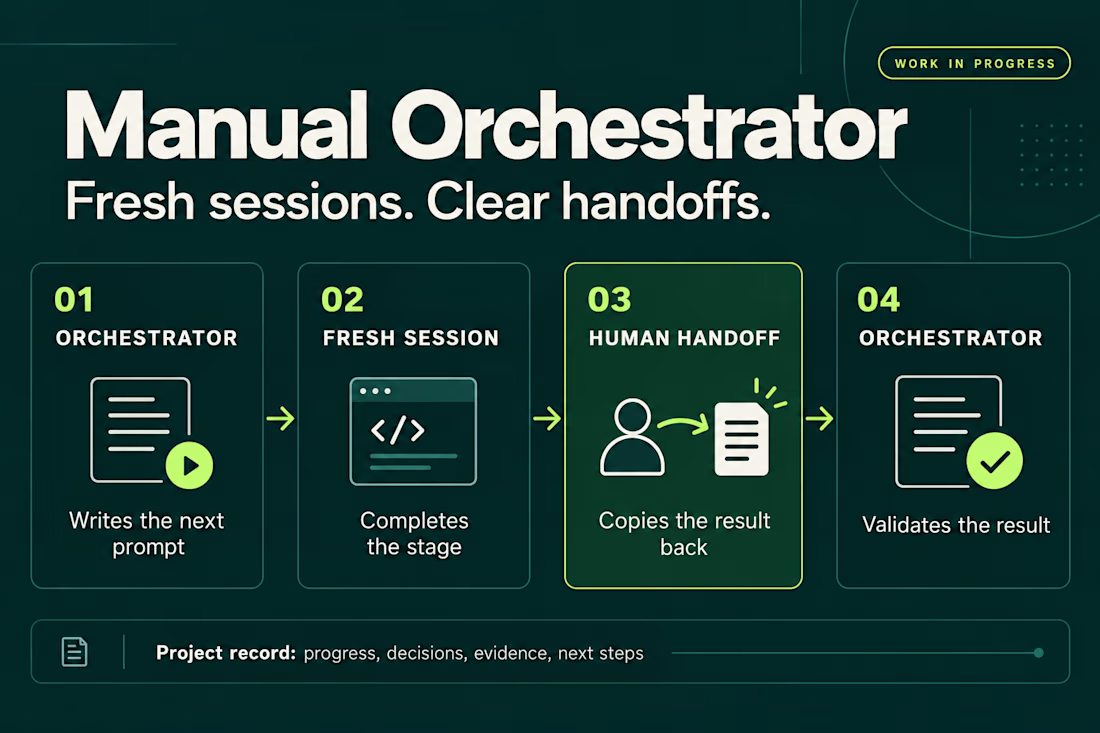
Manual Orchestrator gives that process some structure. One chat acts as the orchestrator: it breaks the work into stages and writes a prompt for the next one. I run that prompt in a new session, then bring the result back. The orchestrator reviews it against the stage’s criteria before preparing the next prompt. If something needs fixing, I go back to the same worker session.
The skill also keeps a record in the project with the current stage, decisions, evidence, and next steps. That makes it easier to pause, resume, or hand the work to another session.
The handoff is manual. I choose when to open a session and carry the result back. The orchestrator and worker sessions can also use different agent CLIs, with the prompt adapted to the capabilities available.
It’s open source and still a work in progress. I’m using it to learn what helps in practice and where the workflow needs to improve. Installation has been checked for Codex, Claude Code, and Gemini CLI, but the full workflow hasn’t been tested across every CLI or version.
If you try it, I’d be interested in hearing what works and where it gets in your way.


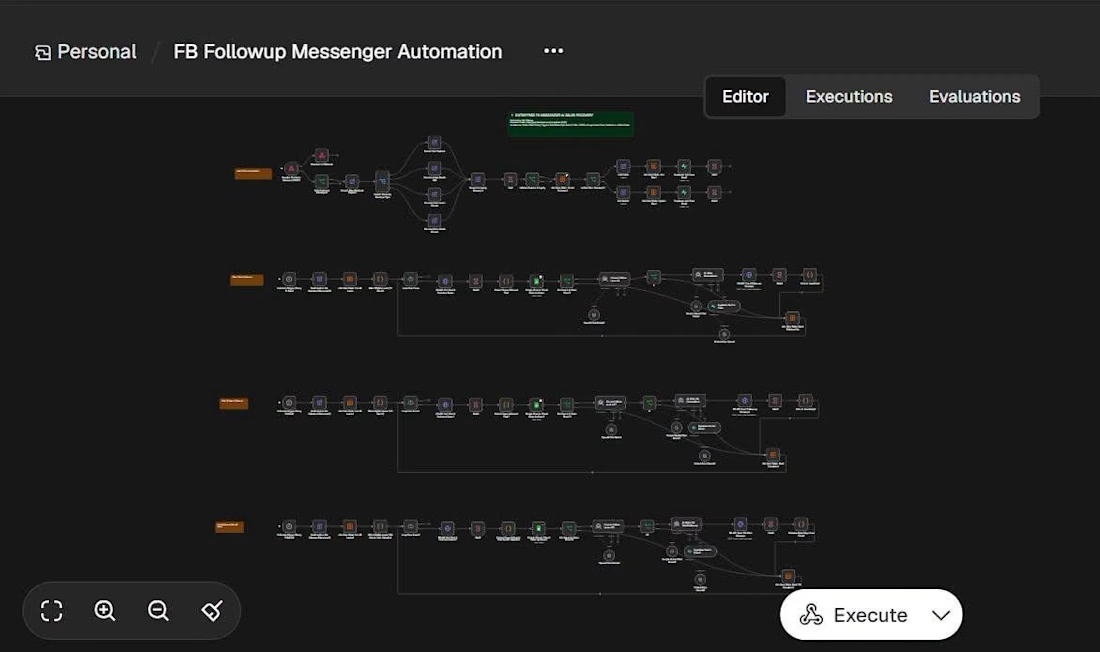
AI-Powered Facebook Messenger Follow-Up Automation | n8n
I built an AI-powered Facebook Messenger Follow-up Automation workflow using n8n to help businesses reconnect with potential customers and reduce missed sales opportunities.
When a customer asks about a product but stops replying, businesses often lose track of the conversation. This workflow helps automate timely, personalized follow-ups while keeping customer experience in mind.
What the Workflow Does
Automated Follow-ups: Sends follow-up messages at the right time.
AI-Powered Personalization: Uses AI to generate personalized messages based on customer conversations.
Order Verification: Checks order status before sending reminders.
Communication Scheduling: Avoids sending messages during late-night hours.
Sales Support: Helps businesses reconnect with interested buyers and reduce manual follow-up tasks.
Tools & Technologies
n8n | AI | Facebook Messenger | Workflow Automation | Order Verification
Project Goal
Demonstrate how AI-powered automation can improve customer communication, streamline sales follow-ups, and create more opportunities for businesses to convert interested buyers.
This is a demo workflow showcasing the potential of AI automation for eCommerce businesses.
Services
I help businesses build AI-powered workflows, sales automation systems, customer support automations, and custom n8n integrations.
#n8n #AIAutomation #FacebookMessenger #eCommerce #SalesAutomation #WorkflowAutomation #Contra



The late-night quiet hours are a nice touch. When a follow-up gets held for the morning, does the workflow re-check the order status at send time, or only when the reminder is first queued?

What if sending money felt a little more like giving a gift?
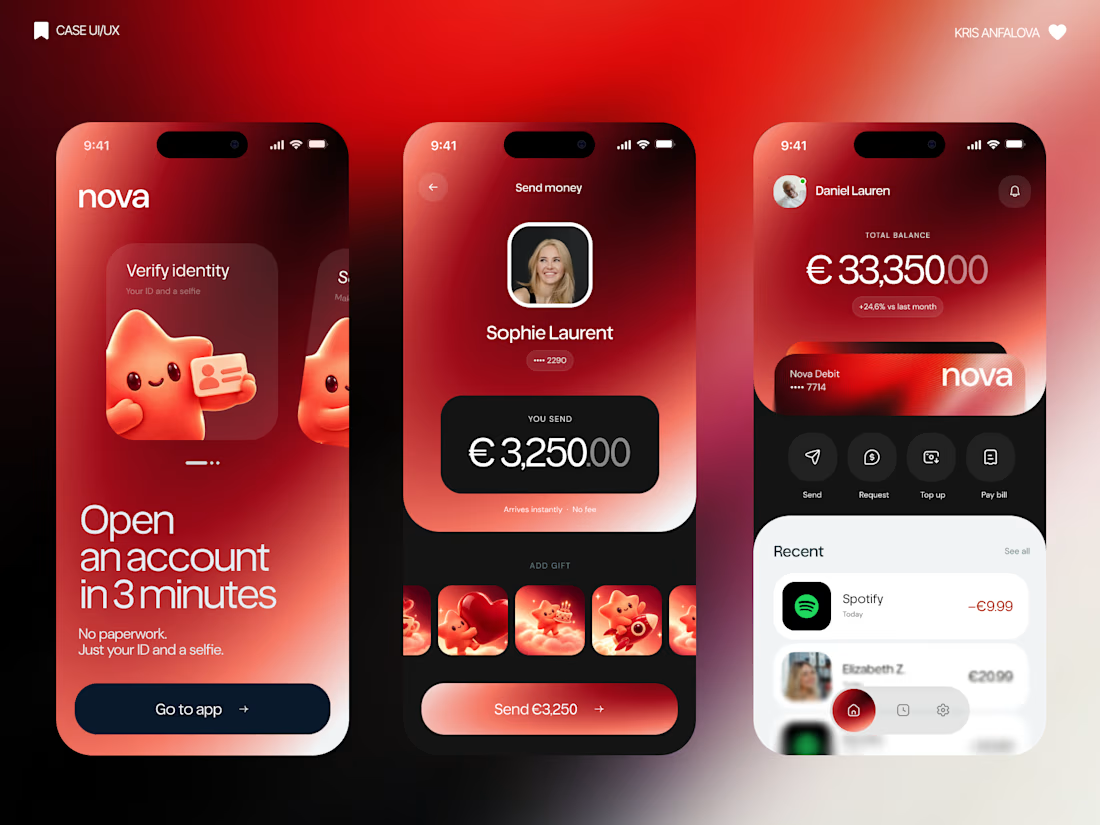
For Nova, I explored a banking app that brings payments, cards, and a bit of personality together. You can check your balance, browse recent transactions, send or request money, top up, and pay bills.
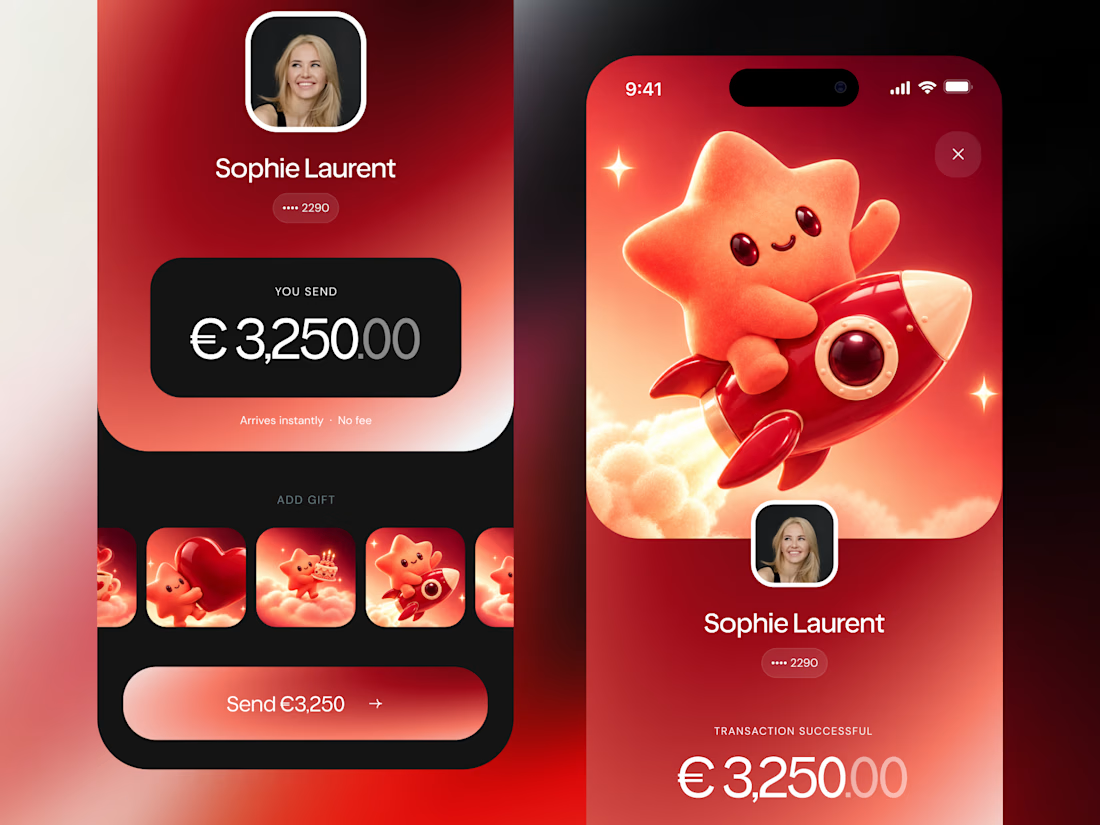
My favorite part is the digital postcard feature. Before sending a transfer, you can add a little illustrated card—a heart, a birthday greeting, or a playful character. A simple way to make birthday money or a thank-you feel more personal.
I carried that same 3D character into onboarding, pairing it with bold red gradients and large, clear payment details. There’s room for play, while the recipient and amount stay easy to check.
Would you add a postcard to a transfer? I’d love to know what occasion you’d use it for.