The network for creativity
Join 1.25M professional creatives like you
Connect with clients, get discovered, and run your business 100% commission-free
Creatives on Contra have earned over $150M and we are just getting started
Back to feedPost


The network for creativity
Join 1.25M professional creatives like you
Connect with clients, get discovered, and run your business 100% commission-free
Creatives on Contra have earned over $150M and we are just getting started
Related posts

I customized a pair of my cleats a little around last year for my team and I thought they came out pretty well!
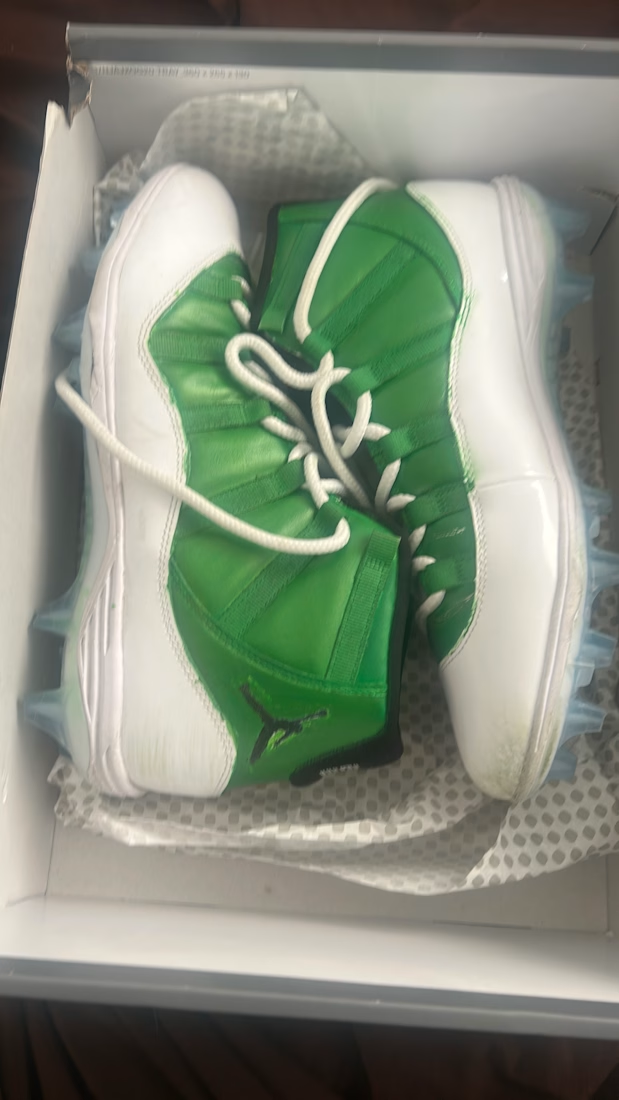
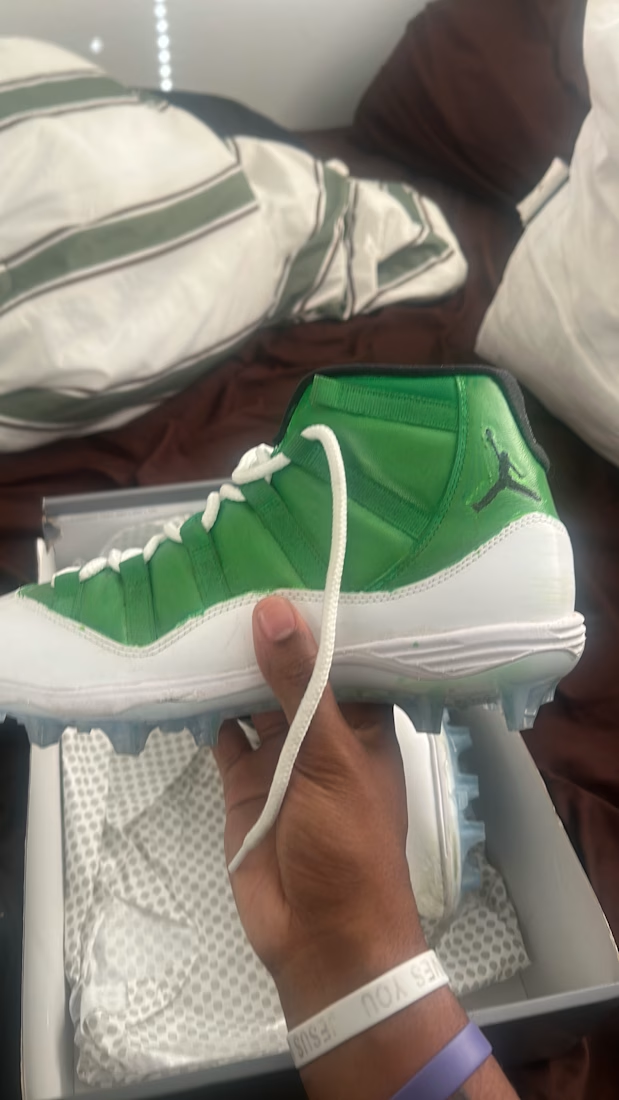
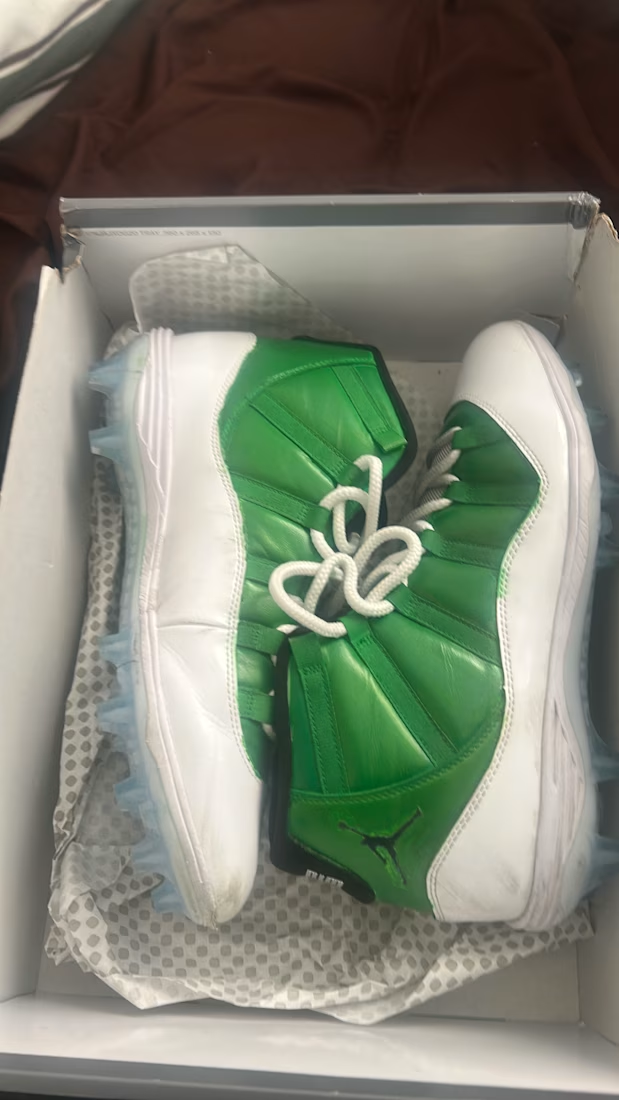
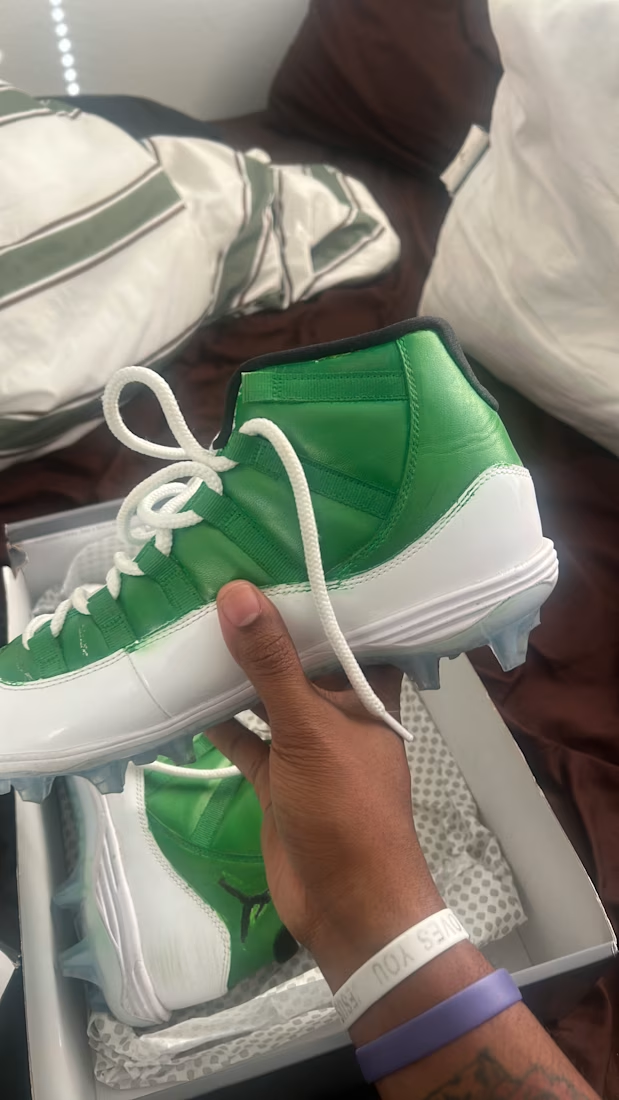

Looking nice this shoes

PrintPost — Interactive WordPress Website with GSAP Animations
I designed and developed PrintPost for a client, creating a unique interactive experience with two distinct user journeys: Artists and Vendors.
The main challenge was building a visually engaging website with complex animations while keeping everything responsive and fully manageable through WordPress.
What I built:
Dual user journeys: Designed two unique experiences tailored to artists and vendors, each with its own layout and storytelling approach.
Interactive hero: Created a custom Spirograph animation with a minimal, question-based navigation concept.
GSAP animations: Developed scroll-driven transitions, circular animations, and interactive sections.
Virtual art gallery: Built an immersive scrolling experience where artwork moves like a gallery walkthrough.
Custom loading animation: Designed a minimal drop-inspired loading transition.
Dynamic WordPress integration: Made content, images, and sections editable through the WordPress dashboard.
My role: UI/UX Design, Front-End Development, GSAP Animation, and WordPress Integration.


Animated Infographic Design




Starting from one clear idea before any layout is the step most designers skip. In the animation, does the motion guide the eye in reading order, or is it mostly there to add energy?