The network for creativity
Join 1.25M professional creatives like you
Connect with clients, get discovered, and run your business 100% commission-free
Creatives on Contra have earned over $150M and we are just getting started
Back to feedPost

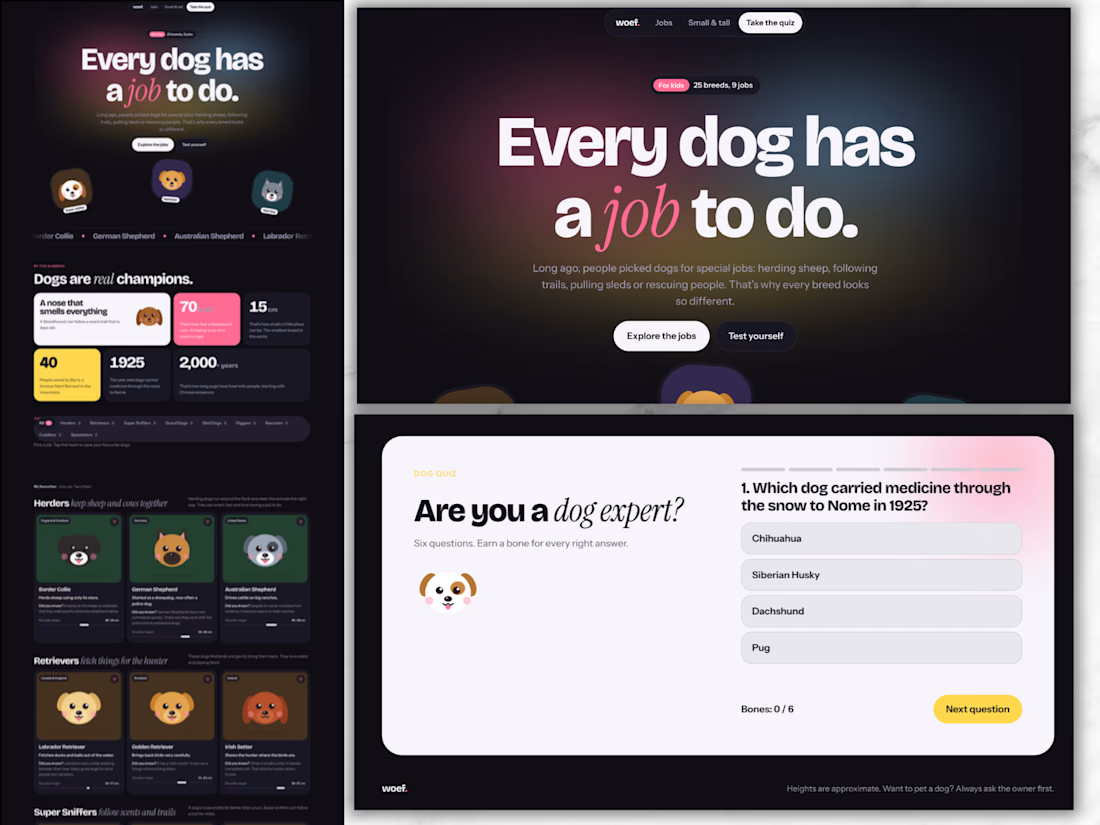
Dogs at Work: An Interactive Learning Page for Kids
Short description
A playful, modern learning page that teaches children about 25 dog breeds and the jobs they were bred for. It includes filters, a size line-up, favourites and a built-in quiz.
Overview
Dogs at Work is a self-initiated concept project. It explores how educational content can feel like a product people want to use, instead of a page they scroll past. The subject is simple and kid-friendly: why do dog breeds look so different? Each breed was shaped by the job it was bred for, from herding sheep to pulling sleds to rescuing people in the snow.
The challenge
Educational pages for kids often fall into one of two traps. Some are text-heavy and dull. Others are so busy that the learning gets lost. I wanted to prove that a learning page can be clean, modern and genuinely fun, while still teaching real facts in a clear structure.
My approach
I started with the content structure before the visuals. Instead of listing breeds alphabetically, I grouped them by job: herders, retrievers, super sniffers, guard dogs, sled dogs, diggers, rescuers, cuddlers and speedsters. That one decision turns a list of facts into a story kids can follow and remember.
For the design, I chose a modern, Framer-inspired look: bold oversized typography, bento-style blocks, a floating pill navigation and soft gradients. To keep it warm and child-friendly, I paired that clean system with illustrated dog faces, rounded cards and small moments of motion.
Key features
Filter by job: a segmented bar lets kids explore one type of work at a time.
Breed cards: each card shows where the breed comes from, what it does, a “Did you know?” fact and a shoulder-height ruler in centimetres.
Favourites: kids tap a heart to save the dogs they like most.
From small to tall: all 25 dogs side by side, sorted by height, from the Chihuahua to the Kangal.
By the numbers: a bento grid of memorable facts, such as the Greyhound’s top speed of almost 70 km/h.
Built-in quiz: six questions with instant feedback, a progress bar and a “bones” score that rewards every right answer.
Design decisions
Structure as learning: grouping by job gives every fact a reason to exist.
One bold moment per section: each section has a single focal point, so the page never feels cluttered.
Accessible by default: it is fully responsive from phone to desktop and supports light and dark mode. It is keyboard-friendly and respects reduced-motion settings.
Real units, real facts: heights and speeds use real measurements, so the page teaches, not just entertains.
What this project shows
This concept reflects how I approach course and learning experiences for my clients. The same principles apply to a course sales page, an interactive lead magnet or a lesson inside a course. Structure the content so it sticks, design it so people want to stay, and add small moments of interaction that make learning feel rewarding.

The network for creativity
Join 1.25M professional creatives like you
Connect with clients, get discovered, and run your business 100% commission-free
Creatives on Contra have earned over $150M and we are just getting started



Related posts

From AI-generated artwork to a more polished vector illustration.
I tested Ideogram Vector by generating an illustration for a lemon ginger tea packaging.
The raw output was a good starting point, but it still needed some work.
So I converted it into an editable SVG, refined the shapes, rearranged and resized the elements, and added a bit of texture to give the illustration more depth.
Here's a look at the before and after!
What do you think? 🍋

4 voted
9%

41 voted
91%

45 votes
Closed

After is absolutely better it focus on the main image🎉🎉

Live on Play Store. We made the launch video.
Motion design to show the screens, plus a short explainer so you get what the app does in a few seconds.
Kept it simple on purpose. Screens only move where it helps you follow the product.
Watch it with zero context and tell me what you'd cut.

Amazing

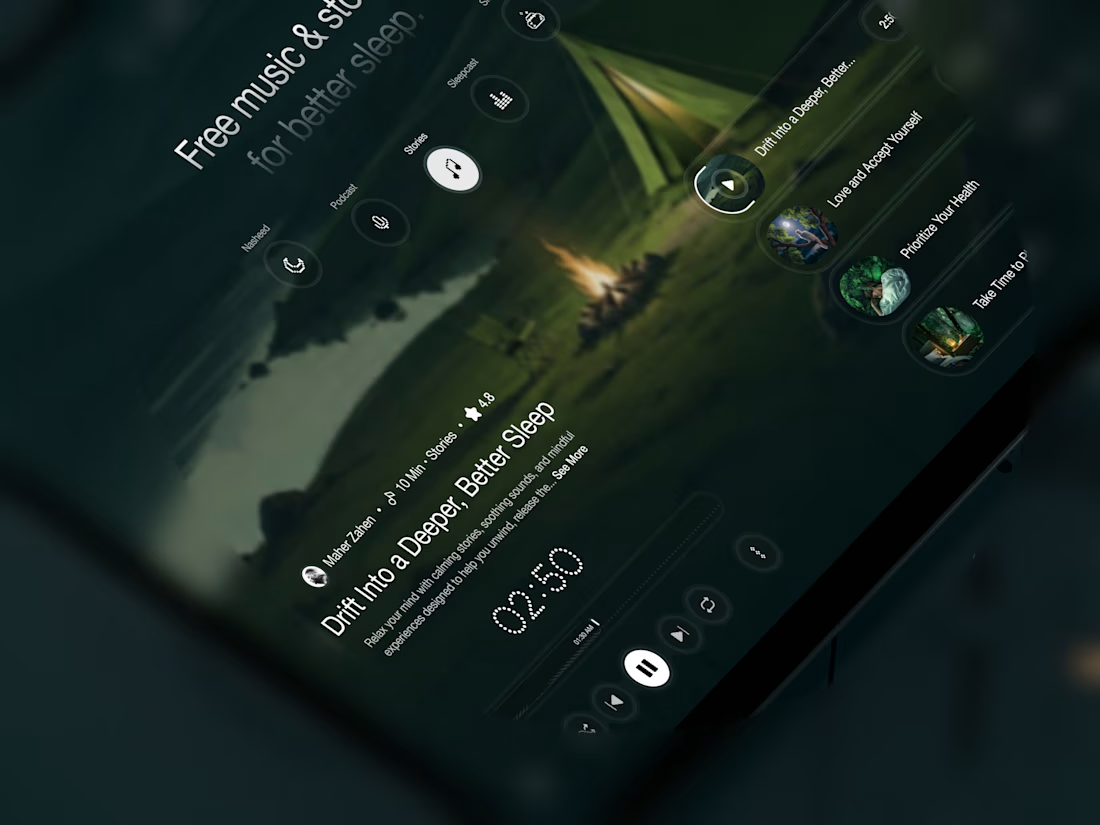
Your body is ready for sleep. But is your mind ready to switch off?
That’s the moment Elivara is designed for.
Instead of another endless scroll, imagine opening an experience that makes slowing down feel natural.
Because better rest starts with how you end your day.
Would you trade 20 more minutes of scrolling for 20 minutes of peace?
#SleepApp #UIUXDesign #ProductDesign #WebDesign #MotionDesign


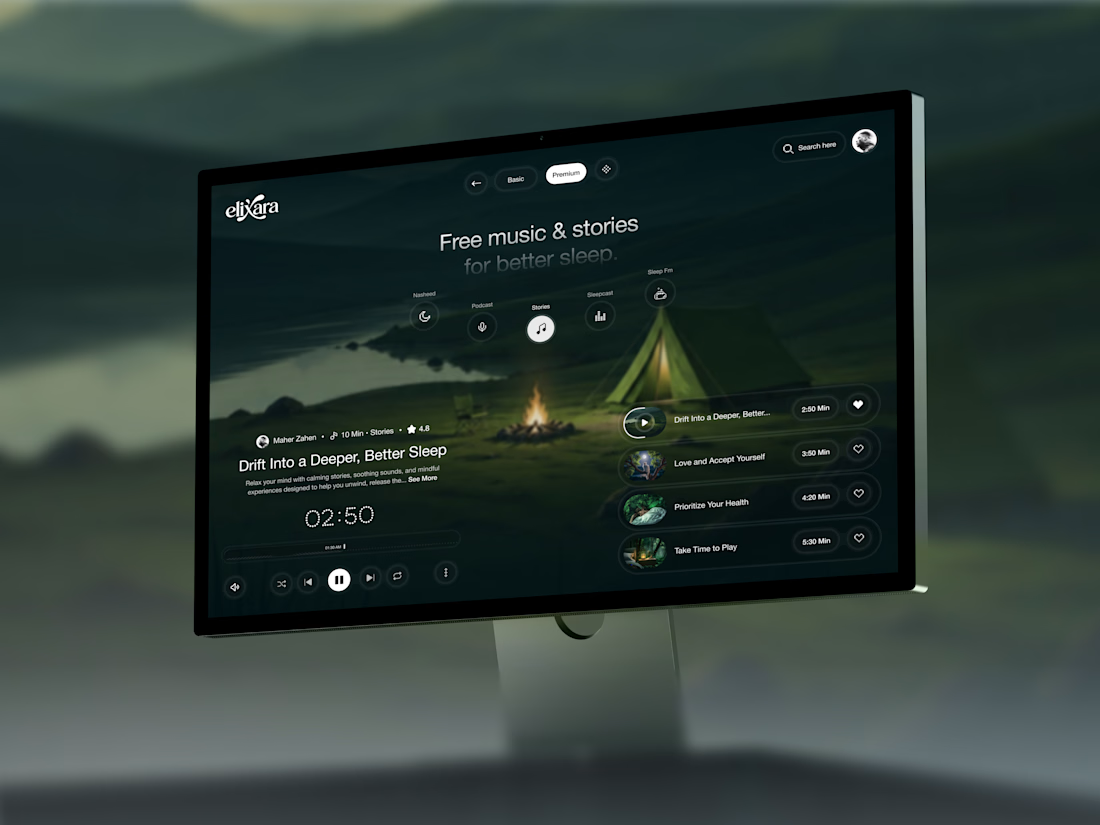

Great UX understands the user's state of mind, not just what they want to click.