The network for creativity
Join 1.25M professional creatives like you
Connect with clients, get discovered, and run your business 100% commission-free
Creatives on Contra have earned over $150M and we are just getting started
Back to feedPost

One thing I've always wished existed is an AI health companion that doesn't just count calories,it actually helps people build healthier habits in one place.
So I used Flowstep to bring my idea to life and created NutriFit AI.
NutriFit AI is an AI-powered fitness and nutrition companion designed to make healthy living simpler. The prototype includes:
AI meal recommendations
Smart meal scanning
Workout tracking and progress monitoring
Personalized fitness goals
Daily calorie tracking
AI-powered health insights
Subscription and payment flows
A complete multi-screen user experience from onboarding to profile management
I wanted to build something that feels like having a personal nutritionist and fitness coach in your pocket.
Building this in Flowstep allowed me to go from an idea to a high-fidelity, clickable prototype screen by screen while refining the user experience along the way.
#FlowstepChallenge #BuildWithFlowstep #AI #HealthTech #UXDesign #ProductDesign #FitnessTech
The network for creativity
Join 1.25M professional creatives like you
Connect with clients, get discovered, and run your business 100% commission-free
Creatives on Contra have earned over $150M and we are just getting started


Related posts

Adding AI to an application is relatively easy.
Making that AI feature reliable enough for real users is a different challenge.
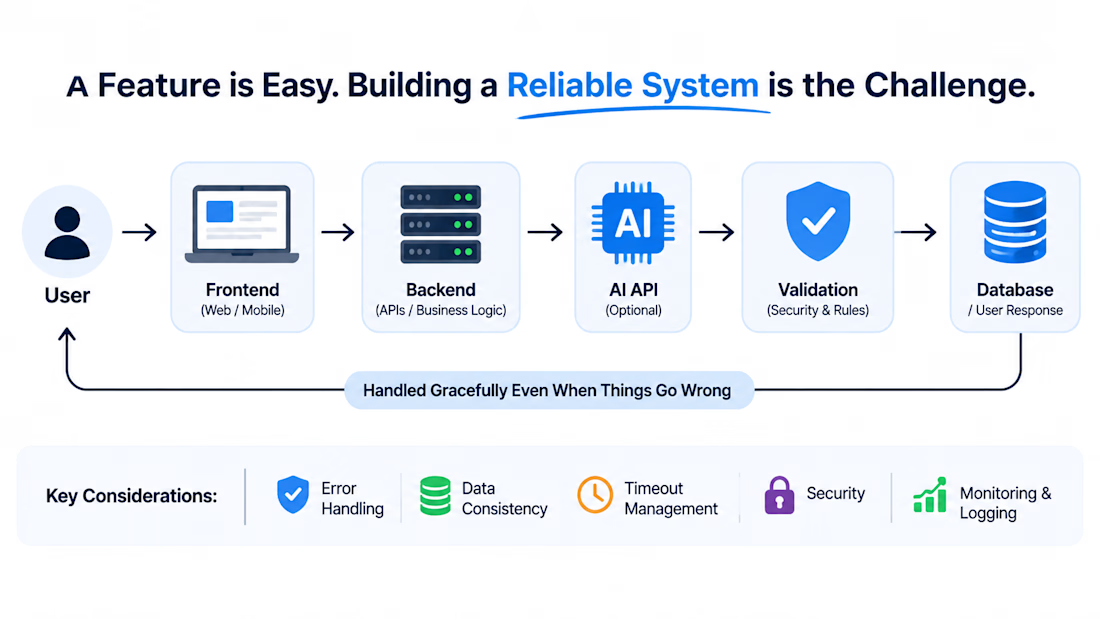
When integrating AI into a web application, I think developers need to consider more than just the API call.
There are several important questions:
→ What happens when the model returns an unexpected response?
→ How do we handle timeouts and failed requests?
→ How do we protect sensitive user information?
→ Can users review or correct AI-generated results?
→ How do we monitor usage, cost and response quality?
An AI feature should fit naturally into the existing application architecture.
It needs proper backend validation, error handling, security and a clear fallback when something goes wrong.
I've worked across web applications, APIs and AI integrations, and I believe the real engineering challenge is making these pieces work together reliably.
AI should improve the product, not make the application unpredictable.


Validating model output as untrusted input is the right frame, and it catches shape and rule violations. The gap is the plausible-but-wrong answer: it passes schema and business rules and still misleads, because the rule set only knows what someone already thought to encode....

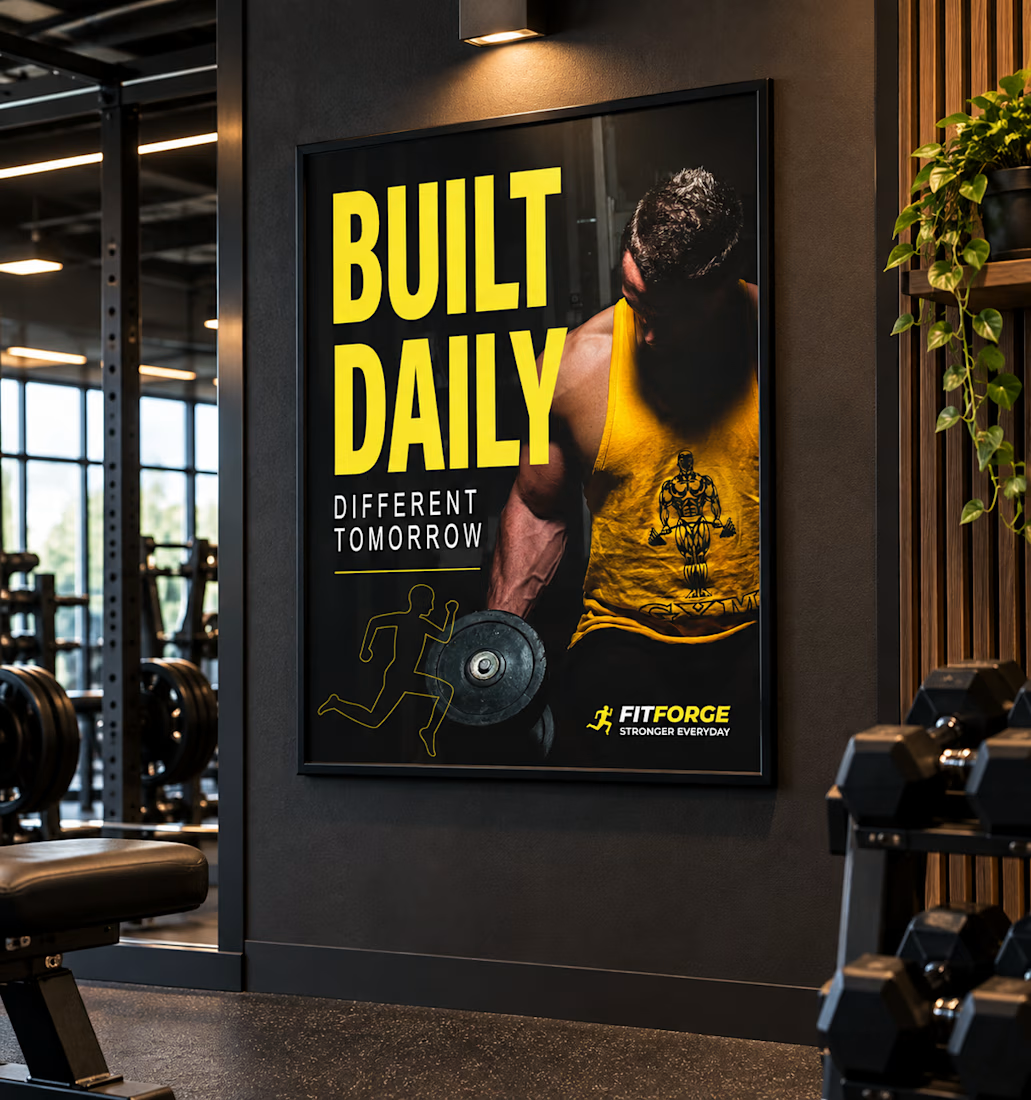
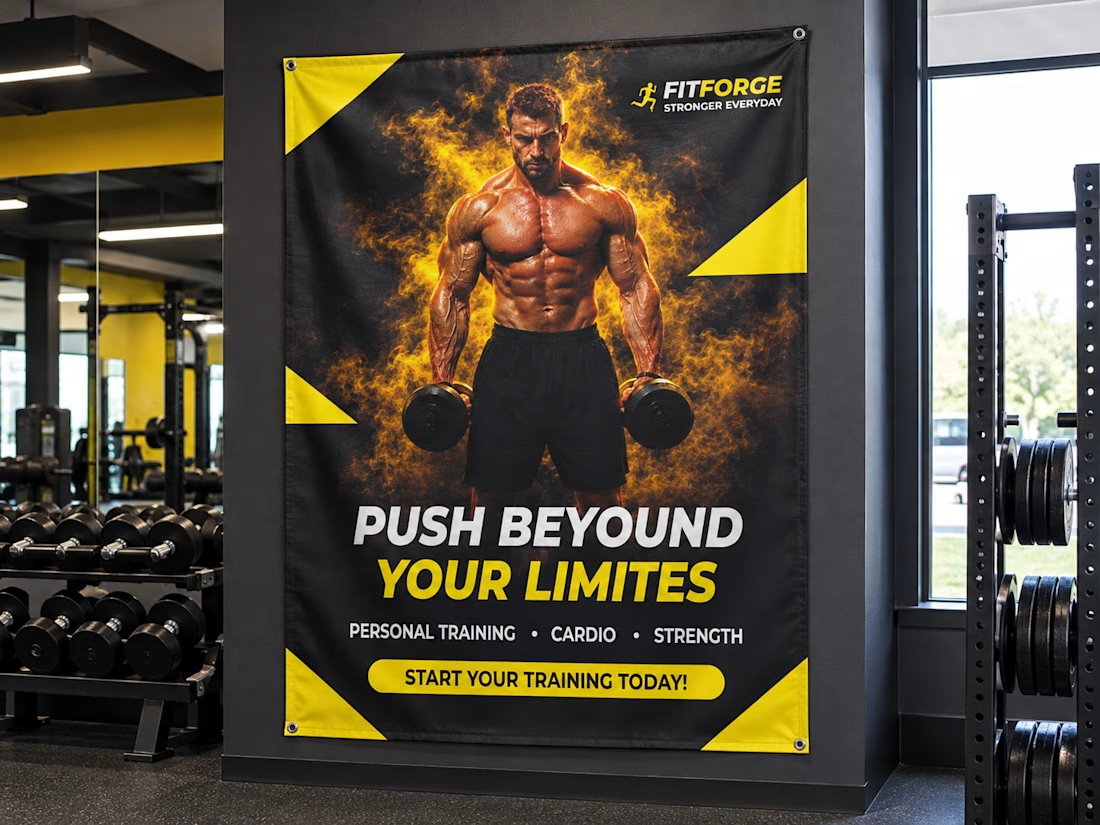
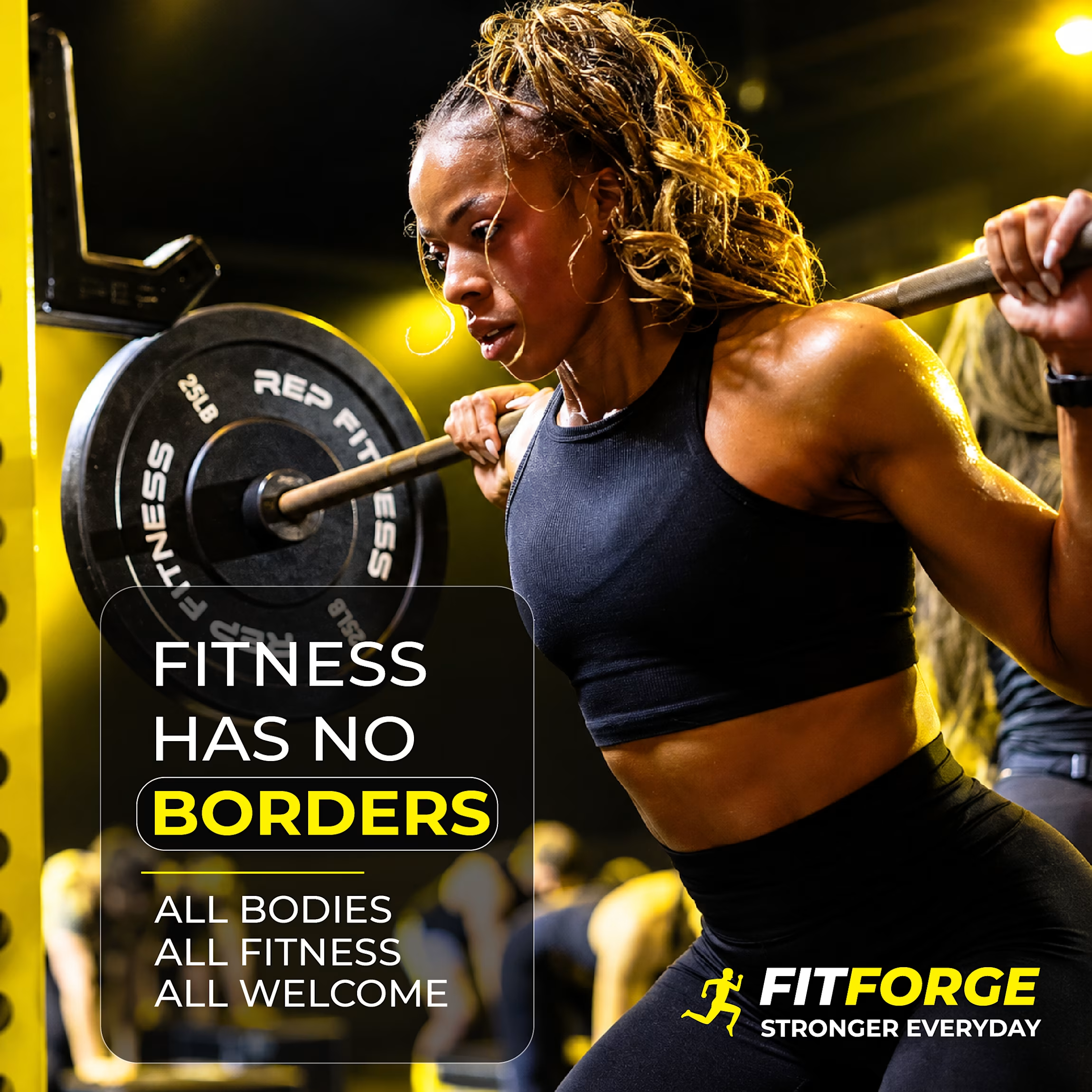
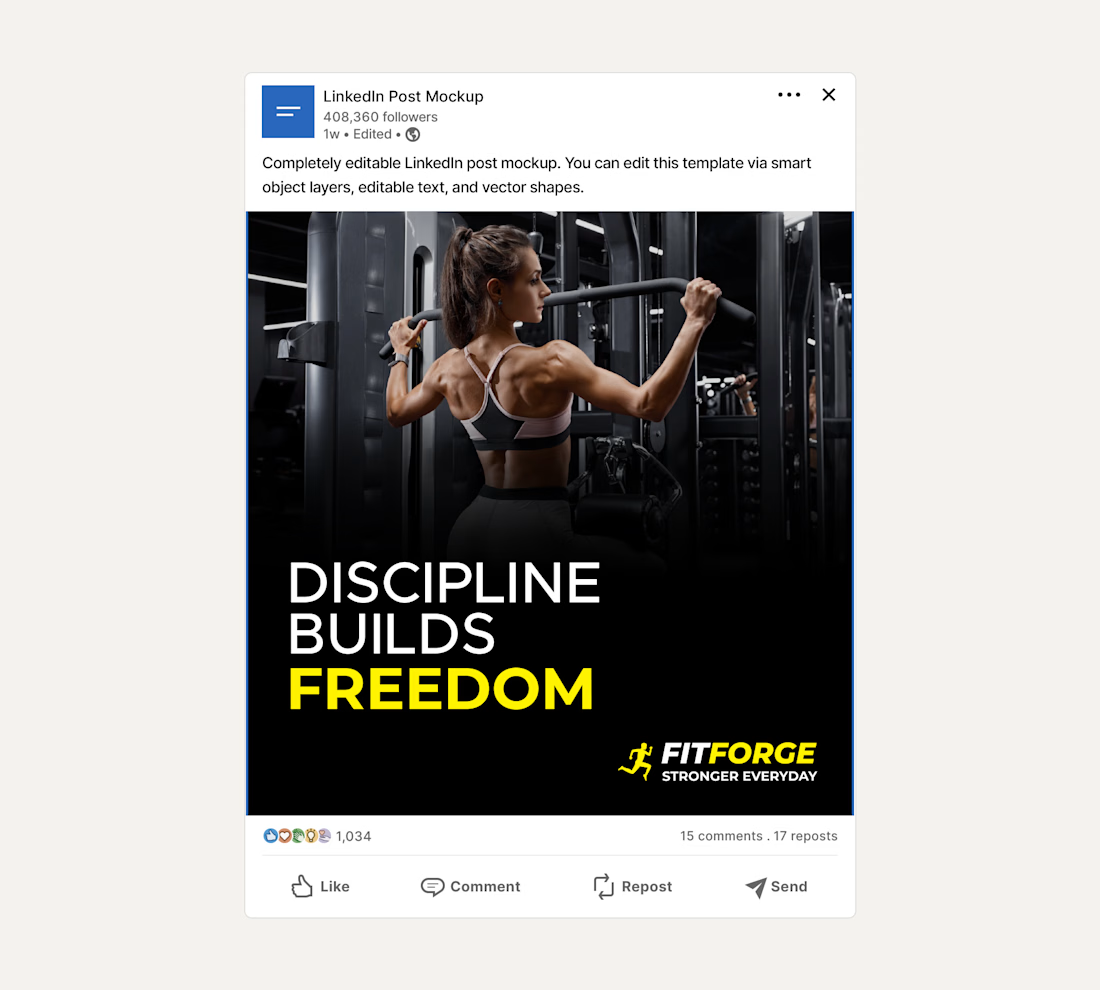
Brief: FitForge gym wanted posters and social media posts to promote their fitness services and create a bold, energetic look.
I designed two posters, three social media posts, and one postcard for FitForge, using strong typography, clear visual hierarchy, and a consistent black-and-white plus brand color palette.
Process: Started with logo direction, then carried the same look into the posters to keep the brand consistent. Used typography to create clear hierarchy so the main message reads first, with details following naturally.
Deliverables: Two posters, Three social media posts, One postcard, plus mockups showing how the design would look in a real gym space.
Outcome: a bold, clean, and cohesive set of materials that reflect the gym's energetic feel

Just published a new UX & Conversion Copywriting concept on my profile! 🚀
Most habit-tracking apps lose users in two places: vague landing pages that don't explain how the app fits real life, and overwhelming onboarding flows that ask for too much before delivering a quick win.
For this self-initiated PulseHabit concept, I mapped out the full user journey:
• SEO Landing Page: Built to turn high-intent search traffic into free trials using zero-friction microcopy.
• 4-Screen Onboarding Flow: Focused on single-habit selection to eliminate decision fatigue and get users to Day 1 activation faster.
Check out the full breakdown on my profile and let me know which screen you’d test first! 👇