The network for creativity
Join 1.25M professional creatives like you
Connect with clients, get discovered, and run your business 100% commission-free
Creatives on Contra have earned over $150M and we are just getting started
Back to feedPost

Living Painting — step inside an old master's canvas
Living Painting transforms the entire camera view — you and everything around you — into a classical Renaissance oil painting come to life. Visible brushstrokes, rich impasto texture, craquelure cracking across the surface, warm gallery lighting and deep chiaroscuro shadows: your portrait, painted by an old master, that has just started moving.
The lens was built entirely in Easy Lens using AI Video Transform, from a single natural-language prompt describing the painting's surface, light and texture in cinematic detail. Getting here was a process: I began with a multi-era "time travel" concept, discovered through iteration that AI Video Transform runs as a single dedicated block — no extra inputs or overlays — and redesigned around that constraint. Rather than diluting one block across five looks, I concentrated everything into the single most striking transformation. The constraint made the lens better.
The result is a one-tap wonder: instantly legible, endlessly snappable, and different for every person and every room it's pointed at.


The network for creativity
Join 1.25M professional creatives like you
Connect with clients, get discovered, and run your business 100% commission-free
Creatives on Contra have earned over $150M and we are just getting started








Related posts


Hourfield is a 16-second 16:9 launch film for products that organise people's time: calendars, schedulers, booking and reservation apps, planners. Retype a few short lines, drop in your logo and rename the calendar's days and tiles (meetings, table bookings, classes, shifts): the week re-plans itself on screen and the film lands on your logo lockup. Our second version, Maréva, a fictional table-booking app, turns the working week into an evening of reservations on the same animation and timing.
Built end-to-end through the SVGator MCP server. The calendar that re-plans its own week, the orbit that swirls into a single dot and the lines centred by their real letter shapes (fonts measured, not eyeballed) were computed in Python and written straight into a live SVGator project as 780 editable keyframes; I directed every note and finished it in the canvas. Maréva was made the same way, on the same timeline. Everything stays a real layer: 50 live text layers, named elements (headline, logo, product-name, tagline) and one logo image animated in two moments.
Yes, there is a lot to edit: every line of the story, a whole week of calendar tiles, a palette in nine roles. A full rebrand takes longer than five minutes, and that is the honest trade: it shows how much a single SVGator file can carry, and how MCP makes a detailed, story-driven film practical to re-make, not just to watch.
Links:
▶ Template (SVGator)
▶ Demo video, A → B


Love the smooth flow and the text animation! Good luck!

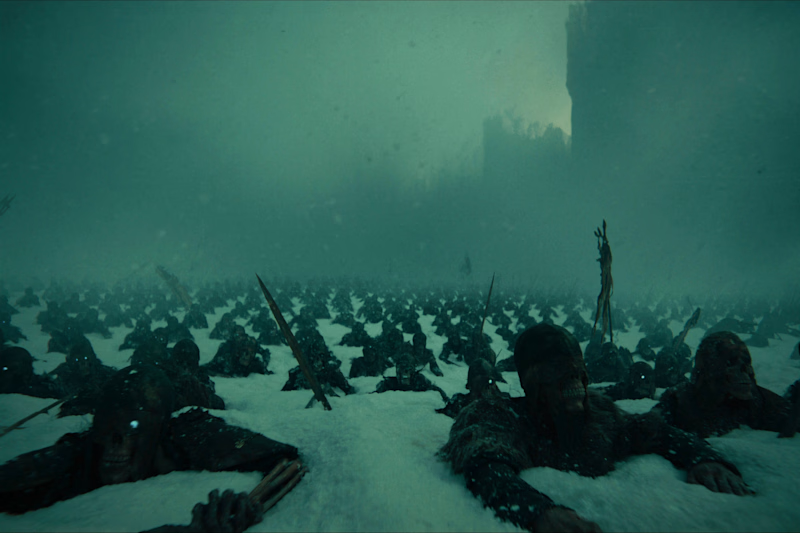
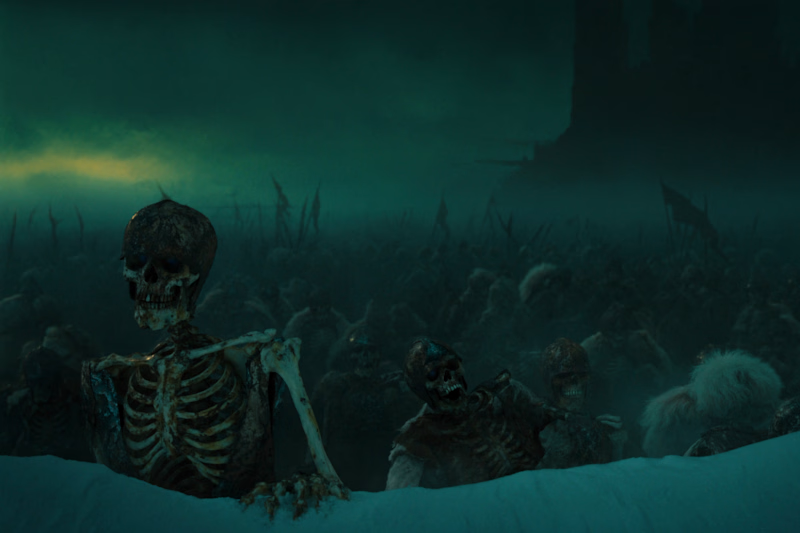
Which shot hits hard?
GOT themed short film drooping soon!

2 voted
33%
4 voted
67%
6 votes
Closed

I prefer shot 2 it’s darker, grimmer; I find shot 1 a bit too clean.

This is great
