The network for creativity
Join 1.25M professional creatives like you
Connect with clients, get discovered, and run your business 100% commission-free
Creatives on Contra have earned over $150M and we are just getting started
Back to feedPost
Here is my Config Makeathon entry.
This is VivioBrush.
VivioBrush is a timeline free creative app that turns your video library into liquid paint.
On the upload screen just drag a video from anywhere into the upload box or click on the upload from computer button.
Once uploaded you are moved to the studio section.
Within the studio section you will notice that your video in loaded onto a brush. Simply click and drag on the canvas to make your video brush appear.
In the bottom tool panel you have the option to make your brush stroke smooth or stepped which can provide some fun results.
Next to that there is a slider to increase the brush width.
The pink circle is your active layer where you can turn on the sound of the video, click on the C button to give your layer and continuous stroke or change it to R which gives it a repeating pattern. There is a trashcan on the left that clears the art board as well a blue plus button to add another layer.
There is a white X you can click on to get rid of the layer/video all together.
Once you are happy click on the export button to see some options.
You can export your creation as a Video or GIF.
For the video option you have three durations to choose from.
Feel free to download your creation to your computer or post it to our gallery.
Within the gallery you can open up a modal that allows your to preview other people work. Within the modal you can also delete your video if you don't want it within the gallery anymore.
I'm more of a show don't tell kind of person so hopefully that covers everything.
-This is Version 1.0 so there might be bugs or it might lag a bit-
I will continue to tweak it as needed.
Published App
https://mild-event-79697254.figma.site
Community file
https://www.figma.com/community/file/1647330932825759833/viviobrush-community-file


Love the visual direction here. The attention to detail really stands out.

Updated with a command Z/Control Z to undo a brush stroke

Updated to improve the brush so it doesn't lag as much
The network for creativity
Join 1.25M professional creatives like you
Connect with clients, get discovered, and run your business 100% commission-free
Creatives on Contra have earned over $150M and we are just getting started
Trending

Claude
Claude has entered the design space. How are you using it?

Contra University
Learn from expert creatives how to earn more using next-gen AI tools.
Brand Design
The best brand designers are on Contra. Scroll to see what's trending in brand design. What are you building?
creativeaiflow
Creative AI workflows are evolving. What tools do you use, and what are their strengths and weaknesses?
freelancerlife
Freelancer life is wins, pivots, and everything in between. What’s yours right now?





Related posts


Nice work


Excited to share my submission for the #FlowstepChallenge!
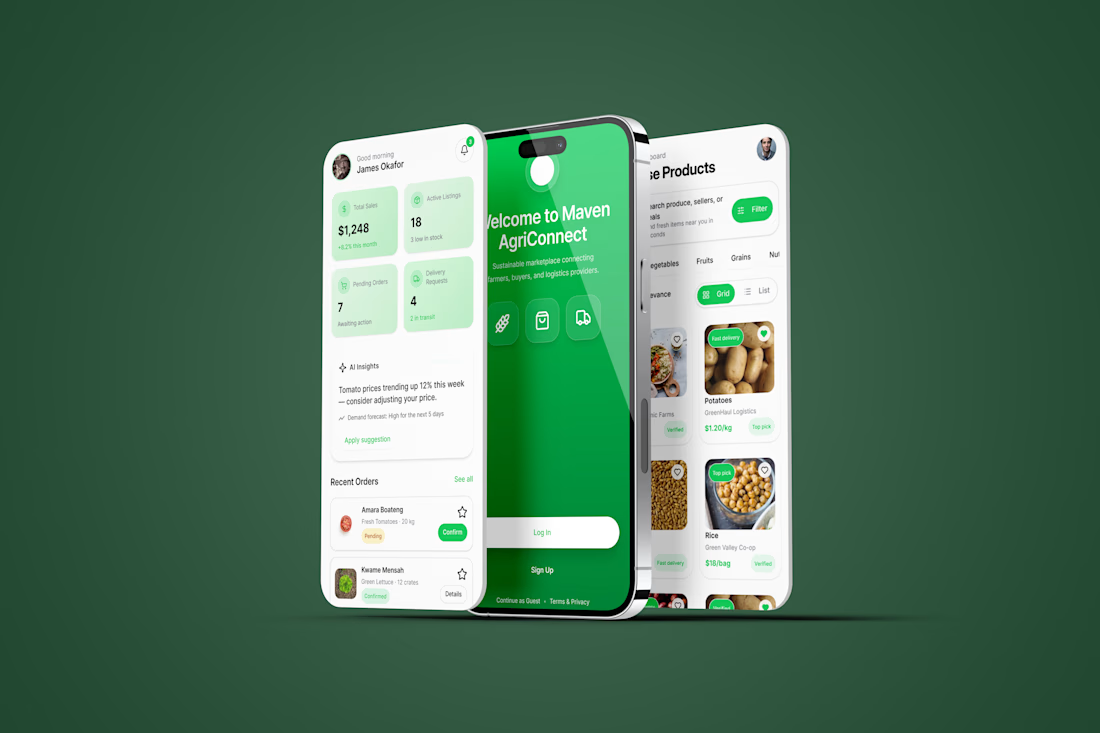
I designed Maven AgriConnect, a mobile marketplace that connects farmers, buyers, and logistics providers in one seamless experience. Starting with Flowstep AI, I refined the concept in Figma to create a role-based product focused on usability, trust, and efficient agricultural commerce.
Tools: Flowstep AI • Figma
@flowstep_ai
#UIDesign #Figma #ProductDesign #Marketplace #MobileApp