The network for creativity
Join 1.25M professional creatives like you
Connect with clients, get discovered, and run your business 100% commission-free
Creatives on Contra have earned over $150M and we are just getting started
Back to feedPost

Most document automation projects fail because they rely too heavily on OCR.
OCR reads text — it doesn’t understand structure.
We’ve been working on a different approach: sending full-page documents to AI along with a structured field definition, allowing the system to return clean, usable data instead of raw text.
This shift improves accuracy, handles complex layouts, and supports multi-record extraction.
Curious how others are approaching document extraction beyond OCR.
The network for creativity
Join 1.25M professional creatives like you
Connect with clients, get discovered, and run your business 100% commission-free
Creatives on Contra have earned over $150M and we are just getting started











Related posts

I have spent the last two months redesigning a dashboard for a multi-tenant company.
They were relying heavily on generic AI-generated content, which I am now replacing.
While I am working on several other pages, I can share this one.
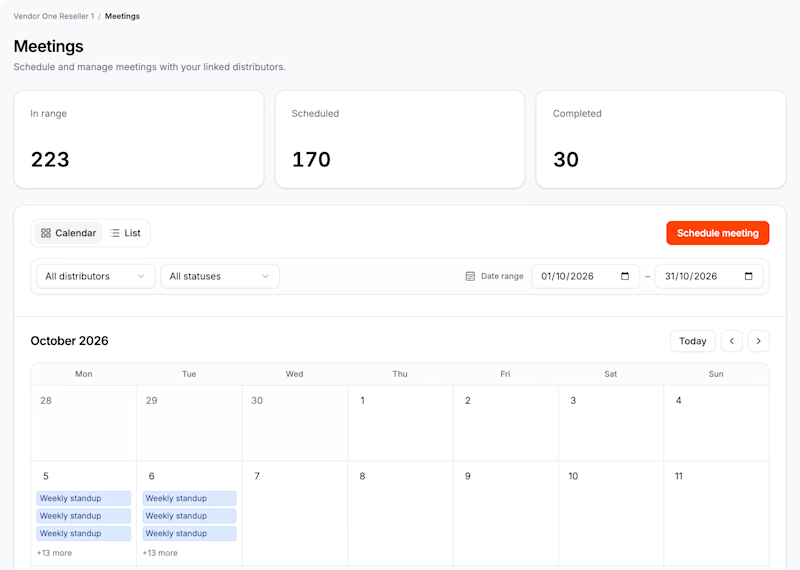
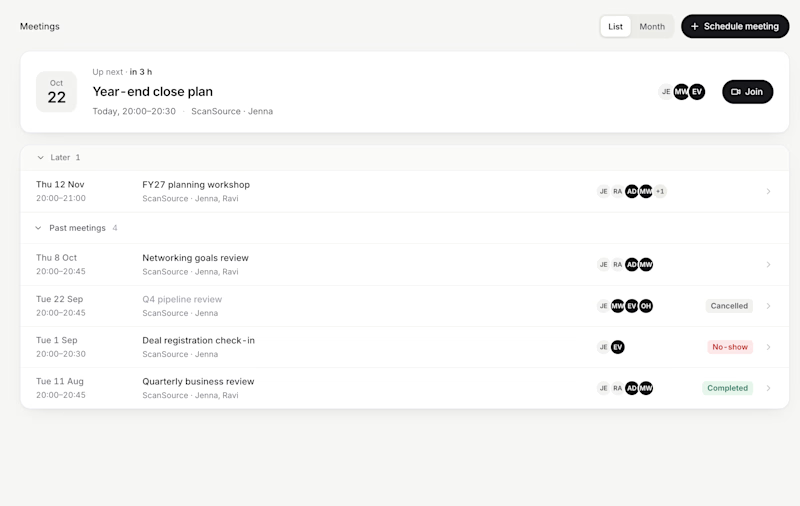
3 votes
Ends in 1d

I voted for AI, analytics are more clear

Yesterday I added a Location picker to a site redesign and migration to Framer that I've been working on. The large cards were custom made and the search was done by Opus 5.5.
AI is definitely a nice compliment to help expand the capabilities of hand-made designs and components.


Developed an AI-powered document assistant that allows users to upload multiple PDF files and ask questions about their content. The application retrieves relevant information from uploaded documents and uses a large language model (LLM) to generate context-aware answers.
Key Features
Multi-PDF document upload and processing
Retrieval-Augmented Generation (RAG) for document-based question answering
Semantic search for retrieving relevant information
AI-powered responses using LLM integration
FastAPI backend for API-based interactions
Streamlit interface for user interaction
LangChain and LangGraph for AI workflow development
Technology Stack
Python, LangChain, LangGraph, RAG, LLMs, FastAPI, Streamlit, FAISS/Vector Store, Groq API.
Business Value
Helps users find information across multiple documents without manually searching through every PDF. The solution can be adapted for internal knowledge bases, business reports, technical documentation, and document-heavy workflows.
My Role
Designed and developed the application, integrated document retrieval and LLM-based question answering, and connected the backend API with the user interface.
Available Services
Custom AI chatbot development
RAG pipeline development and customization
PDF-based knowledge assistants
Python backend and API integration
AI application prototyping
