The network for creativity
Join 1.25M professional creatives like you
Connect with clients, get discovered, and run your business 100% commission-free
Creatives on Contra have earned over $150M and we are just getting started
Back to feedPost

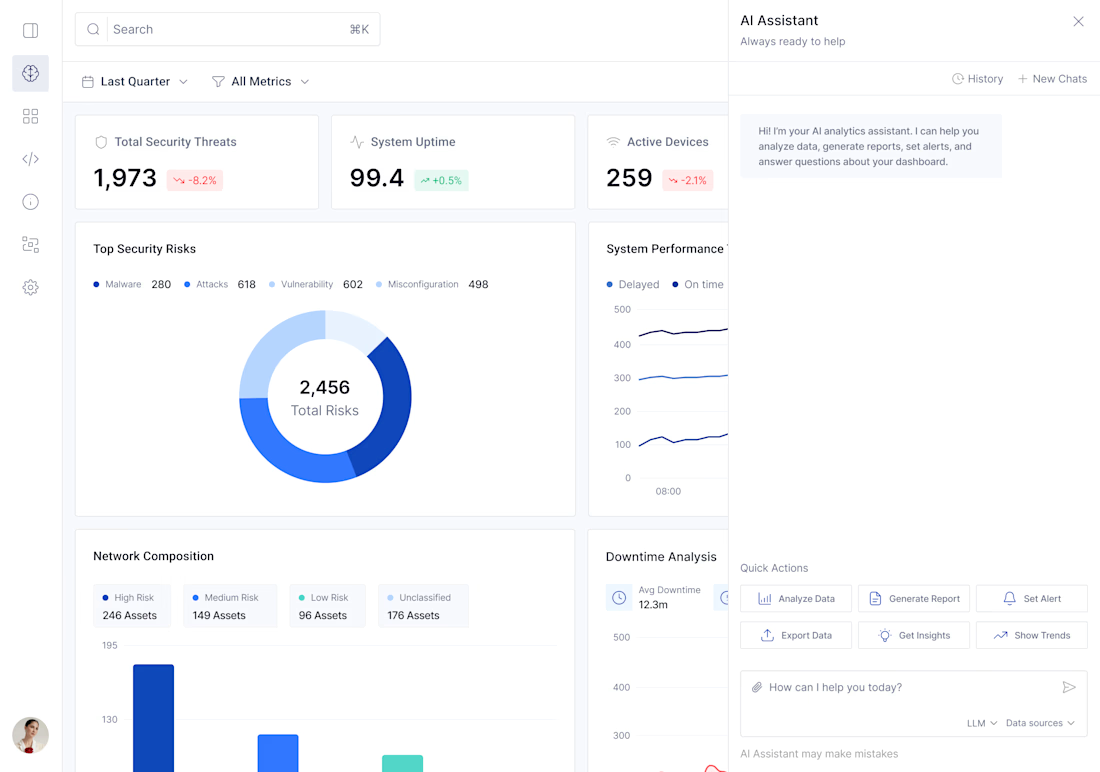
A few UX choices behind this screen:
The quick actions make the AI easier to use without needing perfect prompts. Users can start with “Analyze Data,” “Generate Report,” “Set Alert,” or “Show Trends” instead of thinking from scratch.
The dashboard stays data-first. Key metrics, risk charts, and system performance remain visible, while AI acts as a support layer, not a replacement.
The top filters help users narrow the scope before analysis, making insights more relevant.
The assistant also explains what it can do in the empty state, reducing confusion.
Overall, the design helps users move from viewing data to asking questions and taking action faster.
The network for creativity
Join 1.25M professional creatives like you
Connect with clients, get discovered, and run your business 100% commission-free
Creatives on Contra have earned over $150M and we are just getting started
Trending
retrofuturism
Share your favorite designs from the past exploring the distant future. Or your own take on the aesthetic 🚀
halftone
Dots. Texture. Grain. Let's see your designs using the halftone technique.

Midjourney
Creatives are showing off what they're making with Midjourney.
colorgrade
Video editors sound off: How do you enhance the mood of your video in color grading?
Related posts

How do you keep a brand's promise of calm intact once real users start clicking through checkout?
Mudita builds minimalist devices around one idea: technology that harmonizes with your life instead of competing for your attention. The brandbook lays that promise out in detail - tone, restraint, what the brand should never feel like. My job was carrying that same discipline into the product itself.
I worked across the checkout flow, the storefront and category browsing, and the product page above the fold - three surfaces where small frictions had quietly built up against the brand's own case for calm. The brandbook gave the rules. The UI work was making sure those rules survived contact with a real cart and a real user.
For the case study visuals, I used AI for the first time to produce product footage 🤖 - wind moving through a scene, an object drifting in place. Higgsfield was genuinely a good way to learn that workflow fast.
Full case study - actual before/after breakdowns - is up on Behance 🔗, linked below.
Genuinely curious where people land on this: generating production assets with AI is fast, and honestly kind of fun as a workflow - but there's real pushback that it's taking work away from people who used to shoot this stuff. Where do you fall on that?


The checkout flow detail is what stands out to me, that's usually where a brand's calm promise turns into three different button behaviors fighting each other. On your AI question, I think it matters less whether it's fast and more who's checking the output against the brand's...

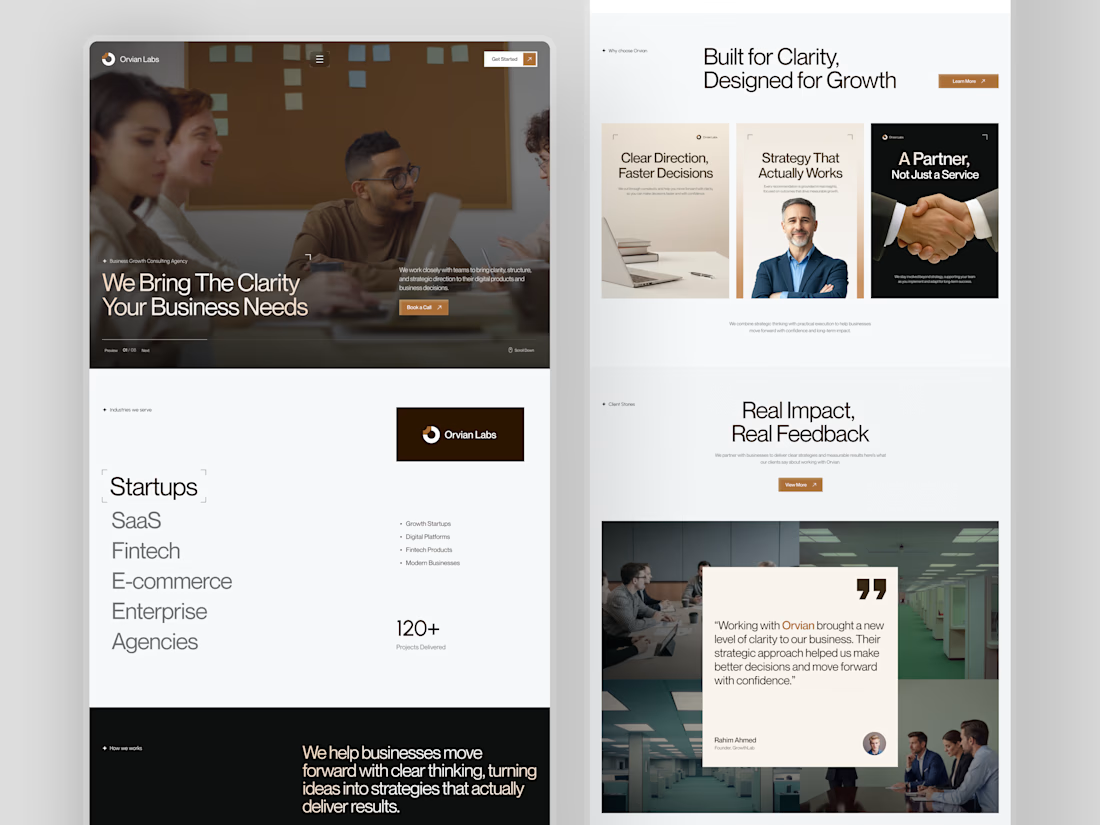
When designing a consulting agency website, most people lead with services.
We usually do too. It feels like the logical starting point.
But when we worked on Orvian Labs, we tried something different.
Instead of opening with what they do, we led with what the client actually needs to feel before they read anything clarity and trust.
The hero doesn't list services. It just says "We Bring The Clarity Your Business Needs." And the rest of the page builds the case quietly a scrolling industry list, a three-card value section, 120+ projects as a single trust signal, and a dark manifesto block that finally tells you who they are.
The testimonial comes last. By that point, the visitor already believes it.
What we noticed was that leading with feeling before features made the layout decisions much easier. Every section had a clear emotional job to do, not just an informational one.
This was one of our website layouts to work through. Hope you like it.
#web design # ui-ux design

Premium quality work.

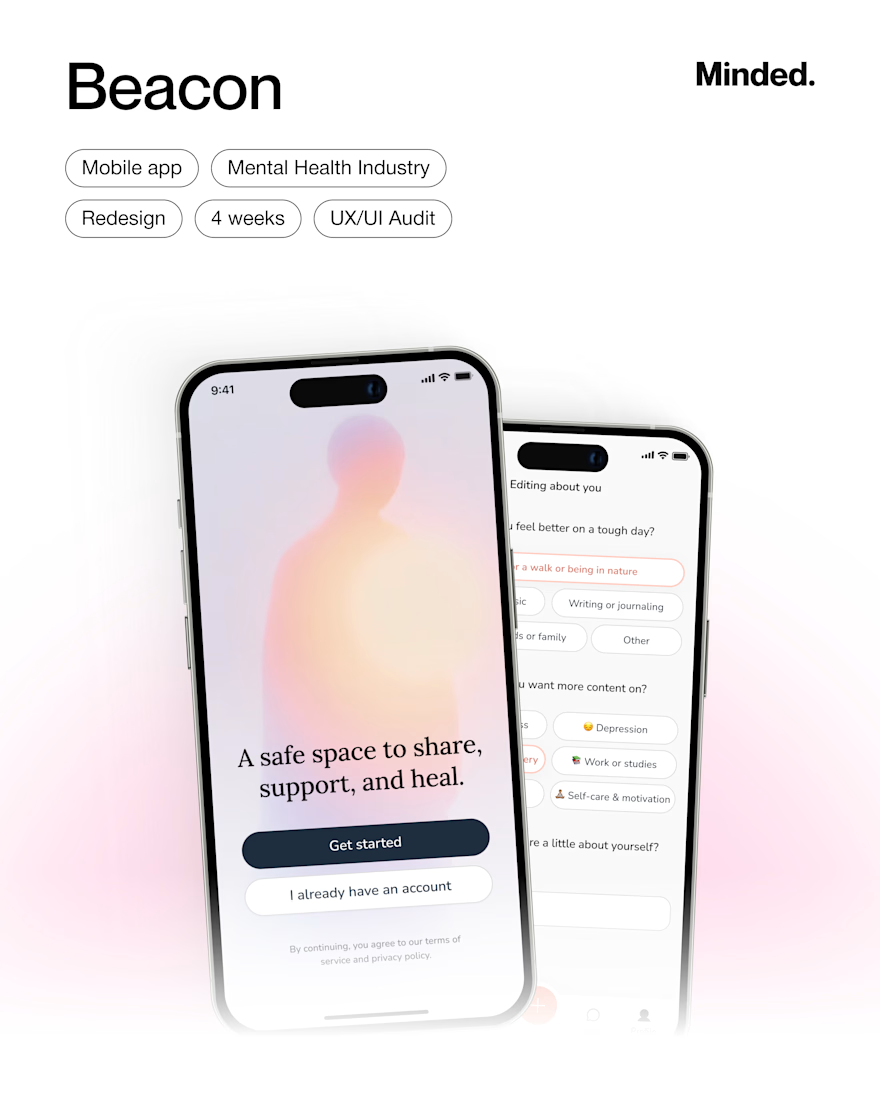
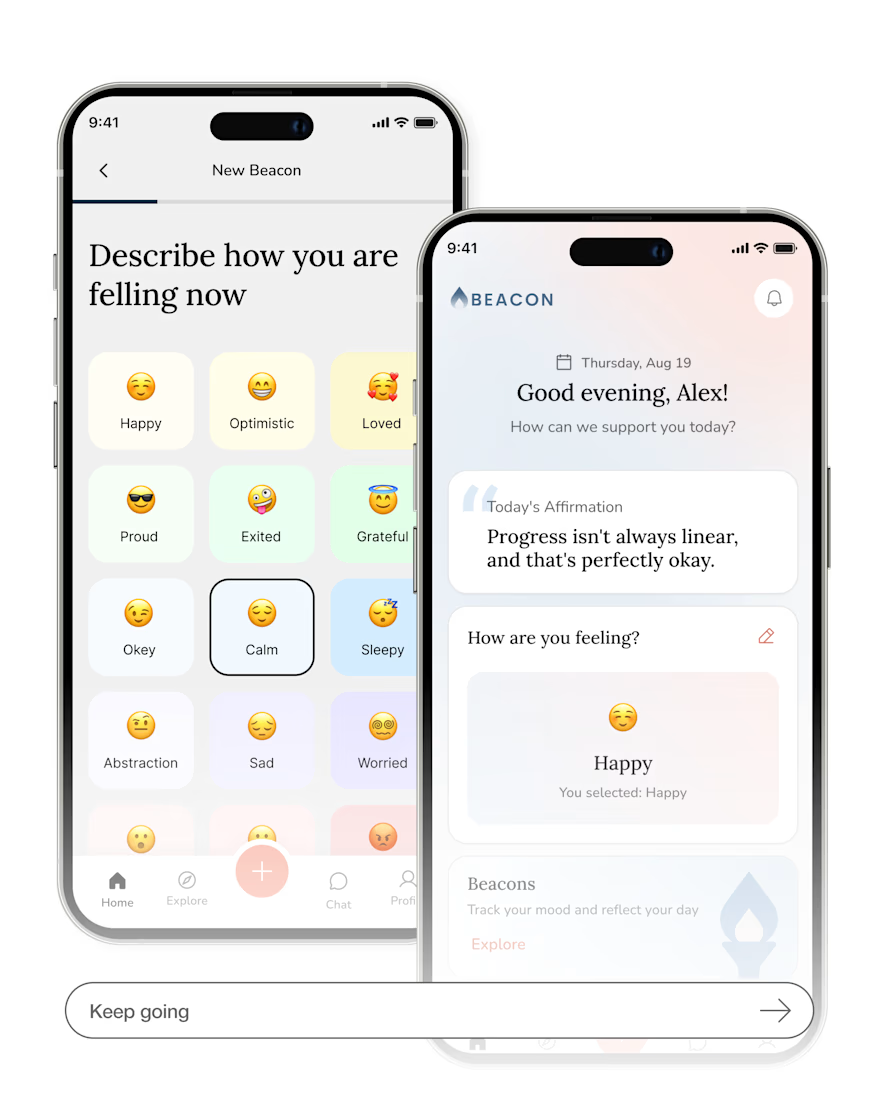
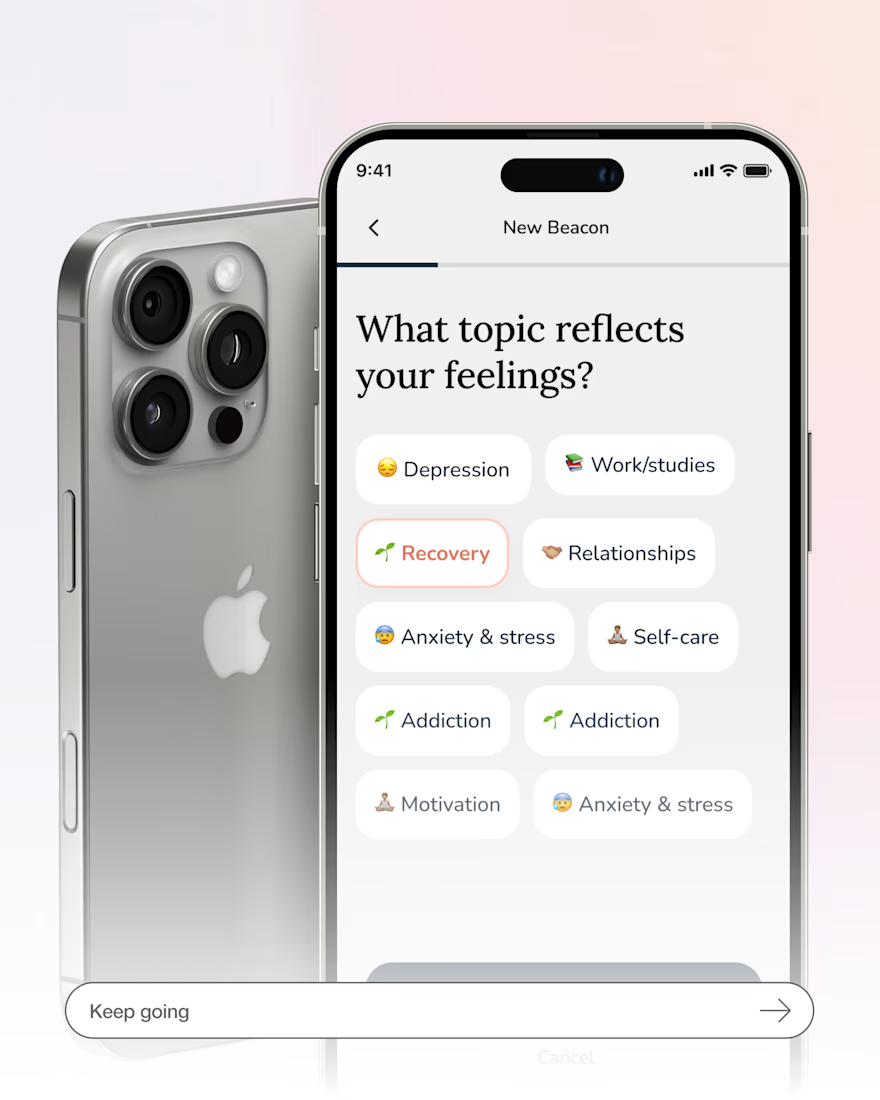
Beacon – Mobile App Redesign
The Client
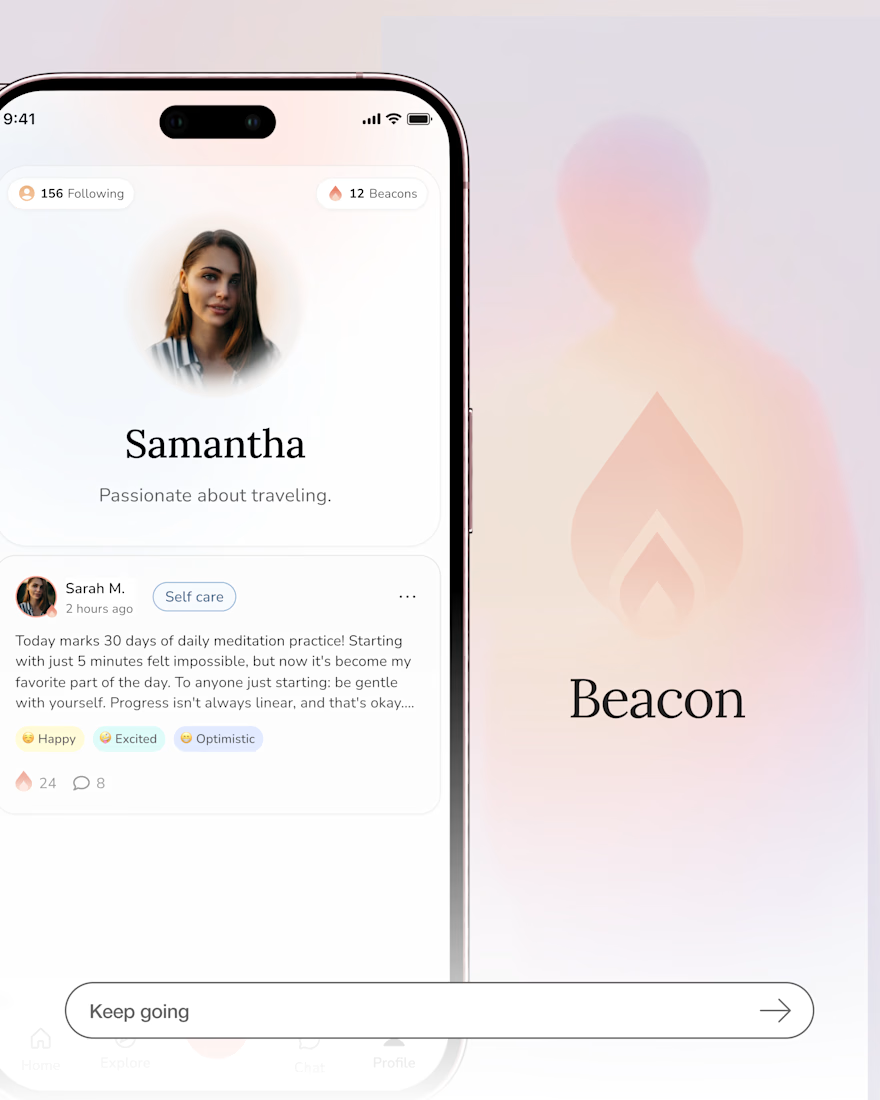
A mental health startup building a social platform where people can share moods, “light a beacon” when they need support, and connect with an empathetic community.
Problems
The product needed a clearer user experience and stronger emotional design to ensure safety, trust, and intuitive navigation for users who may be in vulnerable states.
Goals
Create a calm, supportive app experience that makes emotional expression simple, encourages meaningful community interaction, and builds user trust.
Solution
Led the full UX/UI design process, from product audit and research to user flows, wireframes, and high-fidelity screens, creating a clear, cohesive, and empathetic mobile experience.

Looks great !