The network for creativity
Join 1.25M professional creatives like you
Connect with clients, get discovered, and run your business 100% commission-free
Creatives on Contra have earned over $150M and we are just getting started
Back to feedPost
The Let's Encrypt 429 lockout: Why automatic ACME issuance in ephemeral testing environments paralyzes releases and how centralized storage prevents outages.
Modern web servers like Caddy have revolutionized HTTPS by enabling automatic, zero-configuration TLS certificate issuance through Let's Encrypt and ZeroSSL. You point a domain name to your server, start the daemon, and within seconds, production-grade TLS 1.3 certificates are provisioned and renewed automatically.
However, when engineering teams introduce automated ACME servers into dynamic CI/CD staging environments, ephemeral Kubernetes clusters, or multi-node container stacks, a catastrophic failure mode frequently occurs: **the Let's Encrypt rate limit lockout**.
1. The Ephemeral Container Trap: In ephemeral staging or testing clusters, containers spin up and tear down constantly. If certificate storage is not persistently mounted to disk, every newly spawned container requests fresh certificates from Let's Encrypt production endpoints upon startup. 2. The 5-Certificate-per-Week Ceiling: Let's Encrypt enforces strict production rate limits: a maximum of 5 duplicate certificates per exact domain per week, and 50 new certificates per registered domain per week. Once exceeded, Let's Encrypt returns HTTP 429: ``too many certificates already issued for exact set of domains``. 3. Blocked Production Deployments: The rate limit cannot be manually reset or cleared by support tickets. Your domain is locked out for an entire 7-day rolling window. If this happens to a production domain or wild-card sub-domain during a scheduled release, the deployment halts completely.
Hardened enterprise TLS architecture isolates staging environments and centralizes certificate storage: • Use the Let's Encrypt Staging Environment for Testing: Configure test environments, PR preview apps, and staging clusters to point explicitly to the ACME staging endpoint (in Caddy: ``acme_ca https://acme-staging-v02.api.letsencrypt.org/directory``). Staging endpoints enforce massively higher rate limits, allowing unlimited test deployments without consuming production quotas. • Shared Storage Backends for Clustered Ingress: In multi-node proxy deployments, never allow individual instances to request certificates independently. Configure shared storage modules (e.g., PostgreSQL, Redis, or S3 storage plugins) so that all proxy instances share a single authoritative certificate cache and distributed mutex lock. • Implement Internal Enterprise CA for Staging: For non-public internal domains and staging environments, bypass public ACME entirely. Issue certificates using an internal FreeIPA or step-ca Private PKI, eliminating third-party rate limits and external dependency risks. • Graceful Fallback Strategies: Ensure ingress proxies maintain valid fallback certificates and cache existing valid keys on disk before attempting renewal.
Eliminate TLS lockout risks and guarantee seamless, automated certificate lifecycles across all environments.
Deploy hardened, high-availability ingress with our 1-week High-Availability Ingress & Hardened Reverse Proxies Sprint on Contra: https://contra.com/s/Ec6sEAUW-high-availability-ingress-and-hardened-reverse-proxies-ha-proxy-and-caddy
#Security #Infrastructure #DevOps #Architecture #SRE #Networking #Cloud

The network for creativity
Join 1.25M professional creatives like you
Connect with clients, get discovered, and run your business 100% commission-free
Creatives on Contra have earned over $150M and we are just getting started

Challenges
View all


Related posts

Streamlining DevOps Workflows with CodeNest ⚡️💻
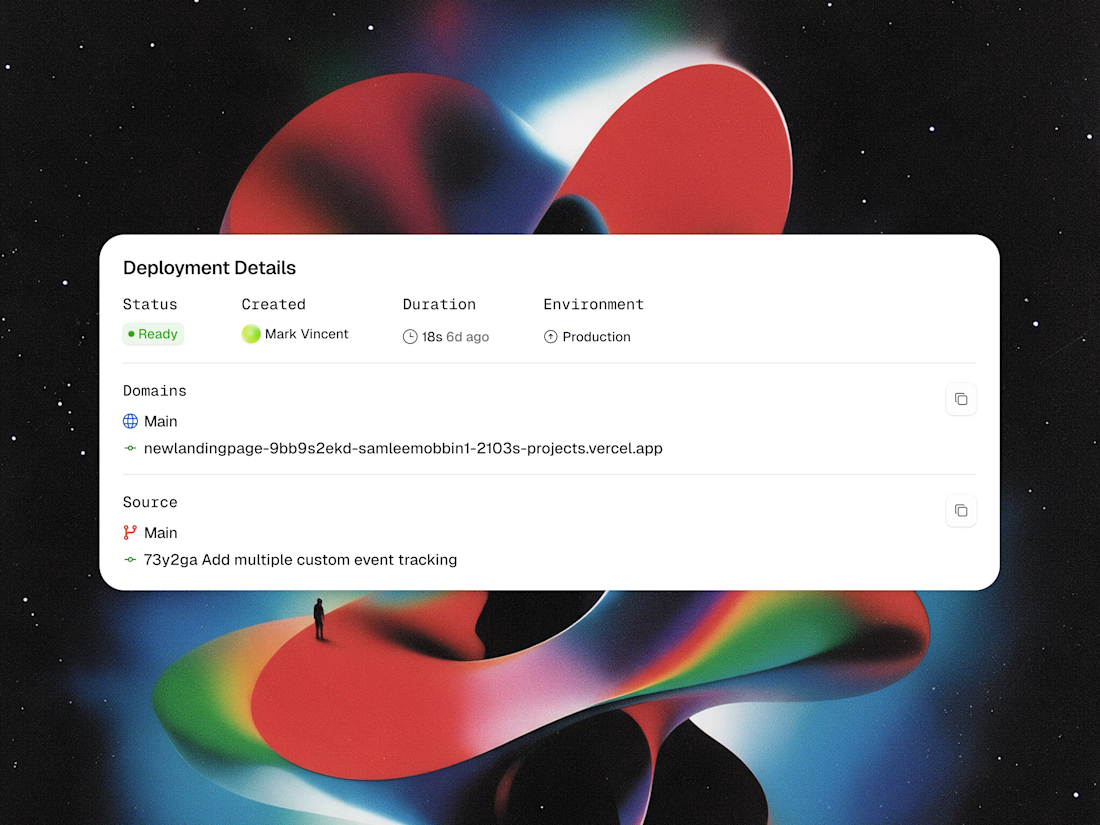
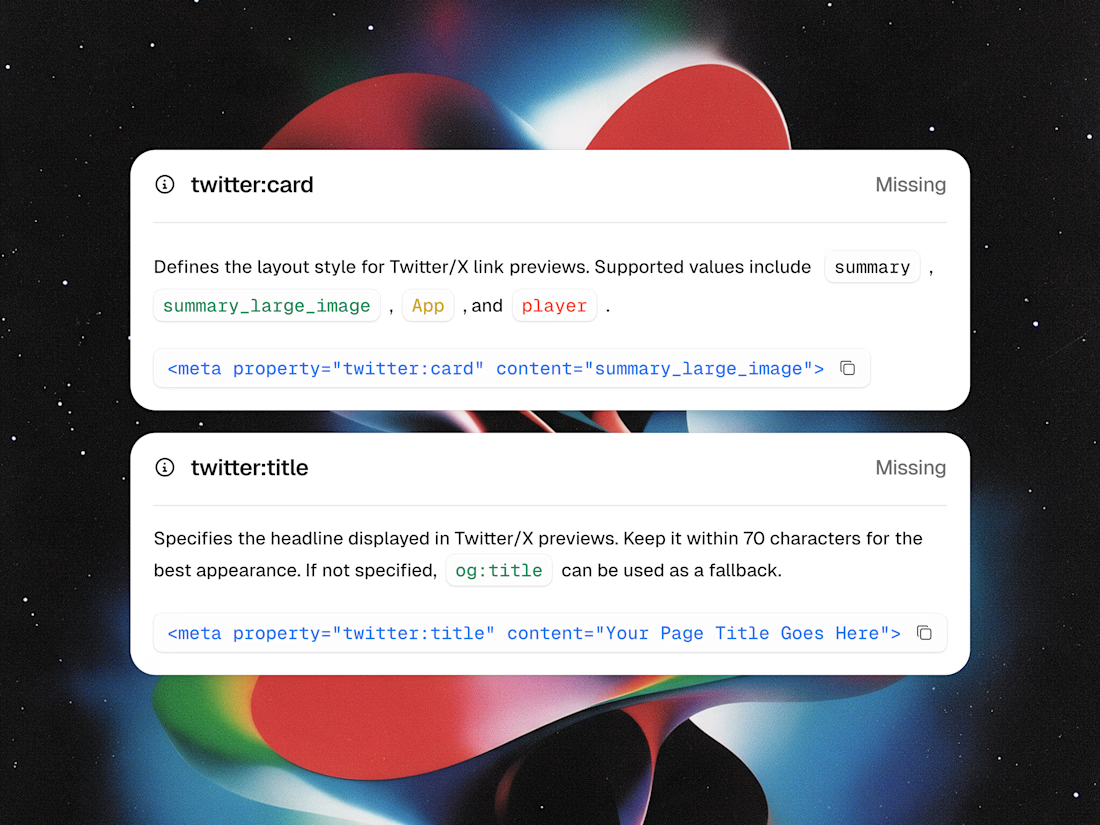
Shipping software shouldn't mean drowning in messy terminal logs or guessing if your link previews will work on social media. With CodeNest, we designed modular UI cards that turn complex deployment data and metadata debugging into an effortless visual experience.
Highlights of the UI snippet components:
• Deployment Details: Live tracking for production status, author attribution, 18-second build times, and commit logs.
• Social Card Debugger: Automated detection for missing twitter:card and twitter:title tags with copyable code snippets.
• Clean Data Architecture: High-contrast tags, monospaced code blocks, and single-click copy shortcuts.
Take a look at the attached snippet images to explore the layout and typography!
Would love to hear your thoughts in the comments! 👇


Where should an agent’s permission check live?
I built DeadBolt at NextEleven to put that check at the point where a tool action actually runs, outside the model’s instructions. Stable 2.0.0 is now available, free and open source under Apache-2.0.
For example: an agent requests a file write. Your executor asks DeadBolt first. A denial leaves the protected function uncalled. You can set tool policies, require one-use approvals, pause a run, or kill its future admissions. Store or transport failure denies protected dispatch.
You can embed it in Rust, use a local sidecar from Python or another language, or wrap a trusted stdio MCP server.
The boundary matters: DeadBolt protects routes you connect. It is not a sandbox for arbitrary code, and kill does not automatically cancel work already running.
Install, examples and captioned walkthroughs:
https://nexteleven.dev/deadbolt
If you’re building agents, what would make a permission gate easier to integrate into your stack? I’m happy to answer setup questions and consider useful feedback.

nexteleven.dev
DeadBolt — Give agents tools. Keep control.
A local execution gate for software agents, built by NextEleven.

For me, a small MCP example would help: approve a file write, then show what happens if the agent changes the path or content before execution. Is the one-use approval tied to those exact arguments?

The TLS 1.3 0-RTT vulnerability: Why blindly enabling zero-round-trip session resumption exposes state-modifying APIs to duplicate financial transactions.
One of the headline performance features of TLS 1.3 is **0-RTT (Zero Round Trip Time) Resumption**, often marketed as "Early Data". When a returning client reconnects to your server, it uses a previously negotiated session ticket to transmit HTTP request data alongside the initial TLS Client Hello—achieving zero handshake latency and dramatically speeding up mobile connections.
However, enabling 0-RTT without strict Layer-7 application awareness introduces a critical security flaw: **Early Data lacks forward secrecy and is vulnerable to replay attacks**.
1. The Replay Attack Vector: Because early data is encrypted under a static resumption key derived from the previous session, a passive on-path network eavesdropper (in a coffee shop Wi-Fi or compromised transit router) can capture the raw 0-RTT packet and re-transmit it to your server minutes or hours later. 2. Duplicate Non-Idempotent Actions: If the replayed request is a non-idempotent API call—such as ``POST /api/v1/orders/checkout``, ``POST /api/v1/transfers``, or ``POST /api/v1/votes``—your server decrypts and processes the request a second time. Customers are double-billed, account balances are debited twice, or state is corrupted. 3. Standard TLS Defenses Are Bypassed: Standard TLS sequence numbers do not protect 0-RTT data because each replayed packet appears to the server as a new, legitimate handshake resumption.
Hardening TLS 1.3 ingress requires enforcing strict anti-replay boundaries at the reverse proxy layer: • Restrict 0-RTT Strictly to Idempotent Verbs: In HAProxy, Nginx, or Caddy, configure edge rules to reject early data for non-safe HTTP methods. If an incoming 0-RTT request contains ``POST``, ``PUT``, ``PATCH``, or ``DELETE``, the proxy must delay processing until the full 1-RTT handshake completes. • Enforce Anti-Replay Caches: Enable edge anti-replay mechanisms (such as HAProxy ``ssl-max-record`` and ticket replay filters) that record client ticket identifiers and reject duplicated resumption handshakes within the ticket validity window. • Mandate Idempotency Keys in Application APIs: Require clients to include a unique UUID ``Idempotency-Key`` header on all state-modifying requests, deduplicating transactions in Redis before executing business logic. • Conservative Session Ticket Lifetimes: Limit session ticket validity (``ssl-default-bind-options ssl-min-ver TLSv1.3`` and short ticket lifetimes) to shrink the replay window.
Enjoy the speed of modern TLS 1.3 without exposing your financial and transactional endpoints to replay exploits.
Deploy hardened, high-availability ingress with our 1-week High-Availability Ingress & Hardened Reverse Proxies Sprint on Contra: https://contra.com/s/Ec6sEAUW-high-availability-ingress-and-hardened-reverse-proxies-ha-proxy-and-caddy
#Security #CyberSecurity #Networking #Architecture #Backend #SRE #Infosec