The network for creativity
Join 1.25M professional creatives like you
Connect with clients, get discovered, and run your business 100% commission-free
Creatives on Contra have earned over $150M and we are just getting started
Back to feedPost

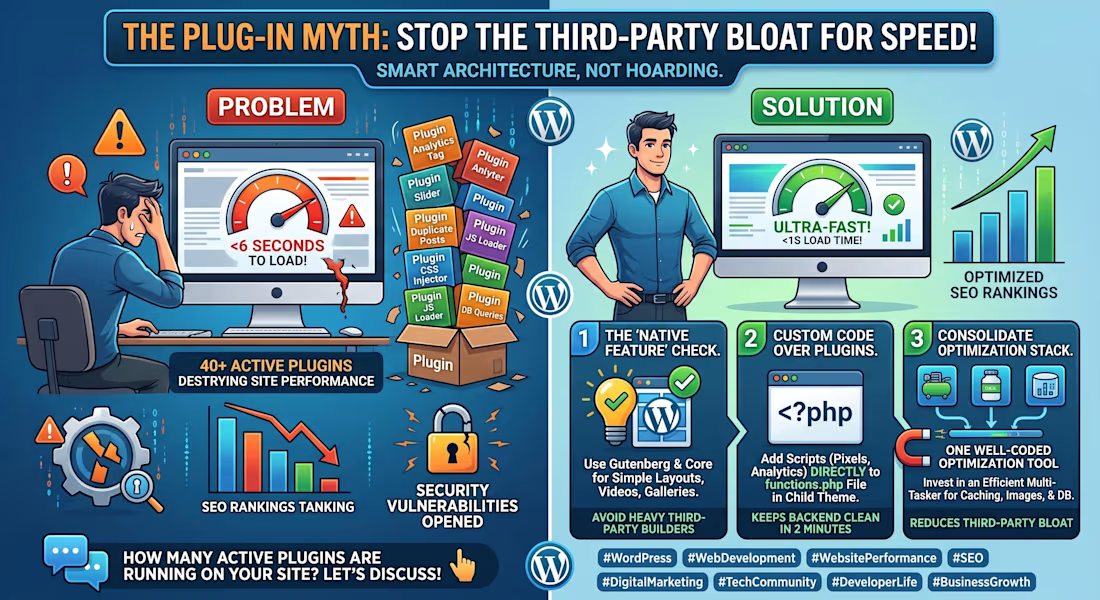
Installing a new WordPress plugin for every minor feature is the fastest way to destroy your website's performance.
The Problem:
I audit client websites all the time, and it is not uncommon to see 40+ active plugins on a standard local business site. One plugin for inserting a Google Analytics tag, another for a slider, and one just to duplicate posts.
Every single plugin you install injects extra CSS, JavaScript, and database queries into your site. Before you know it, your pages take 6 seconds to load, your SEO rankings tank because of the slow speed, and you have unknowingly opened up massive security vulnerabilities.
The Solution:
Stop treating plugins like a magic fix for everything. A high-performing, secure website relies on smart architecture, not third-party bloat. Here is the 3-step audit process I use to clean up and optimize heavy WordPress sites:
The "Native Feature" Check:
Are you using a plugin for something WordPress natively handles? Since the recent Gutenberg updates, you don't need heavy third-party page builders for simple layouts, and you definitely don't need a plugin to embed a video or create a standard gallery. Use core features whenever possible.
Custom Code Over Plugins:
Need to add a Facebook Pixel or Google Analytics tracking script? Don't install a "Header and Footer Injector" plugin. Just add those 5 lines of code directly to your child theme's functions.php file. It takes two minutes and keeps your backend completely clean.
Consolidate Your Optimization Stack:
If you absolutely must use performance plugins, find ones that handle multiple tasks efficiently. Instead of running three separate plugins for image compression, page caching, and database cleanup, invest in a single, well-coded optimization tool that handles it all under one roof.
A website should be built to run fast and convert visitors, not to hoard third-party software.
How many active plugins are currently running on your website? Have you checked recently? Let's discuss in the comments! 👇

The network for creativity
Join 1.25M professional creatives like you
Connect with clients, get discovered, and run your business 100% commission-free
Creatives on Contra have earned over $150M and we are just getting started
Related posts


Brand Design, Web Design & Web Development done by Kaiborgdesigns.com
Stop doomscrolling Netflix. 🍿
Quartilefilme.com scores every film on plot, acting, cinematography, novelty and ending. Pick Netflix, tap Top Cinematography, and the best-shot films are right there. Mix and match with genre and decade to find tonight’s pick.
Free on the App Store


A good-looking website is great. A website that actually brings in more leads? Even better.
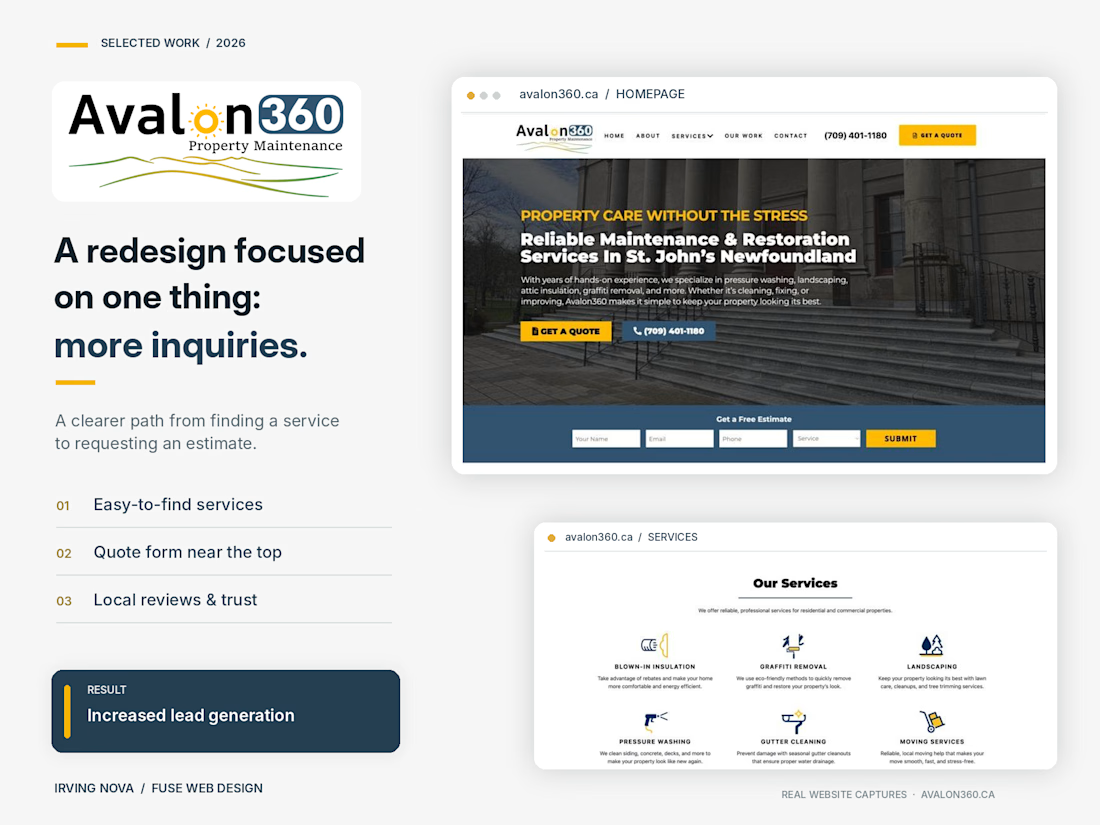
I recently redesigned the website for Avalon360, a property maintenance company based in St. John's, Newfoundland.
The goal wasn't just to modernize the design. It was to turn more website visitors into potential customers.
Here's what I focused on:
✅ A modern, professional design that builds trust
✅ Clear service pages that help customers find exactly what they need
✅ Strategically placed calls to action and easy-to-use quote forms
✅ A better mobile experience
✅ Real project photos, customer reviews, and local credibility
The result? Increased lead generation and a website that works harder for the business.
This is something I always emphasize with clients: your website shouldn't just be an online brochure. It should help grow your business.
🔗 Check out the live website: https://avalon360.ca
Designed & developed by Irving Nova | Fuse Web Design
What's the first thing you look for when deciding whether to trust a business website?
#WebDesign #WebsiteRedesign #LeadGeneration #WebDevelopment #SmallBusiness


Excited to share that I’m now a verified Framer Expert on Contra!
I’ve been designing and building websites since 2020, and Framer has become one of my favourite tools for creating fast, modern sites that clients can easily manage on their own. With 40+ Framer projects delivered so far, this recognition means a lot.
Thank you to the Contra and Framer communities for the support. I’m currently available for new Framer projects, from landing pages and portfolios to complete business websites. Feel free to reach out.




Congratulations!!... A quick question: how did you get it? I already have it in the Framer community, but I don’t know how to get it to show up here on my profile. Help!!