The network for creativity
Join 1.25M professional creatives like you
Connect with clients, get discovered, and run your business 100% commission-free
Creatives on Contra have earned over $150M and we are just getting started
Back to feedPost


𝗨𝗫/𝗨𝗜 𝗱𝗲𝘀𝗶𝗴𝗻𝗲𝗿𝘀 𝗮𝗿𝗲 𝗡𝗢𝗧 𝗻𝗲𝗲𝗱𝗲𝗱 𝗮𝗻𝘆𝗺𝗼𝗿𝗲...
That’s the kind of phrase we hear more and more often with the rise of AI design tools.
I’ve recently started testing Claude for design tasks.
So far, it seems to work quite well when the task is clear, structured, and doesn’t require too much complex UX logic. It can be helpful for quick visual exploration, layout ideas, and getting a first draft on the screen faster.
But when the product flow becomes more complex like with multiple user roles, edge cases, conditional logic, onboarding steps, dashboards, or deeper UX decisions the output is not always strong enough. It still needs a lot of designer thinking, structure, and manual refinement.
I’m curious how other designers are using Claude or similar AI design tools in their workflow.
Have you found any useful prompts, or best practices that help improve the result?
Would love to hear your experience from the design community 👇
The network for creativity
Join 1.25M professional creatives like you
Connect with clients, get discovered, and run your business 100% commission-free
Creatives on Contra have earned over $150M and we are just getting started
Related posts

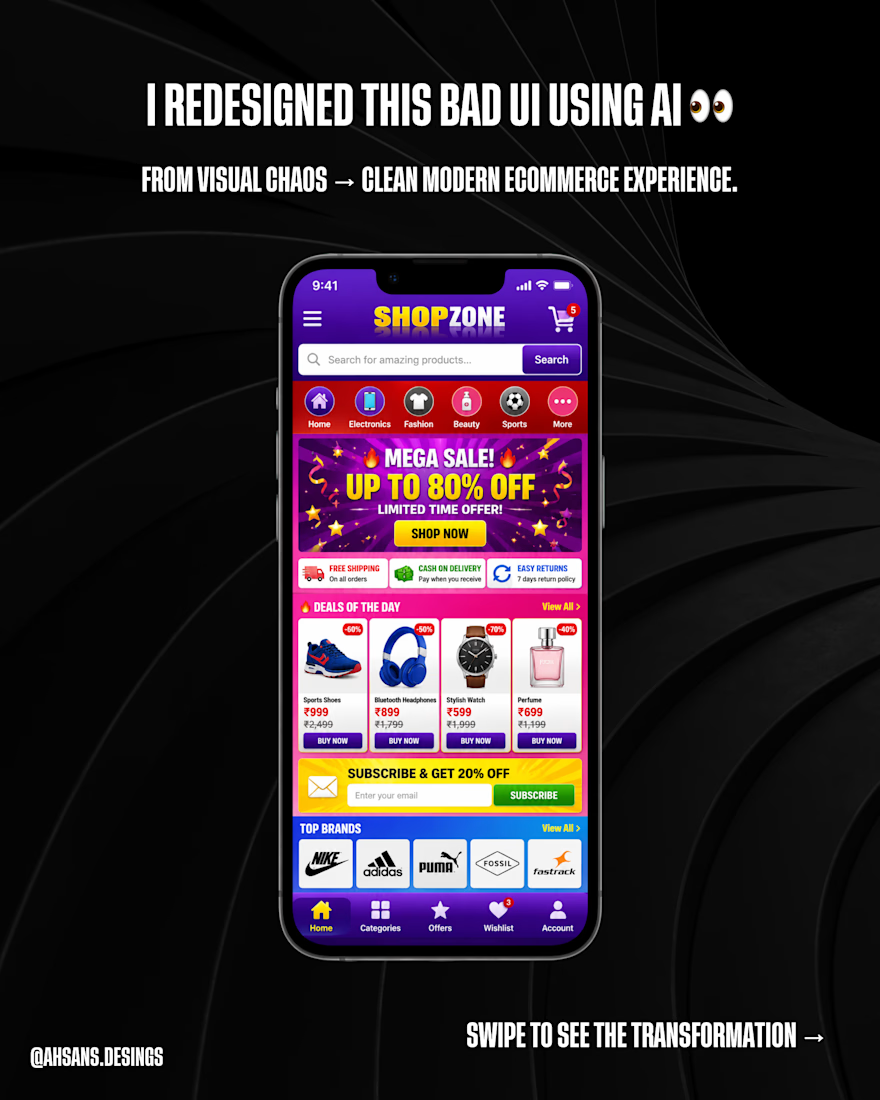
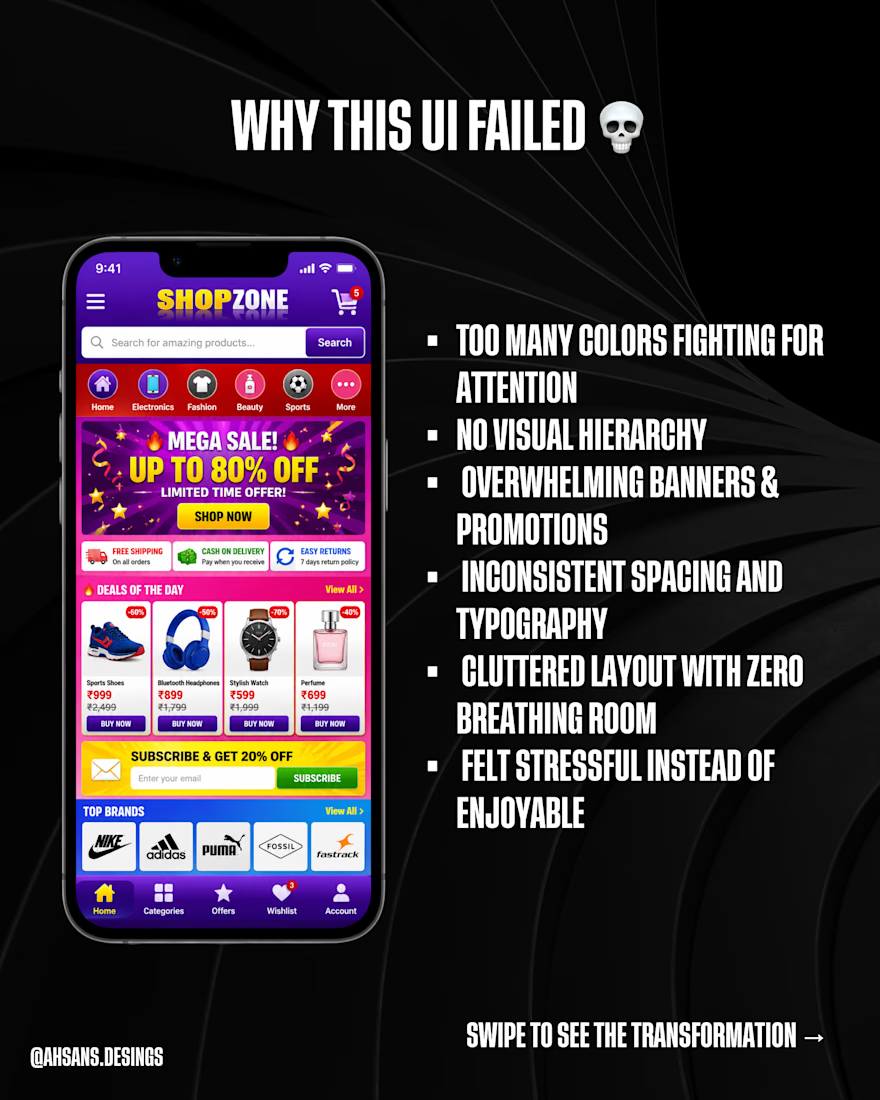
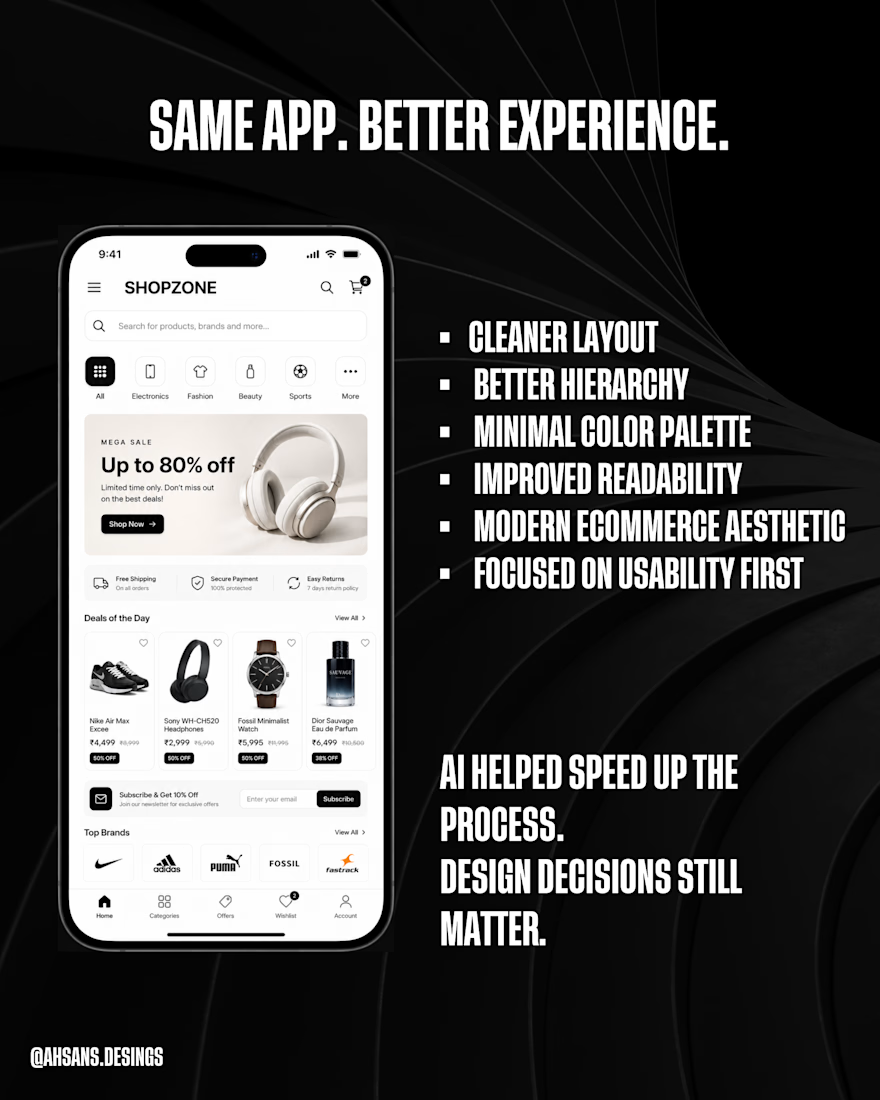
I asked AI to help redesign one of the worst ecommerce UIs imaginable 💀
The goal wasn’t just to make it “look modern” —
it was to improve clarity, hierarchy, and usability.
Which version would you actually use? 👀
#UIDesign #UXDesign #UIRedesign #EcommerceDesign #WebDesign #AIDesign #ChatGPT #ProductDesign #MobileUI #DesignInspiration #UIUX #CreativeProcess #BeforeAndAfter #DesignThinking

What started as an accidental Claude Pro subscription became the most leveraged tool in my workflow this year.
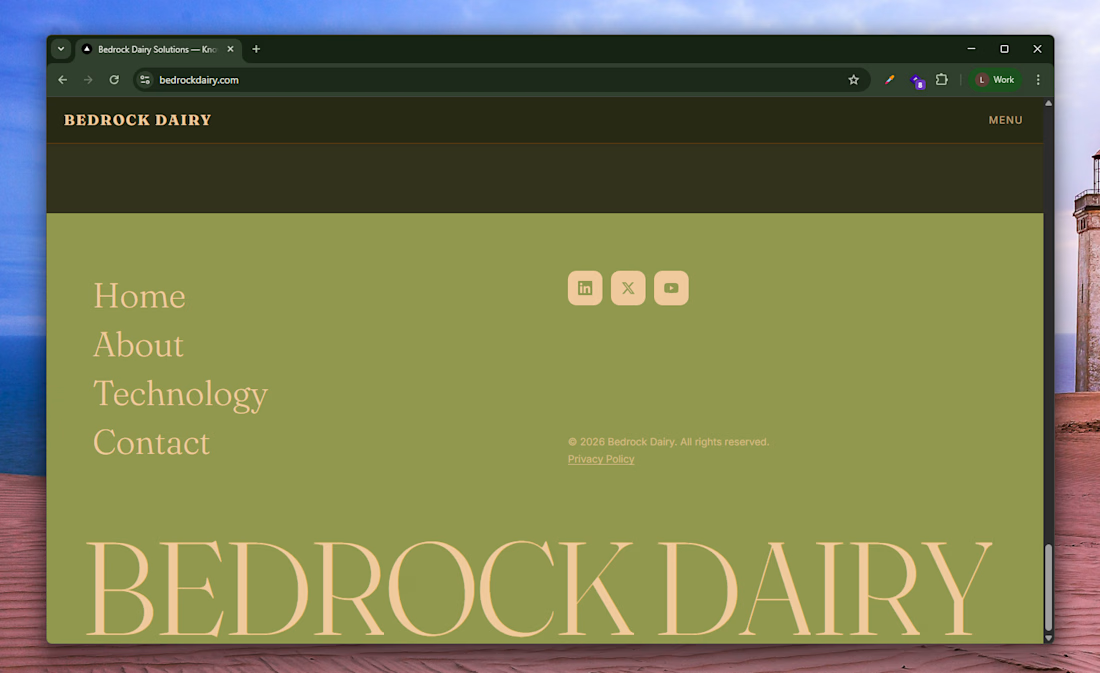
Last week's project: a Next.js marketing site for a dairy tech startup. Custom domain, pinned-scroll showpiece on the technology page, animated nav with hover-preview menu, working waitlist form via Resend + Cloudflare Turnstile, deployed on Vercel.
The build that would've taken me weeks took a 2-4days with Claude code. Not because it wrote everything, but because I never got stuck. Cross-browser bugs, animation timing, mobile responsiveness, deployment config, everything had a path forward.
The unlock isn't speed. It's the removal of friction. Every "I'll figure that out later" became "let's figure it out now."
If you're a developer, designer, or solo founder still on the fence about paid AI tools, the ROI is real.
The accidental subscription is paying for itself ten times over, I'm definitely renewing my subscription😊
Will be trying out claude design soon.

The UI looks neat. good work

In 2026, the strongest brand visuals aren’t coming from studios. They’re coming from designers who know how to use AI.
As a UX/UI & Visual Designer, I use AI not as a shortcut — but as a professional tool to deliver premium-quality output at a fraction of traditional production cost.
What this looks like in practice:
✦ Contextual product placement that feels organic, not staged
✦ Cinematic product videos — no crew, no set required
✦ Motion branding & logo animation for digital-first businesses
✦ Visual identity systems built for scroll-stopping impact
Tools I work with: Midjourney, Kling AI, Runway, Nano Banana, Higgsfield — combined with a UX/UI foundation in Figma and a sharp eye for brand aesthetics.
The result? Content that looks like it had a six-figure budget. Built by one designer.
Currently i open to full-time and freelance opportunities in Visual Design, Brand Design, and AI-powered creative production.
Let’s connect. 👇
#VisualDesign #UXUI #BrandDesign #AIDesign #MotionBranding #KlingAI #Midjourney #ProductionDesign #OpenToWork



Nice work!











Trending

Claude
Claude has entered the design space. How are you using Claude Design?

Contra University
Learn from expert creatives how to earn more using next-gen AI tools.
creativeaiflow
Creative AI workflows are evolving. What tools do you use, and what are their strengths and weaknesses?
portfolioreview
The best portfolios tell a story, not just show a grid. Share yours for feedback.
freelancerlife
Freelancer life is wins, pivots, and everything in between. What’s yours right now?