The network for creativity
Join 1.25M professional creatives like you
Connect with clients, get discovered, and run your business 100% commission-free
Creatives on Contra have earned over $150M and we are just getting started
Back to feedPost

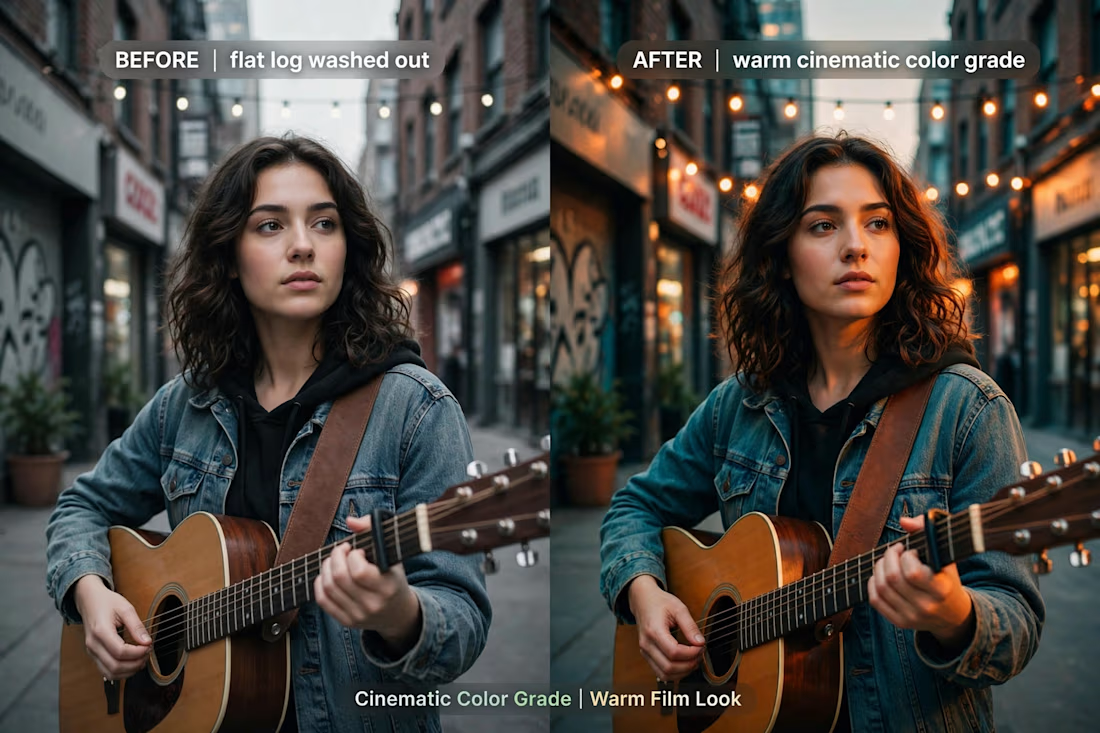
How do you color grade? Here is my warm cinematic look - from flat log to film. Lifted skin tones, teal shadows, soft golden highlights. Perfect for music videos and short films. #colorgrade


The network for creativity
Join 1.25M professional creatives like you
Connect with clients, get discovered, and run your business 100% commission-free
Creatives on Contra have earned over $150M and we are just getting started





Related posts

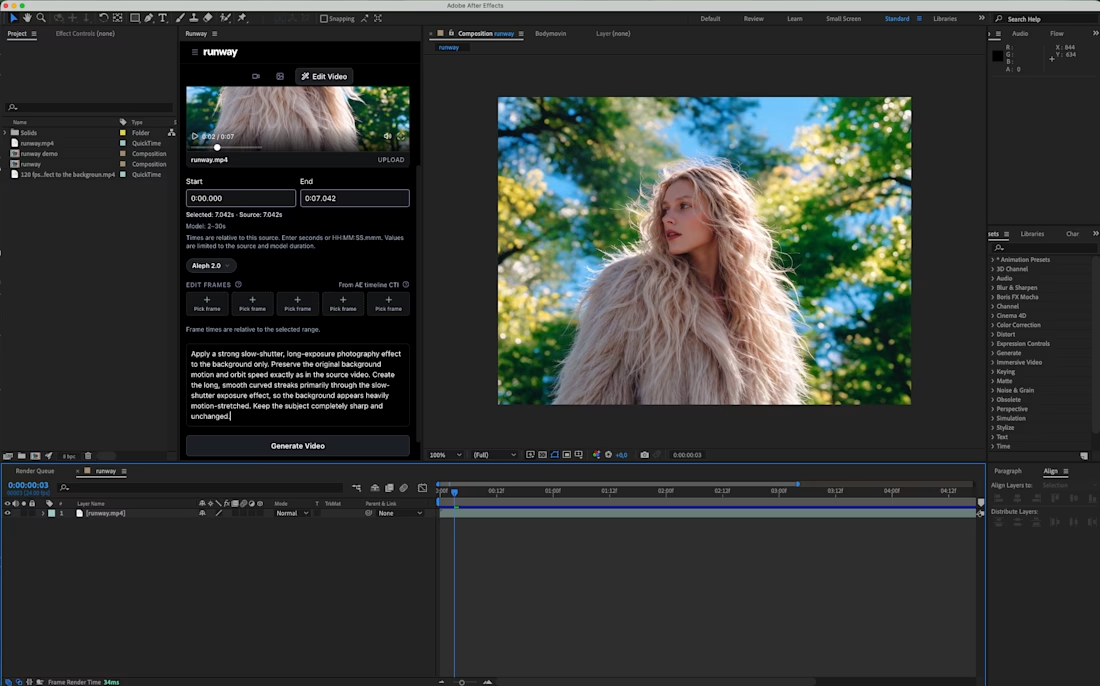
Sharing a simple trick for transforming a video background:
Add a slow-shutter effect.
By turning the surroundings into long, curved motion streaks, you can transform an ordinary environment into a more abstract composition that adds another layer to the shot.
I applied the effect to my own footage using Runway’s Aleph 2.0, editing only the background while keeping the original subject and movement intact.
There are also Runway plugins for After Effects and Premiere Pro if you want to use this directly inside your editing workflow.
Prompt is in the comments.
What do you think of this effect?


Bring your content to life with engaging TikToks, Reels, and YouTube Shorts — professionally edited in CapCut and ready to post within 24 hours.


Created a viral mystery/gold exploration video that reached 3.2M views.
This video investigates the viral ₱49M gold bar - real or fake? Using hook, storytelling, and fast-paced editing to keep retention high.
Tools used: 【entity-CapCut¦canonical_name=CapCut】 + YouTube
Result: 3.2M views, high engagement, trending in Mystery/Explorer niche.